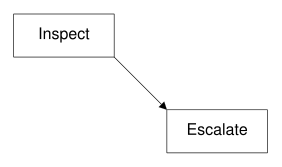
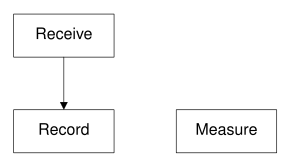
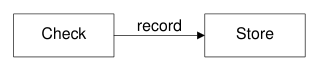
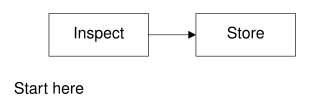
No matching examples. Try another query or clear the filters.
Copy link A visual reference · pic
pic,
Complete source. One deliberate change. Its actual result.
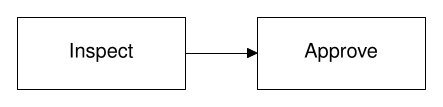
Follow an archive record through inspection, measurement and publication. Named geometric objects make positions explicit; short programs keep the drawings editable.
The Org file is canonical. Read the searchable HTML beside your editor or use the PDF offline. All measurements and operational quantities are synthetic teaching fixtures.
Last changes: 2026-11-16. Original examples, pinned native rendering and portable source/configuration downloads.
72 worked examples
12 topic families
1 canonical Org source
Copy link Reading the tour
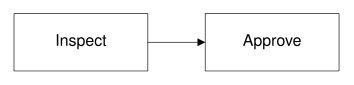
Three ways to see a change
Read the source
Each example is a complete file. Identify the syntax introduced before changing it.
Inspect the output
Open a gallery thumbnail, compare the native figure and follow a sibling example.
Make a change
Download the source/configuration ZIP, make the suggested edit and repeat its exact command.
Browse this tour with the gallery, search and topic filters. Stable IDs identify chapters and examples; Back to diagram overview returns to the corresponding thumbnail. The shared configuration sets appearance, never example data.
Copy link Reproduce the diagrams
The reviewed native toolchain is GNU pic and groff 1.25.0, pdfcrop 1.42, Ghostscript 10.08.0 and Poppler 26.11.0 . Exact checksums and publisher versions are recorded in VERSIONS.json. Install GNU groff, Ghostscript, Poppler and TeX Live with pdfcrop. The driver checks the native versions and the bundled Nimbus Sans font programs. Native PDF is produced by groff with all used fonts embedded, then cropped by pdfcrop; Poppler creates the SVG and PNG companions.
Install the shared publisher with make setup in its sibling directory. Activate that Python environment before using a standalone bundle, or install its pinned requirements.txt in a fresh environment. The published HTML embeds figures and works offline; keep the companion directories for individual downloads.
make full
make check
tools/render --version
tools/render examples/PIC-01-001.pic
Command or configuration
Meaning in this tour
tools/render SOURCERun the pinned native pipeline and write PDF, SVG and PNG.
config/render.jsonReviewed tool versions and bundled font checksums.
SOURCE_DATE_EPOCH=0Fix native build-date inputs; the driver removes PDF date metadata.
make fullExplicitly execute reviewed programs, then build HTML and PDF.
makeReuse verified local results; never execute examples implicitly.
make checkVerify output hashes, example IDs and offline links.
pic -SExpand the complete drawing with native safe mode.
groff -Tpdf -P-e -P-W -P-pa3Embed all used fonts, make warnings fatal and use a generous A3 working canvas.
pdfcrop --hires --margins 10Trim the native PDF and preserve a ten-point margin.
pdftocairo -svgConvert the native PDF to its self-contained SVG companion.
pdftocairo -png -singlefile -r 120Produce the downloadable PNG at a fixed resolution.
Download the complete reproduction bundle to run all examples, or inspect the shared render configuration . After installing system tools and the shared Python dependencies, preparation and rendering use no network. SVG is self-contained vector artwork; PDF remains vector artwork in the guide. Repair sources rather than editing generated figures.
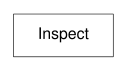
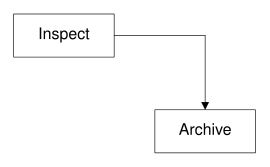
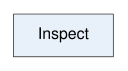
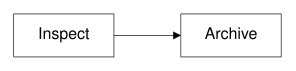
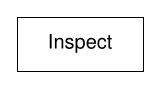
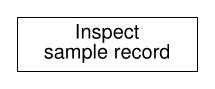
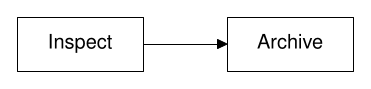
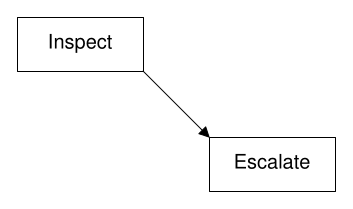
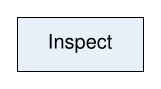
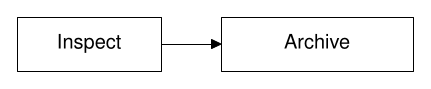
Copy link PIC-01-001 Bound an inspection A box gives an action a clear boundary. Use a verb label when the diagram describes work performed on an archive record.
Back to diagram overview Compare with groff document and diagram tour .
Complete pic source Parameter Meaning in this example boxDraw one rectangular activity. "Inspect"Place the label inside its boundary.
Render this diagram examples/PIC-01-001.pic
Try changing: Replace Inspect with Register.
Actual output PIC-01-001 · pic native output pic · exit 0
Native compiler log Standard output Download: Source · Source + configuration ZIP · SVG · Native PDF · PNG
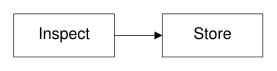
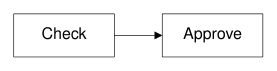
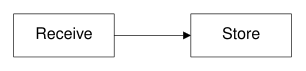
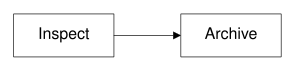
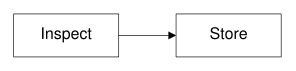
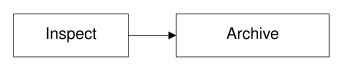
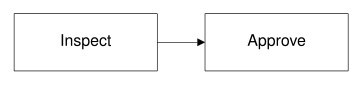
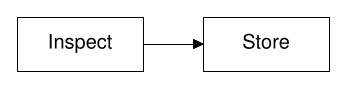
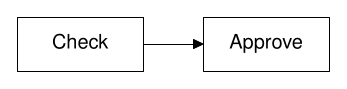
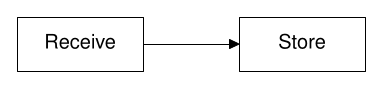
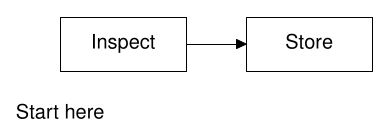
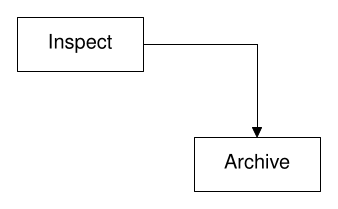
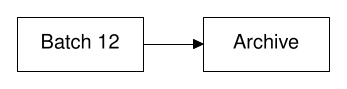
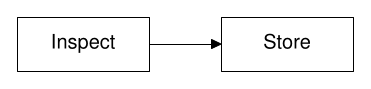
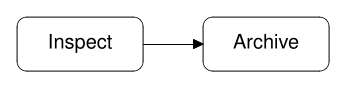
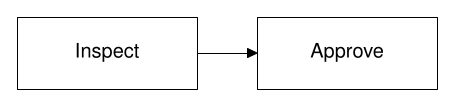
Copy link PIC-01-002 Connect the next action An arrow orders inspection before storage. Use the current drawing position for a short, unbranched process.
Back to diagram overview Compare with PIC-01-001 · Bound an inspection .
Complete pic source Parameter Meaning in this example arrowAdvance to the next activity and point towards it.
Render this diagram examples/PIC-01-002.pic
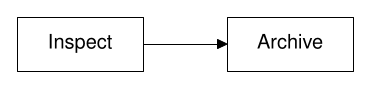
Try changing: Change Store to Archive.
Actual output PIC-01-002 · pic native output pic · exit 0
Native compiler log Standard output Download: Source · Source + configuration ZIP · SVG · Native PDF · PNG
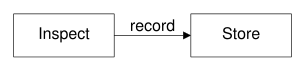
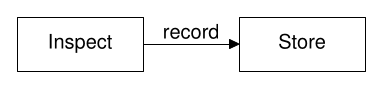
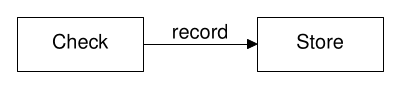
Copy link PIC-01-003 Name the handoff A connector label identifies what moves between activities. Use a noun here because the boxes already name the actions.
Back to diagram overview Compare with PIC-01-002 · Connect the next action .
Complete pic source Parameter Meaning in this example abovePlace the handoff label above the arrow.
Render this diagram examples/PIC-01-003.pic
Try changing: Change record to checked record.
Actual output PIC-01-003 · pic native output pic · exit 0
Native compiler log Standard output Download: Source · Source + configuration ZIP · SVG · Native PDF · PNG
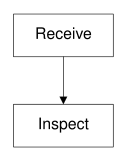
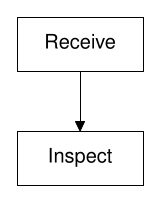
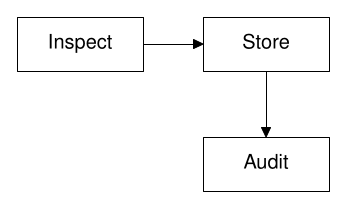
Copy link PIC-01-004 Stack a process vertically Changing direction preserves ordering while reducing width. Use a downward flow for a narrow report column.
Back to diagram overview Compare with PIC-01-003 · Name the handoff .
Complete pic source Parameter Meaning in this example downPlace subsequent objects below the current position.
Render this diagram examples/PIC-01-004.pic
Try changing: Change down to right.
Actual output PIC-01-004 · pic native output pic · exit 0
Native compiler log Standard output Download: Source · Source + configuration ZIP · SVG · Native PDF · PNG
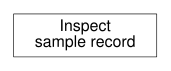
Copy link PIC-01-005 Split a long label Multiple strings make a label into a small stack. Use them when one activity needs a short qualifier without widening its box.
Back to diagram overview Compare with PIC-01-004 · Stack a process vertically .
Complete pic source Parameter Meaning in this example Two quoted stringsStack two lines inside the same box.
Render this diagram examples/PIC-01-005.pic
Try changing: Replace sample record with field notes.
Actual output PIC-01-005 · pic native output pic · exit 0
Native compiler log Standard output Download: Source · Source + configuration ZIP · SVG · Native PDF · PNG
Copy link PIC-01-006 Explain the source A comment records the intent behind the geometry. Use it for conventions that the drawing itself cannot establish.
Back to diagram overview Compare with PIC-01-005 · Split a long label .
Complete pic source Parameter Meaning in this example #Start a comment that pic does not draw.
Render this diagram examples/PIC-01-006.pic
Try changing: Change the comment, then confirm that the figure is unchanged.
Actual output PIC-01-006 · pic native output pic · exit 0
Native compiler log Standard output Download: Source · Source + configuration ZIP · SVG · Native PDF · PNG
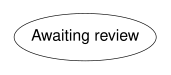
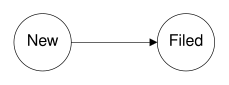
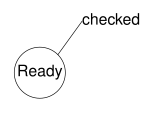
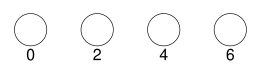
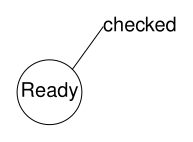
Copy link PIC-02-001 Mark a state with a circle A circle separates a state from an activity box. Use it for a compact condition such as a record waiting for inspection.
Back to diagram overview Compare with PIC-01-001 · Bound an inspection .
Complete pic source Parameter Meaning in this example circleCreate a circular boundary.
Render this diagram examples/PIC-02-001.pic
Try changing: Change Ready to Held.
Actual output PIC-02-001 · pic native output pic · exit 0
Native compiler log Standard output Download: Source · Source + configuration ZIP · SVG · Native PDF · PNG
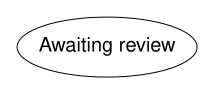
Copy link PIC-02-002 Stretch a state into an ellipse An ellipse gives a state label more horizontal room. Use explicit dimensions when text length should not determine the geometry.
Back to diagram overview Compare with PIC-02-001 · Mark a state with a circle .
Complete pic source Parameter Meaning in this example ellipseDraw an oval state boundary. wid / htSet width and height in inches.
Render this diagram examples/PIC-02-002.pic
Try changing: Increase wid to 1.8.
Actual output PIC-02-002 · pic native output pic · exit 0
Native compiler log Standard output Download: Source · Source + configuration ZIP · SVG · Native PDF · PNG
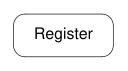
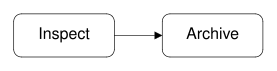
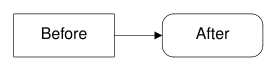
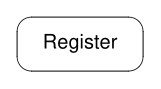
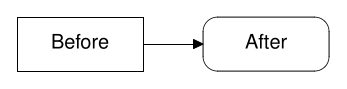
Copy link PIC-02-003 Round an activity boundary A corner radius softens a rectangular activity without changing its anchors. Use the same radius across related actions.
Back to diagram overview Compare with PIC-02-002 · Stretch a state into an ellipse .
Complete pic source Parameter Meaning in this example rad .12Round each corner with a 0.12-inch radius.
Render this diagram examples/PIC-02-003.pic
Try changing: Change rad to .04.
Actual output PIC-02-003 · pic native output pic · exit 0
Native compiler log Standard output Download: Source · Source + configuration ZIP · SVG · Native PDF · PNG
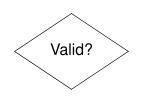
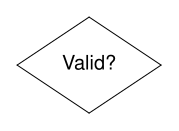
Copy link PIC-02-004 Construct a decision diamond A closed polyline makes a custom boundary. Use a short question inside it and describe the outgoing alternatives when adding connections.
Back to diagram overview Compare with PIC-02-003 · Round an activity boundary .
Complete pic source Parameter Meaning in this example toContinue the same polyline through another vertex. at (0,0)Place the decision question independently of the path.
Render this diagram examples/PIC-02-004.pic
Try changing: Widen both horizontal corners to .75.
Actual output PIC-02-004 · pic native output pic · exit 0
Native compiler log Standard output Download: Source · Source + configuration ZIP · SVG · Native PDF · PNG
Copy link PIC-02-005 Separate a boundary from a connection A plain line can delimit a region without implying direction. Use it when ownership or separation matters more than a flow.
Back to diagram overview Compare with PIC-02-004 · Construct a decision diamond .
Complete pic source Parameter Meaning in this example lineDraw an undecorated segment. last line.cRefer to its midpoint.
Render this diagram examples/PIC-02-005.pic
Try changing: Lengthen the boundary to 2.5.
Actual output PIC-02-005 · pic native output pic · exit 0
Native compiler log Standard output Download: Source · Source + configuration ZIP · SVG · Native PDF · PNG
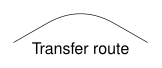
Copy link PIC-02-006 Bend a relation smoothly A spline follows supplied waypoints with a smooth curve. Use it for a secondary relationship that should avoid a rigid elbow.
Back to diagram overview Compare with PIC-02-005 · Separate a boundary from a connection .
Complete pic source Parameter Meaning in this example splineInterpolate a smooth path through relative movements. thenAdd a further waypoint.
Render this diagram examples/PIC-02-006.pic
Try changing: Raise the middle waypoint by .2.
Actual output PIC-02-006 · pic native output pic · exit 0
Native compiler log Standard output Download: Source · Source + configuration ZIP · SVG · Native PDF · PNG
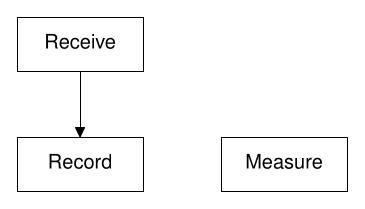
Copy link PIC-03-001 Name the objects A name makes an object available after later drawing commands. Use names for important activities rather than counting their order.
Back to diagram overview Compare with PIC-01-002 · Connect the next action .
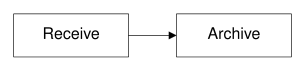
Complete pic source Parameter Meaning in this example Name:Bind an uppercase name to an object. .e / .wAttach at east and west boundary points.
Render this diagram examples/PIC-03-001.pic
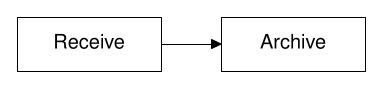
Try changing: Rename Receive consistently to Intake.
Actual output PIC-03-001 · pic native output pic · exit 0
Native compiler log Standard output Download: Source · Source + configuration ZIP · SVG · Native PDF · PNG
Copy link PIC-03-002 Align an edge to an anchor A with clause fixes a chosen feature instead of centering the new object. Use it when boxes must share a particular boundary or port.
Back to diagram overview Compare with PIC-03-001 · Name the objects .
Complete pic source Parameter Meaning in this example with .w atPlace the new west boundary at a named position.
Render this diagram examples/PIC-03-002.pic
Try changing: Change .7 to 1.
Actual output PIC-03-002 · pic native output pic · exit 0
Native compiler log Standard output Download: Source · Source + configuration ZIP · SVG · Native PDF · PNG
Copy link PIC-03-003 Offset a related activity A vector offset expresses displacement from an existing object. Use it for a branch whose spacing should follow its parent.
Back to diagram overview Compare with PIC-03-002 · Align an edge to an anchor .
Complete pic source Parameter Meaning in this example +(1.6,-1)Move right 1.6 inches and down one inch.
Render this diagram examples/PIC-03-003.pic
Try changing: Change the vertical offset to -.7.
Actual output PIC-03-003 · pic native output pic · exit 0
Native compiler log Standard output Download: Source · Source + configuration ZIP · SVG · Native PDF · PNG
Copy link PIC-03-004 Share a horizontal coordinate A coordinate pair can take x and y from different named places. Use it to align an activity with a column and a row at once.
Back to diagram overview Compare with PIC-03-003 · Offset a related activity .
Complete pic source Parameter Meaning in this example A.x / B.yCombine the first object's column with the second object's row.
Render this diagram examples/PIC-03-004.pic
Try changing: Move B to (2,-1.3).
Actual output PIC-03-004 · pic native output pic · exit 0
Native compiler log Standard output Download: Source · Source + configuration ZIP · SVG · Native PDF · PNG
Copy link PIC-03-005 Place a note between activities Interpolation finds a position between two anchors. Use a fractional distance to place a shared annotation without guessing coordinates.
Back to diagram overview Compare with PIC-03-004 · Share a horizontal coordinate .
Complete pic source Parameter Meaning in this example .5 betweenUse the midpoint of two positions.
Render this diagram examples/PIC-03-005.pic
Try changing: Change .5 to .65.
Actual output PIC-03-005 · pic native output pic · exit 0
Native compiler log Standard output Download: Source · Source + configuration ZIP · SVG · Native PDF · PNG
Copy link PIC-03-006 Save the current position Here records the current drawing position. Use a named position when later objects need to return to the same construction point.
Back to diagram overview Compare with PIC-03-005 · Place a note between activities .
Complete pic source Parameter Meaning in this example HereCapture the current location without drawing an object.
Render this diagram examples/PIC-03-006.pic
Try changing: Move the annotation down another .2.
Actual output PIC-03-006 · pic native output pic · exit 0
Native compiler log Standard output Download: Source · Source + configuration ZIP · SVG · Native PDF · PNG
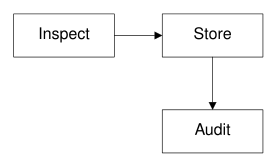
Copy link PIC-04-001 Route through an elbow A polyline can connect separated activities through orthogonal segments. Use an elbow to keep a connector away from nearby text.
Back to diagram overview Compare with PIC-03-003 · Offset a related activity .
Complete pic source Parameter Meaning in this example then toContinue one arrow along another segment.
Render this diagram examples/PIC-04-001.pic
Try changing: Move Archive down to -1.4.
Actual output PIC-04-001 · pic native output pic · exit 0
Native compiler log Standard output Download: Source · Source + configuration ZIP · SVG · Native PDF · PNG
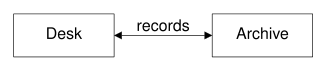
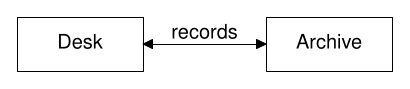
Copy link PIC-04-002 Show a two-way exchange Arrowheads at both ends describe a bidirectional relation. Use a noun label rather than treating it as two separate sequential actions.
Back to diagram overview Compare with PIC-04-001 · Route through an elbow .
Complete pic source Parameter Meaning in this example <->Put an arrowhead at each end.
Render this diagram examples/PIC-04-002.pic
Try changing: Change records to status.
Actual output PIC-04-002 · pic native output pic · exit 0
Native compiler log Standard output Download: Source · Source + configuration ZIP · SVG · Native PDF · PNG
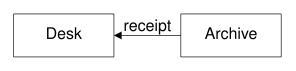
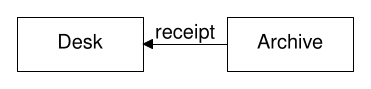
Copy link PIC-04-003 Reverse the arrowhead A head at the start points against the drawing motion. Use it to keep source geometry readable while representing a return relation.
Back to diagram overview Compare with PIC-04-002 · Show a two-way exchange .
Complete pic source Parameter Meaning in this example <-Place the arrowhead at the start of the segment.
Render this diagram examples/PIC-04-003.pic
Try changing: Change <- to -> and explain the changed meaning.
Actual output PIC-04-003 · pic native output pic · exit 0
Native compiler log Standard output Download: Source · Source + configuration ZIP · SVG · Native PDF · PNG
Copy link PIC-04-004 Stop at circular boundaries Chop trims a center-to-center connection. Use explicit trimming distances when nodes are circular and their radii are known.
Back to diagram overview Compare with PIC-04-003 · Reverse the arrowhead .
Complete pic source Parameter Meaning in this example chop .3Remove 0.3 inches from both ends.
Render this diagram examples/PIC-04-004.pic
Try changing: Increase both radii and chop to .4.
Actual output PIC-04-004 · pic native output pic · exit 0
Native compiler log Standard output Download: Source · Source + configuration ZIP · SVG · Native PDF · PNG
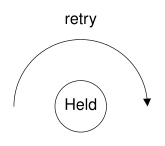
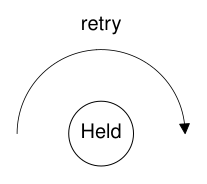
Copy link PIC-04-005 Arc around a state An arc bends around its named center. Use clockwise orientation when the relation must pass on a chosen side of the diagram.
Back to diagram overview Compare with PIC-04-004 · Stop at circular boundaries .
Complete pic source Parameter Meaning in this example arcDraw a circular arc. cwChoose clockwise travel.
Render this diagram examples/PIC-04-005.pic
Try changing: Change cw to ccw and move retry below.
Actual output PIC-04-005 · pic native output pic · exit 0
Native compiler log Standard output Download: Source · Source + configuration ZIP · SVG · Native PDF · PNG
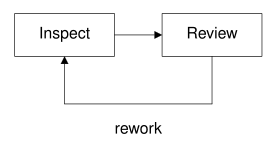
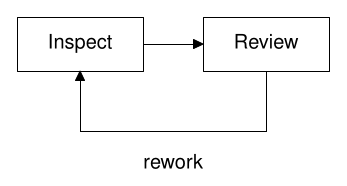
Copy link PIC-04-006 Route a rework loop below A multi-segment return can stay outside the forward flow. Use an explicit rework label so the back edge is not mistaken for another normal handoff.
Back to diagram overview Compare with PIC-04-005 · Arc around a state .
Complete pic source Parameter Meaning in this example down / then leftKeep a return route below the activities.
Render this diagram examples/PIC-04-006.pic
Try changing: Move the return line down to .7.
Actual output PIC-04-006 · pic native output pic · exit 0
Native compiler log Standard output Download: Source · Source + configuration ZIP · SVG · Native PDF · PNG
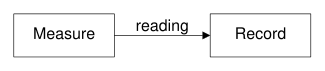
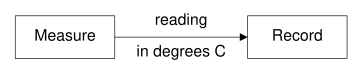
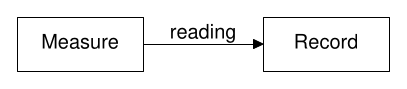
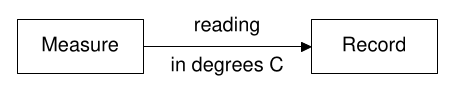
Copy link PIC-05-001 Place a label above a line An above label is attached to the line itself. Use it when later moves should preserve the association between text and connector.
Back to diagram overview Compare with PIC-01-003 · Name the handoff .
Complete pic source Parameter Meaning in this example aboveOffset a label above its object.
Render this diagram examples/PIC-05-001.pic
Try changing: Move reading below the arrow.
Actual output PIC-05-001 · pic native output pic · exit 0
Native compiler log Standard output Download: Source · Source + configuration ZIP · SVG · Native PDF · PNG
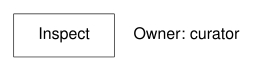
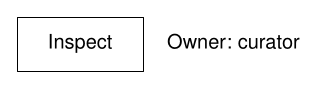
Copy link PIC-05-002 Align a note to the left Left justification makes a note start at its anchor. Use it for a caption next to a boundary rather than centered on it.
Back to diagram overview Compare with PIC-05-001 · Place a label above a line .
Complete pic source Parameter Meaning in this example ljustStart the text at the supplied position.
Render this diagram examples/PIC-05-002.pic
Try changing: Replace curator with technician.
Actual output PIC-05-002 · pic native output pic · exit 0
Native compiler log Standard output Download: Source · Source + configuration ZIP · SVG · Native PDF · PNG
Copy link PIC-05-003 Label both sides of a connector Separate labels can carry a main term and a qualifier. Use opposite sides of the connector so neither string crosses the line or obscures the other.
Back to diagram overview Compare with PIC-05-002 · Align a note to the left .
Complete pic source Parameter Meaning in this example above / belowKeep the two labels on opposite sides of the connector.
Render this diagram examples/PIC-05-003.pic
Try changing: Replace the qualifier with checked value.
Actual output PIC-05-003 · pic native output pic · exit 0
Native compiler log Standard output Download: Source · Source + configuration ZIP · SVG · Native PDF · PNG
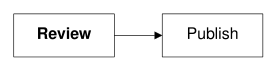
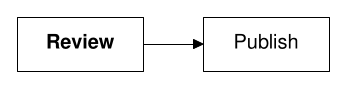
Copy link PIC-05-004 Emphasize one word A roff font escape changes emphasis inside the label. Use it sparingly to distinguish an exceptional activity from ordinary steps.
Back to diagram overview Compare with PIC-05-003 · Label both sides of a connector .
Complete pic source Parameter Meaning in this example \f[HB]Select the locally embedded bold font. \f[]Return to the previous font.
Render this diagram examples/PIC-05-004.pic
Try changing: Make Publish bold instead.
Actual output PIC-05-004 · pic native output pic · exit 0
Native compiler log Standard output Download: Source · Source + configuration ZIP · SVG · Native PDF · PNG
Copy link PIC-05-005 Change the label size locally A size escape changes a label without scaling its box. Use it for a short secondary note while keeping geometric dimensions constant.
Back to diagram overview Compare with PIC-05-004 · Emphasize one word .
Complete pic source Parameter Meaning in this example \s[9]Set the secondary string to nine points. \s[0]Restore the preceding point size.
Render this diagram examples/PIC-05-005.pic
Try changing: Change the secondary size to 10.
Actual output PIC-05-005 · pic native output pic · exit 0
Native compiler log Standard output Download: Source · Source + configuration ZIP · SVG · Native PDF · PNG
Copy link PIC-05-006 Format a computed value A formatted string turns a number into a concise label. Use it when the displayed value should follow a variable instead of a manually edited caption.
Back to diagram overview Compare with PIC-05-005 · Change the label size locally .
Complete pic source Parameter Meaning in this example sprintfFormat a string from the supplied expression.
Render this diagram examples/PIC-05-006.pic
Try changing: Change n to 18.
Actual output PIC-05-006 · pic native output pic · exit 0
Native compiler log Standard output Download: Source · Source + configuration ZIP · SVG · Native PDF · PNG
Copy link PIC-06-001 Fill an activity lightly A shaded fill can group related activities while preserving readable text. Use a light common color for ordinary work.
Back to diagram overview Compare with PIC-01-001 · Bound an inspection .
Complete pic source Parameter Meaning in this example shadedFill the closed shape with a named color.
Render this diagram examples/PIC-06-001.pic
Try changing: Change wash to lightgray.
Actual output PIC-06-001 · pic native output pic · exit 0
Native compiler log Standard output Download: Source · Source + configuration ZIP · SVG · Native PDF · PNG
Copy link PIC-06-002 Color an activity outline An outlined color supplies the pen for the boundary and its label. Use it to distinguish a highlighted activity while leaving the interior unfilled.
Back to diagram overview Compare with PIC-06-001 · Fill an activity lightly .
Complete pic source Parameter Meaning in this example outlinedChoose the boundary and label pen color.
Render this diagram examples/PIC-06-002.pic
Try changing: Change blue to orange.
Actual output PIC-06-002 · pic native output pic · exit 0
Native compiler log Standard output Download: Source · Source + configuration ZIP · SVG · Native PDF · PNG
Copy link PIC-06-003 Thicken an important boundary Thickness sets the stroke in points. Use a heavier boundary to reinforce a meaning that the label already states.
Back to diagram overview Compare with PIC-06-002 · Color an activity outline .
Complete pic source Parameter Meaning in this example thickness 2Draw a two-point boundary.
Render this diagram examples/PIC-06-003.pic
Try changing: Reduce the thickness to 1.
Actual output PIC-06-003 · pic native output pic · exit 0
Native compiler log Standard output Download: Source · Source + configuration ZIP · SVG · Native PDF · PNG
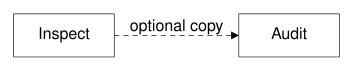
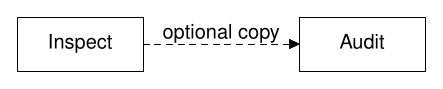
Copy link PIC-06-004 Dash an optional relation A dashed stroke can mark an optional or asynchronous relation. State that convention explicitly rather than expecting the line style to carry it alone.
Back to diagram overview Compare with PIC-06-003 · Thicken an important boundary .
Complete pic source Parameter Meaning in this example dashedUse separated dashes along the connector.
Render this diagram examples/PIC-06-004.pic
Try changing: Change dashed to solid and revise the label.
Actual output PIC-06-004 · pic native output pic · exit 0
Native compiler log Standard output Download: Source · Source + configuration ZIP · SVG · Native PDF · PNG
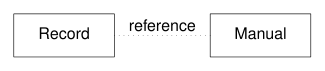
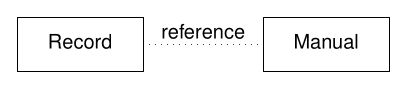
Copy link PIC-06-005 Dot a supporting relation Dots provide a lighter secondary link. Use them for a reference that is not part of the main process ordering.
Back to diagram overview Compare with PIC-06-004 · Dash an optional relation .
Complete pic source Parameter Meaning in this example dottedUse a dotted line without an arrowhead.
Render this diagram examples/PIC-06-005.pic
Try changing: Increase the dotted spacing to .1.
Actual output PIC-06-005 · pic native output pic · exit 0
Native compiler log Standard output Download: Source · Source + configuration ZIP · SVG · Native PDF · PNG
Copy link PIC-06-006 Keep scaffolding invisible An invisible object can reserve a stable position. Use it for layout only, never as a hidden activity in the process model.
Back to diagram overview Compare with PIC-06-005 · Dot a supporting relation .
Complete pic source Parameter Meaning in this example invisRetain object geometry but omit its outline.
Render this diagram examples/PIC-06-006.pic
Try changing: Increase the invisible width to 1.
Actual output PIC-06-006 · pic native output pic · exit 0
Native compiler log Standard output Download: Source · Source + configuration ZIP · SVG · Native PDF · PNG
Copy link PIC-07-001 Name a shared width A dimension variable keeps sibling activities consistent. Use it when several boxes should grow together.
Back to diagram overview Compare with PIC-02-002 · Stretch a state into an ellipse .
Complete pic source Parameter Meaning in this example w=1.2Assign a reusable numeric width.
Render this diagram examples/PIC-07-001.pic
Try changing: Change w to 1.5.
Actual output PIC-07-001 · pic native output pic · exit 0
Native compiler log Standard output Download: Source · Source + configuration ZIP · SVG · Native PDF · PNG
Copy link PIC-07-002 Derive the row spacing Arithmetic can place objects relative to their dimensions. Use an expression to preserve clearance after a width edit.
Back to diagram overview Compare with PIC-07-001 · Name a shared width .
Complete pic source Parameter Meaning in this example w+gapCombine object width and clear spacing.
Render this diagram examples/PIC-07-002.pic
Try changing: Increase w without changing gap.
Actual output PIC-07-002 · pic native output pic · exit 0
Native compiler log Standard output Download: Source · Source + configuration ZIP · SVG · Native PDF · PNG
Copy link PIC-07-003 Read an object dimension An object exposes its actual width and height. Use those values when later geometry should follow an earlier explicit size.
Back to diagram overview Compare with PIC-07-002 · Derive the row spacing .
Complete pic source Parameter Meaning in this example A.wid / A.htRead dimensions from an already drawn object.
Render this diagram examples/PIC-07-003.pic
Try changing: Change the first box height to .8.
Actual output PIC-07-003 · pic native output pic · exit 0
Native compiler log Standard output Download: Source · Source + configuration ZIP · SVG · Native PDF · PNG
Copy link PIC-07-004 Place a radial note Sine and cosine convert an angle into an offset. Use them to position a callout around a circular state.
Back to diagram overview Compare with PIC-07-003 · Read an object dimension .
Complete pic source Parameter Meaning in this example sin / cosUse radians to calculate the callout position.
Render this diagram examples/PIC-07-004.pic
Try changing: Change angle to 1.
Actual output PIC-07-004 · pic native output pic · exit 0
Native compiler log Standard output Download: Source · Source + configuration ZIP · SVG · Native PDF · PNG
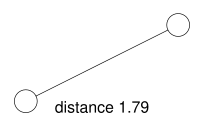
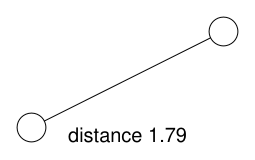
Copy link PIC-07-005 Calculate a diagonal distance A square root converts squared offsets into a length. Use a computed label when a diagram explains its own geometric relation.
Back to diagram overview Compare with PIC-07-004 · Place a radial note .
Complete pic source Parameter Meaning in this example sqrtCompute the straight-line distance from the offsets.
Render this diagram examples/PIC-07-005.pic
Try changing: Change dy to 1.2.
Actual output PIC-07-005 · pic native output pic · exit 0
Native compiler log Standard output Download: Source · Source + configuration ZIP · SVG · Native PDF · PNG
Copy link PIC-07-006 Select a width conditionally A conditional expression chooses a dimension before drawing. Use it when one configuration flag changes a layout decision.
Back to diagram overview Compare with PIC-07-005 · Calculate a diagonal distance .
Complete pic source Parameter Meaning in this example if / then / elseSelect one branch while constructing the drawing.
Render this diagram examples/PIC-07-006.pic
Try changing: Set expanded to 0.
Actual output PIC-07-006 · pic native output pic · exit 0
Native compiler log Standard output Download: Source · Source + configuration ZIP · SVG · Native PDF · PNG
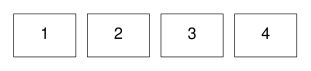
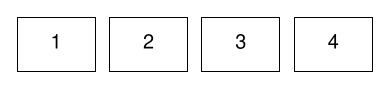
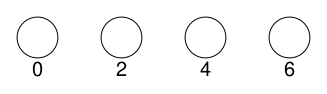
Copy link PIC-08-001 Repeat a row with a loop A loop draws a regular row from a numeric range. Use it for a small sequence of batch slots.
Back to diagram overview Compare with PIC-07-001 · Name a shared width .
Complete pic source Parameter Meaning in this example for i=1 to 4Construct four numbered slots.
Render this diagram examples/PIC-08-001.pic
Try changing: Change the upper limit to 5.
Actual output PIC-08-001 · pic native output pic · exit 0
Native compiler log Standard output Download: Source · Source + configuration ZIP · SVG · Native PDF · PNG
Copy link PIC-08-002 Choose the loop step An explicit step produces a regular subset of values. Use it for evenly spaced markers with meaningful numeric labels.
Back to diagram overview Compare with PIC-08-001 · Repeat a row with a loop .
Complete pic source Parameter Meaning in this example by 2Advance the loop variable by two each time.
Render this diagram examples/PIC-08-002.pic
Try changing: Change by 2 to by 3.
Actual output PIC-08-002 · pic native output pic · exit 0
Native compiler log Standard output Download: Source · Source + configuration ZIP · SVG · Native PDF · PNG
Copy link PIC-08-003 Define an activity macro A macro names one reusable drawing operation. Use it when several activities should share a boundary and label pattern.
Back to diagram overview Compare with PIC-08-002 · Choose the loop step .
Complete pic source Parameter Meaning in this example defineCreate a reusable source macro. $1Substitute the first argument.
Render this diagram examples/PIC-08-003.pic
Try changing: Change the radius inside the macro.
Actual output PIC-08-003 · pic native output pic · exit 0
Native compiler log Standard output Download: Source · Source + configuration ZIP · SVG · Native PDF · PNG
Copy link PIC-08-004 Pass a geometric parameter Macro arguments can carry a dimension as well as a label. Use this to vary one feature while keeping the rest of a component stable.
Back to diagram overview Compare with PIC-08-003 · Define an activity macro .
Complete pic source Parameter Meaning in this example $2Use the second macro argument as a width.
Render this diagram examples/PIC-08-004.pic
Try changing: Increase only the second width.
Actual output PIC-08-004 · pic native output pic · exit 0
Native compiler log Standard output Download: Source · Source + configuration ZIP · SVG · Native PDF · PNG
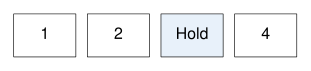
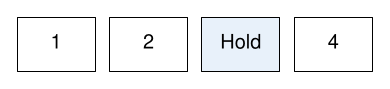
Copy link PIC-08-005 Highlight one loop iteration A conditional inside a loop distinguishes a selected slot. Use a textual or shape convention alongside color when the selection has process meaning.
Back to diagram overview Compare with PIC-08-004 · Pass a geometric parameter .
Complete pic source Parameter Meaning in this example i==3Choose one repeated slot for the hold label.
Render this diagram examples/PIC-08-005.pic
Try changing: Select slot 2 instead of slot 3.
Actual output PIC-08-005 · pic native output pic · exit 0
Native compiler log Standard output Download: Source · Source + configuration ZIP · SVG · Native PDF · PNG
Copy link PIC-08-006 Replace a macro definition Undefining a macro permits a new local convention. Use this in an explanatory drawing that compares two component styles.
Back to diagram overview Compare with PIC-08-005 · Highlight one loop iteration .
Complete pic source Parameter Meaning in this example undefRemove the previous macro before defining its replacement.
Render this diagram examples/PIC-08-006.pic
Try changing: Change the replacement radius to .2.
Actual output PIC-08-006 · pic native output pic · exit 0
Native compiler log Standard output Download: Source · Source + configuration ZIP · SVG · Native PDF · PNG
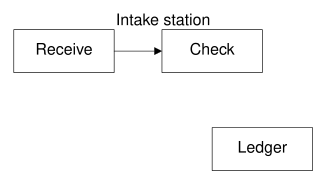
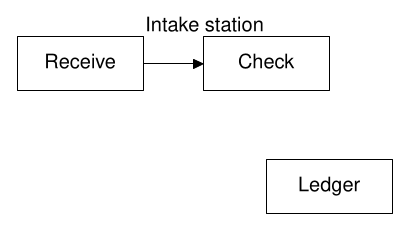
Copy link PIC-09-001 Group an intake component Brackets collect several primitives into one object. Use a block when a small subdiagram must move as a unit.
Back to diagram overview Compare with PIC-08-003 · Define an activity macro .
Complete pic source Parameter Meaning in this example [ ... ]Create a composite object with its own outer anchors.
Render this diagram examples/PIC-09-001.pic
Try changing: Move the whole Intake block to (0,1).
Actual output PIC-09-001 · pic native output pic · exit 0
Native compiler log Standard output Download: Source · Source + configuration ZIP · SVG · Native PDF · PNG
Copy link PIC-09-002 Attach to an internal port A block can expose a named internal activity. Use a qualified name when a connector must reach a specific part rather than the block boundary.
Back to diagram overview Compare with PIC-09-001 · Group an intake component .
Complete pic source Parameter Meaning in this example Unit.BRefer to a named object inside the block.
Render this diagram examples/PIC-09-002.pic
Try changing: Connect the audit to Unit.A instead.
Actual output PIC-09-002 · pic native output pic · exit 0
Native compiler log Standard output Download: Source · Source + configuration ZIP · SVG · Native PDF · PNG
Copy link PIC-09-003 Keep a variable local A block creates a local scope for dimensions. Use it to customize a component without changing the surrounding defaults.
Back to diagram overview Compare with PIC-09-002 · Attach to an internal port .
Complete pic source Parameter Meaning in this example Block scopeRestore the outer boxwid after leaving the brackets.
Render this diagram examples/PIC-09-003.pic
Try changing: Change the local box width to .9.
Actual output PIC-09-003 · pic native output pic · exit 0
Native compiler log Standard output Download: Source · Source + configuration ZIP · SVG · Native PDF · PNG
Copy link PIC-09-004 Copy the preceding shape size Same reuses the previous object of that type. Use it for a pair that should agree in dimensions while keeping distinct labels.
Back to diagram overview Compare with PIC-09-003 · Keep a variable local .
Complete pic source Parameter Meaning in this example sameReuse dimensions from the preceding box.
Render this diagram examples/PIC-09-004.pic
Try changing: Change the first height to .8.
Actual output PIC-09-004 · pic native output pic · exit 0
Native compiler log Standard output Download: Source · Source + configuration ZIP · SVG · Native PDF · PNG
Copy link PIC-09-005 Nest a reusable subdiagram A block may contain another block. Use nesting to organize an intake station without flattening its internal structure.
Back to diagram overview Compare with PIC-09-004 · Copy the preceding shape size .
Complete pic source Parameter Meaning in this example Nested bracketsKeep a smaller component inside a larger one.
Render this diagram examples/PIC-09-005.pic
Try changing: Change Ledger to Register.
Actual output PIC-09-005 · pic native output pic · exit 0
Native compiler log Standard output Download: Source · Source + configuration ZIP · SVG · Native PDF · PNG
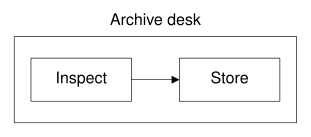
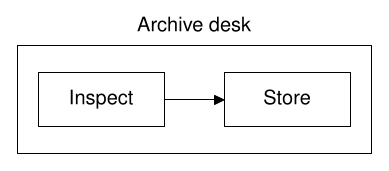
Copy link PIC-09-006 Frame a composite object An invisible block boundary can guide a visible frame. Use the block dimensions to leave a consistent margin around its contents.
Back to diagram overview Compare with PIC-09-005 · Nest a reusable subdiagram .
Complete pic source Parameter Meaning in this example Unit.wid / Unit.htMeasure the composite object before adding its frame.
Render this diagram examples/PIC-09-006.pic
Try changing: Increase the horizontal margin to .6.
Actual output PIC-09-006 · pic native output pic · exit 0
Native compiler log Standard output Download: Source · Source + configuration ZIP · SVG · Native PDF · PNG
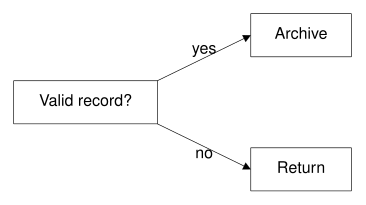
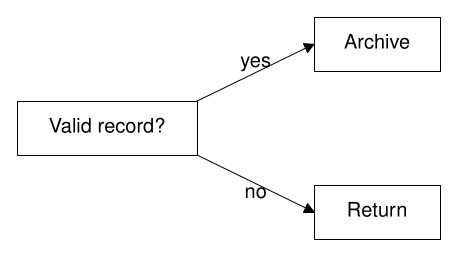
Copy link PIC-10-001 Branch on a check Two labeled outgoing arrows express exclusive alternatives in this example. Use them when exactly one outcome follows the check.
Back to diagram overview Compare with PIC-04-001 · Route through an elbow .
Complete pic source Parameter Meaning in this example Labeled branchesMake the exclusive alternatives explicit.
Render this diagram examples/PIC-10-001.pic
Try changing: Change the question and both outcome labels.
Actual output PIC-10-001 · pic native output pic · exit 0
Native compiler log Standard output Download: Source · Source + configuration ZIP · SVG · Native PDF · PNG
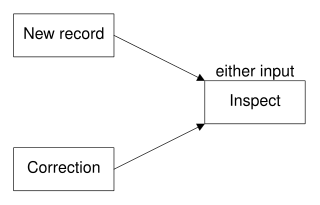
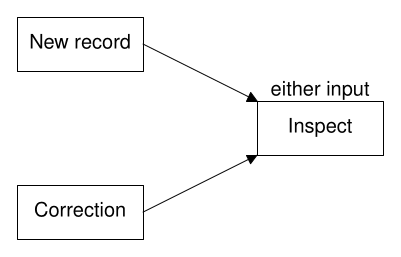
Copy link PIC-10-002 Merge alternative paths Two incoming paths can meet at one activity after an exclusive choice. Use a merge only when it does not imply waiting for both alternatives.
Back to diagram overview Compare with PIC-10-001 · Branch on a check .
Complete pic source Parameter Meaning in this example either inputState that the merge does not wait for both paths.
Render this diagram examples/PIC-10-002.pic
Try changing: Replace Correction with Reopened record.
Actual output PIC-10-002 · pic native output pic · exit 0
Native compiler log Standard output Download: Source · Source + configuration ZIP · SVG · Native PDF · PNG
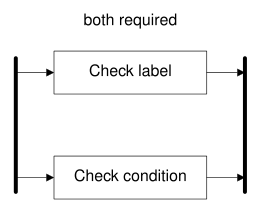
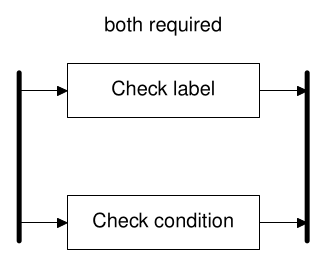
Copy link PIC-10-003 Require both parallel checks A fork and join can express required parallel work when the rule is stated. Here release waits for both the label and condition checks.
Back to diagram overview Compare with PIC-10-002 · Merge alternative paths .
Complete pic source Parameter Meaning in this example Thick barsUse the stated AND-fork and AND-join convention.
Render this diagram examples/PIC-10-003.pic
Try changing: Change the two required checks.
Actual output PIC-10-003 · pic native output pic · exit 0
Native compiler log Standard output Download: Source · Source + configuration ZIP · SVG · Native PDF · PNG
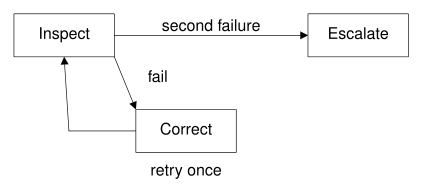
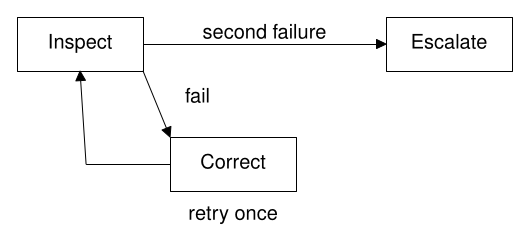
Copy link PIC-10-004 Bound a retry route A retry must state its limit instead of implying endless repetition. Use a separate escalation outcome after the allowed correction attempt.
Back to diagram overview Compare with PIC-10-003 · Require both parallel checks .
Complete pic source Parameter Meaning in this example retry onceSupply a finite process rule; pic does not enforce it.
Render this diagram examples/PIC-10-004.pic
Try changing: Change once to twice and revise the escalation label.
Actual output PIC-10-004 · pic native output pic · exit 0
Native compiler log Standard output Download: Source · Source + configuration ZIP · SVG · Native PDF · PNG
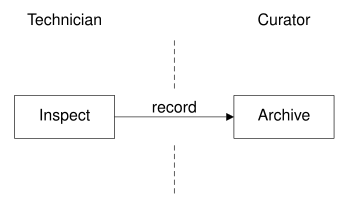
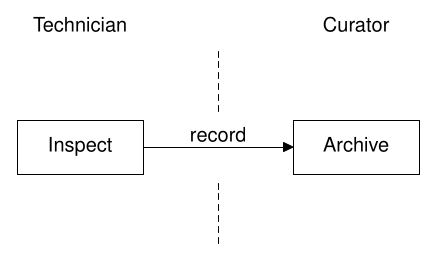
Copy link PIC-10-005 Show an ownership handoff A divider distinguishes responsibility from sequence. Use explicit role labels so the crossing identifies a handoff between people.
Back to diagram overview Compare with PIC-10-004 · Bound a retry route .
Complete pic source Parameter Meaning in this example Dashed dividerSeparate owners without treating the line as a process step.
Render this diagram examples/PIC-10-005.pic
Try changing: Rename the two roles.
Actual output PIC-10-005 · pic native output pic · exit 0
Native compiler log Standard output Download: Source · Source + configuration ZIP · SVG · Native PDF · PNG
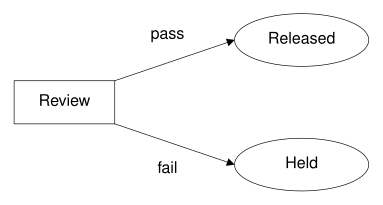
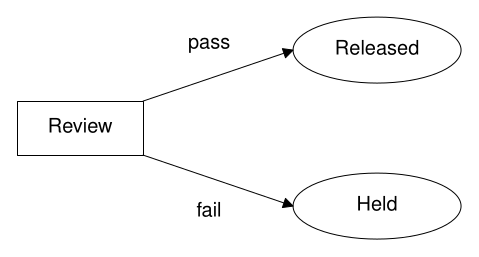
Copy link PIC-10-006 Separate failure from completion A failure branch should not disappear into the successful outcome. Use a distinct held state when the archive must retain an unresolved record.
Back to diagram overview Compare with PIC-10-005 · Show an ownership handoff .
Complete pic source Parameter Meaning in this example Distinct statesKeep failure and successful completion visible.
Render this diagram examples/PIC-10-006.pic
Try changing: Change Held to Needs correction.
Actual output PIC-10-006 · pic native output pic · exit 0
Native compiler log Standard output Download: Source · Source + configuration ZIP · SVG · Native PDF · PNG
Copy link PIC-11-001 Map a component call A directed connector may represent a call rather than elapsed process order. Use a verb on the edge when the boxes name software components.
Back to diagram overview Compare with PIC-01-003 · Name the handoff .
Complete pic source Parameter Meaning in this example writesState the component relationship explicitly.
Render this diagram examples/PIC-11-001.pic
Try changing: Change writes to reads and reverse the arrow.
Actual output PIC-11-001 · pic native output pic · exit 0
Native compiler log Standard output Download: Source · Source + configuration ZIP · SVG · Native PDF · PNG
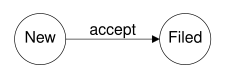
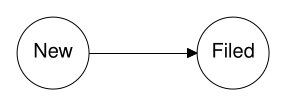
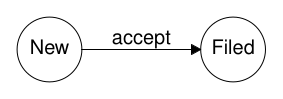
Copy link PIC-11-002 Draw a state transition States and transition labels answer different questions from activity boxes. Use event names on arrows between circular states.
Back to diagram overview Compare with PIC-11-001 · Map a component call .
Complete pic source Parameter Meaning in this example acceptName the event that changes the state.
Render this diagram examples/PIC-11-002.pic
Try changing: Change accept to approve.
Actual output PIC-11-002 · pic native output pic · exit 0
Native compiler log Standard output Download: Source · Source + configuration ZIP · SVG · Native PDF · PNG
Copy link PIC-11-003 Trace a file lifecycle A document can move through several named versions. Use consistent boundaries and explicit revision labels to distinguish identity from action.
Back to diagram overview Compare with PIC-11-002 · Draw a state transition .
Complete pic source Parameter Meaning in this example Version labelsTrack file states across the lifecycle.
Render this diagram examples/PIC-11-003.pic
Try changing: Change freeze to sign off.
Actual output PIC-11-003 · pic native output pic · exit 0
Native compiler log Standard output Download: Source · Source + configuration ZIP · SVG · Native PDF · PNG
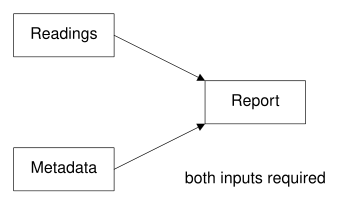
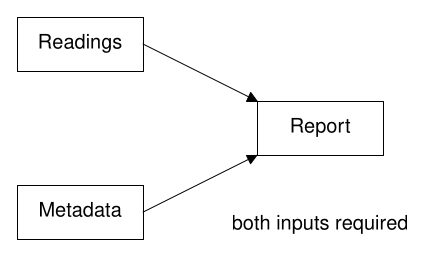
Copy link PIC-11-004 Map a dependency fan-in Several inputs may be prerequisites of one artifact. Use arrows toward the artifact and a caption stating that all inputs are required.
Back to diagram overview Compare with PIC-11-003 · Trace a file lifecycle .
Complete pic source Parameter Meaning in this example Fan-inShow supplied prerequisites rather than a scheduled execution.
Render this diagram examples/PIC-11-004.pic
Try changing: Add a third Style input above the report.
Actual output PIC-11-004 · pic native output pic · exit 0
Native compiler log Standard output Download: Source · Source + configuration ZIP · SVG · Native PDF · PNG
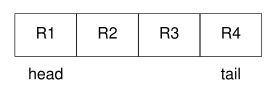
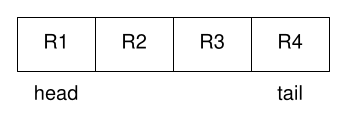
Copy link PIC-11-005 Lay out queue slots Repeated cells show the position of items in a queue. Use labels for the head and tail so left-to-right placement has an explicit interpretation.
Back to diagram overview Compare with PIC-11-004 · Map a dependency fan-in .
Complete pic source Parameter Meaning in this example 1st box / last boxRefer to the first and latest cells without naming each one.
Render this diagram examples/PIC-11-005.pic
Try changing: Increase the queue to five slots.
Actual output PIC-11-005 · pic native output pic · exit 0
Native compiler log Standard output Download: Source · Source + configuration ZIP · SVG · Native PDF · PNG
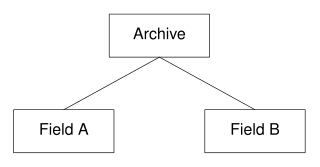
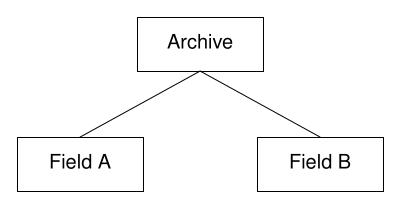
Copy link PIC-11-006 Arrange a small hierarchy A parent can connect to children placed on one row. Use this for containment or responsibility, and name that relation in the surrounding explanation.
Back to diagram overview Compare with PIC-11-005 · Lay out queue slots .
Complete pic source Parameter Meaning in this example Shared parentRepresent the stated containment hierarchy.
Render this diagram examples/PIC-11-006.pic
Try changing: Rename the child collections.
Actual output PIC-11-006 · pic native output pic · exit 0
Native compiler log Standard output Download: Source · Source + configuration ZIP · SVG · Native PDF · PNG
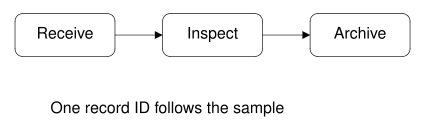
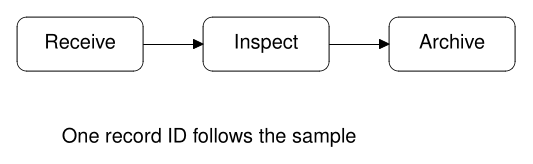
Copy link PIC-12-001 Finish an intake overview A compact overview keeps the main path readable. Use a separate note for the shared identifier instead of repeating a long label in every box.
Back to diagram overview Compare with PIC-11-003 · Trace a file lifecycle .
Complete pic source Parameter Meaning in this example Rounded activitiesApply one consistent boundary style to the main path.
Render this diagram examples/PIC-12-001.pic
Try changing: Replace Inspect with two short named checks.
Actual output PIC-12-001 · pic native output pic · exit 0
Native compiler log Standard output Download: Source · Source + configuration ZIP · SVG · Native PDF · PNG
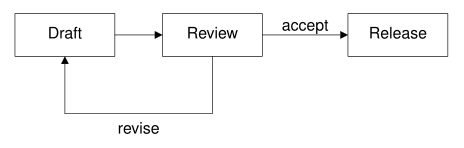
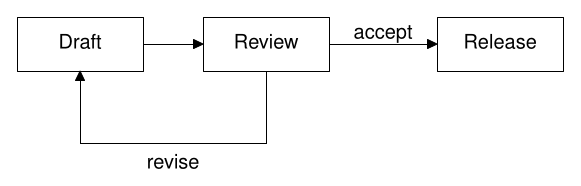
Copy link PIC-12-002 Finish a review feedback diagram A review loop benefits from a clear forward route and a named return. Use different vertical bands so the correction path does not obscure publication.
Back to diagram overview Compare with PIC-12-001 · Finish an intake overview .
Complete pic source Parameter Meaning in this example Separate return bandKeep the feedback path clear of the successful route.
Render this diagram examples/PIC-12-002.pic
Try changing: Change revise to correct metadata.
Actual output PIC-12-002 · pic native output pic · exit 0
Native compiler log Standard output Download: Source · Source + configuration ZIP · SVG · Native PDF · PNG
Copy link PIC-12-003 Finish a record handoff The record passed between owners deserves a label as well as a direction. Use a two-line activity label to keep the role and action distinct.
Back to diagram overview Compare with PIC-12-002 · Finish a review feedback diagram .
Complete pic source Parameter Meaning in this example Two-line role/action labelState who performs the work and what they do.
Render this diagram examples/PIC-12-003.pic
Try changing: Change the delivered item to signed record.
Actual output PIC-12-003 · pic native output pic · exit 0
Native compiler log Standard output Download: Source · Source + configuration ZIP · SVG · Native PDF · PNG
Copy link PIC-12-004 Finish a publication pipeline A named macro keeps repeated publication stages consistent. Use it to make a later style change affect the whole path.
Back to diagram overview Compare with PIC-12-003 · Finish a record handoff .
Complete pic source Parameter Meaning in this example Shared stage macroApply the same presentation to every publication activity.
Render this diagram examples/PIC-12-004.pic
Try changing: Change the macro fill to lightgray.
Actual output PIC-12-004 · pic native output pic · exit 0
Native compiler log Standard output Download: Source · Source + configuration ZIP · SVG · Native PDF · PNG
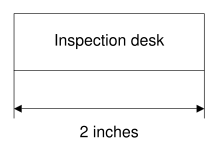
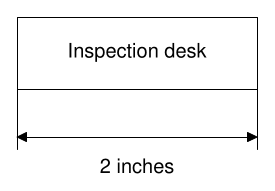
Copy link PIC-12-005 Add a dimension annotation A dimension line explains geometry without becoming a process edge. Use extension lines and an explicit unit so the measurement cannot be read as a handoff.
Back to diagram overview Compare with PIC-12-004 · Finish a publication pipeline .
Complete pic source Parameter Meaning in this example Dimension lineAnnotate physical width separately from process meaning.
Render this diagram examples/PIC-12-005.pic
Try changing: Change the box width to 2.5; confirm that the numeric label follows.
Actual output PIC-12-005 · pic native output pic · exit 0
Native compiler log Standard output Download: Source · Source + configuration ZIP · SVG · Native PDF · PNG
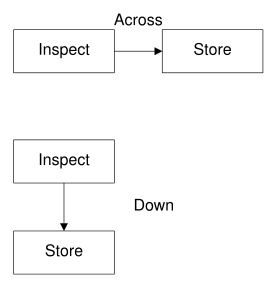
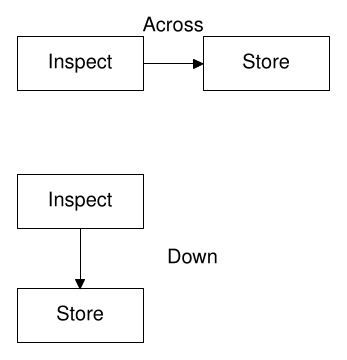
Copy link PIC-12-006 Compare direction within one composition Two block instances can present the same stages in different orientations. Use a named block to keep each alternative independent and clearly labeled.
Back to diagram overview Compare with PIC-12-005 · Add a dimension annotation .
Complete pic source Parameter Meaning in this example Block-local directionKeep the two reading directions independent.
Render this diagram examples/PIC-12-006.pic
Try changing: Change only the vertical block to Receive and Check.
Actual output PIC-12-006 · pic native output pic · exit 0
Native compiler log Standard output Download: Source · Source + configuration ZIP · SVG · Native PDF · PNG
Copy link References and licensing
GNU groff pictures and the installed doc/groff-1.25.0/pic.ms / pic.pdf manual.
For named process shapes and automatic layout, compare the D2 tour , Graphviz tour and ditaa tour . The groff tour places pic drawings inside documents.
Original prose, programs and synthetic datasets are CC0. Copyrightable structure and the publishing framework are CC BY 4.0, Lukas C. Bossert. Bundled fonts, package sources and other third-party material retain their own terms; consult the license scope and LICENSES/. The shared example and command index links every rendered program below.
Example and command index