No matching examples. Try another query or clear the filters.
Copy link A visual reference · ditaa
ditaa,
From a plain-text box to decisions, responsibilities and complete process maps.
40 original examples in eight chapters follow a field archive from sample receipt to publication. Each complete ASCII file produces a real diagram. Spacing carries geometry; words carry the meaning of the process.
The Org file is the canonical source. Read the HTML beside your editor,
or download its PDF and source for offline reading. Counts and times are illustrative.
Last changes: 2026-11-15. Added a pinned offline ditaa renderer, complete ASCII examples and native SVG/PNG plus vector PDF downloads.
40 worked examples
8 topic families
1 canonical Org source
Copy link Reading the tour
Three ways to see a change
ASCII source
Read the whole file in a monospaced editor. Spaces position the drawing.
Actual diagram
Inspect native ditaa output beside its source, or open a gallery thumbnail.
Try a change
Compare a sibling, download the text file and make one concrete edit.
Follow the chapters or narrow the gallery with search and topic filters.
Back to diagram overview returns to the matching thumbnail. Use spaces instead
of tabs, keep labels short and leave room around shape tags. Solid arrows in
these process examples order work; dashed arrows carry records or acknowledgements
where the description says so. Ditaa draws these conventions; it does not execute
or validate workflow semantics.
Copy link Reproduce the diagrams
The tour pins the unchanged official ditaa 0.11.0 standalone JAR. Its own banner
says 0.11 . The reviewed JVM is Temurin 11.0.33+10 ; tools/ditaa checks Java
and verifies the JAR and font SHA-256 values before rendering. Select that JVM
with JAVA=/absolute/path/to/java if several Java installations coexist.
Install the shared publisher dependencies once with make setup in the sibling
publisher folder, plus Emacs and Poppler. The tested publisher uses Python 3.14.10,
Emacs 31.1 / Org 9.8.7, WeasyPrint 70.0, PyMuPDF 1.28.2, FontTools 4.66.1,
librsvg 2.63.4 and Poppler 26.11.0. VERSIONS.json records the release URLs,
font commit and checksums. The JAR, its corresponding source and license notices
are included under tools/vendor/ and LICENSES/.
Download the complete offline reproduction bundle and
extract it before running commands. Activate the publisher Python environment
with source ../67.00_export-tourguide/.venv/bin/activate, or install the bundle's
pinned requirements.txt into your own environment. Java and librsvg are system
tools. Preparing and building use no network after these dependencies are installed.
One shared rendering configuration sets UTF-8, scale 1 and no shadows.
The driver fixes Java output encoding to UTF-8 as well as the input encoding,
so native SVG bullets remain intact under a C locale. The driver selects native SVG or PNG from the target extension. SVG embeds the
local, unmodified Source Code Pro 2.042 font through ditaa's --svg-font-url
option as a data URI. PNG is rendered by Java's native text renderer. Both outputs
are real ditaa exports; small typography differences between them are expected.
Librsvg converts the SVG to vector PDF using that exact embedded font. The helper
removes PDF build-date metadata without altering the artwork.
make full
make check
tools/ditaa --version
tools/ditaa --scale 1 examples/DTA-01-001.txt figures/DTA-01-001.svg
tools/ditaa --scale 1 examples/DTA-01-001.txt figures/DTA-01-001.png
python3 tools/svg-pdf.py figures/DTA-01-001.svg figures/DTA-01-001.pdf
Driver or native argument
Meaning in this tour
--scale 1Preserve the common character-cell scale.
--round-cornersRound every corner for this example.
--transparentOmit the background for compositing.
--no-antialiasShow native pixel edges in PNG.
--no-separationRetain a common border between touching cells.
--fixed-slopeUse a fixed slant on input/output shapes.
--debugOverlay the source-cell grid for diagnosis.
--shadowsDriver switch that omits the usual native --no-shadows.
--overwrite / --encoding UTF-8Native defaults supplied by the driver.
--svg-font-url data:…Native SVG embeds the local font; no external request.
The complete HTML embeds its displayed figures. Keep the companion folders for
individual downloads. Ditaa has no formatter or separate validation command;
every example is checked by an actual successful SVG and PNG render and visual
inspection. Do not repair a rendered shape by editing its SVG: repair the ASCII source.
Copy link Feature coverage
The first three chapters establish the drawing vocabulary. Chapters 4, 5 and 8
apply it to processes with explicit decisions, completion rules and recovery paths.
Feature
Chapter
Examples
Closed boxes, direction, labels, multiline text and notes
01 · First diagrams 6
Documents, storage, input/output, ellipses, manual work, choices and trapezoids
02 · Shape vocabulary 8
Left/two-way arrows, bends, junctions, dashed edges and point markers
03 · Connections 6
Exclusive outcomes, correction, merges and bounded retries
04 · Decisions and rework 4
AND joins, optional branches, owners and receipt/completion
05 · Parallel work and handoffs 4
Named/RGB fills, bullets, local round corners and shared borders
06 · Appearance 4
Native SVG/PNG, scale, transparency, fixed slopes and shadows
07 · Render and export 4
Audit, verified release, reverse-order compensation and recovery
08 · Complete processes 4
Total
8 chapters
40
Copy link Choosing a diagram
Use ditaa when the text drawing itself is a useful document: a small workflow in
a README, an operations note or a review discussion. Keep each question local and
name every decision outcome. Ditaa preserves the character grid; moving a box means
moving its source characters and reconnecting its edges.
For larger automatically arranged diagrams, compare D2 process maps and
Graphviz layouts . For ordered messages between participants, use
Mermaid sequences . The Org-mode tour shows how plain text
and executable examples can share a document. These are reading links; no build
fetches their contents.
Do not rely on ditaa to enforce process semantics. A diamond is a shape, an AND
join is a stated convention, and a color is not a business rule. Test the actual
procedure separately. Avoid isolated less-than or equality signs inside labels: the parser may
interpret them as drawing syntax. Write “Under three?” or “Count each send” when
words communicate the condition more reliably. Keep source files in a monospaced
editor with spaces and inspect both the rendered figure and its source grid.
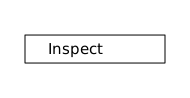
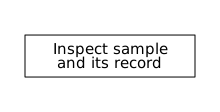
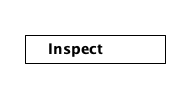
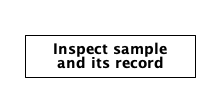
Copy link DTA-01-001 Bound an inspection A closed rectangle creates one activity with a clear boundary. Use an imperative label to describe the work performed at this point.
Back to diagram overview ASCII source Parameter Meaning in this example + - |Close the four sides of one activity. InspectName the action performed inside the boundary.
Render this diagram --scale 1 .0 examples/DTA-01-001.txt figures/DTA-01-001.svg
tools/ditaa --scale 1 .0 examples/DTA-01-001.txt figures/DTA-01-001.png
python3 tools/svg-pdf.py figures/DTA-01-001.svg figures/DTA-01-001.pdf
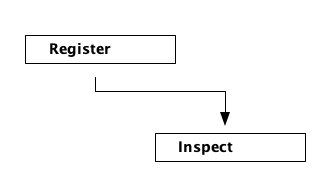
Try changing: Replace Inspect with Register; preserve the box width.
Actual output DTA-01-001 · Rendered by ditaa ditaa · exit 0
Native compiler log Standard output Compare with D2 · Name a sample .
Render this diagram --scale 1 .0 examples/DTA-01-001.txt figures/DTA-01-001.svg
tools/ditaa --scale 1 .0 examples/DTA-01-001.txt figures/DTA-01-001.png
python3 tools/svg-pdf.py figures/DTA-01-001.svg figures/DTA-01-001.pdf
Download: ASCII source · SVG diagram · Vector PDF · PNG preview · Render configuration
Try changing: Replace Inspect with Register; preserve the box width.
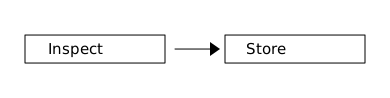
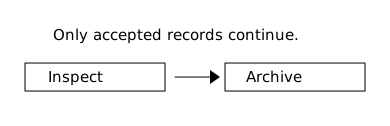
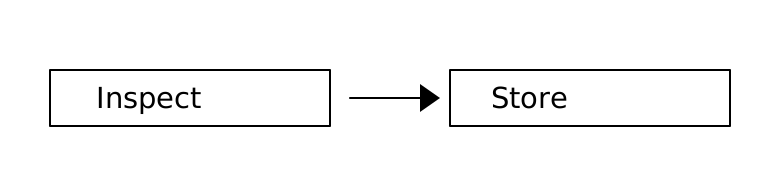
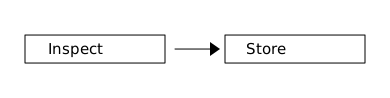
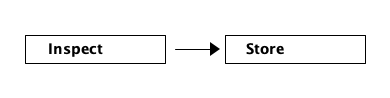
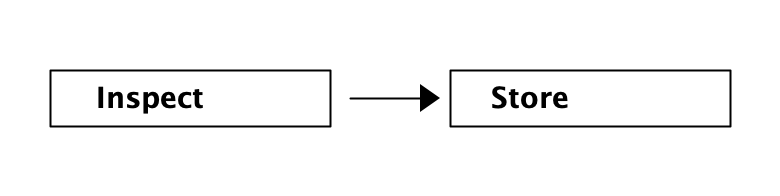
Copy link DTA-01-002 Connect the next action A right arrow orders two activities. Use it when a record reaches storage only after inspection has finished.
Back to diagram overview Compare with DTA-01-001 · Bound an inspection .
ASCII source Parameter Meaning in this example -->Point from the completed inspection to storage. SpacesKeep a visible gap between the activities.
Render this diagram --scale 1 .0 examples/DTA-01-002.txt figures/DTA-01-002.svg
tools/ditaa --scale 1 .0 examples/DTA-01-002.txt figures/DTA-01-002.png
python3 tools/svg-pdf.py figures/DTA-01-002.svg figures/DTA-01-002.pdf
Try changing: Replace Store with Archive; keep the arrow attached.
Actual output DTA-01-002 · Rendered by ditaa ditaa · exit 0
Native compiler log Standard output Render this diagram --scale 1 .0 examples/DTA-01-002.txt figures/DTA-01-002.svg
tools/ditaa --scale 1 .0 examples/DTA-01-002.txt figures/DTA-01-002.png
python3 tools/svg-pdf.py figures/DTA-01-002.svg figures/DTA-01-002.pdf
Download: ASCII source · SVG diagram · Vector PDF · PNG preview · Render configuration
Try changing: Replace Store with Archive; keep the arrow attached.
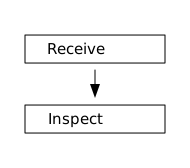
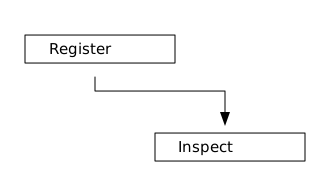
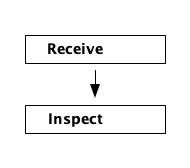
Copy link DTA-01-003 Stack a short process A vertical connector gives the same ordering in a narrower drawing. Use it for a page column or a process that will gain side branches.
Back to diagram overview Compare with DTA-01-002 · Connect the next action .
ASCII source Parameter Meaning in this example |Continue a vertical connection. vPut the arrowhead at the target activity.
Render this diagram --scale 1 .0 examples/DTA-01-003.txt figures/DTA-01-003.svg
tools/ditaa --scale 1 .0 examples/DTA-01-003.txt figures/DTA-01-003.png
python3 tools/svg-pdf.py figures/DTA-01-003.svg figures/DTA-01-003.pdf
Try changing: Add a third Store box below Inspect.
Actual output DTA-01-003 · Rendered by ditaa ditaa · exit 0
Native compiler log Standard output Render this diagram --scale 1 .0 examples/DTA-01-003.txt figures/DTA-01-003.svg
tools/ditaa --scale 1 .0 examples/DTA-01-003.txt figures/DTA-01-003.png
python3 tools/svg-pdf.py figures/DTA-01-003.svg figures/DTA-01-003.pdf
Download: ASCII source · SVG diagram · Vector PDF · PNG preview · Render configuration
Try changing: Add a third Store box below Inspect.
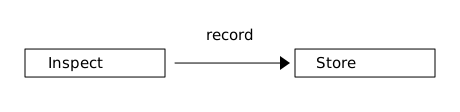
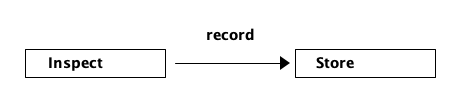
Copy link DTA-01-004 Name the handoff An edge label explains what passes between activities. Use a short noun when the boxes already provide the action verbs.
Back to diagram overview Compare with DTA-01-003 · Stack a short process .
ASCII source Parameter Meaning in this example recordDescribe the item passed to storage. Label above arrowLeave the connector itself continuous.
Render this diagram --scale 1 .0 examples/DTA-01-004.txt figures/DTA-01-004.svg
tools/ditaa --scale 1 .0 examples/DTA-01-004.txt figures/DTA-01-004.png
python3 tools/svg-pdf.py figures/DTA-01-004.svg figures/DTA-01-004.pdf
Try changing: Change record to checked record; widen the gap if needed.
Actual output DTA-01-004 · Rendered by ditaa ditaa · exit 0
Native compiler log Standard output Render this diagram --scale 1 .0 examples/DTA-01-004.txt figures/DTA-01-004.svg
tools/ditaa --scale 1 .0 examples/DTA-01-004.txt figures/DTA-01-004.png
python3 tools/svg-pdf.py figures/DTA-01-004.svg figures/DTA-01-004.pdf
Download: ASCII source · SVG diagram · Vector PDF · PNG preview · Render configuration
Try changing: Change record to checked record; widen the gap if needed.
Copy link DTA-01-005 Write a two-line activity A label can span several source rows without escaping a newline. Use this for a specific action that would make a single-line box too wide.
Back to diagram overview Compare with DTA-01-004 · Name the handoff .
ASCII source Parameter Meaning in this example Two text rowsKeep both parts of one activity inside the same box. Extra interior rowMake room for the second label line.
Render this diagram --scale 1 .0 examples/DTA-01-005.txt figures/DTA-01-005.svg
tools/ditaa --scale 1 .0 examples/DTA-01-005.txt figures/DTA-01-005.png
python3 tools/svg-pdf.py figures/DTA-01-005.svg figures/DTA-01-005.pdf
Try changing: Replace the second line with and photo; keep the right border aligned.
Actual output DTA-01-005 · Rendered by ditaa ditaa · exit 0
Native compiler log Standard output Render this diagram --scale 1 .0 examples/DTA-01-005.txt figures/DTA-01-005.svg
tools/ditaa --scale 1 .0 examples/DTA-01-005.txt figures/DTA-01-005.png
python3 tools/svg-pdf.py figures/DTA-01-005.svg figures/DTA-01-005.pdf
Download: ASCII source · SVG diagram · Vector PDF · PNG preview · Render configuration
Try changing: Replace the second line with and photo; keep the right border aligned.
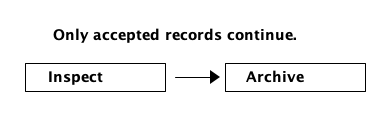
Copy link DTA-01-006 Reserve room for a note Text outside a closed shape stays outside the process. Use it to state an assumption without inventing another activity.
Back to diagram overview Compare with DTA-01-005 · Write a two-line activity .
ASCII source Parameter Meaning in this example Blank rowSeparate the assumption from the diagram. Unboxed textShow explanatory prose without an activity boundary.
Render this diagram --scale 1 .0 examples/DTA-01-006.txt figures/DTA-01-006.svg
tools/ditaa --scale 1 .0 examples/DTA-01-006.txt figures/DTA-01-006.png
python3 tools/svg-pdf.py figures/DTA-01-006.svg figures/DTA-01-006.pdf
Try changing: Change the assumption to name the required photo.
Actual output DTA-01-006 · Rendered by ditaa ditaa · exit 0
Native compiler log Standard output Render this diagram --scale 1 .0 examples/DTA-01-006.txt figures/DTA-01-006.svg
tools/ditaa --scale 1 .0 examples/DTA-01-006.txt figures/DTA-01-006.png
python3 tools/svg-pdf.py figures/DTA-01-006.svg figures/DTA-01-006.pdf
Download: ASCII source · SVG diagram · Vector PDF · PNG preview · Render configuration
Try changing: Change the assumption to name the required photo.
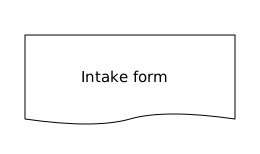
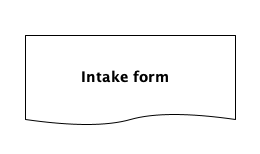
Copy link DTA-02-001 Mark an intake document The document tag gives the intake form a wavy lower edge. Use it for information that accompanies a sample rather than for the act of inspecting it.
Back to diagram overview Compare with DTA-01-001 · Bound an inspection .
ASCII source Parameter Meaning in this example {d}Render the closed box as a document. Intake formName the artifact instead of an action.
Render this diagram --scale 1 .0 examples/DTA-02-001.txt figures/DTA-02-001.svg
tools/ditaa --scale 1 .0 examples/DTA-02-001.txt figures/DTA-02-001.png
python3 tools/svg-pdf.py figures/DTA-02-001.svg figures/DTA-02-001.pdf
Try changing: Rename Intake form to Review report.
Actual output DTA-02-001 · Rendered by ditaa ditaa · exit 0
Native compiler log Standard output Render this diagram --scale 1 .0 examples/DTA-02-001.txt figures/DTA-02-001.svg
tools/ditaa --scale 1 .0 examples/DTA-02-001.txt figures/DTA-02-001.png
python3 tools/svg-pdf.py figures/DTA-02-001.svg figures/DTA-02-001.pdf
Download: ASCII source · SVG diagram · Vector PDF · PNG preview · Render configuration
Try changing: Rename Intake form to Review report.
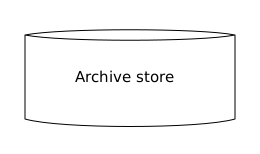
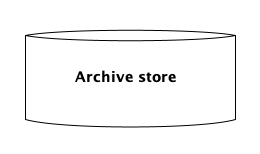
Copy link DTA-02-002 Identify persistent storage The storage tag turns a box into a cylinder. Use it when accepted records persist beyond the current activity.
Back to diagram overview Compare with DTA-02-001 · Mark an intake document .
ASCII source Parameter Meaning in this example {s}Draw a storage cylinder. Archive storeDistinguish a persistent collection from a processing step.
Render this diagram --scale 1 .0 examples/DTA-02-002.txt figures/DTA-02-002.svg
tools/ditaa --scale 1 .0 examples/DTA-02-002.txt figures/DTA-02-002.png
python3 tools/svg-pdf.py figures/DTA-02-002.svg figures/DTA-02-002.pdf
Try changing: Rename Archive store to Photo store.
Actual output DTA-02-002 · Rendered by ditaa ditaa · exit 0
Native compiler log Standard output Render this diagram --scale 1 .0 examples/DTA-02-002.txt figures/DTA-02-002.svg
tools/ditaa --scale 1 .0 examples/DTA-02-002.txt figures/DTA-02-002.png
python3 tools/svg-pdf.py figures/DTA-02-002.svg figures/DTA-02-002.pdf
Download: ASCII source · SVG diagram · Vector PDF · PNG preview · Render configuration
Try changing: Rename Archive store to Photo store.
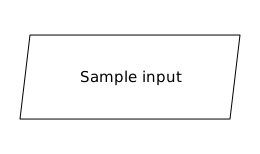
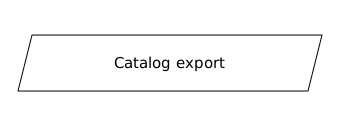
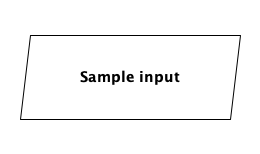
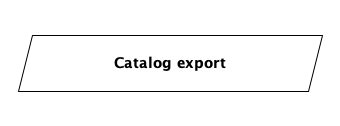
Copy link DTA-02-003 Show an input or output The input/output tag slants the sides of a box. Use it for the record crossing the intake boundary.
Back to diagram overview Compare with DTA-02-002 · Identify persistent storage .
ASCII source Parameter Meaning in this example {io}Draw an input/output parallelogram.
Render this diagram --scale 1 .0 examples/DTA-02-003.txt figures/DTA-02-003.svg
tools/ditaa --scale 1 .0 examples/DTA-02-003.txt figures/DTA-02-003.png
python3 tools/svg-pdf.py figures/DTA-02-003.svg figures/DTA-02-003.pdf
Try changing: Change Sample input to Catalog output.
Actual output DTA-02-003 · Rendered by ditaa ditaa · exit 0
Native compiler log Standard output Render this diagram --scale 1 .0 examples/DTA-02-003.txt figures/DTA-02-003.svg
tools/ditaa --scale 1 .0 examples/DTA-02-003.txt figures/DTA-02-003.png
python3 tools/svg-pdf.py figures/DTA-02-003.svg figures/DTA-02-003.pdf
Download: ASCII source · SVG diagram · Vector PDF · PNG preview · Render configuration
Try changing: Change Sample input to Catalog output.
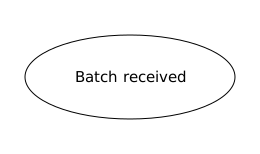
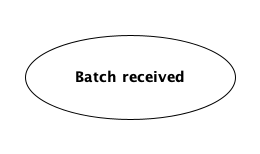
Copy link DTA-02-004 Identify a process endpoint An ellipse supplies a visibly different start or finish. Use an explicit state label so the reader knows what has become true.
Back to diagram overview Compare with DTA-02-003 · Show an input or output .
ASCII source Parameter Meaning in this example {o}Convert the source box to an ellipse. Batch receivedDescribe the state at the boundary of the process.
Render this diagram --scale 1 .0 examples/DTA-02-004.txt figures/DTA-02-004.svg
tools/ditaa --scale 1 .0 examples/DTA-02-004.txt figures/DTA-02-004.png
python3 tools/svg-pdf.py figures/DTA-02-004.svg figures/DTA-02-004.pdf
Try changing: Change Batch received to Intake complete.
Actual output DTA-02-004 · Rendered by ditaa ditaa · exit 0
Native compiler log Standard output Render this diagram --scale 1 .0 examples/DTA-02-004.txt figures/DTA-02-004.svg
tools/ditaa --scale 1 .0 examples/DTA-02-004.txt figures/DTA-02-004.png
python3 tools/svg-pdf.py figures/DTA-02-004.svg figures/DTA-02-004.pdf
Download: ASCII source · SVG diagram · Vector PDF · PNG preview · Render configuration
Try changing: Change Batch received to Intake complete.
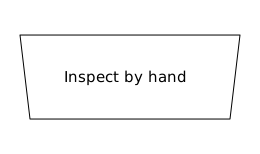
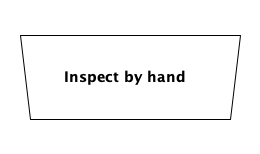
Copy link DTA-02-005 Identify manual work The manual-operation tag distinguishes a person-handled step. Use it when the curator must compare the specimen with its record.
Back to diagram overview Compare with DTA-02-004 · Identify a process endpoint .
ASCII source Parameter Meaning in this example {mo}Use the manual-operation shape.
Render this diagram --scale 1 .0 examples/DTA-02-005.txt figures/DTA-02-005.svg
tools/ditaa --scale 1 .0 examples/DTA-02-005.txt figures/DTA-02-005.png
python3 tools/svg-pdf.py figures/DTA-02-005.svg figures/DTA-02-005.pdf
Try changing: Replace Inspect by hand with Sign custody form.
Actual output DTA-02-005 · Rendered by ditaa ditaa · exit 0
Native compiler log Standard output Render this diagram --scale 1 .0 examples/DTA-02-005.txt figures/DTA-02-005.svg
tools/ditaa --scale 1 .0 examples/DTA-02-005.txt figures/DTA-02-005.png
python3 tools/svg-pdf.py figures/DTA-02-005.svg figures/DTA-02-005.pdf
Download: ASCII source · SVG diagram · Vector PDF · PNG preview · Render configuration
Try changing: Replace Inspect by hand with Sign custody form.
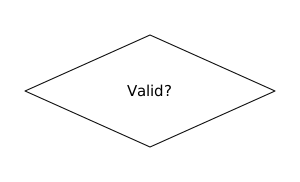
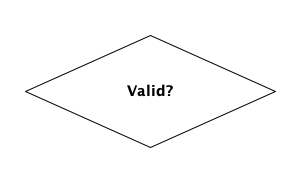
Copy link DTA-02-006 Ask one decision question The choice tag gives a decision its diamond outline. Use one short question and leave enough interior height for its sloping sides.
Back to diagram overview Compare with DTA-02-005 · Identify manual work .
ASCII source Parameter Meaning in this example {c}Draw the decision diamond. Valid?Ask one question; later examples label both exits.
Render this diagram --scale 1 .0 examples/DTA-02-006.txt figures/DTA-02-006.svg
tools/ditaa --scale 1 .0 examples/DTA-02-006.txt figures/DTA-02-006.png
python3 tools/svg-pdf.py figures/DTA-02-006.svg figures/DTA-02-006.pdf
Try changing: Change Valid? to Photo present?; increase width if needed.
Actual output DTA-02-006 · Rendered by ditaa ditaa · exit 0
Native compiler log Standard output Render this diagram --scale 1 .0 examples/DTA-02-006.txt figures/DTA-02-006.svg
tools/ditaa --scale 1 .0 examples/DTA-02-006.txt figures/DTA-02-006.png
python3 tools/svg-pdf.py figures/DTA-02-006.svg figures/DTA-02-006.pdf
Download: ASCII source · SVG diagram · Vector PDF · PNG preview · Render configuration
Try changing: Change Valid? to Photo present?; increase width if needed.
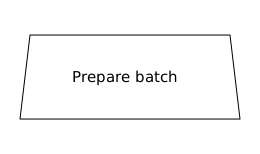
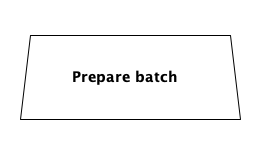
Copy link DTA-02-007 Distinguish a preparation stage The trapezoid tag changes the activity outline without changing its connections. Use it consistently for the archive preparation stage, and explain this local convention.
Back to diagram overview Compare with DTA-02-006 · Ask one decision question .
ASCII source Parameter Meaning in this example {tr}Draw a trapezoid for this tour’s preparation convention.
Render this diagram --scale 1 .0 examples/DTA-02-007.txt figures/DTA-02-007.svg
tools/ditaa --scale 1 .0 examples/DTA-02-007.txt figures/DTA-02-007.png
python3 tools/svg-pdf.py figures/DTA-02-007.svg figures/DTA-02-007.pdf
Try changing: Rename Prepare batch to Prepare release.
Actual output DTA-02-007 · Rendered by ditaa ditaa · exit 0
Native compiler log Standard output Render this diagram --scale 1 .0 examples/DTA-02-007.txt figures/DTA-02-007.svg
tools/ditaa --scale 1 .0 examples/DTA-02-007.txt figures/DTA-02-007.png
python3 tools/svg-pdf.py figures/DTA-02-007.svg figures/DTA-02-007.pdf
Download: ASCII source · SVG diagram · Vector PDF · PNG preview · Render configuration
Try changing: Rename Prepare batch to Prepare release.
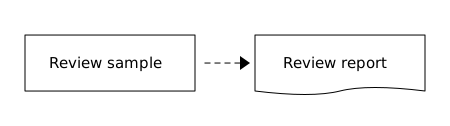
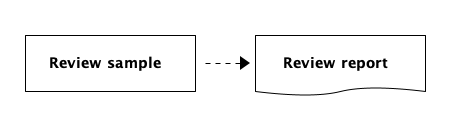
Copy link DTA-02-008 Separate an artifact from its action A diagram can contain an activity and the document it creates. Use a dashed record connection so this local convention differs from a solid control-flow arrow.
Back to diagram overview Compare with DTA-02-007 · Distinguish a preparation stage .
ASCII source Parameter Meaning in this example Plain rectangleRepresent work performed by the reviewer. {d}Represent the report produced by that work. =--->Carry a record rather than sequence two activities.
Render this diagram --scale 1 .0 examples/DTA-02-008.txt figures/DTA-02-008.svg
tools/ditaa --scale 1 .0 examples/DTA-02-008.txt figures/DTA-02-008.png
python3 tools/svg-pdf.py figures/DTA-02-008.svg figures/DTA-02-008.pdf
Try changing: Rename Review report to Rejection note.
Actual output DTA-02-008 · Rendered by ditaa ditaa · exit 0
Native compiler log Standard output Render this diagram --scale 1 .0 examples/DTA-02-008.txt figures/DTA-02-008.svg
tools/ditaa --scale 1 .0 examples/DTA-02-008.txt figures/DTA-02-008.png
python3 tools/svg-pdf.py figures/DTA-02-008.svg figures/DTA-02-008.pdf
Download: ASCII source · SVG diagram · Vector PDF · PNG preview · Render configuration
Try changing: Rename Review report to Rejection note.
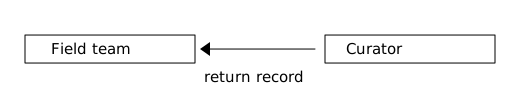
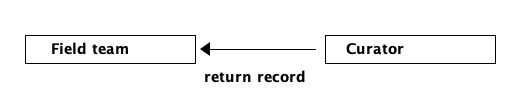
Copy link DTA-03-001 Return a record to its owner A left-pointing arrow reverses the handoff without swapping the source boxes. Use it when the curator returns a record to the field team.
Back to diagram overview Compare with DTA-02-001 · Mark an intake document .
ASCII source Parameter Meaning in this example <---Return the record from curator to field team.
Render this diagram --scale 1 .0 examples/DTA-03-001.txt figures/DTA-03-001.svg
tools/ditaa --scale 1 .0 examples/DTA-03-001.txt figures/DTA-03-001.png
python3 tools/svg-pdf.py figures/DTA-03-001.svg figures/DTA-03-001.pdf
Try changing: Change the label to request photo.
Actual output DTA-03-001 · Rendered by ditaa ditaa · exit 0
Native compiler log Standard output Render this diagram --scale 1 .0 examples/DTA-03-001.txt figures/DTA-03-001.svg
tools/ditaa --scale 1 .0 examples/DTA-03-001.txt figures/DTA-03-001.png
python3 tools/svg-pdf.py figures/DTA-03-001.svg figures/DTA-03-001.pdf
Download: ASCII source · SVG diagram · Vector PDF · PNG preview · Render configuration
Try changing: Change the label to request photo.
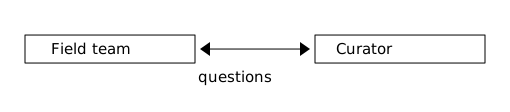
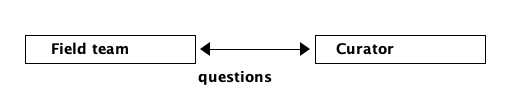
Copy link DTA-03-002 Show a two-way exchange Arrowheads at both ends describe a reciprocal relationship. Use this compact view when the existence of the exchange matters more than the timing of its messages.
Back to diagram overview Compare with DTA-03-001 · Return a record to its owner .
ASCII source Parameter Meaning in this example <--->Show communication in both directions. questionsName the exchange without implying a message sequence.
Render this diagram --scale 1 .0 examples/DTA-03-002.txt figures/DTA-03-002.svg
tools/ditaa --scale 1 .0 examples/DTA-03-002.txt figures/DTA-03-002.png
python3 tools/svg-pdf.py figures/DTA-03-002.svg figures/DTA-03-002.pdf
Try changing: Replace questions with custody queries; widen the gap.
Actual output DTA-03-002 · Rendered by ditaa ditaa · exit 0
Native compiler log Standard output Render this diagram --scale 1 .0 examples/DTA-03-002.txt figures/DTA-03-002.svg
tools/ditaa --scale 1 .0 examples/DTA-03-002.txt figures/DTA-03-002.png
python3 tools/svg-pdf.py figures/DTA-03-002.svg figures/DTA-03-002.pdf
Download: ASCII source · SVG diagram · Vector PDF · PNG preview · Render configuration
Try changing: Replace questions with custody queries; widen the gap.
Copy link DTA-03-003 Route around a corner A plus sign joins perpendicular line segments. Use bends to bring the next activity under a crowded part of the drawing.
Back to diagram overview Compare with DTA-03-002 · Show a two-way exchange .
ASCII source Parameter Meaning in this example + at a bendJoin horizontal and vertical connector segments. vKeep the target direction visible after the bend.
Render this diagram --scale 1 .0 examples/DTA-03-003.txt figures/DTA-03-003.svg
tools/ditaa --scale 1 .0 examples/DTA-03-003.txt figures/DTA-03-003.png
python3 tools/svg-pdf.py figures/DTA-03-003.svg figures/DTA-03-003.pdf
Try changing: Move Inspect three columns right and extend the horizontal segment.
Actual output DTA-03-003 · Rendered by ditaa ditaa · exit 0
Native compiler log Standard output Render this diagram --scale 1 .0 examples/DTA-03-003.txt figures/DTA-03-003.svg
tools/ditaa --scale 1 .0 examples/DTA-03-003.txt figures/DTA-03-003.png
python3 tools/svg-pdf.py figures/DTA-03-003.svg figures/DTA-03-003.pdf
Download: ASCII source · SVG diagram · Vector PDF · PNG preview · Render configuration
Try changing: Move Inspect three columns right and extend the horizontal segment.
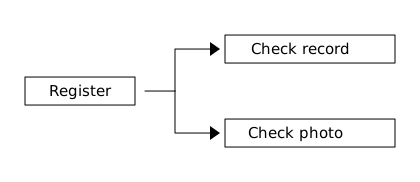
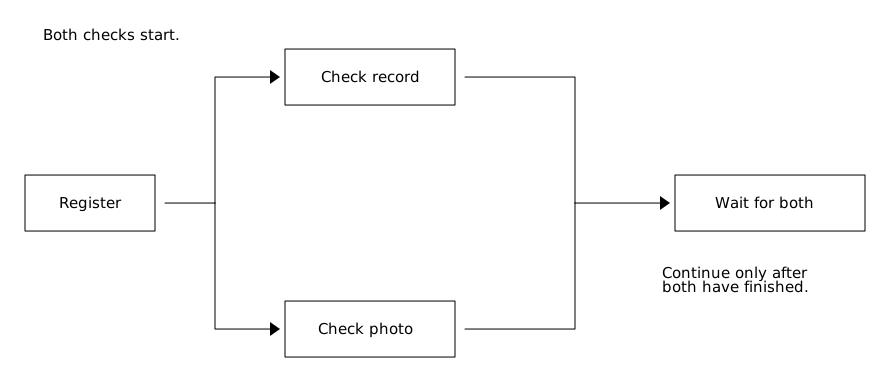
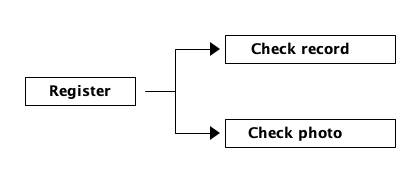
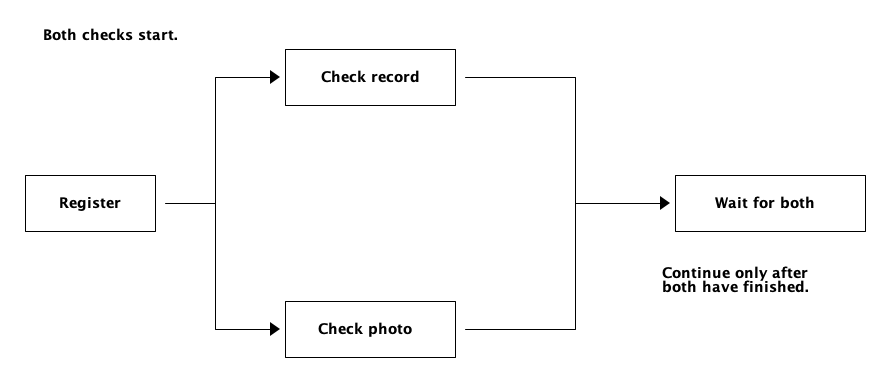
Copy link DTA-03-004 Split work at a junction A shared junction sends the registered batch into two checks. In this process both branches start; the drawing does not imply that either one waits for the other.
Back to diagram overview Compare with DTA-03-003 · Route around a corner .
ASCII source Parameter Meaning in this example + at the splitConnect the incoming line to both outgoing branches. Two arrowsStart both checks in this local process convention.
Render this diagram --scale 1 .0 examples/DTA-03-004.txt figures/DTA-03-004.svg
tools/ditaa --scale 1 .0 examples/DTA-03-004.txt figures/DTA-03-004.png
python3 tools/svg-pdf.py figures/DTA-03-004.svg figures/DTA-03-004.pdf
Try changing: Add a third Check label branch below the photo check.
Actual output DTA-03-004 · Rendered by ditaa ditaa · exit 0
Native compiler log Standard output Render this diagram --scale 1 .0 examples/DTA-03-004.txt figures/DTA-03-004.svg
tools/ditaa --scale 1 .0 examples/DTA-03-004.txt figures/DTA-03-004.png
python3 tools/svg-pdf.py figures/DTA-03-004.svg figures/DTA-03-004.pdf
Download: ASCII source · SVG diagram · Vector PDF · PNG preview · Render configuration
Try changing: Add a third Check label branch below the photo check.
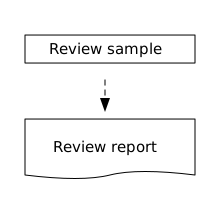
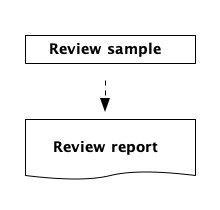
Copy link DTA-03-005 Carry a report on a dashed edge A colon makes a vertical connection dashed. Use this line style for an output artifact while reserving solid arrows for activity order.
Back to diagram overview Compare with DTA-03-004 · Split work at a junction .
ASCII source Parameter Meaning in this example :Make the whole vertical edge dashed. {d}Identify the artifact produced by the review.
Render this diagram --scale 1 .0 examples/DTA-03-005.txt figures/DTA-03-005.svg
tools/ditaa --scale 1 .0 examples/DTA-03-005.txt figures/DTA-03-005.png
python3 tools/svg-pdf.py figures/DTA-03-005.svg figures/DTA-03-005.pdf
Try changing: Replace the colon with a vertical bar and compare the line style.
Actual output DTA-03-005 · Rendered by ditaa ditaa · exit 0
Native compiler log Standard output Render this diagram --scale 1 .0 examples/DTA-03-005.txt figures/DTA-03-005.svg
tools/ditaa --scale 1 .0 examples/DTA-03-005.txt figures/DTA-03-005.png
python3 tools/svg-pdf.py figures/DTA-03-005.svg figures/DTA-03-005.pdf
Download: ASCII source · SVG diagram · Vector PDF · PNG preview · Render configuration
Try changing: Replace the colon with a vertical bar and compare the line style.
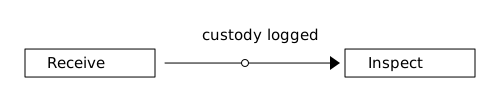
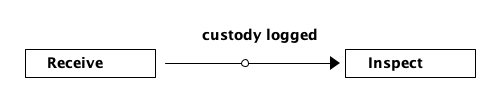
Copy link DTA-03-006 Mark a checkpoint on an edge A point marker identifies the location where custody is recorded. Use its nearby label to explain the marker; this experimental ditaa feature adds no scheduling behavior.
Back to diagram overview Compare with DTA-03-005 · Carry a report on a dashed edge .
ASCII source Parameter Meaning in this example * on a linePlace an experimental point marker within the connector. custody loggedState the event represented at the marked handoff.
Render this diagram --scale 1 .0 examples/DTA-03-006.txt figures/DTA-03-006.svg
tools/ditaa --scale 1 .0 examples/DTA-03-006.txt figures/DTA-03-006.png
python3 tools/svg-pdf.py figures/DTA-03-006.svg figures/DTA-03-006.pdf
Try changing: Move the marker three columns toward Inspect.
Actual output DTA-03-006 · Rendered by ditaa ditaa · exit 0
Native compiler log Standard output Render this diagram --scale 1 .0 examples/DTA-03-006.txt figures/DTA-03-006.svg
tools/ditaa --scale 1 .0 examples/DTA-03-006.txt figures/DTA-03-006.png
python3 tools/svg-pdf.py figures/DTA-03-006.svg figures/DTA-03-006.pdf
Download: ASCII source · SVG diagram · Vector PDF · PNG preview · Render configuration
Try changing: Move the marker three columns toward Inspect.
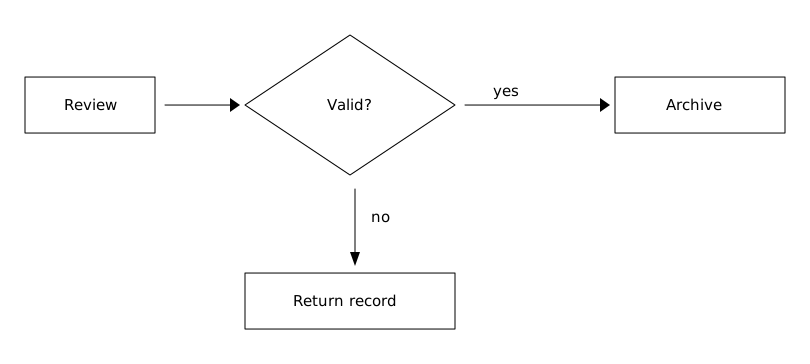
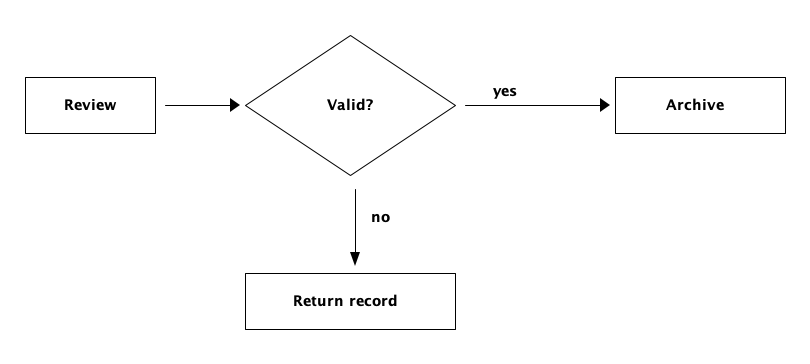
Copy link DTA-04-001 Label both decision outcomes The review has two explicit outcomes: archive a valid record or return an invalid one. Use yes and no so the reader never has to infer which path applies.
Back to diagram overview Compare with DTA-03-001 · Return a record to its owner .
ASCII source Parameter Meaning in this example {c}Ask whether this record is valid. yes / noName the two exclusive decision outcomes.
Render this diagram --scale 1 .0 examples/DTA-04-001.txt figures/DTA-04-001.svg
tools/ditaa --scale 1 .0 examples/DTA-04-001.txt figures/DTA-04-001.png
python3 tools/svg-pdf.py figures/DTA-04-001.svg figures/DTA-04-001.pdf
Try changing: Change Valid? to Complete? and update the explanation.
Actual output DTA-04-001 · Rendered by ditaa ditaa · exit 0
Native compiler log Standard output Compare with D2 · Name both decision outcomes .
Render this diagram --scale 1 .0 examples/DTA-04-001.txt figures/DTA-04-001.svg
tools/ditaa --scale 1 .0 examples/DTA-04-001.txt figures/DTA-04-001.png
python3 tools/svg-pdf.py figures/DTA-04-001.svg figures/DTA-04-001.pdf
Download: ASCII source · SVG diagram · Vector PDF · PNG preview · Render configuration
Try changing: Change Valid? to Complete? and update the explanation.
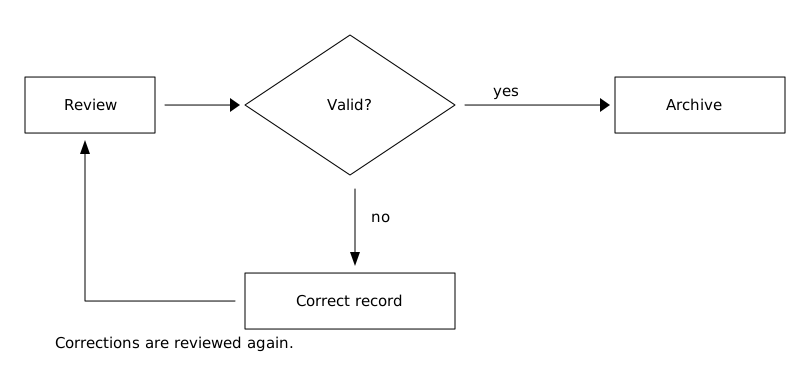
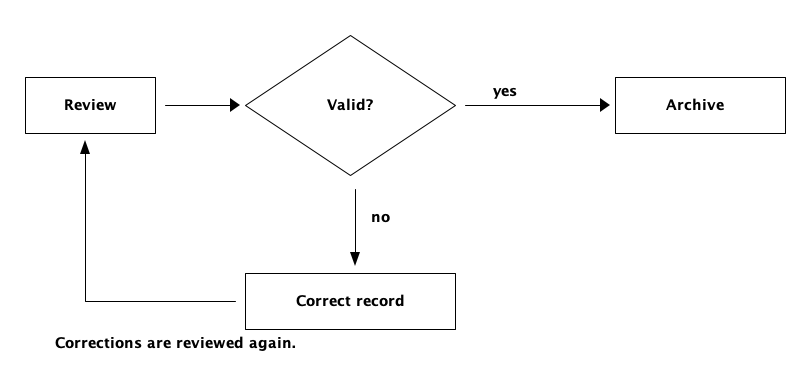
Copy link DTA-04-002 Review a corrected record again A correction loop returns the record to the same review action. Use it when editing a record must not bypass its acceptance check.
Back to diagram overview Compare with DTA-04-001 · Label both decision outcomes .
ASCII source Parameter Meaning in this example Return edgeRoute corrections to Review before another decision. ArchiveKeep the accepted path separate from correction.
Render this diagram --scale 1 .0 examples/DTA-04-002.txt figures/DTA-04-002.svg
tools/ditaa --scale 1 .0 examples/DTA-04-002.txt figures/DTA-04-002.png
python3 tools/svg-pdf.py figures/DTA-04-002.svg figures/DTA-04-002.pdf
Try changing: Add a note naming the field that must be corrected.
Actual output DTA-04-002 · Rendered by ditaa ditaa · exit 0
Native compiler log Standard output Render this diagram --scale 1 .0 examples/DTA-04-002.txt figures/DTA-04-002.svg
tools/ditaa --scale 1 .0 examples/DTA-04-002.txt figures/DTA-04-002.png
python3 tools/svg-pdf.py figures/DTA-04-002.svg figures/DTA-04-002.pdf
Download: ASCII source · SVG diagram · Vector PDF · PNG preview · Render configuration
Try changing: Add a note naming the field that must be corrected.
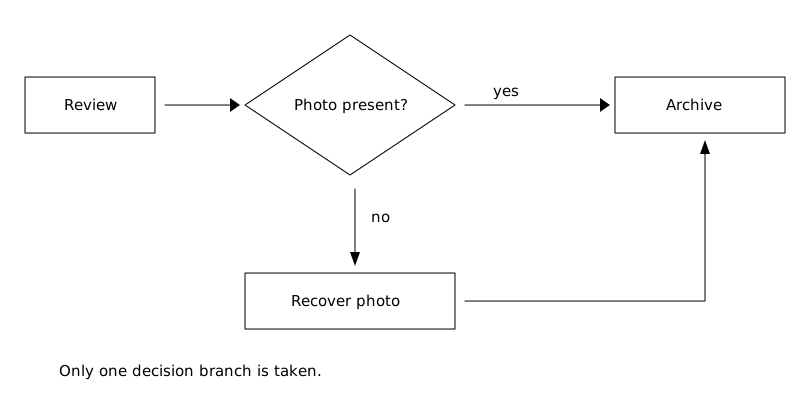
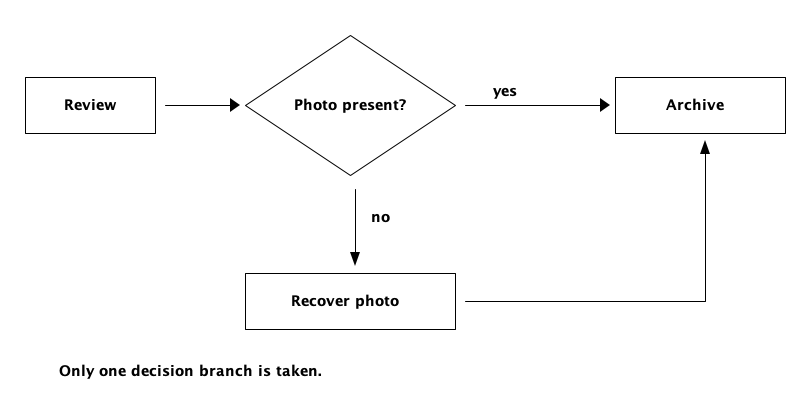
Copy link DTA-04-003 Merge mutually exclusive paths A missing photo is recovered before the record reaches the shared archive action. Use one downstream action because only one of the decision paths is taken.
Back to diagram overview Compare with DTA-04-002 · Review a corrected record again .
ASCII source Parameter Meaning in this example Two incoming pathsReach Archive through either the existing-photo path or recovery. Exclusive choiceDo not wait for both paths; one was selected.
Render this diagram --scale 1 .0 examples/DTA-04-003.txt figures/DTA-04-003.svg
tools/ditaa --scale 1 .0 examples/DTA-04-003.txt figures/DTA-04-003.png
python3 tools/svg-pdf.py figures/DTA-04-003.svg figures/DTA-04-003.pdf
Try changing: Rename Recover photo to Request photo and state who supplies it.
Actual output DTA-04-003 · Rendered by ditaa ditaa · exit 0
Native compiler log Standard output Render this diagram --scale 1 .0 examples/DTA-04-003.txt figures/DTA-04-003.svg
tools/ditaa --scale 1 .0 examples/DTA-04-003.txt figures/DTA-04-003.png
python3 tools/svg-pdf.py figures/DTA-04-003.svg figures/DTA-04-003.pdf
Download: ASCII source · SVG diagram · Vector PDF · PNG preview · Render configuration
Try changing: Rename Recover photo to Request photo and state who supplies it.
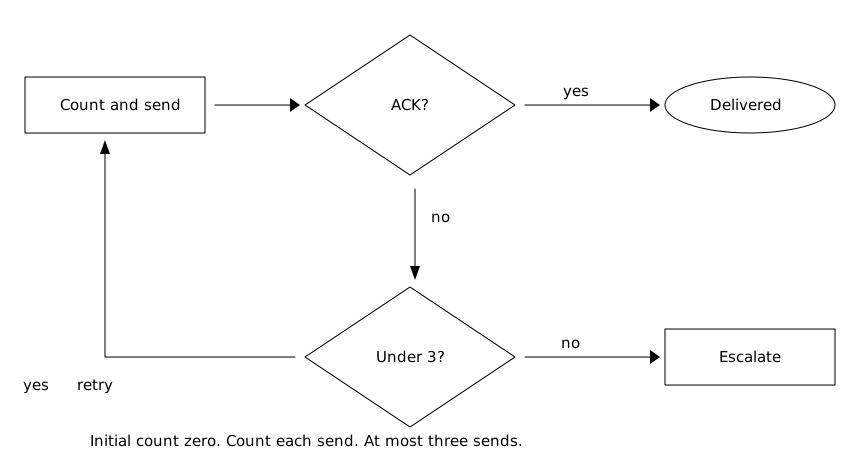
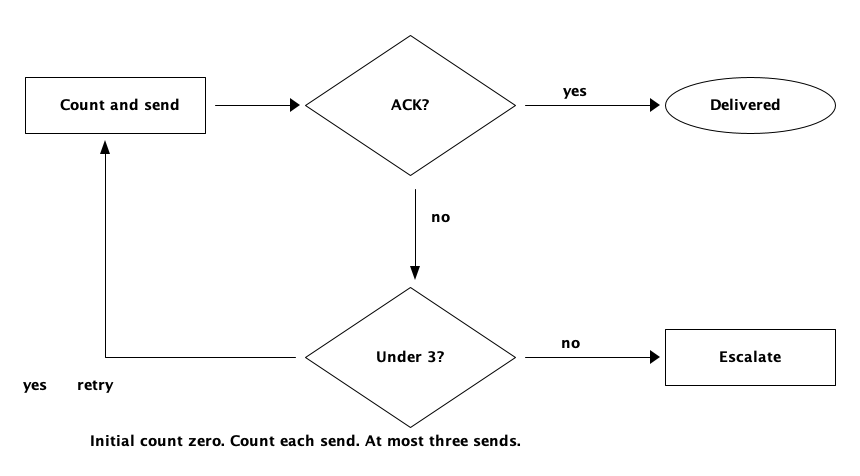
Copy link DTA-04-004 Bound a retry loop A counter limits the send attempts to three, counting the initial send. Use a separate escalation exit when another retry is no longer permitted.
Back to diagram overview Compare with DTA-04-003 · Merge mutually exclusive paths .
ASCII source Parameter Meaning in this example Initial count zeroInitialize the attempt count before the first send. Count and sendCount every send, including the first. Under 3?Permit another send only while fewer than three have occurred.
Render this diagram --scale 1 .0 examples/DTA-04-004.txt figures/DTA-04-004.svg
tools/ditaa --scale 1 .0 examples/DTA-04-004.txt figures/DTA-04-004.png
python3 tools/svg-pdf.py figures/DTA-04-004.svg figures/DTA-04-004.pdf
Try changing: Change the limit to five in both the question and note.
Actual output DTA-04-004 · Rendered by ditaa ditaa · exit 0
Native compiler log Standard output Render this diagram --scale 1 .0 examples/DTA-04-004.txt figures/DTA-04-004.svg
tools/ditaa --scale 1 .0 examples/DTA-04-004.txt figures/DTA-04-004.png
python3 tools/svg-pdf.py figures/DTA-04-004.svg figures/DTA-04-004.pdf
Download: ASCII source · SVG diagram · Vector PDF · PNG preview · Render configuration
Try changing: Change the limit to five in both the question and note.
Copy link DTA-05-001 Wait for both independent checks Two checks start from the same registered batch and meet at one explicit synchronization step. Use this AND convention when neither result alone is enough to continue.
Back to diagram overview Compare with DTA-04-001 · Label both decision outcomes .
ASCII source Parameter Meaning in this example Shared splitStart both checks for this batch. Wait for bothRequire completion of both branches, not success of either check.
Render this diagram --scale 1 .0 examples/DTA-05-001.txt figures/DTA-05-001.svg
tools/ditaa --scale 1 .0 examples/DTA-05-001.txt figures/DTA-05-001.png
python3 tools/svg-pdf.py figures/DTA-05-001.svg figures/DTA-05-001.pdf
Try changing: Change Check photo to Check location; retain the same synchronization rule.
Actual output DTA-05-001 · Rendered by ditaa ditaa · exit 0
Native compiler log Standard output Compare with D2 · Wait for both checks .
Render this diagram --scale 1 .0 examples/DTA-05-001.txt figures/DTA-05-001.svg
tools/ditaa --scale 1 .0 examples/DTA-05-001.txt figures/DTA-05-001.png
python3 tools/svg-pdf.py figures/DTA-05-001.svg figures/DTA-05-001.pdf
Download: ASCII source · SVG diagram · Vector PDF · PNG preview · Render configuration
Try changing: Change Check photo to Check location; retain the same synchronization rule.
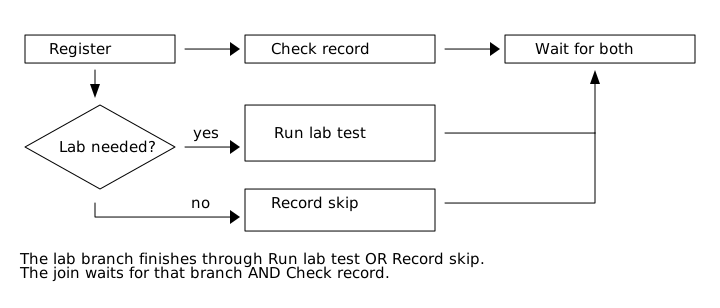
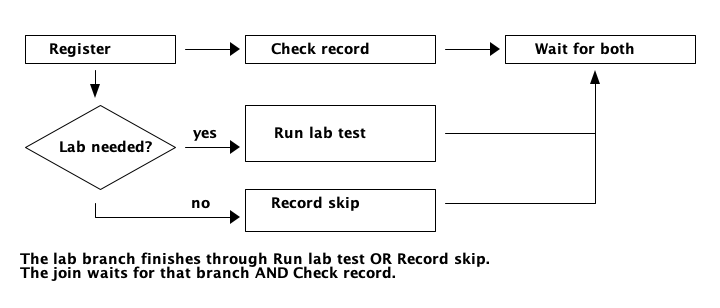
Copy link DTA-05-002 Finish an optional branch explicitly An optional laboratory branch either runs the test or records that it was skipped. Use an explicit skip completion so the final AND join cannot wait forever for work that was never started.
Back to diagram overview Compare with DTA-05-001 · Wait for both independent checks .
ASCII source Parameter Meaning in this example Lab needed?Select exactly one path in the laboratory branch. Record skipFinish the optional branch when a test is unnecessary. Wait for bothWait for the record check and the selected laboratory outcome.
Render this diagram --scale 1 .0 examples/DTA-05-002.txt figures/DTA-05-002.svg
tools/ditaa --scale 1 .0 examples/DTA-05-002.txt figures/DTA-05-002.png
python3 tools/svg-pdf.py figures/DTA-05-002.svg figures/DTA-05-002.pdf
Try changing: Rename Record skip to Record waiver and describe who can grant it.
Actual output DTA-05-002 · Rendered by ditaa ditaa · exit 0
Native compiler log Standard output Render this diagram --scale 1 .0 examples/DTA-05-002.txt figures/DTA-05-002.svg
tools/ditaa --scale 1 .0 examples/DTA-05-002.txt figures/DTA-05-002.png
python3 tools/svg-pdf.py figures/DTA-05-002.svg figures/DTA-05-002.pdf
Download: ASCII source · SVG diagram · Vector PDF · PNG preview · Render configuration
Try changing: Rename Record skip to Record waiver and describe who can grant it.
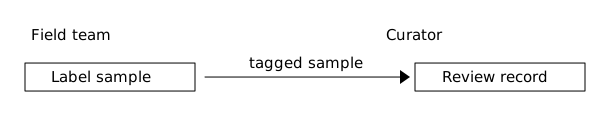
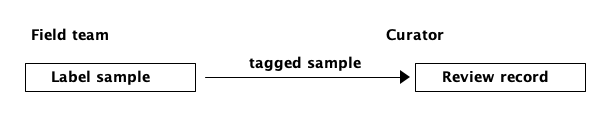
Copy link DTA-05-003 Assign a handoff to its owners Owner captions identify responsibility on each side of the transfer. Use a named handoff when a diagram will support an operating procedure or an escalation discussion.
Back to diagram overview Compare with DTA-05-002 · Finish an optional branch explicitly .
ASCII source Parameter Meaning in this example Owner captionsAssign the activities to field team and curator. tagged sampleState what crosses the responsibility boundary.
Render this diagram --scale 1 .0 examples/DTA-05-003.txt figures/DTA-05-003.svg
tools/ditaa --scale 1 .0 examples/DTA-05-003.txt figures/DTA-05-003.png
python3 tools/svg-pdf.py figures/DTA-05-003.svg figures/DTA-05-003.pdf
Try changing: Add a Courier caption and an activity between the owners.
Actual output DTA-05-003 · Rendered by ditaa ditaa · exit 0
Native compiler log Standard output Render this diagram --scale 1 .0 examples/DTA-05-003.txt figures/DTA-05-003.svg
tools/ditaa --scale 1 .0 examples/DTA-05-003.txt figures/DTA-05-003.png
python3 tools/svg-pdf.py figures/DTA-05-003.svg figures/DTA-05-003.pdf
Download: ASCII source · SVG diagram · Vector PDF · PNG preview · Render configuration
Try changing: Add a Courier caption and an activity between the owners.
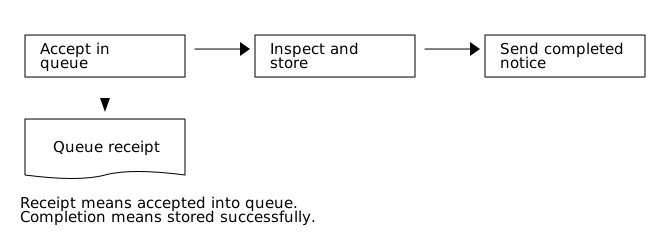
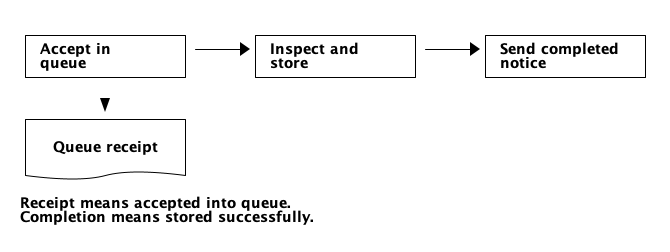
Copy link DTA-05-004 Separate receipt from completion A receipt is sent when the queue accepts the work; completion is sent after it has been processed. Use distinct signal labels to avoid promising that a queued job has already finished.
Back to diagram overview Compare with DTA-05-003 · Assign a handoff to its owners .
ASCII source Parameter Meaning in this example Dashed outputIssue the queue receipt before processing finishes. Solid sequenceOrder acceptance, processing and the completion notice.
Render this diagram --scale 1 .0 examples/DTA-05-004.txt figures/DTA-05-004.svg
tools/ditaa --scale 1 .0 examples/DTA-05-004.txt figures/DTA-05-004.png
python3 tools/svg-pdf.py figures/DTA-05-004.svg figures/DTA-05-004.pdf
Try changing: Change the completion condition to Published and update its notice label.
Actual output DTA-05-004 · Rendered by ditaa ditaa · exit 0
Native compiler log Standard output Render this diagram --scale 1 .0 examples/DTA-05-004.txt figures/DTA-05-004.svg
tools/ditaa --scale 1 .0 examples/DTA-05-004.txt figures/DTA-05-004.png
python3 tools/svg-pdf.py figures/DTA-05-004.svg figures/DTA-05-004.pdf
Download: ASCII source · SVG diagram · Vector PDF · PNG preview · Render configuration
Try changing: Change the completion condition to Published and update its notice label.
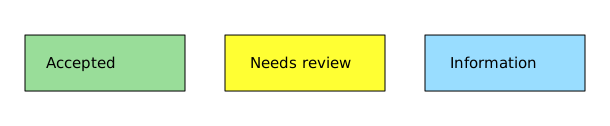
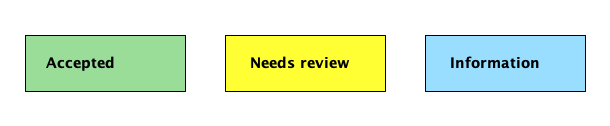
Copy link DTA-06-001 Pair status colors with words Fill colors group three review states, while their labels keep the meaning readable in grayscale. Use named colors or a three-digit RGB code inside a closed shape.
Back to diagram overview Compare with DTA-05-001 · Wait for both independent checks .
ASCII source Parameter Meaning in this example cGRE / cYELUse built-in green and yellow fill names. c9DFUse red=9, green=D and blue=F in a three-digit RGB fill. Written statesRetain the meaning without relying on color.
Render this diagram --scale 1 .0 examples/DTA-06-001.txt figures/DTA-06-001.svg
tools/ditaa --scale 1 .0 examples/DTA-06-001.txt figures/DTA-06-001.png
python3 tools/svg-pdf.py figures/DTA-06-001.svg figures/DTA-06-001.pdf
Try changing: Change c9DF to cDDF and keep Information visible.
Actual output DTA-06-001 · Rendered by ditaa ditaa · exit 0
Native compiler log Standard output Render this diagram --scale 1 .0 examples/DTA-06-001.txt figures/DTA-06-001.svg
tools/ditaa --scale 1 .0 examples/DTA-06-001.txt figures/DTA-06-001.png
python3 tools/svg-pdf.py figures/DTA-06-001.svg figures/DTA-06-001.pdf
Download: ASCII source · SVG diagram · Vector PDF · PNG preview · Render configuration
Try changing: Change c9DF to cDDF and keep Information visible.
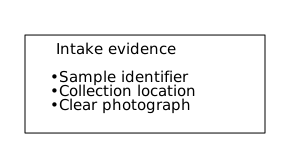
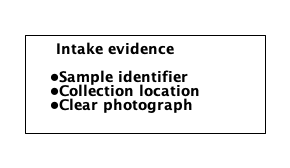
Copy link DTA-06-002 List the acceptance evidence A spaced lowercase o becomes a bullet inside a text list. Use a checklist artifact to summarize what the curator must inspect before accepting a record.
Back to diagram overview Compare with DTA-06-001 · Pair status colors with words .
ASCII source Parameter Meaning in this example o textSurround o with spaces to render a bullet. Blank interior rowsSeparate the heading from the checklist.
Render this diagram --scale 1 .0 examples/DTA-06-002.txt figures/DTA-06-002.svg
tools/ditaa --scale 1 .0 examples/DTA-06-002.txt figures/DTA-06-002.png
python3 tools/svg-pdf.py figures/DTA-06-002.svg figures/DTA-06-002.pdf
Try changing: Add a fourth bullet for Collection date; extend both side borders.
Actual output DTA-06-002 · Rendered by ditaa ditaa · exit 0
Native compiler log Standard output Render this diagram --scale 1 .0 examples/DTA-06-002.txt figures/DTA-06-002.svg
tools/ditaa --scale 1 .0 examples/DTA-06-002.txt figures/DTA-06-002.png
python3 tools/svg-pdf.py figures/DTA-06-002.svg figures/DTA-06-002.pdf
Download: ASCII source · SVG diagram · Vector PDF · PNG preview · Render configuration
Try changing: Add a fourth bullet for Collection date; extend both side borders.
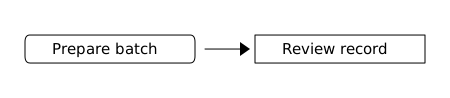
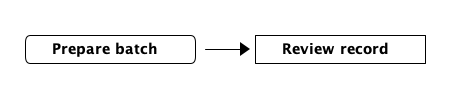
Copy link DTA-06-003 Round selected corners in the source Slash and backslash corners round this one box. Use local corner syntax when another box in the same file should retain square corners.
Back to diagram overview Compare with DTA-06-002 · List the acceptance evidence .
ASCII source Parameter Meaning in this example / and backslashReplace corner plus signs to round selected source corners. Square review boxKeep its plus corners unchanged.
Render this diagram --scale 1 .0 examples/DTA-06-003.txt figures/DTA-06-003.svg
tools/ditaa --scale 1 .0 examples/DTA-06-003.txt figures/DTA-06-003.png
python3 tools/svg-pdf.py figures/DTA-06-003.svg figures/DTA-06-003.pdf
Try changing: Round only the two upper corners of Prepare batch.
Actual output DTA-06-003 · Rendered by ditaa ditaa · exit 0
Native compiler log Standard output Render this diagram --scale 1 .0 examples/DTA-06-003.txt figures/DTA-06-003.svg
tools/ditaa --scale 1 .0 examples/DTA-06-003.txt figures/DTA-06-003.png
python3 tools/svg-pdf.py figures/DTA-06-003.svg figures/DTA-06-003.pdf
Download: ASCII source · SVG diagram · Vector PDF · PNG preview · Render configuration
Try changing: Round only the two upper corners of Prepare batch.
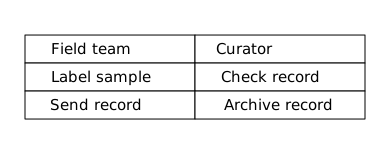
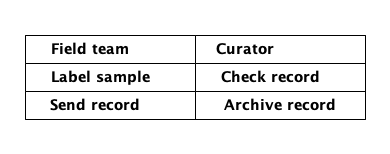
Copy link DTA-06-004 Keep a responsibility matrix compact Touching cells can share a border rather than being separated into offset shapes. Use the native no-separation option for a compact matrix of owners and duties.
Back to diagram overview Compare with DTA-06-003 · Round selected corners in the source .
ASCII source Parameter Meaning in this example --no-separationKeep common cell boundaries together. Shared + and -Build a compact owner/duty matrix from touching boxes.
Render this diagram --scale 1 .0 --no-separation examples/DTA-06-004.txt figures/DTA-06-004.svg
tools/ditaa --scale 1 .0 --no-separation examples/DTA-06-004.txt figures/DTA-06-004.png
python3 tools/svg-pdf.py figures/DTA-06-004.svg figures/DTA-06-004.pdf
Try changing: Remove --no-separation from the render command and compare the cell borders.
Actual output DTA-06-004 · Rendered by ditaa ditaa · exit 0
Native compiler log Standard output Render this diagram --scale 1 .0 --no-separation examples/DTA-06-004.txt figures/DTA-06-004.svg
tools/ditaa --scale 1 .0 --no-separation examples/DTA-06-004.txt figures/DTA-06-004.png
python3 tools/svg-pdf.py figures/DTA-06-004.svg figures/DTA-06-004.pdf
Download: ASCII source · SVG diagram · Vector PDF · PNG preview · Render configuration
Try changing: Remove --no-separation from the render command and compare the cell borders.
Copy link DTA-07-001 Enlarge an export without redrawing Scale two doubles the rendered character-cell dimensions while leaving the source untouched. Use it when a native PNG needs more pixels for a high-density screen.
Back to diagram overview Compare with DTA-01-002 · Connect the next action .
ASCII source Parameter Meaning in this example --scale 2Render at twice the common cell scale. Unchanged sourceKeep exactly the same layout as DTA-01-002.
Render this diagram --scale 2 .0 examples/DTA-07-001.txt figures/DTA-07-001.svg
tools/ditaa --scale 2 .0 examples/DTA-07-001.txt figures/DTA-07-001.png
python3 tools/svg-pdf.py figures/DTA-07-001.svg figures/DTA-07-001.pdf
Try changing: Change --scale 2 to --scale 1 and compare the downloaded PNG dimensions.
Actual output DTA-07-001 · Rendered by ditaa ditaa · exit 0
Native compiler log Standard output Render this diagram --scale 2 .0 examples/DTA-07-001.txt figures/DTA-07-001.svg
tools/ditaa --scale 2 .0 examples/DTA-07-001.txt figures/DTA-07-001.png
python3 tools/svg-pdf.py figures/DTA-07-001.svg figures/DTA-07-001.pdf
Download: ASCII source · SVG diagram · Vector PDF · PNG preview · Render configuration
Try changing: Change --scale 2 to --scale 1 and compare the downloaded PNG dimensions.
Copy link DTA-07-002 Export a transparent background Transparency lets the diagram sit on a page background without a white canvas. Use the native PNG alpha channel or embedded SVG on a light surface with enough contrast for black strokes.
Back to diagram overview Compare with DTA-01-002 · Connect the next action .
ASCII source Parameter Meaning in this example --transparentOmit the opaque canvas in both native exports. PNG alphaRetain transparent pixels outside the shapes.
Render this diagram --scale 1 .0 --transparent examples/DTA-07-002.txt figures/DTA-07-002.svg
tools/ditaa --scale 1 .0 --transparent examples/DTA-07-002.txt figures/DTA-07-002.png
python3 tools/svg-pdf.py figures/DTA-07-002.svg figures/DTA-07-002.pdf
Try changing: Render once without --transparent and compare the PNG alpha channels.
Actual output DTA-07-002 · Rendered by ditaa ditaa · exit 0
Native compiler log Standard output Render this diagram --scale 1 .0 --transparent examples/DTA-07-002.txt figures/DTA-07-002.svg
tools/ditaa --scale 1 .0 --transparent examples/DTA-07-002.txt figures/DTA-07-002.png
python3 tools/svg-pdf.py figures/DTA-07-002.svg figures/DTA-07-002.pdf
Download: ASCII source · SVG diagram · Vector PDF · PNG preview · Render configuration
Try changing: Render once without --transparent and compare the PNG alpha channels.
Copy link DTA-07-003 Fix the slant of an input shape The fixed-slope option changes how the sides of the input/output shape are constructed. Use it when a wide, short export box should keep a consistent slant.
Back to diagram overview Compare with DTA-02-003 · Show an input or output .
ASCII source Parameter Meaning in this example --fixed-slopeUse the pinned renderer’s fixed-slope geometry. {io}Keep the specialized input/output shape.
Render this diagram --scale 1 .0 --fixed-slope examples/DTA-07-003.txt figures/DTA-07-003.svg
tools/ditaa --scale 1 .0 --fixed-slope examples/DTA-07-003.txt figures/DTA-07-003.png
python3 tools/svg-pdf.py figures/DTA-07-003.svg figures/DTA-07-003.pdf
Try changing: Remove --fixed-slope and compare the left and right slants.
Actual output DTA-07-003 · Rendered by ditaa ditaa · exit 0
Native compiler log Standard output Render this diagram --scale 1 .0 --fixed-slope examples/DTA-07-003.txt figures/DTA-07-003.svg
tools/ditaa --scale 1 .0 --fixed-slope examples/DTA-07-003.txt figures/DTA-07-003.png
python3 tools/svg-pdf.py figures/DTA-07-003.svg figures/DTA-07-003.pdf
Download: ASCII source · SVG diagram · Vector PDF · PNG preview · Render configuration
Try changing: Remove --fixed-slope and compare the left and right slants.
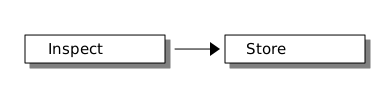
Copy link DTA-07-004 Add a shadow for a presentation The tour normally disables shadows; this example deliberately enables the native effect. Use it sparingly on a presentation diagram, with enough surrounding space to retain the full shadow.
Back to diagram overview Compare with DTA-01-002 · Connect the next action .
ASCII source Parameter Meaning in this example --shadowsDriver option that leaves native shadows enabled. Shared defaultAll other examples keep the configured no-shadow baseline.
Render this diagram --scale 1 .0 --shadows examples/DTA-07-004.txt figures/DTA-07-004.svg
tools/ditaa --scale 1 .0 --shadows examples/DTA-07-004.txt figures/DTA-07-004.png
python3 tools/svg-pdf.py figures/DTA-07-004.svg figures/DTA-07-004.pdf
Try changing: Remove --shadows to return to the common flat appearance.
Actual output DTA-07-004 · Rendered by ditaa ditaa · exit 0
Native compiler log Standard output Render this diagram --scale 1 .0 --shadows examples/DTA-07-004.txt figures/DTA-07-004.svg
tools/ditaa --scale 1 .0 --shadows examples/DTA-07-004.txt figures/DTA-07-004.png
python3 tools/svg-pdf.py figures/DTA-07-004.svg figures/DTA-07-004.pdf
Download: ASCII source · SVG diagram · Vector PDF · PNG preview · Render configuration
Try changing: Remove --shadows to return to the common flat appearance.
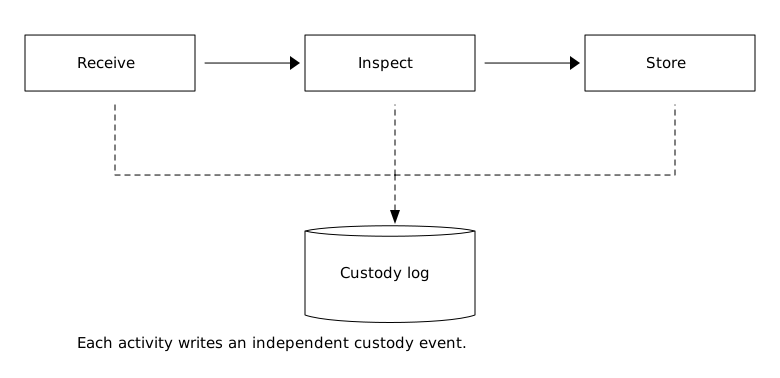
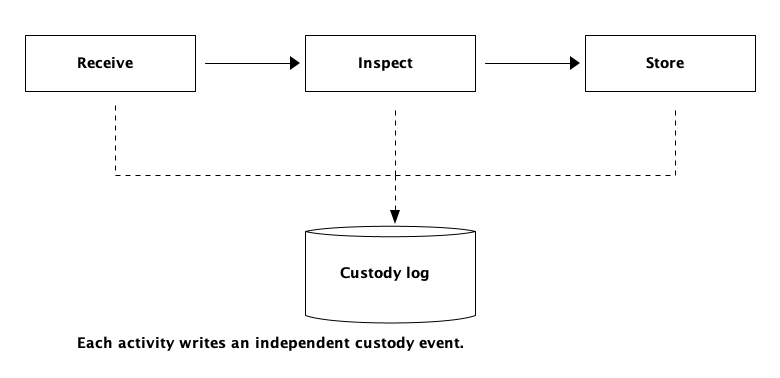
Copy link DTA-08-001 Audit an intake from receipt to storage Receipt, inspection and storage each write an independent custody event. Use a shared dashed record path to the log while the solid activity arrows retain the order of work.
Back to diagram overview Compare with DTA-07-001 · Enlarge an export without redrawing .
ASCII source Parameter Meaning in this example Solid sequenceOrder Receive, Inspect and Store. Dashed pathsWrite independent custody events; the shared path is not an AND join. {s}Persist the events in a custody log.
Render this diagram --scale 1 .0 examples/DTA-08-001.txt figures/DTA-08-001.svg
tools/ditaa --scale 1 .0 examples/DTA-08-001.txt figures/DTA-08-001.png
python3 tools/svg-pdf.py figures/DTA-08-001.svg figures/DTA-08-001.pdf
Try changing: Add a Tag sample activity between Receive and Inspect, including its log write.
Actual output DTA-08-001 · Rendered by ditaa ditaa · exit 0
Native compiler log Standard output Render this diagram --scale 1 .0 examples/DTA-08-001.txt figures/DTA-08-001.svg
tools/ditaa --scale 1 .0 examples/DTA-08-001.txt figures/DTA-08-001.png
python3 tools/svg-pdf.py figures/DTA-08-001.svg figures/DTA-08-001.pdf
Download: ASCII source · SVG diagram · Vector PDF · PNG preview · Render configuration
Try changing: Add a Tag sample activity between Receive and Inspect, including its log write.
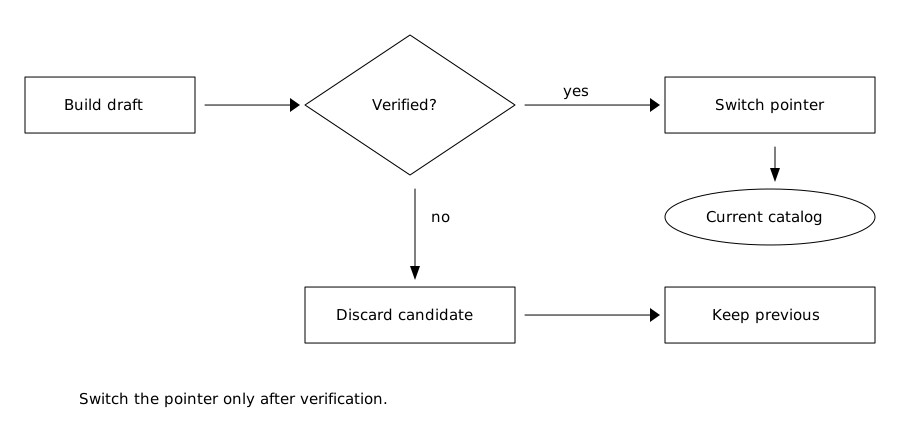
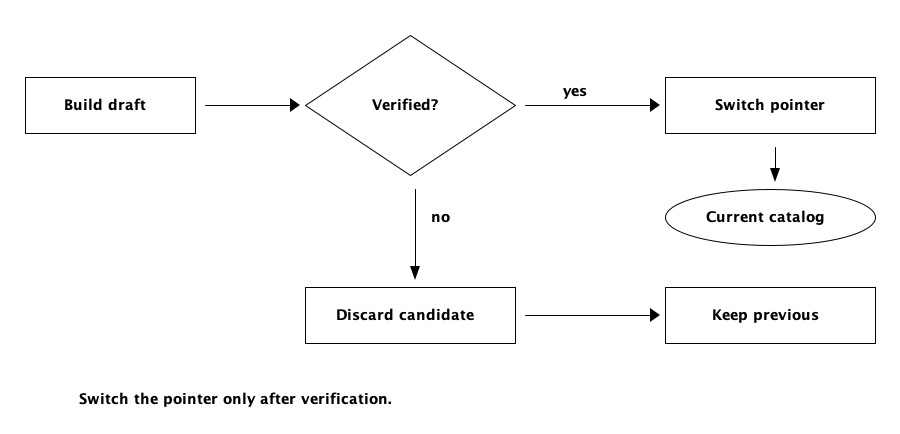
Copy link DTA-08-002 Release only a verified catalog The current catalog changes only after candidate verification succeeds. Use a separate discard path so a failed candidate leaves the previous release available.
Back to diagram overview Compare with DTA-08-001 · Audit an intake from receipt to storage .
ASCII source Parameter Meaning in this example Verified?Decide whether this candidate can become current. Switch pointerMake the checked catalog current in one release action. Keep previousRetain the existing release on verification failure.
Render this diagram --scale 1 .0 examples/DTA-08-002.txt figures/DTA-08-002.svg
tools/ditaa --scale 1 .0 examples/DTA-08-002.txt figures/DTA-08-002.png
python3 tools/svg-pdf.py figures/DTA-08-002.svg figures/DTA-08-002.pdf
Try changing: Add a note naming the verification checks.
Actual output DTA-08-002 · Rendered by ditaa ditaa · exit 0
Native compiler log Standard output Render this diagram --scale 1 .0 examples/DTA-08-002.txt figures/DTA-08-002.svg
tools/ditaa --scale 1 .0 examples/DTA-08-002.txt figures/DTA-08-002.png
python3 tools/svg-pdf.py figures/DTA-08-002.svg figures/DTA-08-002.pdf
Download: ASCII source · SVG diagram · Vector PDF · PNG preview · Render configuration
Try changing: Add a note naming the verification checks.
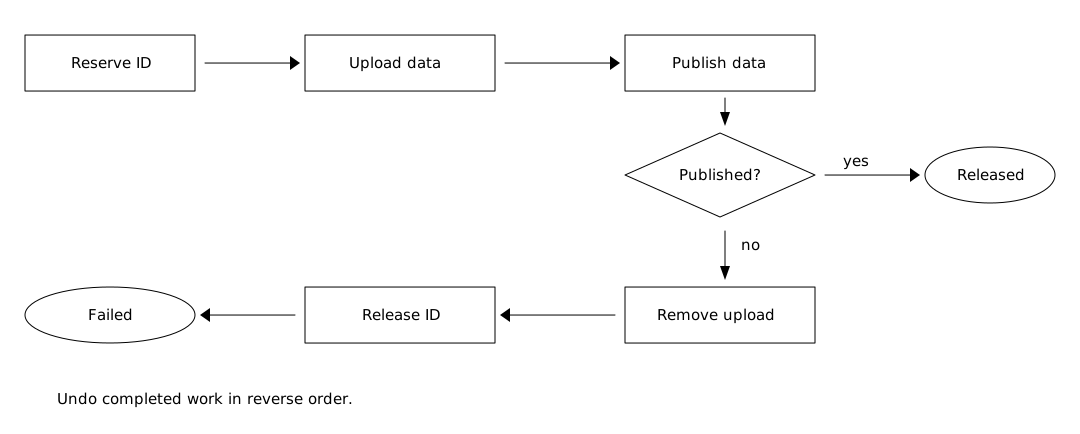
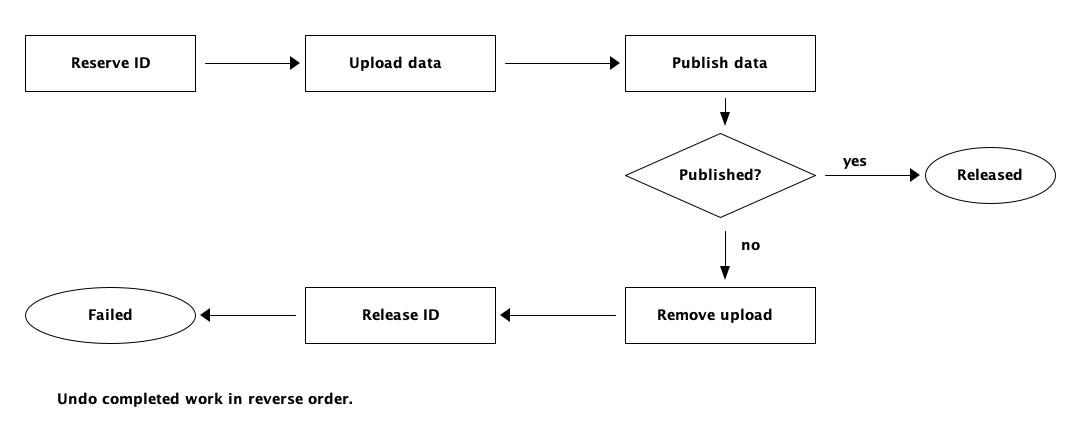
Copy link DTA-08-003 Compensate a failed publication A failed publication removes the staged data before releasing its reserved identifier. Use this reverse order when later cleanup depends on earlier resources still being available.
Back to diagram overview Compare with DTA-08-002 · Release only a verified catalog .
ASCII source Parameter Meaning in this example Publish dataAttempt publication before testing its outcome. Remove uploadUndo the completed upload first. Release IDUndo the earlier reservation after data cleanup.
Render this diagram --scale 1 .0 examples/DTA-08-003.txt figures/DTA-08-003.svg
tools/ditaa --scale 1 .0 examples/DTA-08-003.txt figures/DTA-08-003.png
python3 tools/svg-pdf.py figures/DTA-08-003.svg figures/DTA-08-003.pdf
Try changing: Add a separate operator outcome if removing staged data fails.
Actual output DTA-08-003 · Rendered by ditaa ditaa · exit 0
Native compiler log Standard output Compare with D2 · Undo completed work in reverse order .
Render this diagram --scale 1 .0 examples/DTA-08-003.txt figures/DTA-08-003.svg
tools/ditaa --scale 1 .0 examples/DTA-08-003.txt figures/DTA-08-003.png
python3 tools/svg-pdf.py figures/DTA-08-003.svg figures/DTA-08-003.pdf
Download: ASCII source · SVG diagram · Vector PDF · PNG preview · Render configuration
Try changing: Add a separate operator outcome if removing staged data fails.
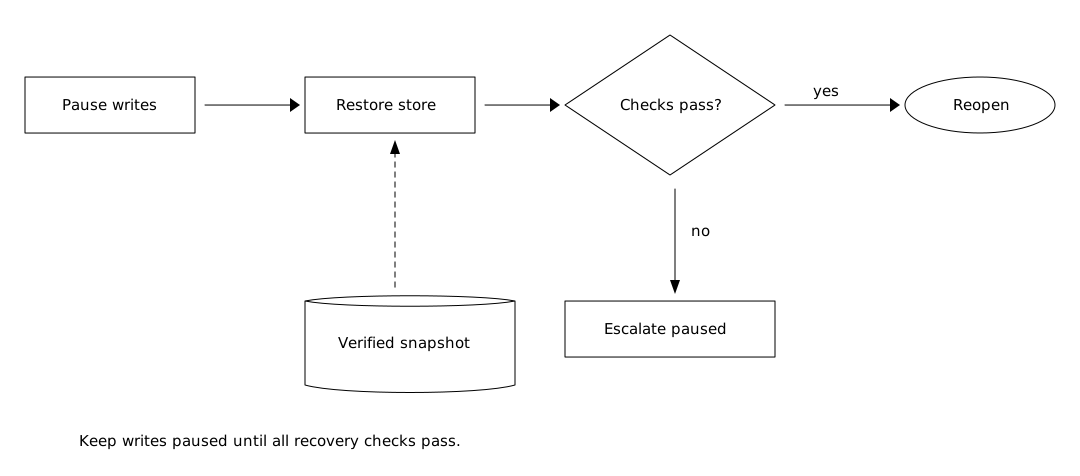
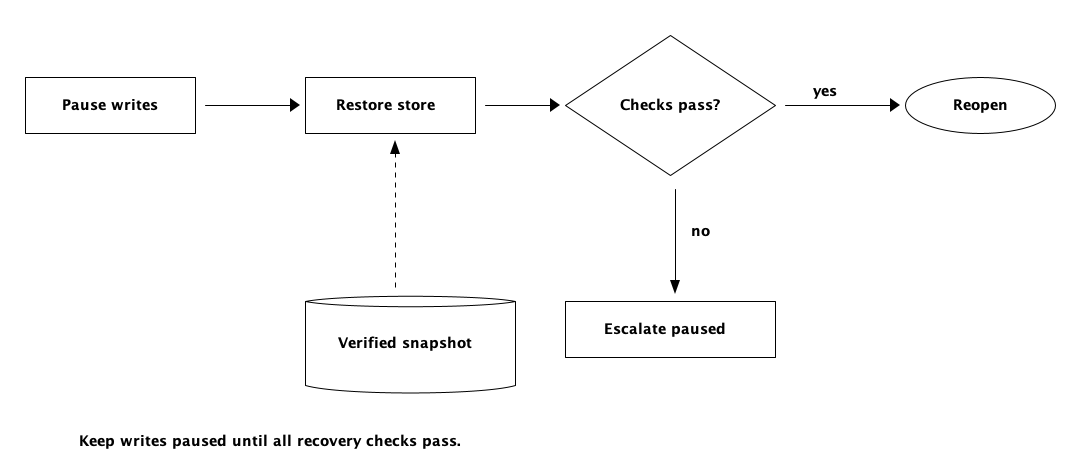
Copy link DTA-08-004 Reopen only after verified recovery Recovery pauses writes, restores a verified snapshot and checks the result before reopening. Use the failure path to keep the service paused while an operator investigates.
Back to diagram overview Compare with DTA-08-003 · Compensate a failed publication .
ASCII source Parameter Meaning in this example Pause writesPrevent new changes during restoration. Verified snapshotSupply recovery data on a dashed edge. Checks pass?Reopen only after the recovery checks succeed.
Render this diagram --scale 1 .0 examples/DTA-08-004.txt figures/DTA-08-004.svg
tools/ditaa --scale 1 .0 examples/DTA-08-004.txt figures/DTA-08-004.png
python3 tools/svg-pdf.py figures/DTA-08-004.svg figures/DTA-08-004.pdf
Try changing: Add a named checksum check to the recovery note.
Actual output DTA-08-004 · Rendered by ditaa ditaa · exit 0
Native compiler log Standard output Render this diagram --scale 1 .0 examples/DTA-08-004.txt figures/DTA-08-004.svg
tools/ditaa --scale 1 .0 examples/DTA-08-004.txt figures/DTA-08-004.png
python3 tools/svg-pdf.py figures/DTA-08-004.svg figures/DTA-08-004.pdf
Download: ASCII source · SVG diagram · Vector PDF · PNG preview · Render configuration
Try changing: Add a named checksum check to the recovery note.
Example and command index