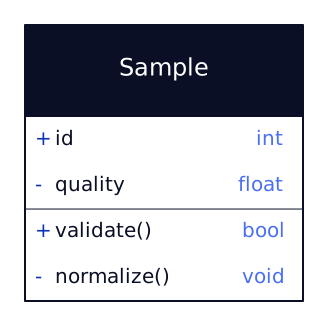
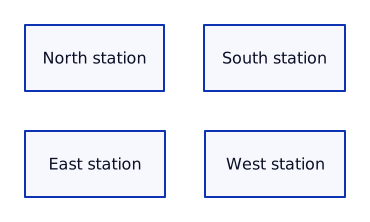
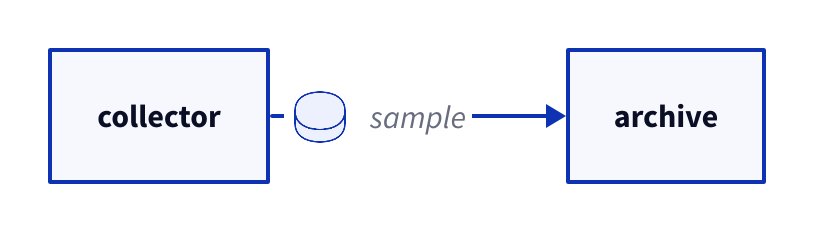
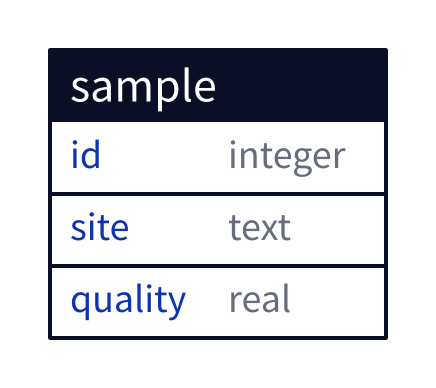
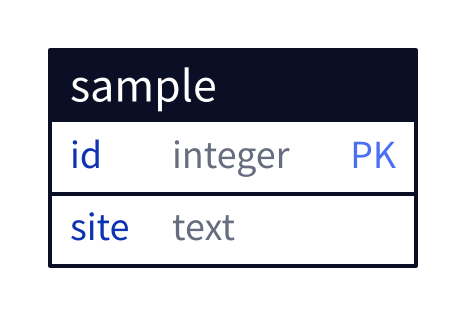
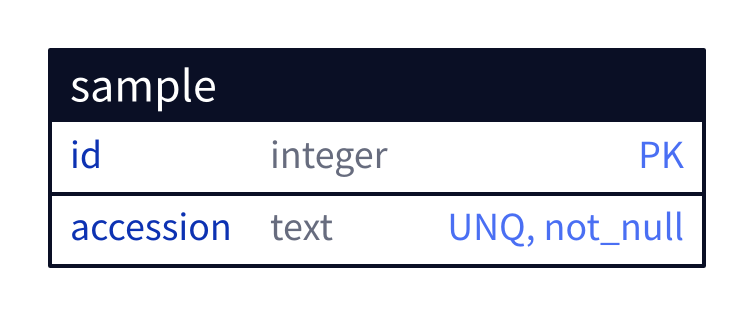
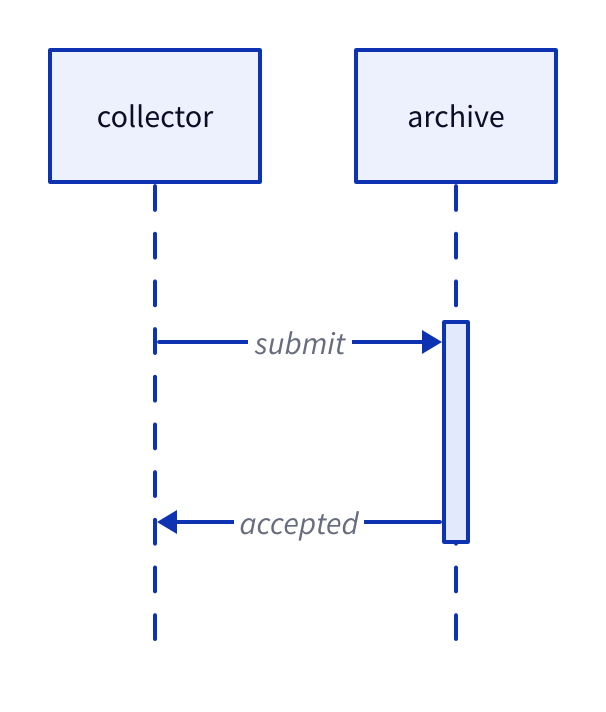
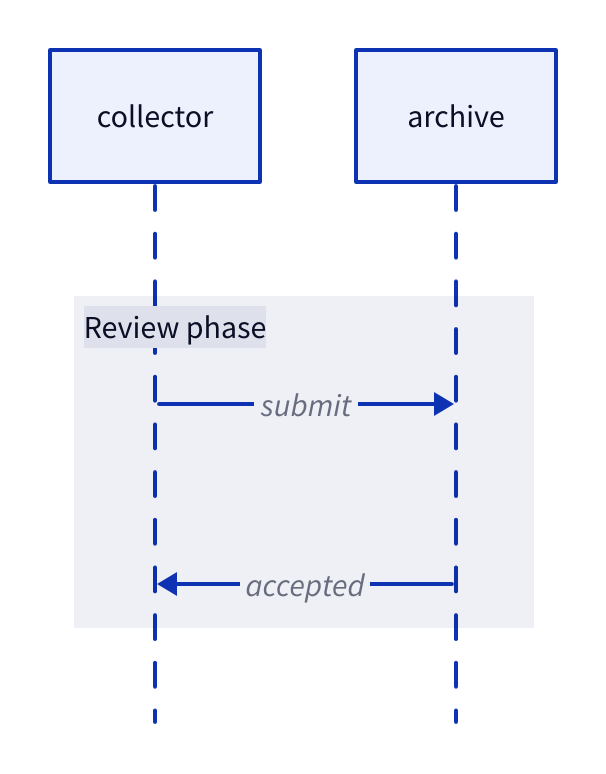
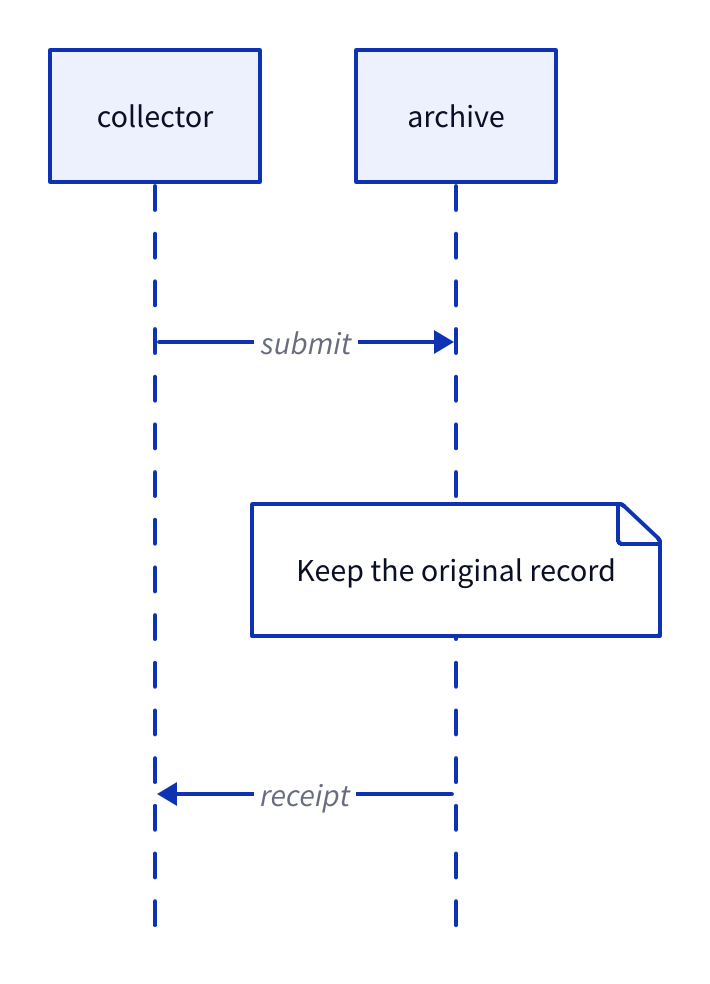
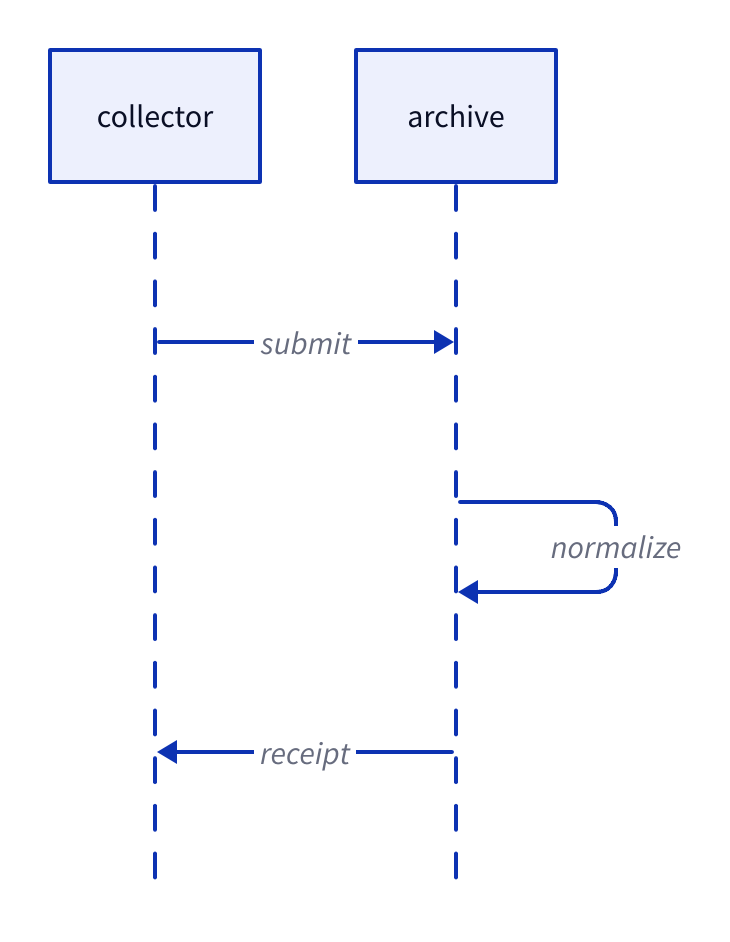
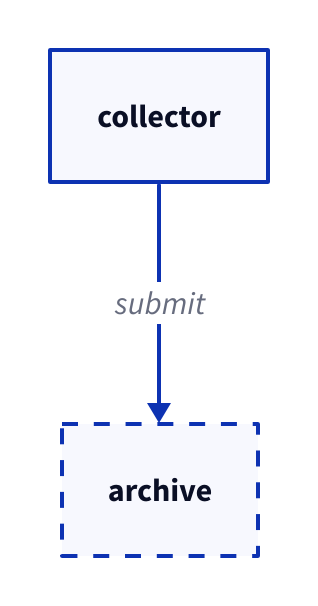
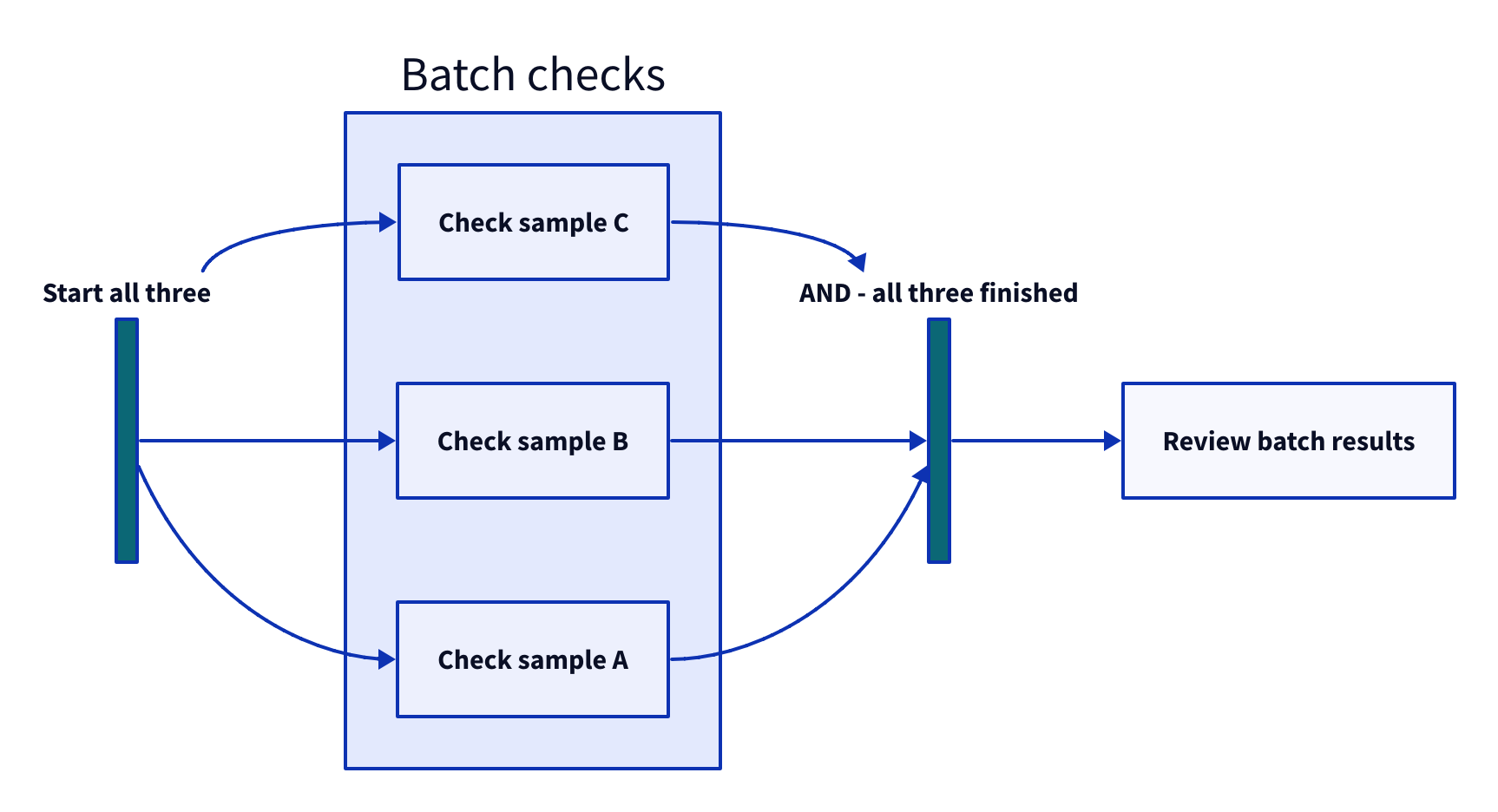
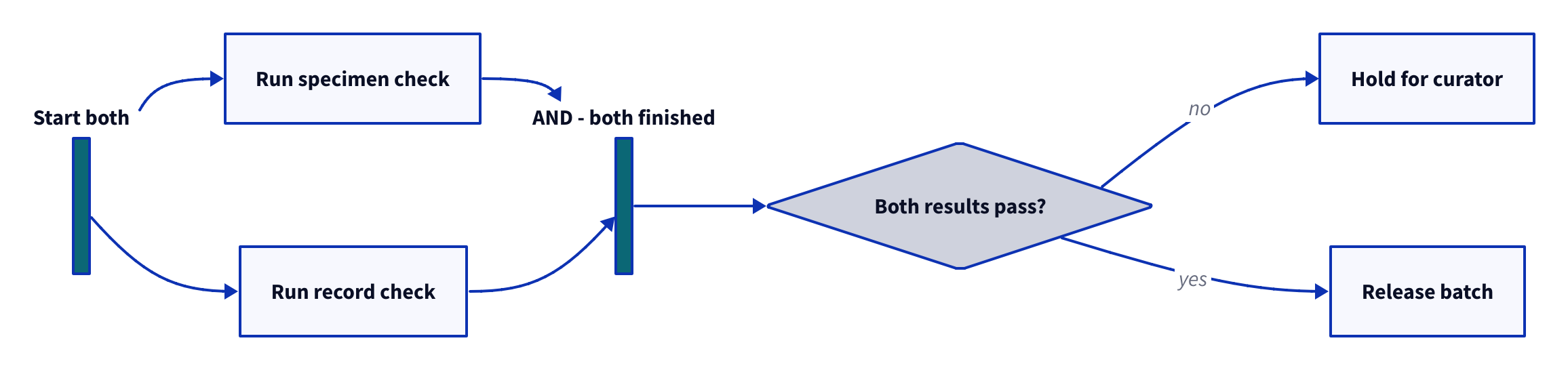
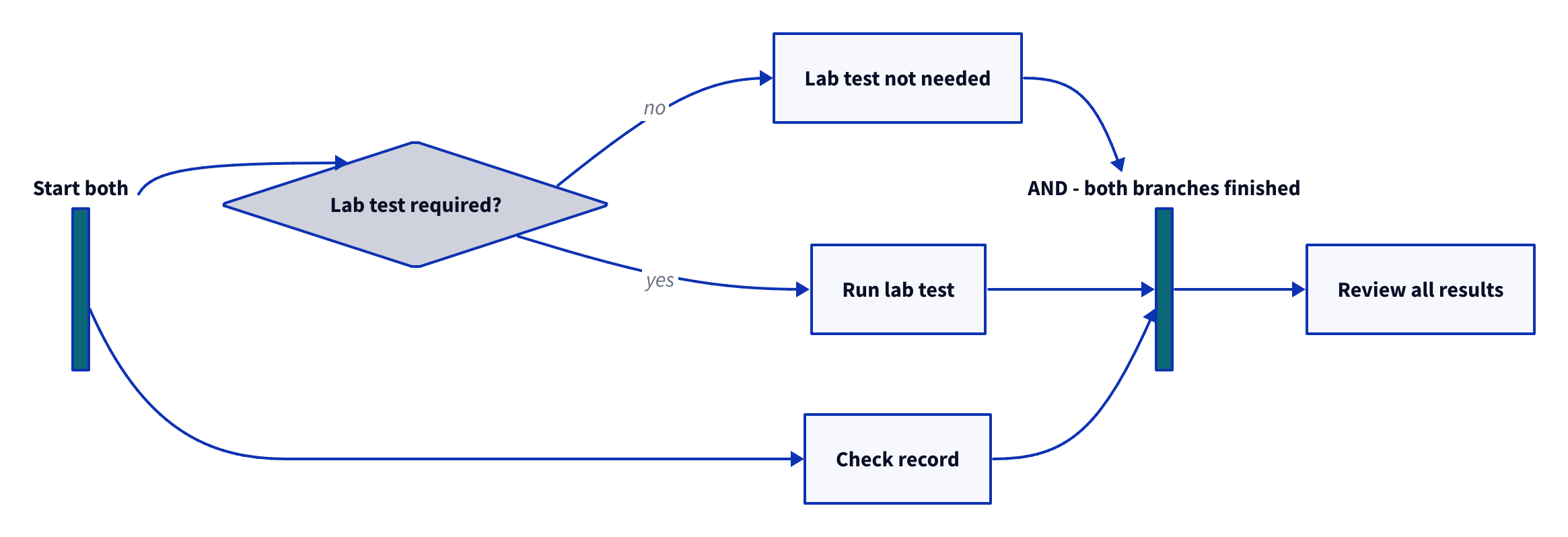
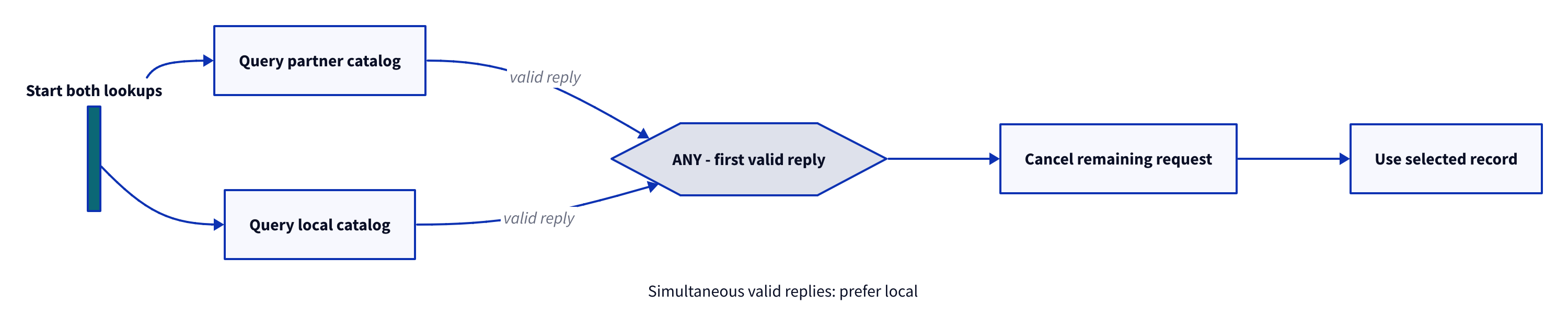
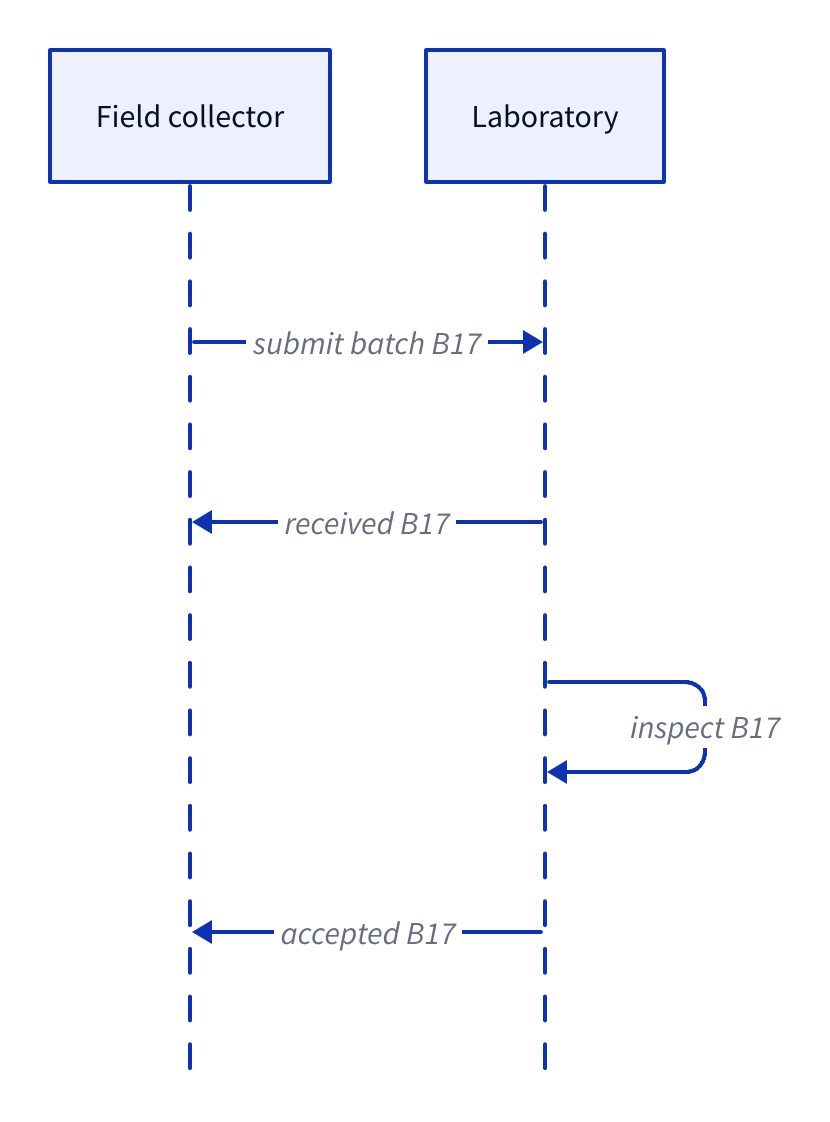
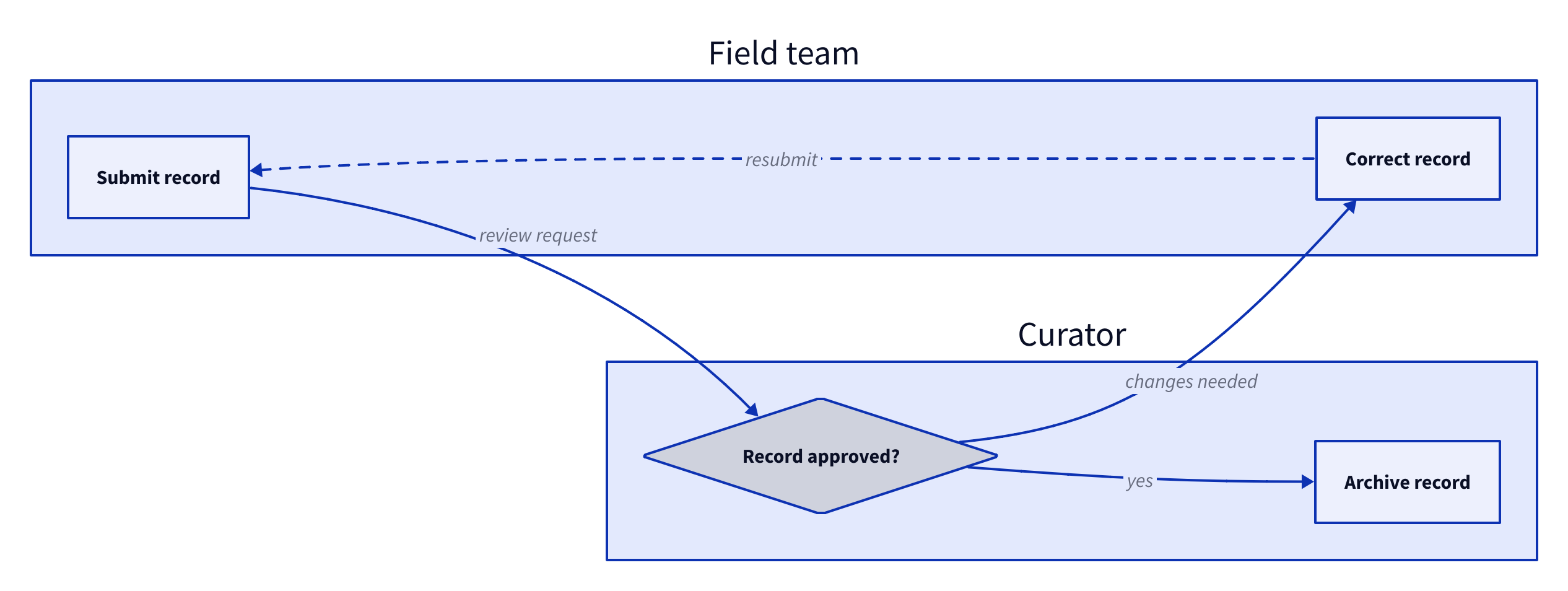
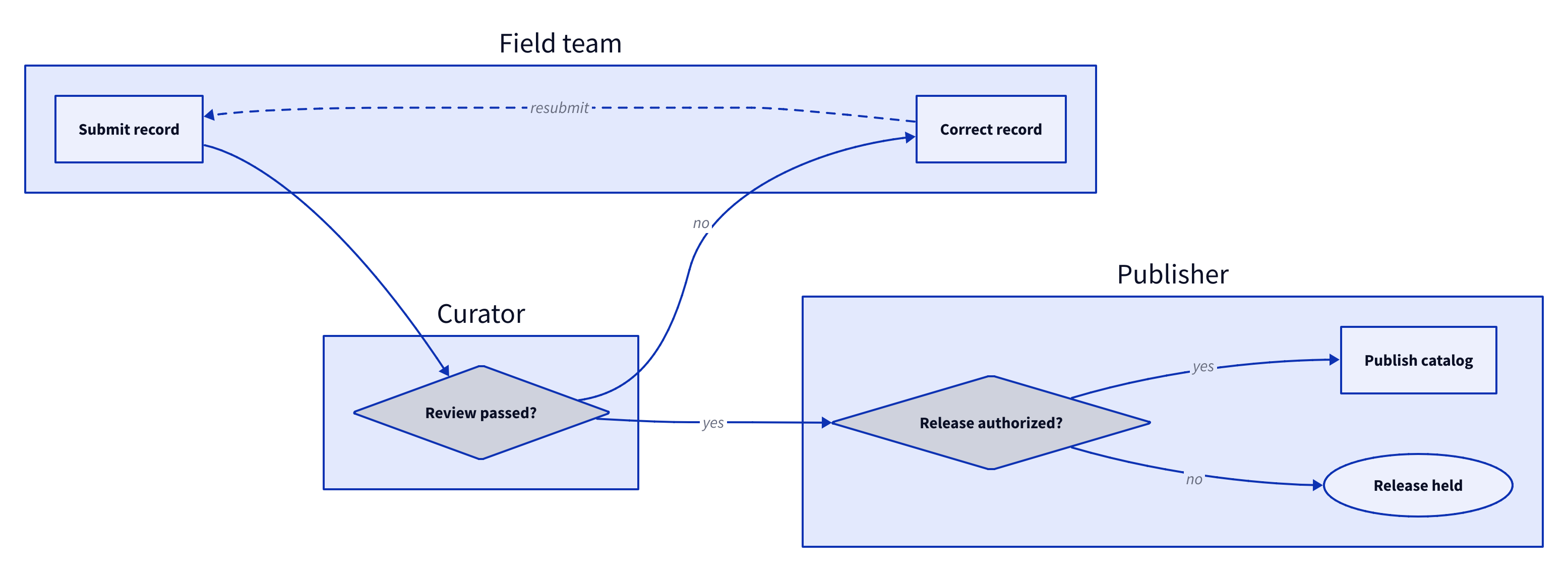
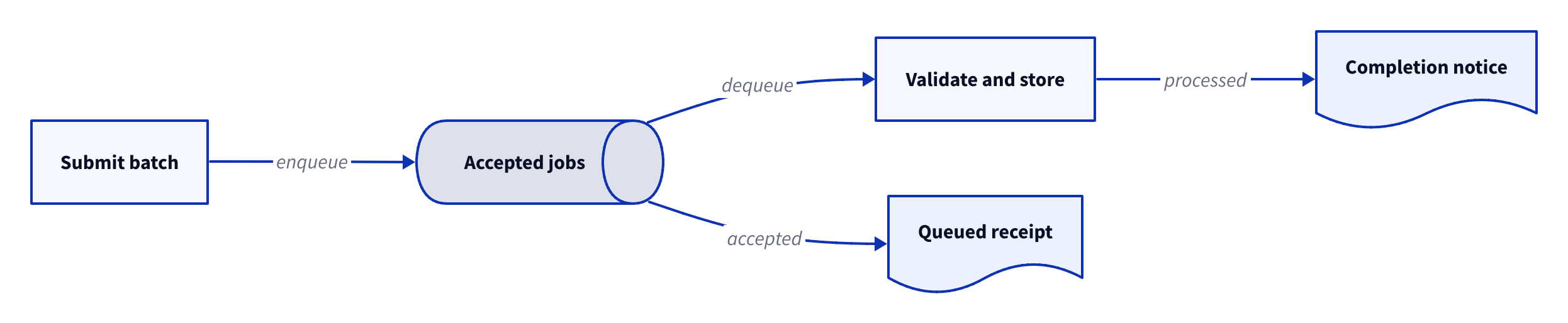
No matching examples. Try another query or clear the filters.
Copy link A visual reference · D2
D2,
From a first connection to data models, messages and architecture drawn with text.
140 complete examples in 23 chapters follow a fictional field archive: collect a sample, review its record and publish a trustworthy catalog. Every example pairs editable D2 source with its actual diagram and a concrete experiment. Names and quantities are illustrative.
The Org file is the canonical source. Read the HTML guide beside your work,
or download its PDF and source for offline reading.
Last changes: 2026-11-15. Added 24 process examples covering decisions, parallel work, handoffs, retries, deadlines, compensation and recovery.
140 worked examples
23 topic families
1 canonical Org source
Copy link Reading the tour
Three ways to see a change
D2 source
Read a complete diagram. A focused parameter table explains its new syntax.
Actual diagram
Inspect the native SVG beside its source; PDF and PNG downloads are available too.
Try a change
Follow a sibling comparison, edit the downloaded program and render it with the same configuration.
Start with the visual overview or follow the chapters in order. Search and topic
filters narrow the examples. Back to diagram overview returns to the matching
thumbnail; Copy link preserves the address of the guide you are reading.
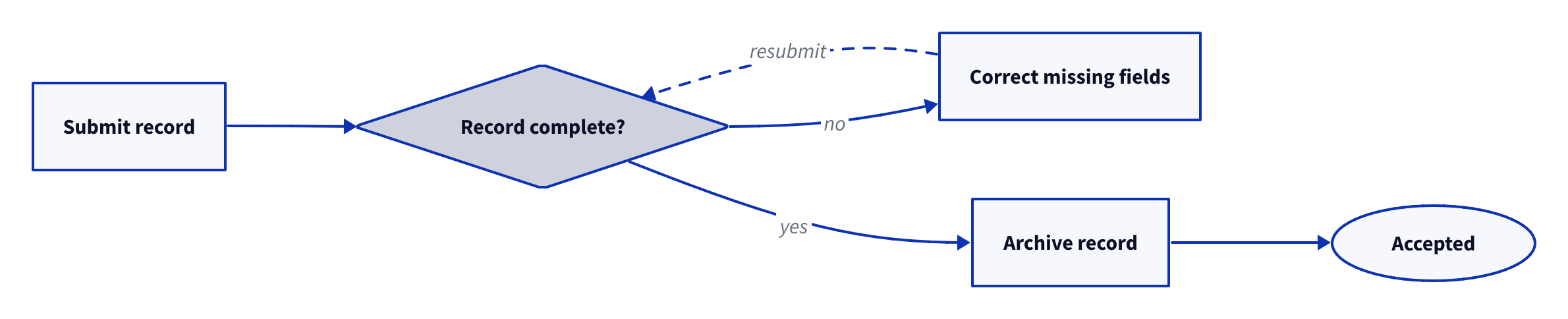
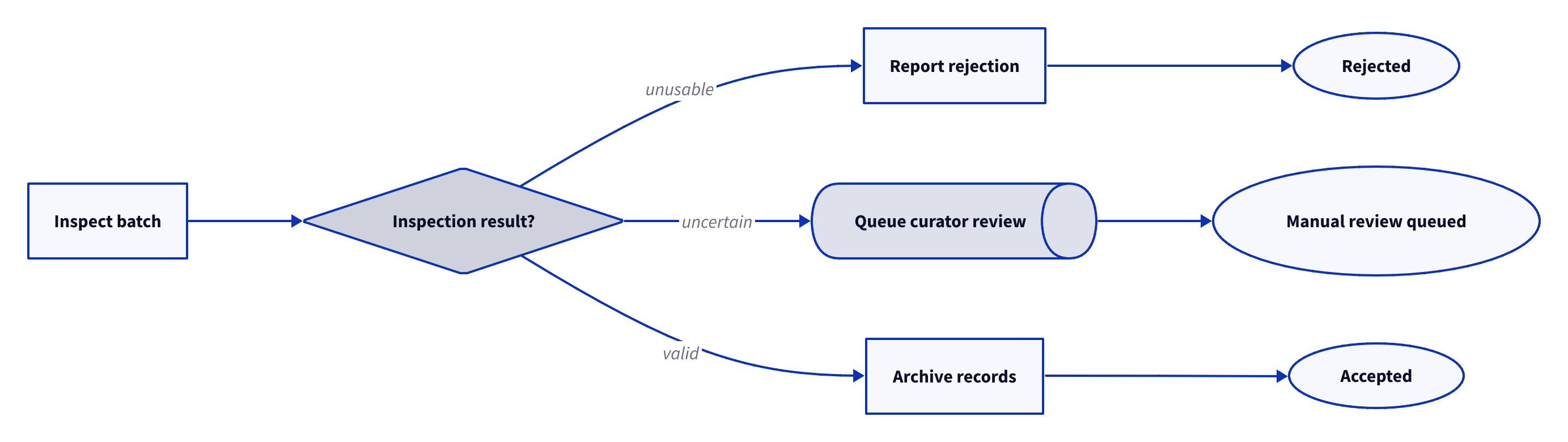
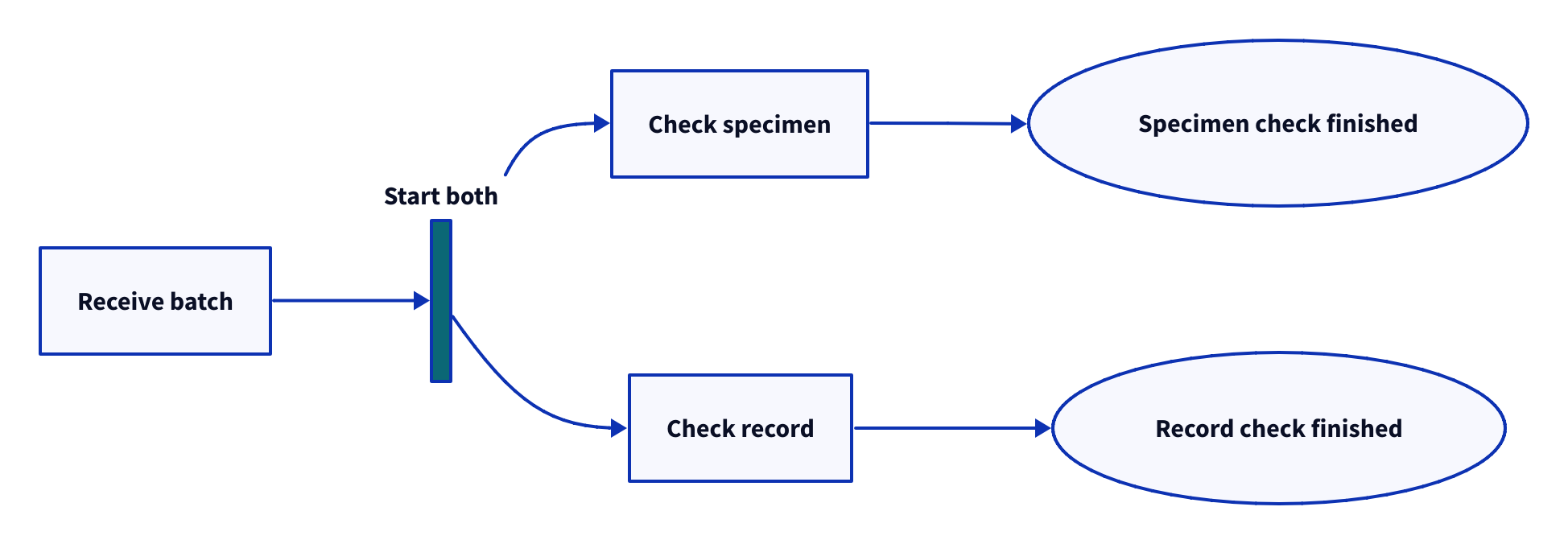
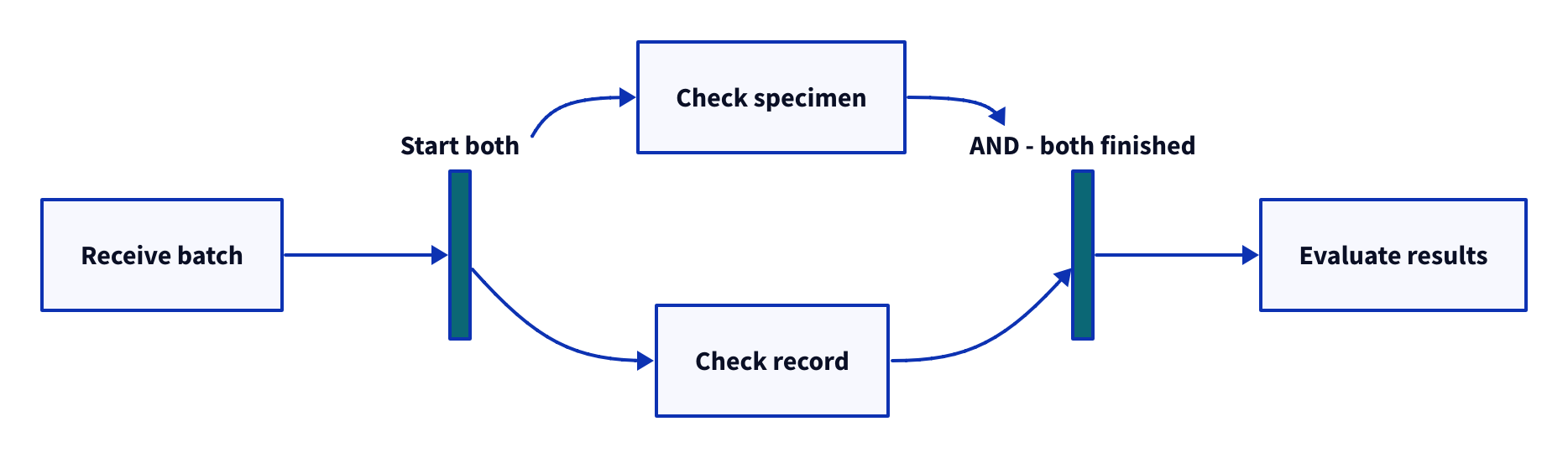
For process design, follow chapters 20–23 after the first four chapters. Name
every decision outcome and distinguish an exclusive merge from an AND or ANY
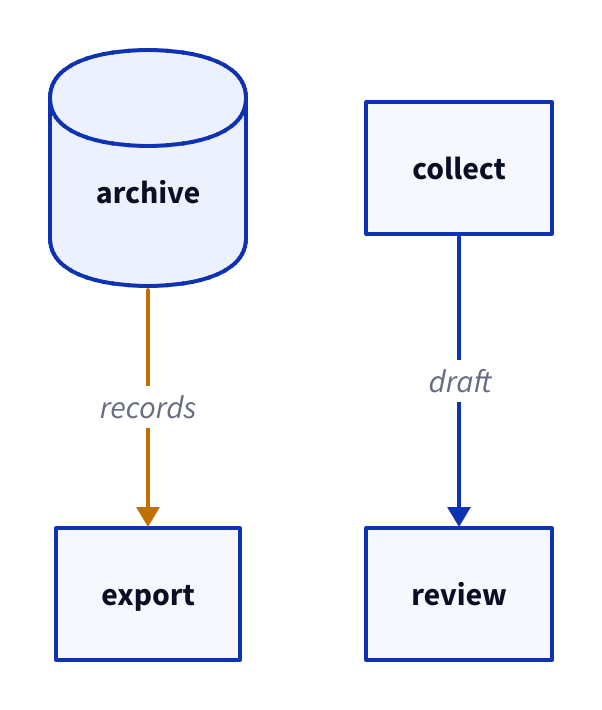
join. Dashed arrows in these worked processes carry records; solid arrows order
work. A finished check is not necessarily a successful check. These are explicit
D2 drawing conventions, not an executable workflow or a BPMN validator.
Copy link Reproduce the diagrams
All examples use D2 v0.9.0 , theme 0 and 24 px outer padding. Built-in Source
Sans Pro and Source Code Pro fonts travel with the renderer. Dagre is the default;
examples that need port routing select ELK explicitly. Geometry is version-sensitive.
Install the shared publisher Python dependencies with make setup in the publisher
folder, plus Emacs and Poppler. The tested versions are Python 3.14.10,
Emacs 31.1 / Org 9.8.7, WeasyPrint 70.0, PyMuPDF 1.28.2, Pygments 2.21.0,
FontTools 4.66.1, librsvg 2.63.4 and Poppler 26.11.0. See VERSIONS.json
for the release checksum and linked rendering-library versions. The official macOS arm64 D2 archive is bundled in
tools/vendor/; tools/d2 verifies its SHA-256 and extracts it locally without
network access. On another platform install D2 v0.9.0 beforehand and set
D2=/absolute/path/to/d2. This release exports PDF/PNG/PPTX itself, without Chromium.
Download the complete offline reproduction bundle for every
source, shared configuration, local input, renderer archive and license notice.
Extract it before running the commands. The included tools/d2 also accepts an
installed v0.9.0 selected with D2 or found on PATH.
Download the shared render configuration . After installing the
Python dependencies, activate the publisher environment with
source ../67.00_export-tourguide/.venv/bin/activate before copying commands
that invoke python3. In a standalone diagram bundle, install its pinned
requirements.txt into an environment and activate that environment instead.
The one shared config/render.json is:
{"version": "v0.9.0", "theme": 0, "pad": 24}
The publisher reads this configuration for every command. Per-example flags select
only the feature under discussion. Run commands from the tour root; create
figures/ first. Source bundles preserve relative paths to local imports and icons.
make full
make check
tools/d2 --version
tools/d2 fmt examples/D2L-01-001.d2
tools/d2 --layout dagre --theme 0 --pad 24 --salt D2L-01-001 --target '' examples/D2L-01-001.d2 figures/D2L-01-001.svg
CLI argument
Meaning in this tour
fmt / validateFormat the whole source / check it with the installed compiler.
--layout dagre / elkSelect the two permitted engines.
--theme 0Use the same built-in palette throughout.
--pad 24Reserve 24 pixels around the diagram.
--salt IDStabilize SVG identifiers and isolate embedded diagrams.
--target ''Export only the root board.
--target layers.detailSelect one named board.
--animate-interval 1200Advance boards every 1200 milliseconds.
.svg / .pdf / .pptx / .txtInfer output format from the filename.
HTML embeds all displayed figures for offline reading. Individual downloads use
companion folders. The publisher converts native SVG to compact vector PDF with librsvg 2.63.4,
loading the SVG’s exact embedded font subsets through tools/svg-pdf.py; animated examples have a static root-board print view. PDF metadata dates are removed after export. Repeated native
renders use no timestamps, random layout engines, remote icons or build-time URLs.
Copy link Feature coverage
The shape catalog groups all 25 built-in shapes in the pinned version by use.
Later chapters explain the specialized notation in complete worked examples.
Feature
Chapter
Examples
Shapes, labels, comments and direction
01 · First diagrams 6
Every built-in shape, grouped by role
02 · Shape catalog 6
Operators, chains, arrowheads and endpoint labels
03 · Connections 6
Nested maps, paths and parent references
04 · Containers 6
Fill, stroke, dashes, opacity, patterns and depth cues
05 · Styles 6
Classes, local overrides, fixed theme and sketch
06 · Reusable appearance 6
Markdown, math and code on objects and edges
07 · Text 6
Local object/edge icons and image objects
08 · Images 4
SQL constraints, ELK column edges and UML classes
09 · Data and object models 8
Actors, spans, groups, notes and self-messages
10 · Sequence diagrams 8
Rows, columns, independent gaps, nesting and edges
11 · Grids 6
Near, dimensions, labels and identical Dagre/ELK input
12 · Positioning 6
Scalars, styles, object/edge globs and filters
13 · Variables and globs 8
Local/map/selective imports, spread and model suspension
14 · Imports and models 6
Layers, independent scenarios, cumulative steps and targets
15 · Boards 6
Animated boards/edges, tooltips and local links
16 · Interactivity 6
C4-style context, containers, components, deployment and legends
17 · Architecture 6
SVG, paged PDF, PPTX, standard ASCII, fmt and validate
18 · Exports 6
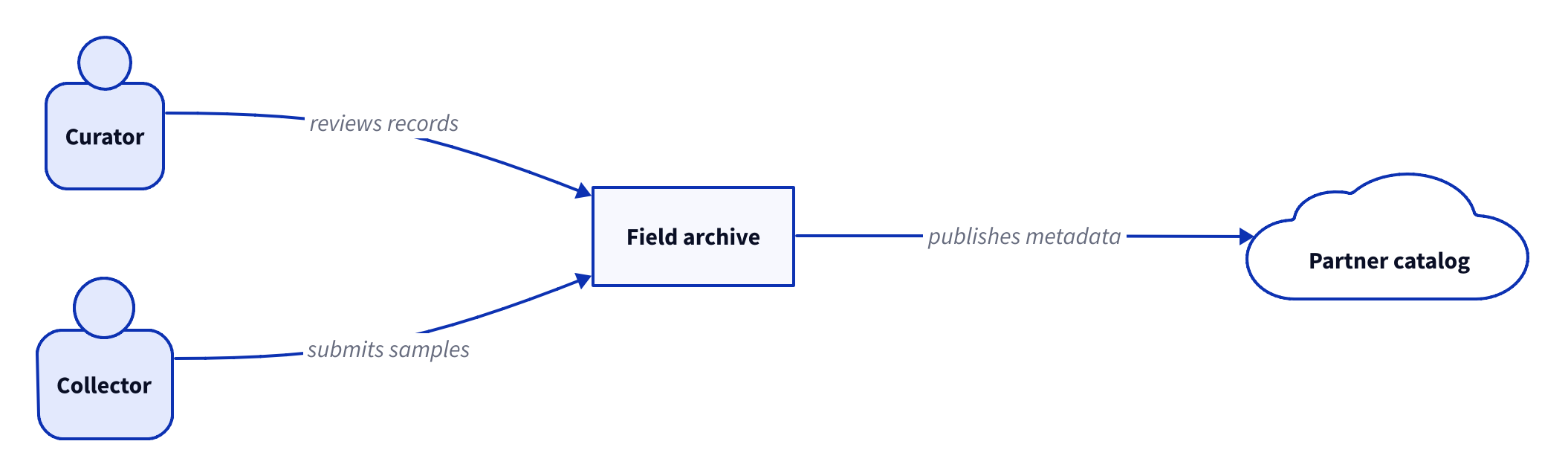
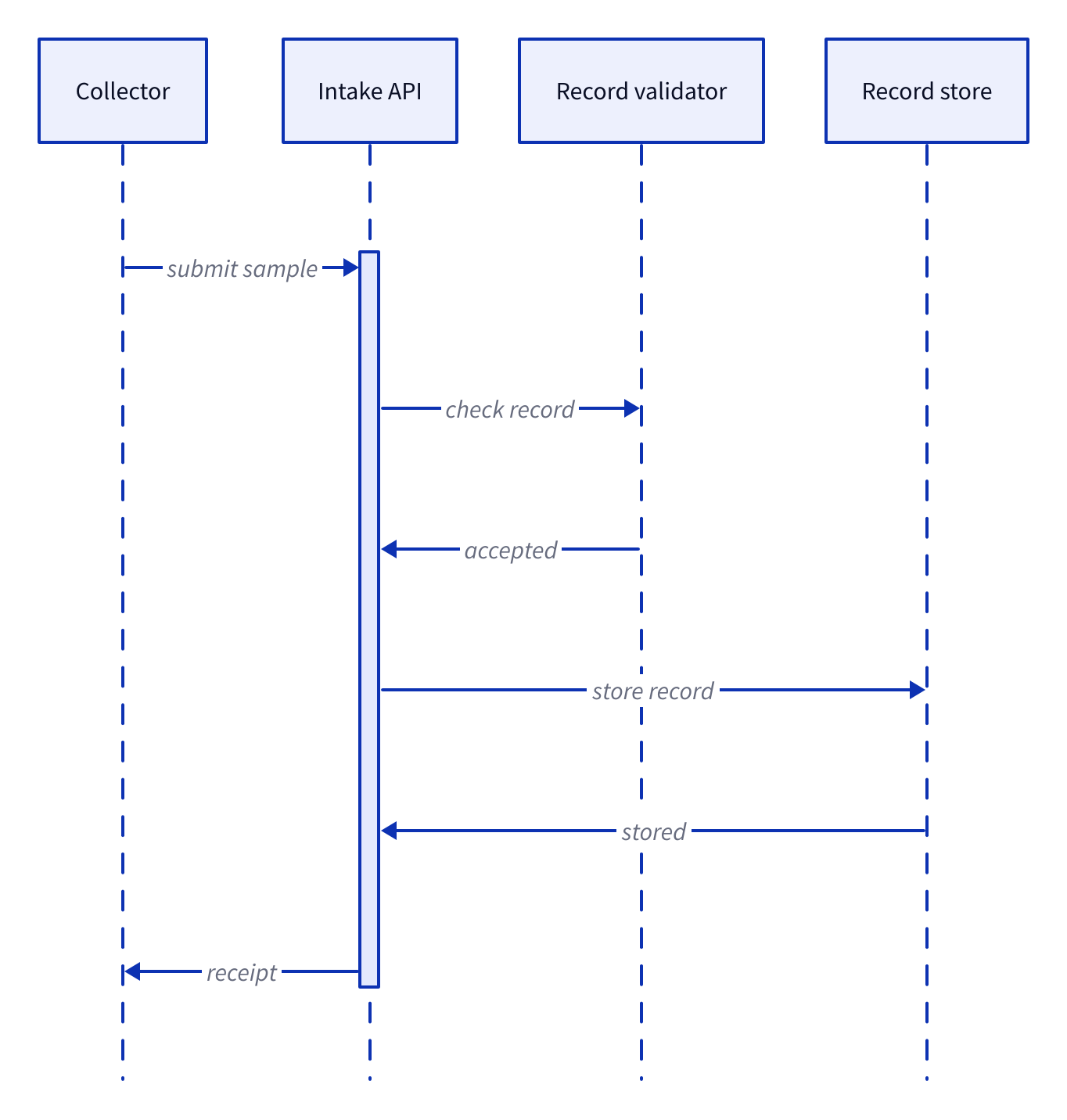
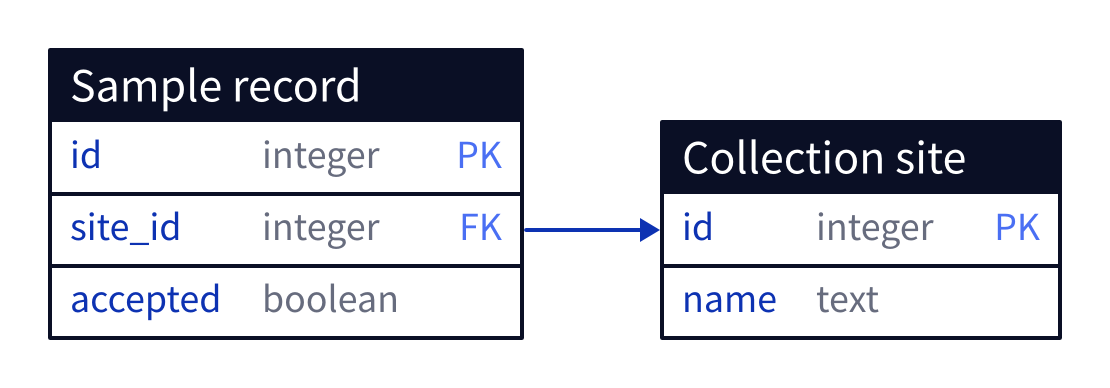
Context, components, messages and stored data for one system
19 · Four views 4
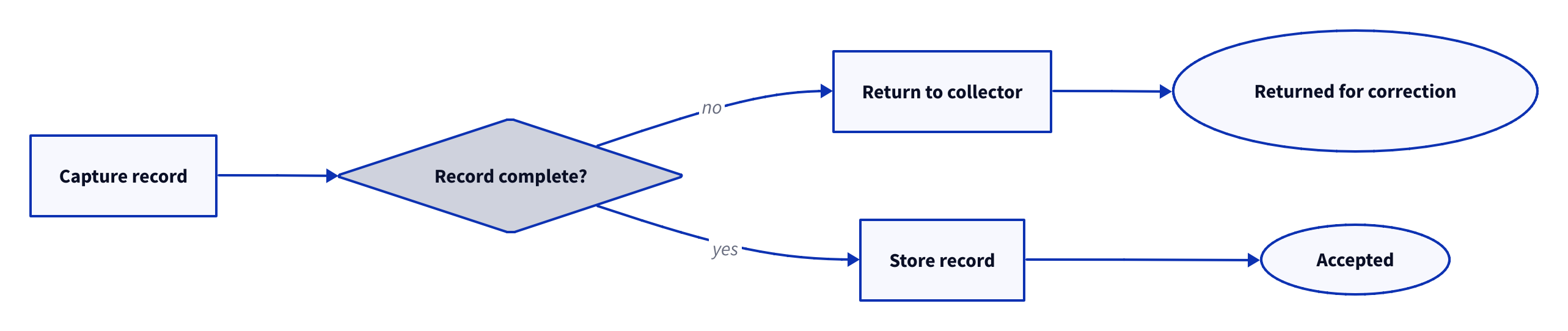
Decisions, correction loops and explicit outcomes
20 · Process paths 6
Forks, AND/ANY joins and optional branches
21 · Parallel work 6
Ownership, receipt, escalation and custody
22 · Responsibilities 6
Queues, retries, deadlines, compensation and recovery
23 · Reliability 6
Total
23 chapters
140
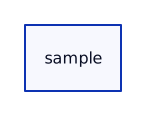
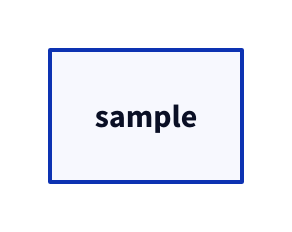
Copy link D2L-01-001 Name a sample A bare key creates a rectangular object. Use it to put the first item in a sketch before choosing a visual vocabulary.
Back to diagram overview D2 source
Parameter Meaning in this example sampleCreate an object whose label initially matches its key.
Render this diagram fmt examples/D2L-01-001.d2
tools/d2 --layout dagre --theme 0 --pad 24 --salt D2L-01-001 --target '' examples/D2L-01-001.d2 figures/D2L-01-001.svg
tools/d2 --layout dagre --theme 0 --pad 24 --salt D2L-01-001 --target '' examples/D2L-01-001.d2 figures/D2L-01-001.png
python3 tools/svg-pdf.py figures/D2L-01-001.svg figures/D2L-01-001.pdf
Try changing: Rename sample to specimen.
Actual output D2L-01-001 · Rendered by D2 D2 · exit 0
Native compiler log Standard error Render this diagram fmt examples/D2L-01-001.d2
tools/d2 --layout dagre --theme 0 --pad 24 --salt D2L-01-001 --target '' examples/D2L-01-001.d2 figures/D2L-01-001.svg
tools/d2 --layout dagre --theme 0 --pad 24 --salt D2L-01-001 --target '' examples/D2L-01-001.d2 figures/D2L-01-001.png
python3 tools/svg-pdf.py figures/D2L-01-001.svg figures/D2L-01-001.pdf
Download: D2 source · Source + local inputs ZIP · Render configuration · SVG diagram · Vector PDF · PNG preview
Compare with Mermaid · first nodes and connection .
Try changing: Rename sample to specimen.
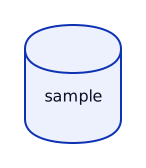
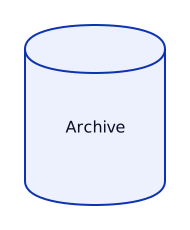
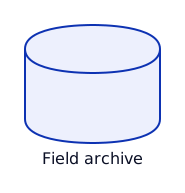
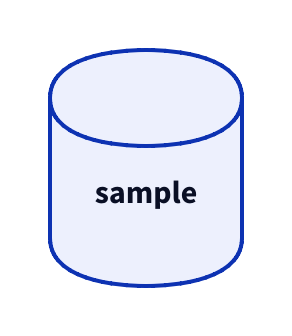
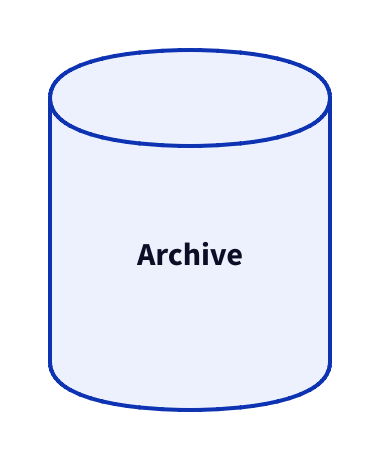
Copy link D2L-01-002 Choose a sample shape A shape describes how an object is drawn. Use a cylinder when this archive record represents stored data.
Back to diagram overview Compare with D2L-01-001 · Name a sample .
D2 source sample : { shape : cylinder }
Parameter Meaning in this example shape: cylinderDraw the sample as stored data.
Render this diagram fmt examples/D2L-01-002.d2
tools/d2 --layout dagre --theme 0 --pad 24 --salt D2L-01-002 --target '' examples/D2L-01-002.d2 figures/D2L-01-002.svg
tools/d2 --layout dagre --theme 0 --pad 24 --salt D2L-01-002 --target '' examples/D2L-01-002.d2 figures/D2L-01-002.png
python3 tools/svg-pdf.py figures/D2L-01-002.svg figures/D2L-01-002.pdf
Try changing: Change cylinder to rectangle.
Actual output D2L-01-002 · Rendered by D2 D2 · exit 0
Native compiler log Standard error Render this diagram fmt examples/D2L-01-002.d2
tools/d2 --layout dagre --theme 0 --pad 24 --salt D2L-01-002 --target '' examples/D2L-01-002.d2 figures/D2L-01-002.svg
tools/d2 --layout dagre --theme 0 --pad 24 --salt D2L-01-002 --target '' examples/D2L-01-002.d2 figures/D2L-01-002.png
python3 tools/svg-pdf.py figures/D2L-01-002.svg figures/D2L-01-002.pdf
Download: D2 source · Source + local inputs ZIP · Render configuration · SVG diagram · Vector PDF · PNG preview
Try changing: Change cylinder to rectangle.
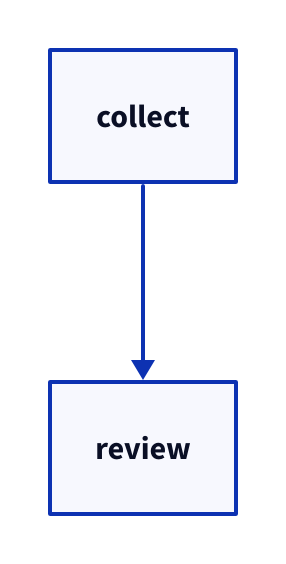
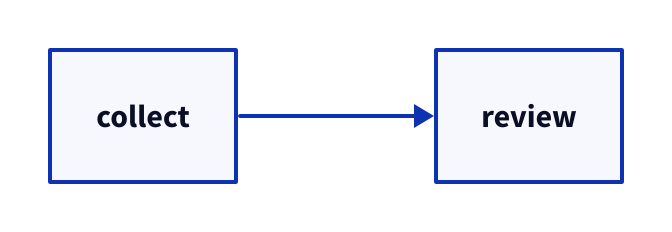
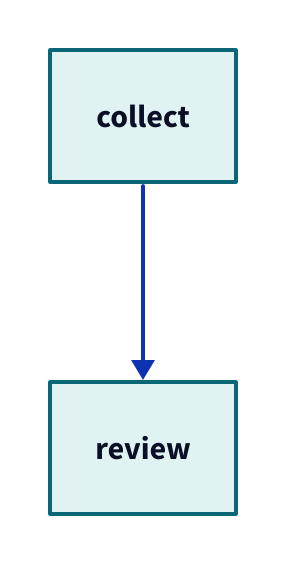
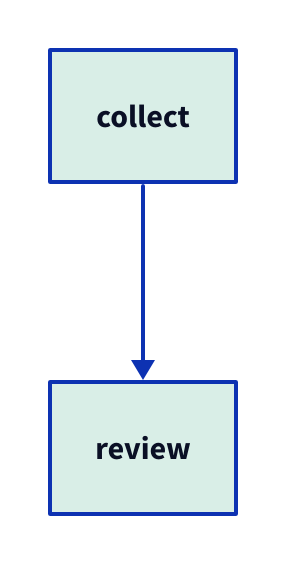
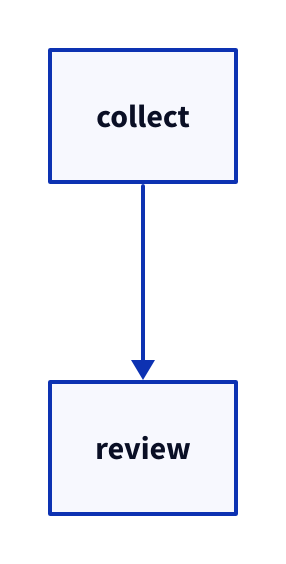
Copy link D2L-01-003 Connect the review A directed connection says which action follows collection. Use a verb on each activity so the arrow can carry the ordering.
Back to diagram overview Compare with D2L-01-002 · Choose a sample shape .
D2 source
Parameter Meaning in this example ->Connect collection to review with a target arrowhead.
Render this diagram fmt examples/D2L-01-003.d2
tools/d2 --layout dagre --theme 0 --pad 24 --salt D2L-01-003 --target '' examples/D2L-01-003.d2 figures/D2L-01-003.svg
tools/d2 --layout dagre --theme 0 --pad 24 --salt D2L-01-003 --target '' examples/D2L-01-003.d2 figures/D2L-01-003.png
python3 tools/svg-pdf.py figures/D2L-01-003.svg figures/D2L-01-003.pdf
Try changing: Reverse the arrow to show a request for collection.
Actual output D2L-01-003 · Rendered by D2 D2 · exit 0
Native compiler log Standard error Render this diagram fmt examples/D2L-01-003.d2
tools/d2 --layout dagre --theme 0 --pad 24 --salt D2L-01-003 --target '' examples/D2L-01-003.d2 figures/D2L-01-003.svg
tools/d2 --layout dagre --theme 0 --pad 24 --salt D2L-01-003 --target '' examples/D2L-01-003.d2 figures/D2L-01-003.png
python3 tools/svg-pdf.py figures/D2L-01-003.svg figures/D2L-01-003.pdf
Download: D2 source · Source + local inputs ZIP · Render configuration · SVG diagram · Vector PDF · PNG preview
Try changing: Reverse the arrow to show a request for collection.
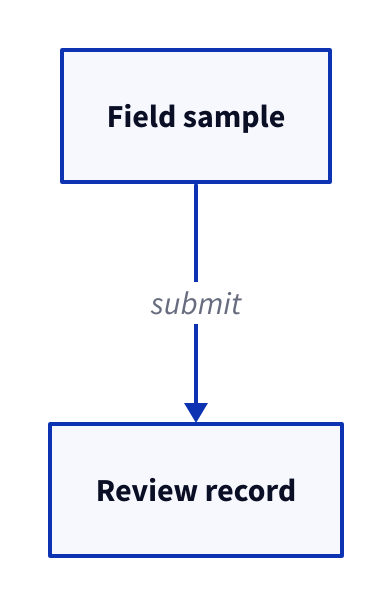
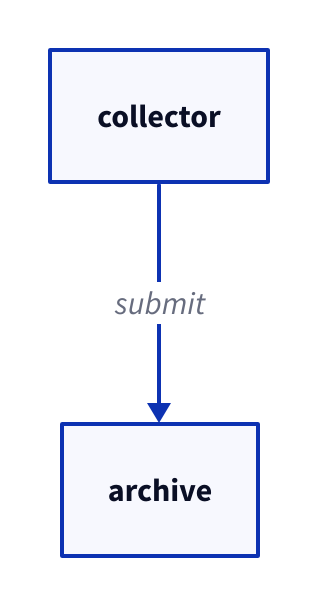
Copy link D2L-01-004 Separate keys from labels Keys remain stable while reader-facing labels become more descriptive. Use this separation when short identifiers keep repeated references readable.
Back to diagram overview Compare with D2L-01-003 · Connect the review .
D2 source s : Field sample
r : Review record
s -> r : submit
Parameter Meaning in this example s: Field sampleKeep s as the key and show Field sample. submitLabel what travels along this connection.
Render this diagram fmt examples/D2L-01-004.d2
tools/d2 --layout dagre --theme 0 --pad 24 --salt D2L-01-004 --target '' examples/D2L-01-004.d2 figures/D2L-01-004.svg
tools/d2 --layout dagre --theme 0 --pad 24 --salt D2L-01-004 --target '' examples/D2L-01-004.d2 figures/D2L-01-004.png
python3 tools/svg-pdf.py figures/D2L-01-004.svg figures/D2L-01-004.pdf
Try changing: Change Field sample to Water sample; keep the key s.
Actual output D2L-01-004 · Rendered by D2 D2 · exit 0
Native compiler log Standard error Render this diagram fmt examples/D2L-01-004.d2
tools/d2 --layout dagre --theme 0 --pad 24 --salt D2L-01-004 --target '' examples/D2L-01-004.d2 figures/D2L-01-004.svg
tools/d2 --layout dagre --theme 0 --pad 24 --salt D2L-01-004 --target '' examples/D2L-01-004.d2 figures/D2L-01-004.png
python3 tools/svg-pdf.py figures/D2L-01-004.svg figures/D2L-01-004.pdf
Download: D2 source · Source + local inputs ZIP · Render configuration · SVG diagram · Vector PDF · PNG preview
Try changing: Change Field sample to Water sample; keep the key s.
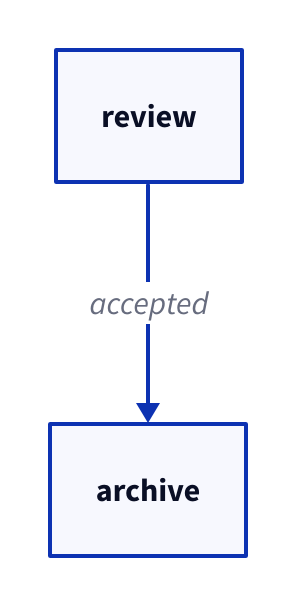
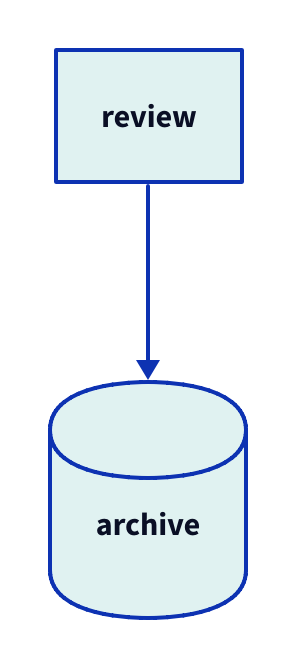
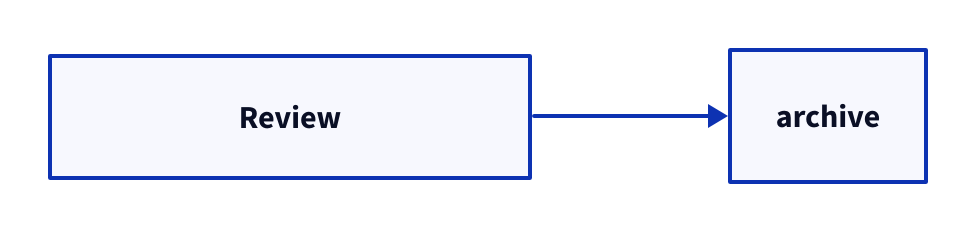
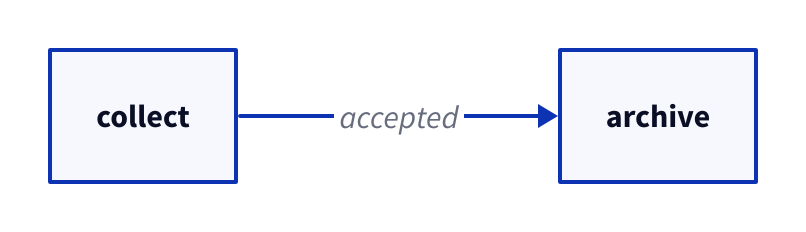
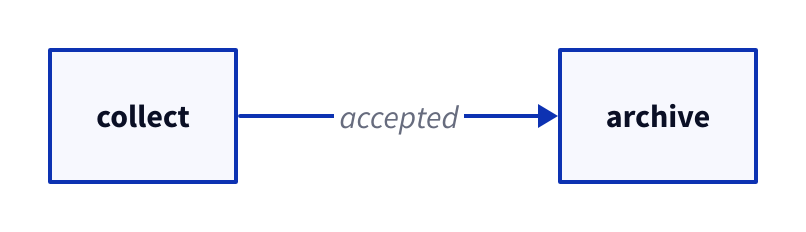
Copy link D2L-01-005 Explain an assumption A comment records an assumption without creating a visible object. Use it to preserve why this diagram leaves rejected records out.
Back to diagram overview Compare with D2L-01-004 · Separate keys from labels .
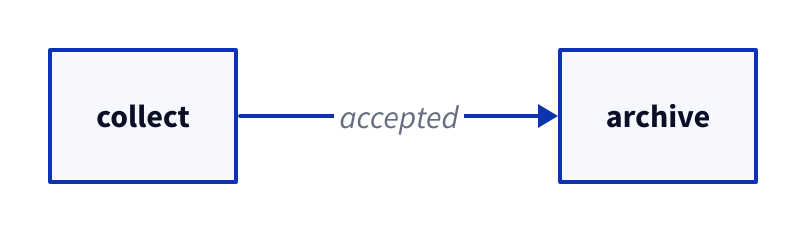
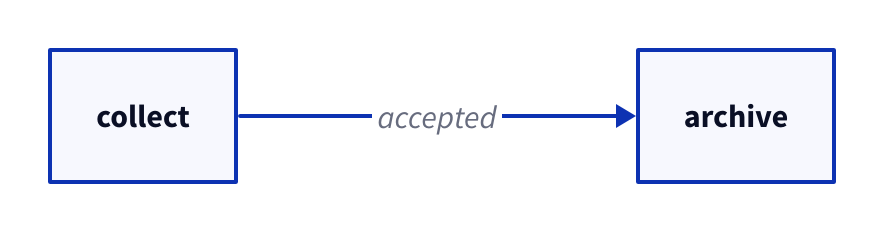
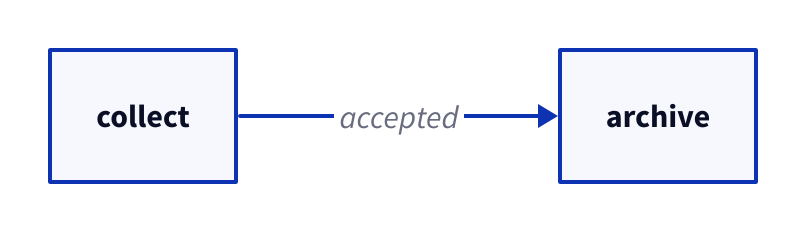
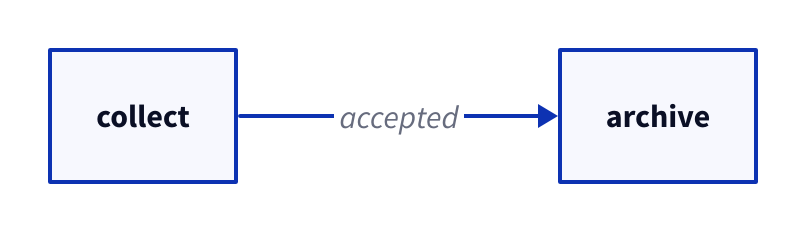
D2 source # Only accepted samples reach the archive.
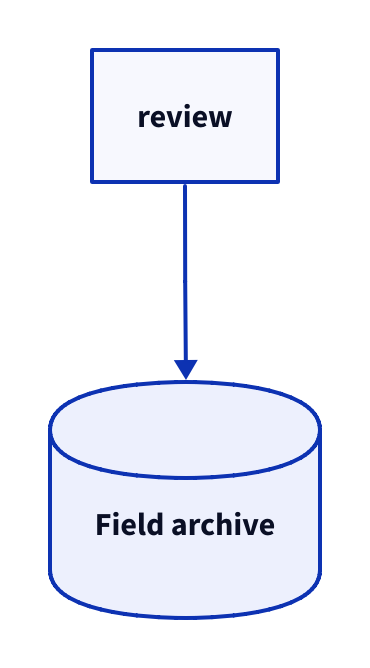
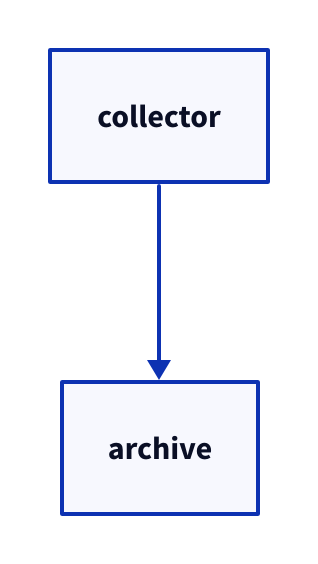
review -> archive : accepted
Parameter Meaning in this example #Start a source comment that the renderer ignores.
Render this diagram fmt examples/D2L-01-005.d2
tools/d2 --layout dagre --theme 0 --pad 24 --salt D2L-01-005 --target '' examples/D2L-01-005.d2 figures/D2L-01-005.svg
tools/d2 --layout dagre --theme 0 --pad 24 --salt D2L-01-005 --target '' examples/D2L-01-005.d2 figures/D2L-01-005.png
python3 tools/svg-pdf.py figures/D2L-01-005.svg figures/D2L-01-005.pdf
Try changing: Edit only the comment and confirm the figure stays the same.
Actual output D2L-01-005 · Rendered by D2 D2 · exit 0
Native compiler log Standard error Render this diagram fmt examples/D2L-01-005.d2
tools/d2 --layout dagre --theme 0 --pad 24 --salt D2L-01-005 --target '' examples/D2L-01-005.d2 figures/D2L-01-005.svg
tools/d2 --layout dagre --theme 0 --pad 24 --salt D2L-01-005 --target '' examples/D2L-01-005.d2 figures/D2L-01-005.png
python3 tools/svg-pdf.py figures/D2L-01-005.svg figures/D2L-01-005.pdf
Download: D2 source · Source + local inputs ZIP · Render configuration · SVG diagram · Vector PDF · PNG preview
Try changing: Edit only the comment and confirm the figure stays the same.
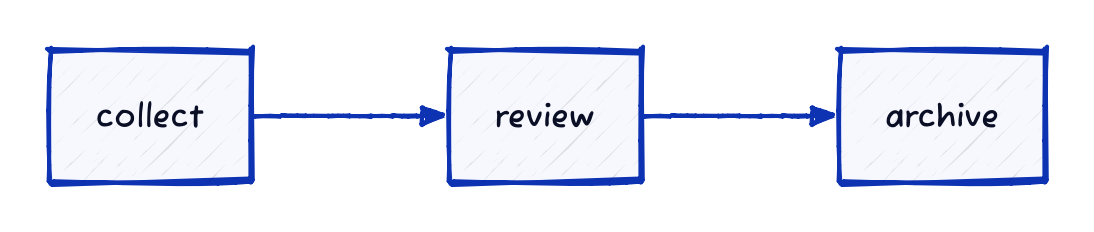
Copy link D2L-01-006 Read from left to right Direction changes placement while preserving the same relationship. Use a horizontal route when collection and review belong on one line.
Back to diagram overview Compare with D2L-01-003 · Connect the review .
D2 source direction : right
collect -> review
Parameter Meaning in this example direction: rightArrange the main flow horizontally.
Render this diagram fmt examples/D2L-01-006.d2
tools/d2 --layout dagre --theme 0 --pad 24 --salt D2L-01-006 --target '' examples/D2L-01-006.d2 figures/D2L-01-006.svg
tools/d2 --layout dagre --theme 0 --pad 24 --salt D2L-01-006 --target '' examples/D2L-01-006.d2 figures/D2L-01-006.png
python3 tools/svg-pdf.py figures/D2L-01-006.svg figures/D2L-01-006.pdf
Try changing: Change right to down.
Actual output D2L-01-006 · Rendered by D2 D2 · exit 0
Native compiler log Standard error Render this diagram fmt examples/D2L-01-006.d2
tools/d2 --layout dagre --theme 0 --pad 24 --salt D2L-01-006 --target '' examples/D2L-01-006.d2 figures/D2L-01-006.svg
tools/d2 --layout dagre --theme 0 --pad 24 --salt D2L-01-006 --target '' examples/D2L-01-006.d2 figures/D2L-01-006.png
python3 tools/svg-pdf.py figures/D2L-01-006.svg figures/D2L-01-006.pdf
Download: D2 source · Source + local inputs ZIP · Render configuration · SVG diagram · Vector PDF · PNG preview
Try changing: Change right to down.
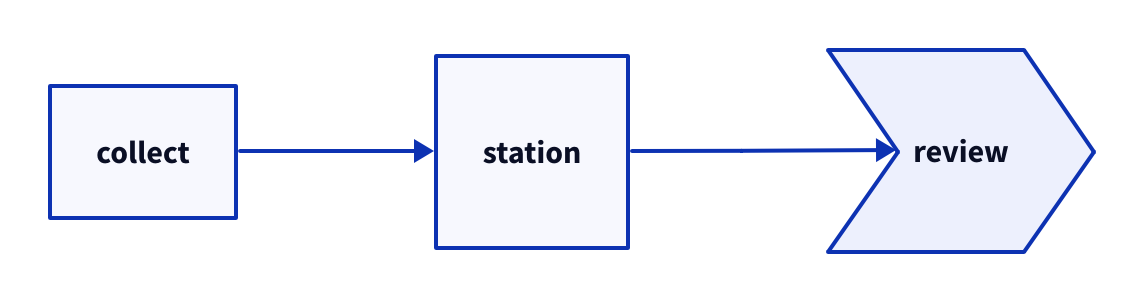
Copy link D2L-02-001 Distinguish task silhouettes Task shapes can suggest a plain activity, a compact station or a step in a route. Use this small catalog to choose one convention before drawing a process.
Back to diagram overview Compare with D2L-01-002 · Choose a sample shape .
D2 source direction : right
collect : { shape : rectangle }
station : { shape : square }
review : { shape : step }
collect -> station -> review
Parameter Meaning in this example rectangle / square / stepCompare three task silhouettes in the same route.
Render this diagram fmt examples/D2L-02-001.d2
tools/d2 --layout dagre --theme 0 --pad 24 --salt D2L-02-001 --target '' examples/D2L-02-001.d2 figures/D2L-02-001.svg
tools/d2 --layout dagre --theme 0 --pad 24 --salt D2L-02-001 --target '' examples/D2L-02-001.d2 figures/D2L-02-001.png
python3 tools/svg-pdf.py figures/D2L-02-001.svg figures/D2L-02-001.pdf
Try changing: Change review to rectangle.
Actual output D2L-02-001 · Rendered by D2 D2 · exit 0
Native compiler log Standard error Render this diagram fmt examples/D2L-02-001.d2
tools/d2 --layout dagre --theme 0 --pad 24 --salt D2L-02-001 --target '' examples/D2L-02-001.d2 figures/D2L-02-001.svg
tools/d2 --layout dagre --theme 0 --pad 24 --salt D2L-02-001 --target '' examples/D2L-02-001.d2 figures/D2L-02-001.png
python3 tools/svg-pdf.py figures/D2L-02-001.svg figures/D2L-02-001.pdf
Download: D2 source · Source + local inputs ZIP · Render configuration · SVG diagram · Vector PDF · PNG preview
Try changing: Change review to rectangle.
Copy link D2L-02-002 Mark decisions and milestones Decision and boundary shapes make different kinds of checkpoints visible. Use a diamond for a question, and state the meaning of the other silhouettes in the labels.
Back to diagram overview Compare with D2L-02-001 · Distinguish task silhouettes .
D2 source direction : right
input : Field input { shape : parallelogram }
check : Complete? { shape : diamond }
permit : Permit { shape : hexagon }
start : Start { shape : circle }
end : Finish { shape : oval }
start -> input -> check -> permit -> end
Parameter Meaning in this example parallelogram / diamond / hexagonMark input, a question and an approval checkpoint. circle / ovalMark the route endpoints.
Render this diagram fmt examples/D2L-02-002.d2
tools/d2 --layout dagre --theme 0 --pad 24 --salt D2L-02-002 --target '' examples/D2L-02-002.d2 figures/D2L-02-002.svg
tools/d2 --layout dagre --theme 0 --pad 24 --salt D2L-02-002 --target '' examples/D2L-02-002.d2 figures/D2L-02-002.png
python3 tools/svg-pdf.py figures/D2L-02-002.svg figures/D2L-02-002.pdf
Try changing: Change Permit to Batch gate.
Actual output D2L-02-002 · Rendered by D2 D2 · exit 0
Native compiler log Standard error Render this diagram fmt examples/D2L-02-002.d2
tools/d2 --layout dagre --theme 0 --pad 24 --salt D2L-02-002 --target '' examples/D2L-02-002.d2 figures/D2L-02-002.svg
tools/d2 --layout dagre --theme 0 --pad 24 --salt D2L-02-002 --target '' examples/D2L-02-002.d2 figures/D2L-02-002.png
python3 tools/svg-pdf.py figures/D2L-02-002.svg figures/D2L-02-002.pdf
Download: D2 source · Source + local inputs ZIP · Render configuration · SVG diagram · Vector PDF · PNG preview
Try changing: Change Permit to Batch gate.
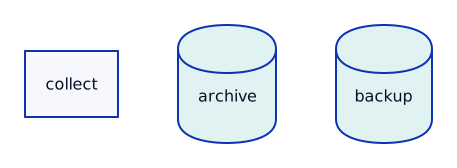
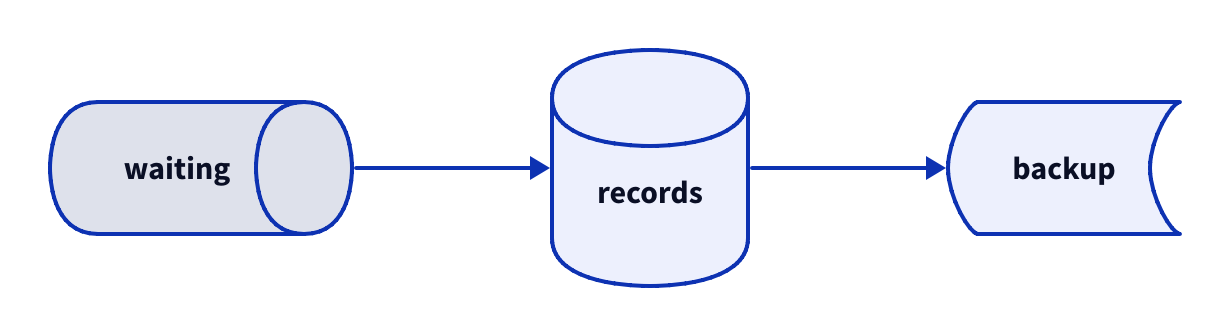
Copy link D2L-02-003 Distinguish storage roles A cylinder, queue and stored-data symbol can distinguish persistence from waiting. Use explicit labels because the silhouettes alone do not define retention or delivery guarantees.
Back to diagram overview Compare with D2L-02-002 · Mark decisions and milestones .
D2 source direction : right
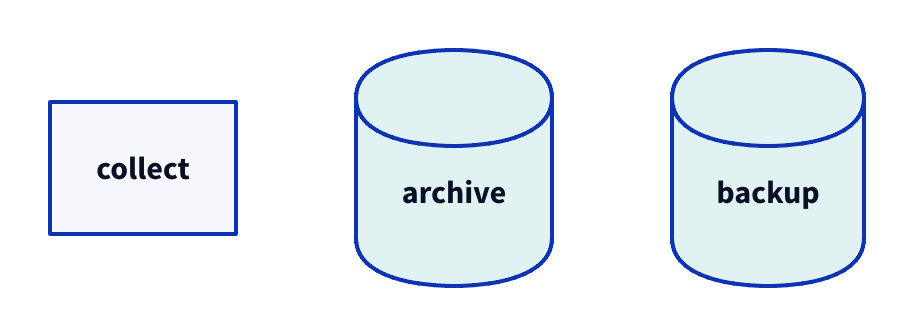
records : { shape : cylinder }
waiting : { shape : queue }
backup : { shape : stored_data }
waiting -> records -> backup
Parameter Meaning in this example cylinder / queue / stored_dataSeparate the working archive, incoming queue and backup.
Render this diagram fmt examples/D2L-02-003.d2
tools/d2 --layout dagre --theme 0 --pad 24 --salt D2L-02-003 --target '' examples/D2L-02-003.d2 figures/D2L-02-003.svg
tools/d2 --layout dagre --theme 0 --pad 24 --salt D2L-02-003 --target '' examples/D2L-02-003.d2 figures/D2L-02-003.png
python3 tools/svg-pdf.py figures/D2L-02-003.svg figures/D2L-02-003.pdf
Try changing: Rename backup to Nightly copy.
Actual output D2L-02-003 · Rendered by D2 D2 · exit 0
Native compiler log Standard error Render this diagram fmt examples/D2L-02-003.d2
tools/d2 --layout dagre --theme 0 --pad 24 --salt D2L-02-003 --target '' examples/D2L-02-003.d2 figures/D2L-02-003.svg
tools/d2 --layout dagre --theme 0 --pad 24 --salt D2L-02-003 --target '' examples/D2L-02-003.d2 figures/D2L-02-003.png
python3 tools/svg-pdf.py figures/D2L-02-003.svg figures/D2L-02-003.pdf
Download: D2 source · Source + local inputs ZIP · Render configuration · SVG diagram · Vector PDF · PNG preview
Try changing: Rename backup to Nightly copy.
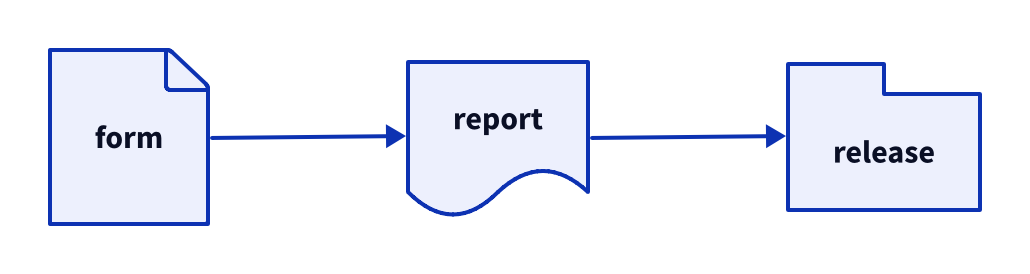
Copy link D2L-02-004 Separate records from packages Page and document shapes suggest individual artifacts while a package suggests a collection. Use these together when explaining the deliverables of a field campaign.
Back to diagram overview Compare with D2L-02-003 · Distinguish storage roles .
D2 source direction : right
form : { shape : page }
report : { shape : document }
release : { shape : package }
form -> report -> release
Parameter Meaning in this example page / document / packageDistinguish a form, report and release bundle.
Render this diagram fmt examples/D2L-02-004.d2
tools/d2 --layout dagre --theme 0 --pad 24 --salt D2L-02-004 --target '' examples/D2L-02-004.d2 figures/D2L-02-004.svg
tools/d2 --layout dagre --theme 0 --pad 24 --salt D2L-02-004 --target '' examples/D2L-02-004.d2 figures/D2L-02-004.png
python3 tools/svg-pdf.py figures/D2L-02-004.svg figures/D2L-02-004.pdf
Try changing: Replace report with Summary sheet.
Actual output D2L-02-004 · Rendered by D2 D2 · exit 0
Native compiler log Standard error Render this diagram fmt examples/D2L-02-004.d2
tools/d2 --layout dagre --theme 0 --pad 24 --salt D2L-02-004 --target '' examples/D2L-02-004.d2 figures/D2L-02-004.svg
tools/d2 --layout dagre --theme 0 --pad 24 --salt D2L-02-004 --target '' examples/D2L-02-004.d2 figures/D2L-02-004.png
python3 tools/svg-pdf.py figures/D2L-02-004.svg figures/D2L-02-004.pdf
Download: D2 source · Source + local inputs ZIP · Render configuration · SVG diagram · Vector PDF · PNG preview
Try changing: Replace report with Summary sheet.
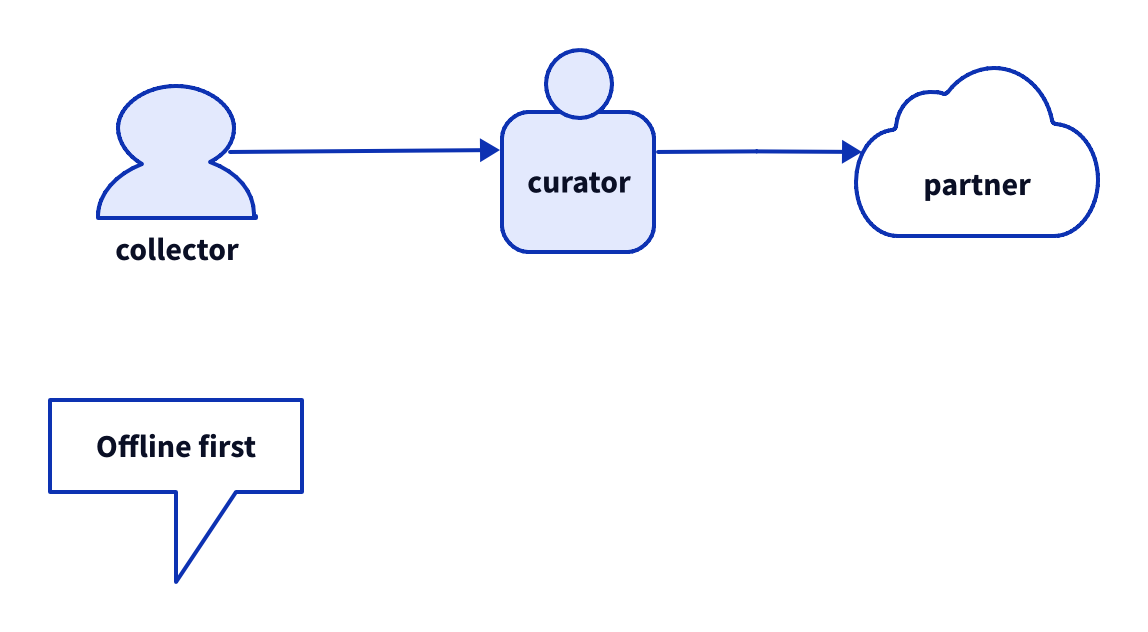
Copy link D2L-02-005 Introduce people and boundaries Person silhouettes identify human roles and a cloud can mark an outside service. Use a callout to keep an explicit boundary assumption close to the drawing.
Back to diagram overview Compare with D2L-02-004 · Separate records from packages .
D2 source direction : right
collector : { shape : person }
curator : { shape : c4-person }
partner : { shape : cloud }
assumption : Offline first { shape : callout }
collector -> curator -> partner
Parameter Meaning in this example person / c4-personCompare the two built-in person silhouettes. cloud / calloutMark an external service and an explanatory aside.
Render this diagram fmt examples/D2L-02-005.d2
tools/d2 --layout dagre --theme 0 --pad 24 --salt D2L-02-005 --target '' examples/D2L-02-005.d2 figures/D2L-02-005.svg
tools/d2 --layout dagre --theme 0 --pad 24 --salt D2L-02-005 --target '' examples/D2L-02-005.d2 figures/D2L-02-005.png
python3 tools/svg-pdf.py figures/D2L-02-005.svg figures/D2L-02-005.pdf
Try changing: Rename partner to Partner catalog.
Actual output D2L-02-005 · Rendered by D2 D2 · exit 0
Native compiler log Standard error Render this diagram fmt examples/D2L-02-005.d2
tools/d2 --layout dagre --theme 0 --pad 24 --salt D2L-02-005 --target '' examples/D2L-02-005.d2 figures/D2L-02-005.svg
tools/d2 --layout dagre --theme 0 --pad 24 --salt D2L-02-005 --target '' examples/D2L-02-005.d2 figures/D2L-02-005.png
python3 tools/svg-pdf.py figures/D2L-02-005.svg figures/D2L-02-005.pdf
Download: D2 source · Source + local inputs ZIP · Render configuration · SVG diagram · Vector PDF · PNG preview
Try changing: Rename partner to Partner catalog.
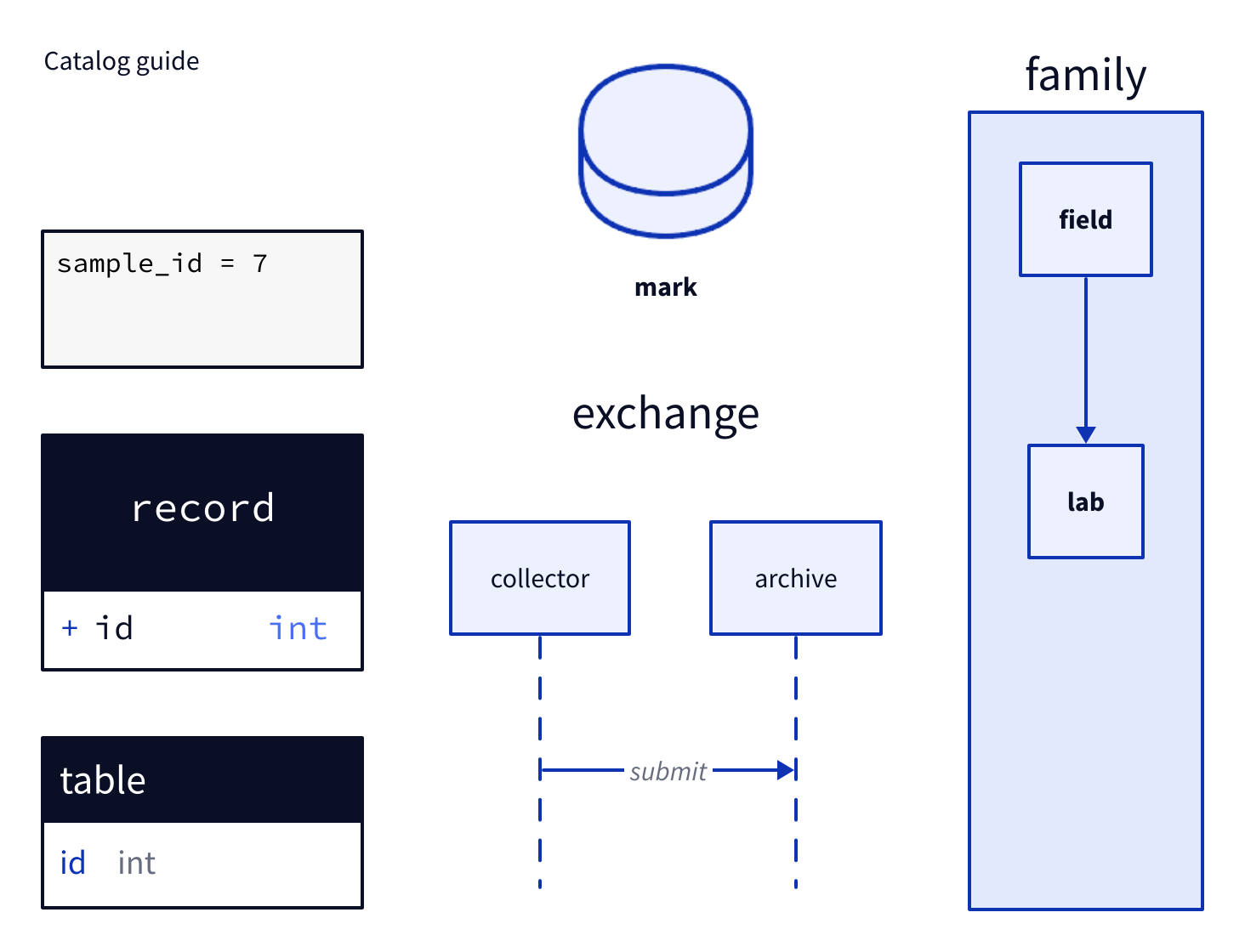
Copy link D2L-02-006 Recognize specialized notation Specialized shapes bring their own internal notation rather than just changing an outline. Use this catalog as a signpost to the text, data-model, sequence and image chapters.
Back to diagram overview Compare with D2L-02-005 · Introduce people and boundaries .
D2 source grid-columns : 3
caption : Catalog guide { shape : text }
listing : |text
sample_id = 7
|
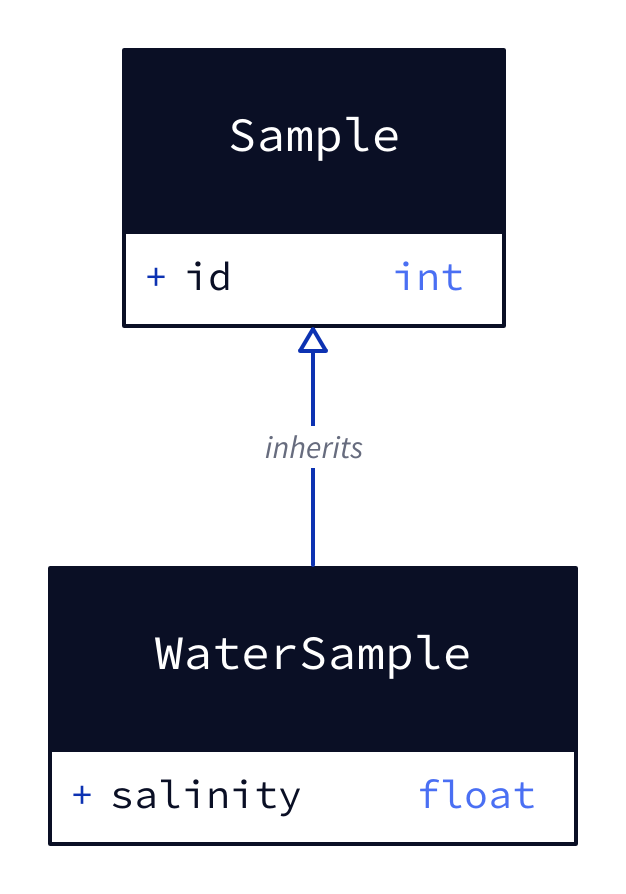
record : { shape : class ; id : int }
table : { shape : sql_table ; id : int }
mark : { shape : image ; icon : .. /assets/field-mark . png }
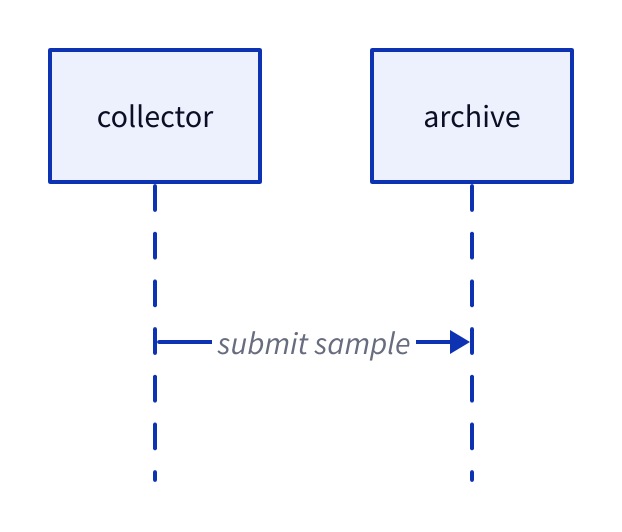
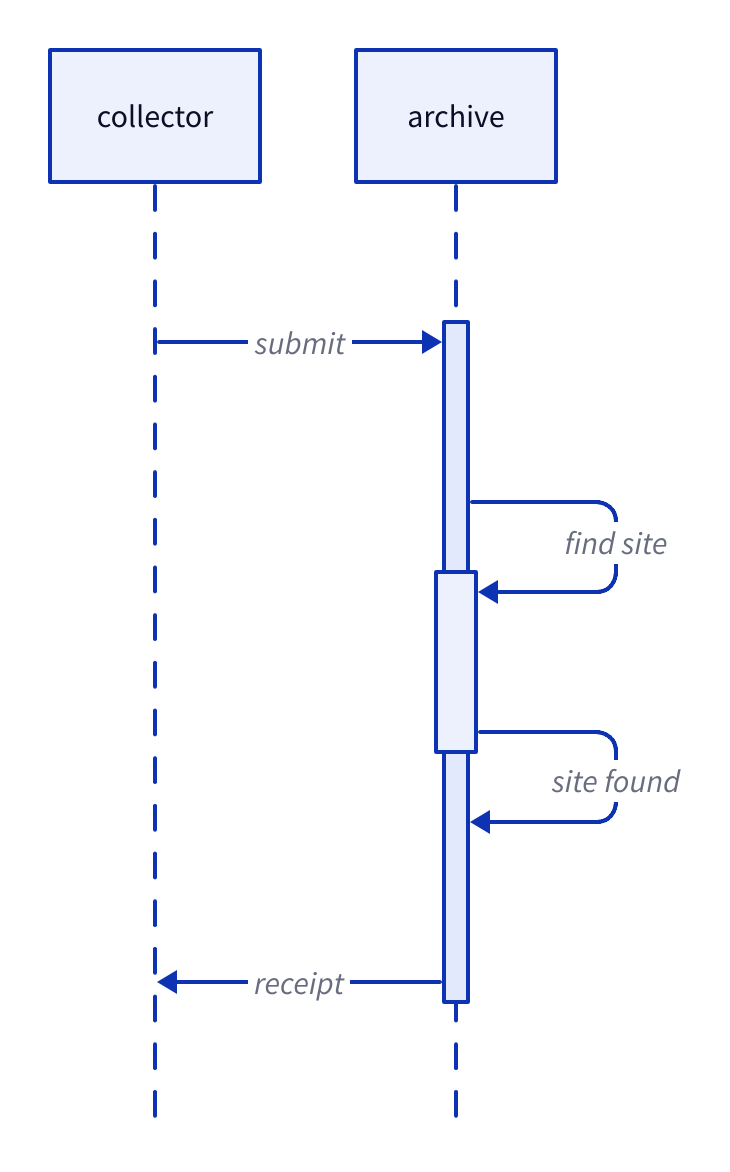
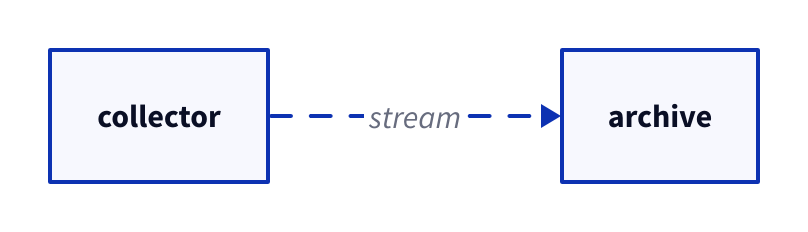
exchange : { shape : sequence_diagram ; collector -> archive : submit }
family : { shape : hierarchy ; field ; lab ; field -> lab }
Parameter Meaning in this example text / code / class / sql_tableSelect a label-only, code, class or table representation. image / sequence_diagram / hierarchySelect an image, ordered exchange or hierarchical group.
Render this diagram fmt examples/D2L-02-006.d2
tools/d2 --layout dagre --theme 0 --pad 24 --salt D2L-02-006 --target '' examples/D2L-02-006.d2 figures/D2L-02-006.svg
tools/d2 --layout dagre --theme 0 --pad 24 --salt D2L-02-006 --target '' examples/D2L-02-006.d2 figures/D2L-02-006.png
python3 tools/svg-pdf.py figures/D2L-02-006.svg figures/D2L-02-006.pdf
Try changing: Change the code value from 7 to 8.
Actual output D2L-02-006 · Rendered by D2 D2 · exit 0
Native compiler log Standard error Render this diagram fmt examples/D2L-02-006.d2
tools/d2 --layout dagre --theme 0 --pad 24 --salt D2L-02-006 --target '' examples/D2L-02-006.d2 figures/D2L-02-006.svg
tools/d2 --layout dagre --theme 0 --pad 24 --salt D2L-02-006 --target '' examples/D2L-02-006.d2 figures/D2L-02-006.png
python3 tools/svg-pdf.py figures/D2L-02-006.svg figures/D2L-02-006.pdf
Download: D2 source · Source + local inputs ZIP · Render configuration · SVG diagram · Vector PDF · PNG preview
Try changing: Change the code value from 7 to 8.
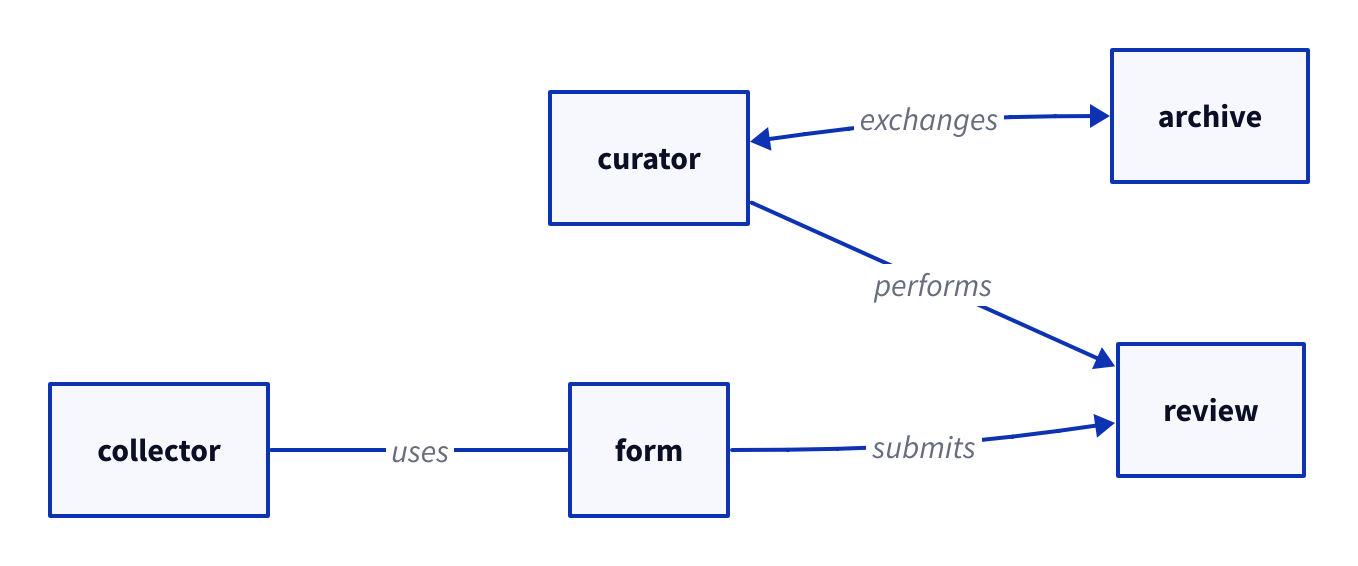
Copy link D2L-03-001 Choose connection directions Four operators distinguish association, forward flow, backward flow and exchange. Use the direction that matches the stated relationship rather than the position of the boxes.
Back to diagram overview Compare with D2L-02-001 · Distinguish task silhouettes .
D2 source direction : right
collector -- form : uses
form -> review : submits
review <- curator : performs
curator <-> archive : exchanges
Parameter Meaning in this example -- / -> / <- / <->Draw undirected, forward, reversed and two-headed connections.
Render this diagram fmt examples/D2L-03-001.d2
tools/d2 --layout dagre --theme 0 --pad 24 --salt D2L-03-001 --target '' examples/D2L-03-001.d2 figures/D2L-03-001.svg
tools/d2 --layout dagre --theme 0 --pad 24 --salt D2L-03-001 --target '' examples/D2L-03-001.d2 figures/D2L-03-001.png
python3 tools/svg-pdf.py figures/D2L-03-001.svg figures/D2L-03-001.pdf
Try changing: Change exchanges to synchronization.
Actual output D2L-03-001 · Rendered by D2 D2 · exit 0
Native compiler log Standard error Render this diagram fmt examples/D2L-03-001.d2
tools/d2 --layout dagre --theme 0 --pad 24 --salt D2L-03-001 --target '' examples/D2L-03-001.d2 figures/D2L-03-001.svg
tools/d2 --layout dagre --theme 0 --pad 24 --salt D2L-03-001 --target '' examples/D2L-03-001.d2 figures/D2L-03-001.png
python3 tools/svg-pdf.py figures/D2L-03-001.svg figures/D2L-03-001.pdf
Download: D2 source · Source + local inputs ZIP · Render configuration · SVG diagram · Vector PDF · PNG preview
Try changing: Change exchanges to synchronization.
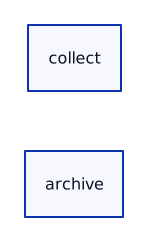
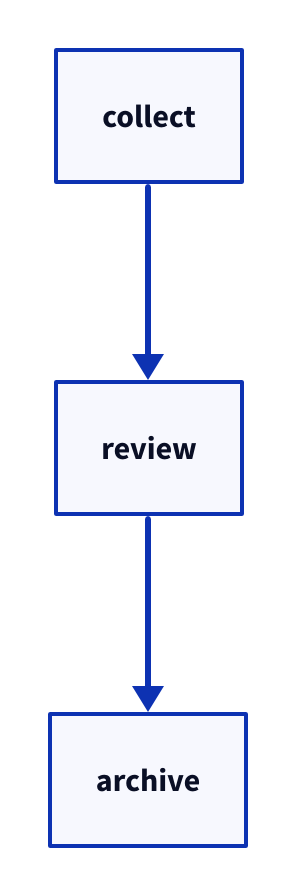
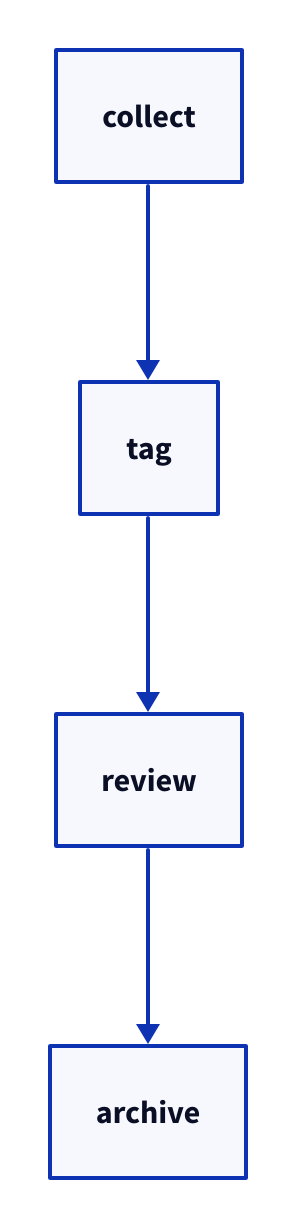
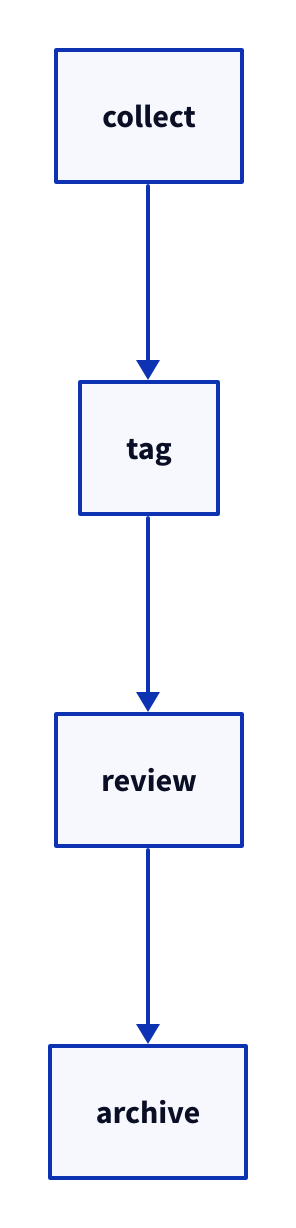
Copy link D2L-03-002 Chain the handoffs A chain connects successive activities with one expression. Use it when adjacent handoffs have the same direction and need no separate styling.
Back to diagram overview Compare with D2L-03-001 · Choose connection directions .
D2 source direction : right
collect -> tag -> review -> archive
Parameter Meaning in this example a -> b -> cCreate consecutive connections, without implying an atomic transaction.
Render this diagram fmt examples/D2L-03-002.d2
tools/d2 --layout dagre --theme 0 --pad 24 --salt D2L-03-002 --target '' examples/D2L-03-002.d2 figures/D2L-03-002.svg
tools/d2 --layout dagre --theme 0 --pad 24 --salt D2L-03-002 --target '' examples/D2L-03-002.d2 figures/D2L-03-002.png
python3 tools/svg-pdf.py figures/D2L-03-002.svg figures/D2L-03-002.pdf
Try changing: Insert scan between tag and review.
Actual output D2L-03-002 · Rendered by D2 D2 · exit 0
Native compiler log Standard error Render this diagram fmt examples/D2L-03-002.d2
tools/d2 --layout dagre --theme 0 --pad 24 --salt D2L-03-002 --target '' examples/D2L-03-002.d2 figures/D2L-03-002.svg
tools/d2 --layout dagre --theme 0 --pad 24 --salt D2L-03-002 --target '' examples/D2L-03-002.d2 figures/D2L-03-002.png
python3 tools/svg-pdf.py figures/D2L-03-002.svg figures/D2L-03-002.pdf
Download: D2 source · Source + local inputs ZIP · Render configuration · SVG diagram · Vector PDF · PNG preview
Try changing: Insert scan between tag and review.
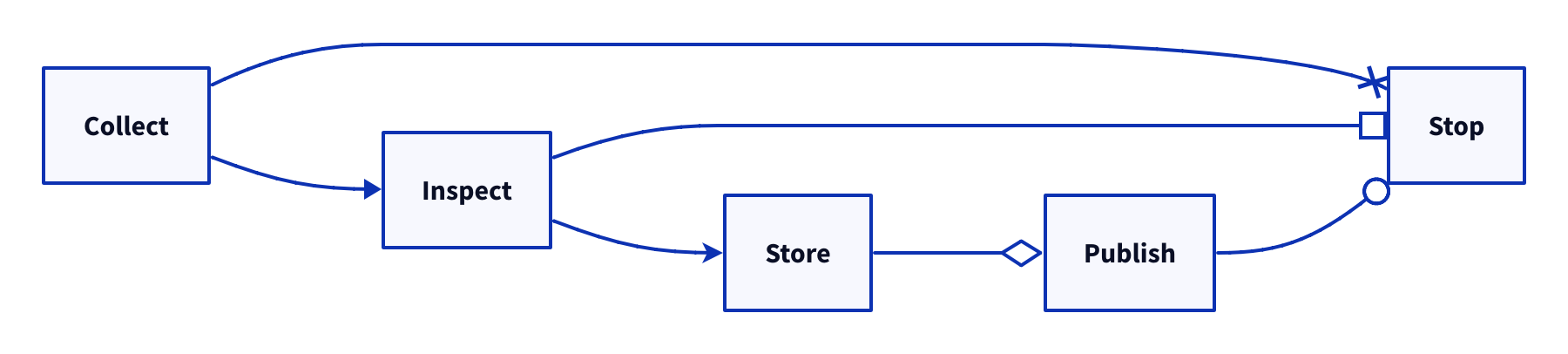
Copy link D2L-03-003 Choose an endpoint symbol Arrowhead shape changes the endpoint symbol without changing the edge direction. Use this catalog to select a symbol whose meaning you will explain in the diagram text.
Back to diagram overview Compare with D2L-03-002 · Chain the handoffs .
D2 source direction : right
a : Collect
b : Inspect
c : Store
d : Publish
e : Stop
a -> b : { target-arrowhead . shape : triangle }
b -> c : { target-arrowhead . shape : arrow }
c -> d : { target-arrowhead . shape : diamond }
d -> e : { target-arrowhead . shape : circle }
a -> e : { target-arrowhead . shape : cross }
b -> e : { target-arrowhead . shape : box }
Parameter Meaning in this example target-arrowhead.shapeChoose triangle, arrow, diamond, circle, cross or box explicitly.
Render this diagram fmt examples/D2L-03-003.d2
tools/d2 --layout dagre --theme 0 --pad 24 --salt D2L-03-003 --target '' examples/D2L-03-003.d2 figures/D2L-03-003.svg
tools/d2 --layout dagre --theme 0 --pad 24 --salt D2L-03-003 --target '' examples/D2L-03-003.d2 figures/D2L-03-003.png
python3 tools/svg-pdf.py figures/D2L-03-003.svg figures/D2L-03-003.pdf
Try changing: Replace circle with box.
Actual output D2L-03-003 · Rendered by D2 D2 · exit 0
Native compiler log Standard error Render this diagram fmt examples/D2L-03-003.d2
tools/d2 --layout dagre --theme 0 --pad 24 --salt D2L-03-003 --target '' examples/D2L-03-003.d2 figures/D2L-03-003.svg
tools/d2 --layout dagre --theme 0 --pad 24 --salt D2L-03-003 --target '' examples/D2L-03-003.d2 figures/D2L-03-003.png
python3 tools/svg-pdf.py figures/D2L-03-003.svg figures/D2L-03-003.pdf
Download: D2 source · Source + local inputs ZIP · Render configuration · SVG diagram · Vector PDF · PNG preview
Try changing: Replace circle with box.
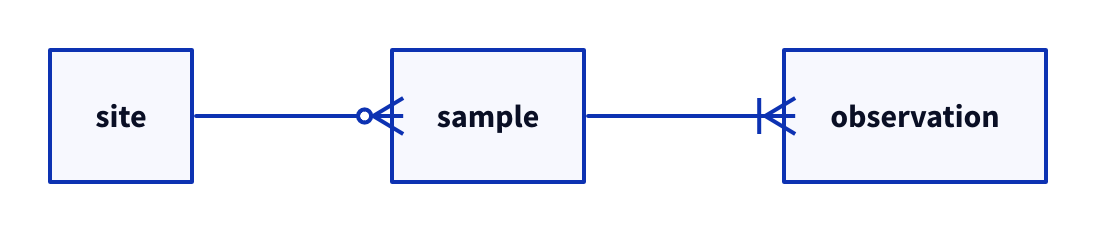
Copy link D2L-03-004 Mark relational cardinalities Crow-foot endpoints can distinguish optional and required multiplicities. Use this notation for data relationships only after stating which side owns each key.
Back to diagram overview Compare with D2L-03-003 · Choose an endpoint symbol .
D2 source direction : right
site -> sample : { source-arrowhead . shape : cf-one ; target-arrowhead . shape : cf-many }
sample -> observation : { source-arrowhead . shape : cf-one-required ; target-arrowhead . shape : cf-many-required }
Parameter Meaning in this example cf-one / cf-manyShow one versus many endpoints. cf-one-required / cf-many-requiredAdd the required-marker variant.
Render this diagram fmt examples/D2L-03-004.d2
tools/d2 --layout dagre --theme 0 --pad 24 --salt D2L-03-004 --target '' examples/D2L-03-004.d2 figures/D2L-03-004.svg
tools/d2 --layout dagre --theme 0 --pad 24 --salt D2L-03-004 --target '' examples/D2L-03-004.d2 figures/D2L-03-004.png
python3 tools/svg-pdf.py figures/D2L-03-004.svg figures/D2L-03-004.pdf
Try changing: Change cf-many-required to cf-many.
Actual output D2L-03-004 · Rendered by D2 D2 · exit 0
Native compiler log Standard error Render this diagram fmt examples/D2L-03-004.d2
tools/d2 --layout dagre --theme 0 --pad 24 --salt D2L-03-004 --target '' examples/D2L-03-004.d2 figures/D2L-03-004.svg
tools/d2 --layout dagre --theme 0 --pad 24 --salt D2L-03-004 --target '' examples/D2L-03-004.d2 figures/D2L-03-004.png
python3 tools/svg-pdf.py figures/D2L-03-004.svg figures/D2L-03-004.pdf
Download: D2 source · Source + local inputs ZIP · Render configuration · SVG diagram · Vector PDF · PNG preview
Try changing: Change cf-many-required to cf-many.
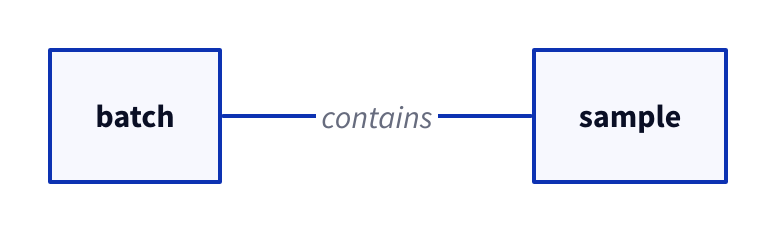
Copy link D2L-03-005 Outline an ownership marker An unfilled endpoint gives an ownership marker a different visual weight. Use it when an open diamond has a defined meaning in your chosen notation.
Back to diagram overview Compare with D2L-03-004 · Mark relational cardinalities .
D2 source direction : right
batch -> sample : contains { source-arrowhead : { shape : diamond ; style . filled : false }; target-arrowhead . shape : none }
Parameter Meaning in this example source-arrowheadConfigure the endpoint at the beginning of the edge. style.filled: falseLeave this source diamond hollow. noneSuppress the target symbol.
Render this diagram fmt examples/D2L-03-005.d2
tools/d2 --layout dagre --theme 0 --pad 24 --salt D2L-03-005 --target '' examples/D2L-03-005.d2 figures/D2L-03-005.svg
tools/d2 --layout dagre --theme 0 --pad 24 --salt D2L-03-005 --target '' examples/D2L-03-005.d2 figures/D2L-03-005.png
python3 tools/svg-pdf.py figures/D2L-03-005.svg figures/D2L-03-005.pdf
Try changing: Set filled to true.
Actual output D2L-03-005 · Rendered by D2 D2 · exit 0
Native compiler log Standard error Render this diagram fmt examples/D2L-03-005.d2
tools/d2 --layout dagre --theme 0 --pad 24 --salt D2L-03-005 --target '' examples/D2L-03-005.d2 figures/D2L-03-005.svg
tools/d2 --layout dagre --theme 0 --pad 24 --salt D2L-03-005 --target '' examples/D2L-03-005.d2 figures/D2L-03-005.png
python3 tools/svg-pdf.py figures/D2L-03-005.svg figures/D2L-03-005.pdf
Download: D2 source · Source + local inputs ZIP · Render configuration · SVG diagram · Vector PDF · PNG preview
Try changing: Set filled to true.
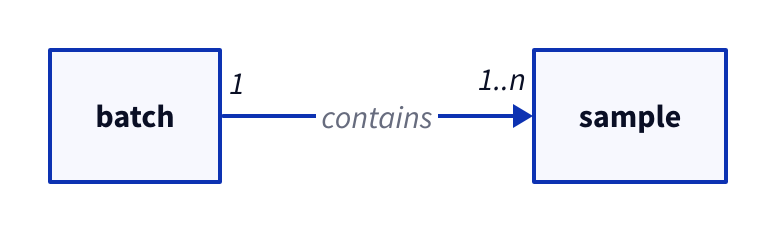
Copy link D2L-03-006 Label both ends Endpoint labels keep multiplicity beside the object it qualifies. Use them when a centered verb alone cannot explain the relationship.
Back to diagram overview Compare with D2L-03-005 · Outline an ownership marker .
D2 source direction : right
batch -> sample : contains { source-arrowhead : "1" ; target-arrowhead : "1..n" }
Parameter Meaning in this example source-arrowhead: "1"Label the batch end. target-arrowhead: "1..n"Label the sample end.
Render this diagram fmt examples/D2L-03-006.d2
tools/d2 --layout dagre --theme 0 --pad 24 --salt D2L-03-006 --target '' examples/D2L-03-006.d2 figures/D2L-03-006.svg
tools/d2 --layout dagre --theme 0 --pad 24 --salt D2L-03-006 --target '' examples/D2L-03-006.d2 figures/D2L-03-006.png
python3 tools/svg-pdf.py figures/D2L-03-006.svg figures/D2L-03-006.pdf
Try changing: Change 1..n to 0..n.
Actual output D2L-03-006 · Rendered by D2 D2 · exit 0
Native compiler log Standard error Render this diagram fmt examples/D2L-03-006.d2
tools/d2 --layout dagre --theme 0 --pad 24 --salt D2L-03-006 --target '' examples/D2L-03-006.d2 figures/D2L-03-006.svg
tools/d2 --layout dagre --theme 0 --pad 24 --salt D2L-03-006 --target '' examples/D2L-03-006.d2 figures/D2L-03-006.png
python3 tools/svg-pdf.py figures/D2L-03-006.svg figures/D2L-03-006.pdf
Download: D2 source · Source + local inputs ZIP · Render configuration · SVG diagram · Vector PDF · PNG preview
Try changing: Change 1..n to 0..n.
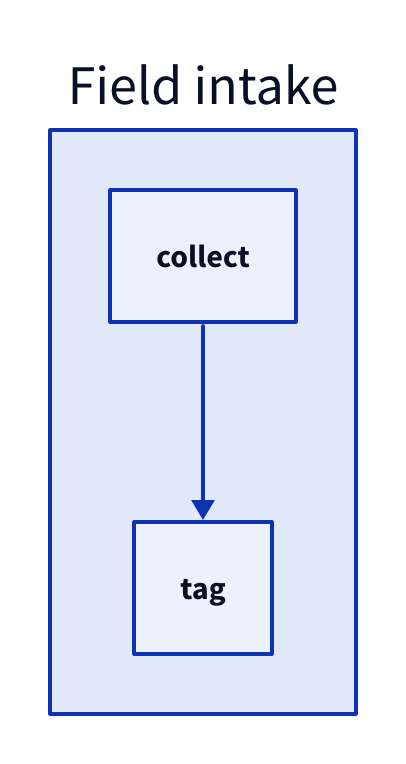
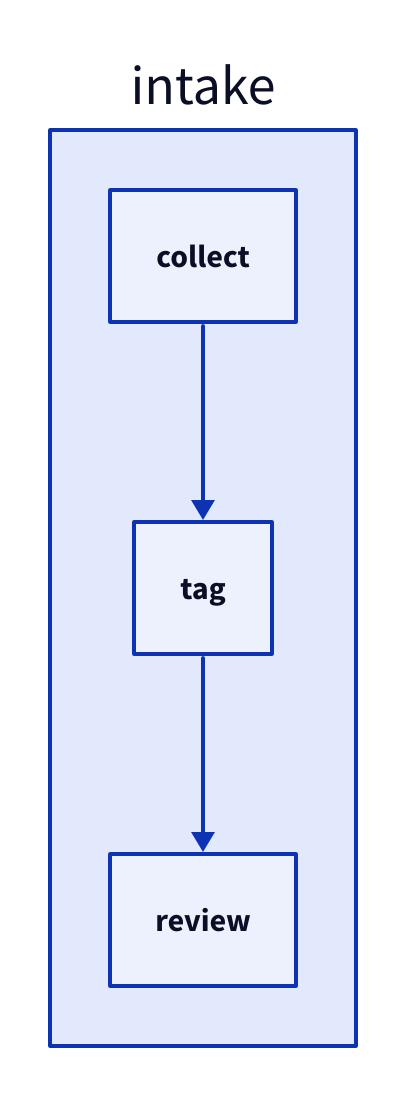
Copy link D2L-04-001 Group the intake work A map with children draws a container around related work. Use one boundary when the same team owns collection and labeling.
Back to diagram overview Compare with D2L-02-006 · Recognize specialized notation .
D2 source intake : Field intake { collect -> tag }
Parameter Meaning in this example intake: { ... }Create a named container with two children.
Render this diagram fmt examples/D2L-04-001.d2
tools/d2 --layout dagre --theme 0 --pad 24 --salt D2L-04-001 --target '' examples/D2L-04-001.d2 figures/D2L-04-001.svg
tools/d2 --layout dagre --theme 0 --pad 24 --salt D2L-04-001 --target '' examples/D2L-04-001.d2 figures/D2L-04-001.png
python3 tools/svg-pdf.py figures/D2L-04-001.svg figures/D2L-04-001.pdf
Try changing: Rename the container to Mobile team.
Actual output D2L-04-001 · Rendered by D2 D2 · exit 0
Native compiler log Standard error Render this diagram fmt examples/D2L-04-001.d2
tools/d2 --layout dagre --theme 0 --pad 24 --salt D2L-04-001 --target '' examples/D2L-04-001.d2 figures/D2L-04-001.svg
tools/d2 --layout dagre --theme 0 --pad 24 --salt D2L-04-001 --target '' examples/D2L-04-001.d2 figures/D2L-04-001.png
python3 tools/svg-pdf.py figures/D2L-04-001.svg figures/D2L-04-001.pdf
Download: D2 source · Source + local inputs ZIP · Render configuration · SVG diagram · Vector PDF · PNG preview
Try changing: Rename the container to Mobile team.
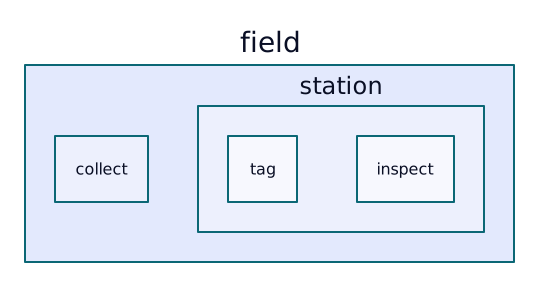
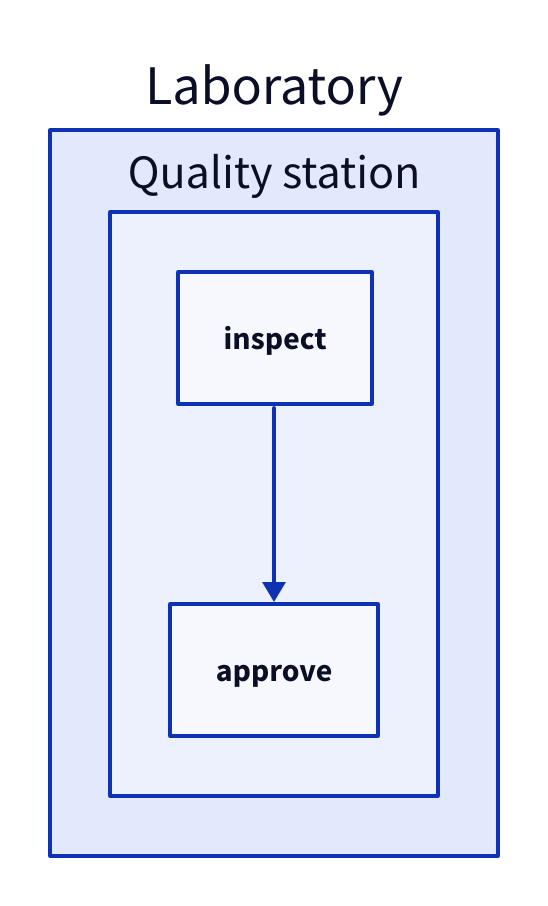
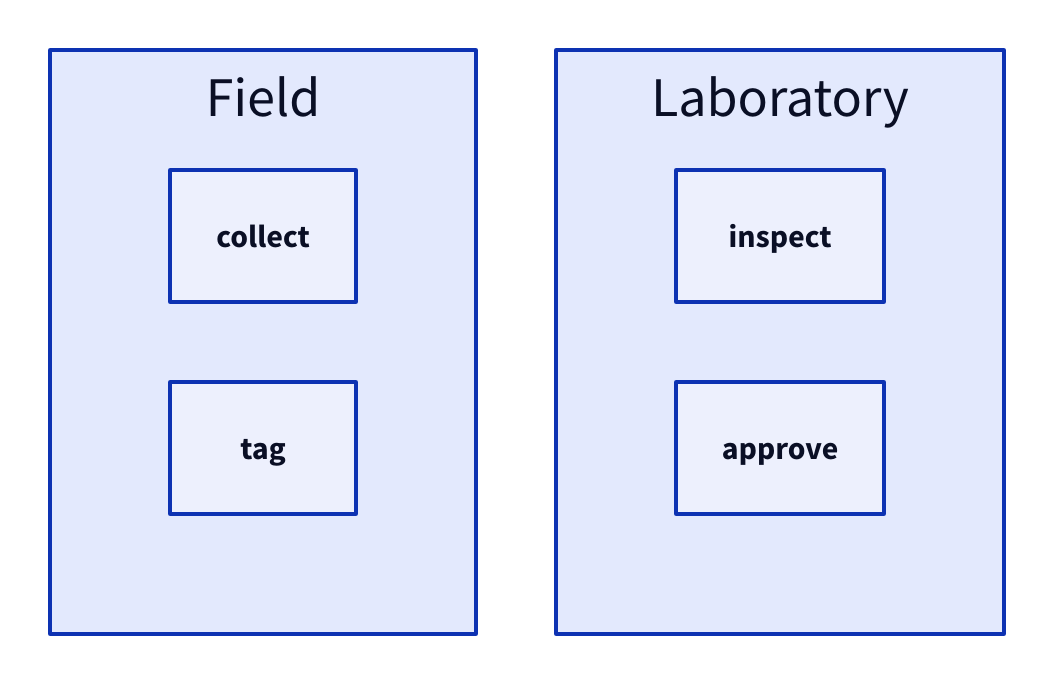
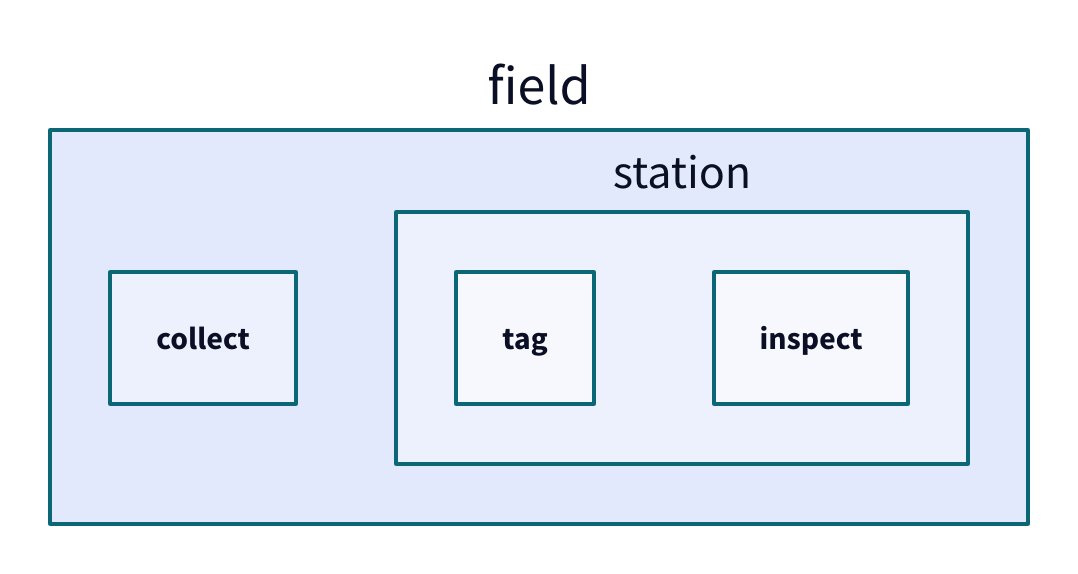
Copy link D2L-04-002 Nest a review station Nested containers show a second ownership level. Use them when a quality station belongs to a larger laboratory boundary.
Back to diagram overview Compare with D2L-04-001 · Group the intake work .
D2 source lab : Laboratory { quality : Quality station { inspect -> approve }}
Parameter Meaning in this example lab.qualityGive the inner station an identity inside the laboratory.
Render this diagram fmt examples/D2L-04-002.d2
tools/d2 --layout dagre --theme 0 --pad 24 --salt D2L-04-002 --target '' examples/D2L-04-002.d2 figures/D2L-04-002.svg
tools/d2 --layout dagre --theme 0 --pad 24 --salt D2L-04-002 --target '' examples/D2L-04-002.d2 figures/D2L-04-002.png
python3 tools/svg-pdf.py figures/D2L-04-002.svg figures/D2L-04-002.pdf
Try changing: Add reject beside approve inside quality.
Actual output D2L-04-002 · Rendered by D2 D2 · exit 0
Native compiler log Standard error Render this diagram fmt examples/D2L-04-002.d2
tools/d2 --layout dagre --theme 0 --pad 24 --salt D2L-04-002 --target '' examples/D2L-04-002.d2 figures/D2L-04-002.svg
tools/d2 --layout dagre --theme 0 --pad 24 --salt D2L-04-002 --target '' examples/D2L-04-002.d2 figures/D2L-04-002.png
python3 tools/svg-pdf.py figures/D2L-04-002.svg figures/D2L-04-002.pdf
Download: D2 source · Source + local inputs ZIP · Render configuration · SVG diagram · Vector PDF · PNG preview
Try changing: Add reject beside approve inside quality.
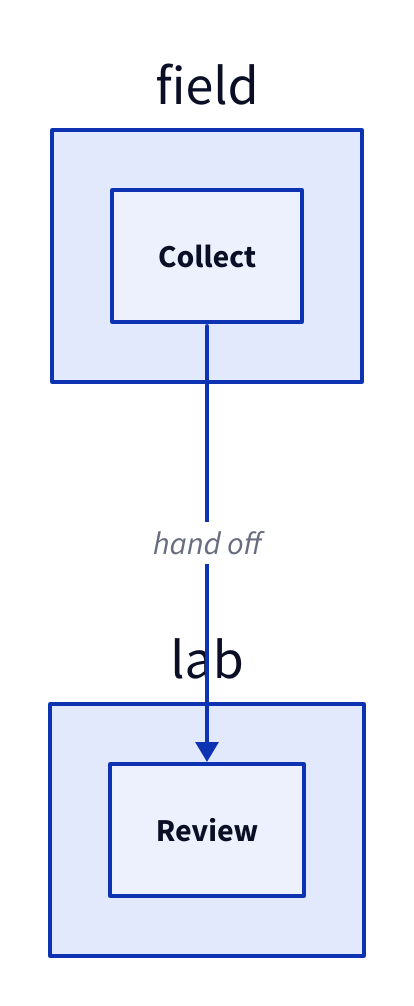
Copy link D2L-04-003 Address a child by path Dot paths address children without reopening every enclosing map. Use them when a later part of the file adds a handoff to an established boundary.
Back to diagram overview Compare with D2L-04-002 · Nest a review station .
D2 source field . collect : Collect
lab . review : Review
field . collect -> lab . review : hand off
Parameter Meaning in this example field.collectCreate or reference collect inside field.
Render this diagram fmt examples/D2L-04-003.d2
tools/d2 --layout dagre --theme 0 --pad 24 --salt D2L-04-003 --target '' examples/D2L-04-003.d2 figures/D2L-04-003.svg
tools/d2 --layout dagre --theme 0 --pad 24 --salt D2L-04-003 --target '' examples/D2L-04-003.d2 figures/D2L-04-003.png
python3 tools/svg-pdf.py figures/D2L-04-003.svg figures/D2L-04-003.pdf
Try changing: Change lab.review to lab.inspect in both lines.
Actual output D2L-04-003 · Rendered by D2 D2 · exit 0
Native compiler log Standard error Render this diagram fmt examples/D2L-04-003.d2
tools/d2 --layout dagre --theme 0 --pad 24 --salt D2L-04-003 --target '' examples/D2L-04-003.d2 figures/D2L-04-003.svg
tools/d2 --layout dagre --theme 0 --pad 24 --salt D2L-04-003 --target '' examples/D2L-04-003.d2 figures/D2L-04-003.png
python3 tools/svg-pdf.py figures/D2L-04-003.svg figures/D2L-04-003.pdf
Download: D2 source · Source + local inputs ZIP · Render configuration · SVG diagram · Vector PDF · PNG preview
Try changing: Change lab.review to lab.inspect in both lines.
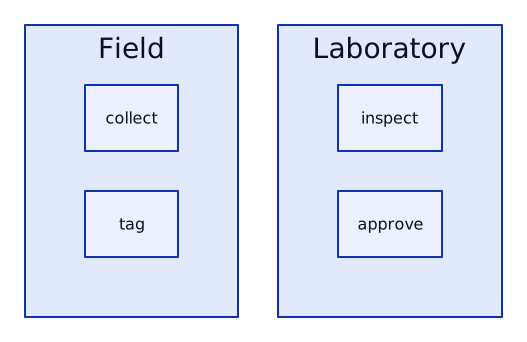
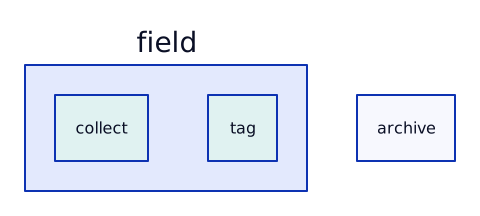
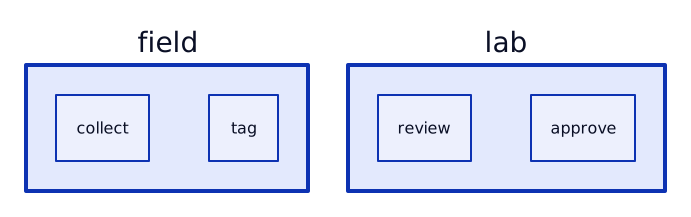
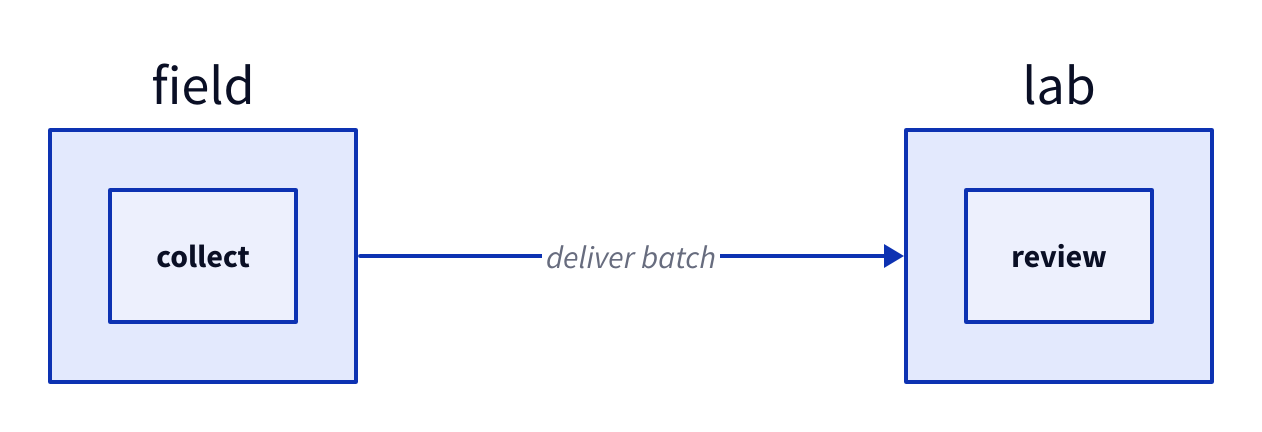
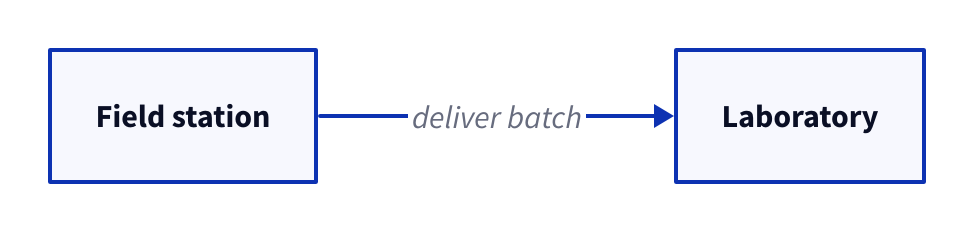
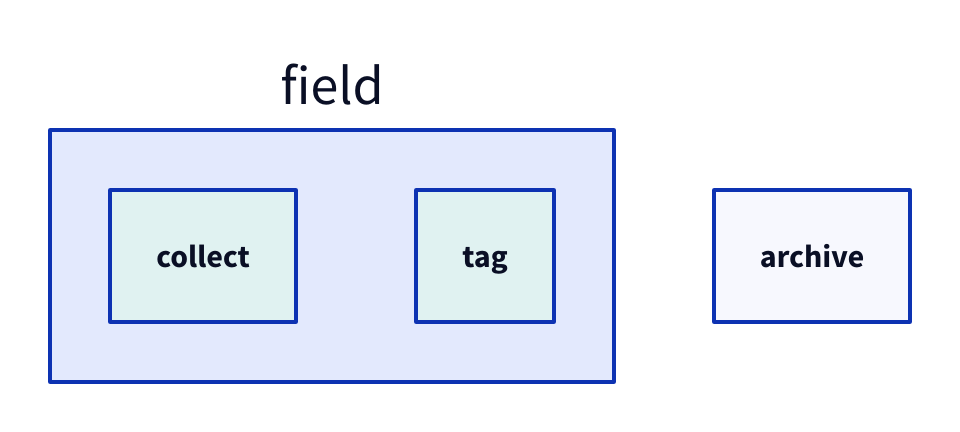
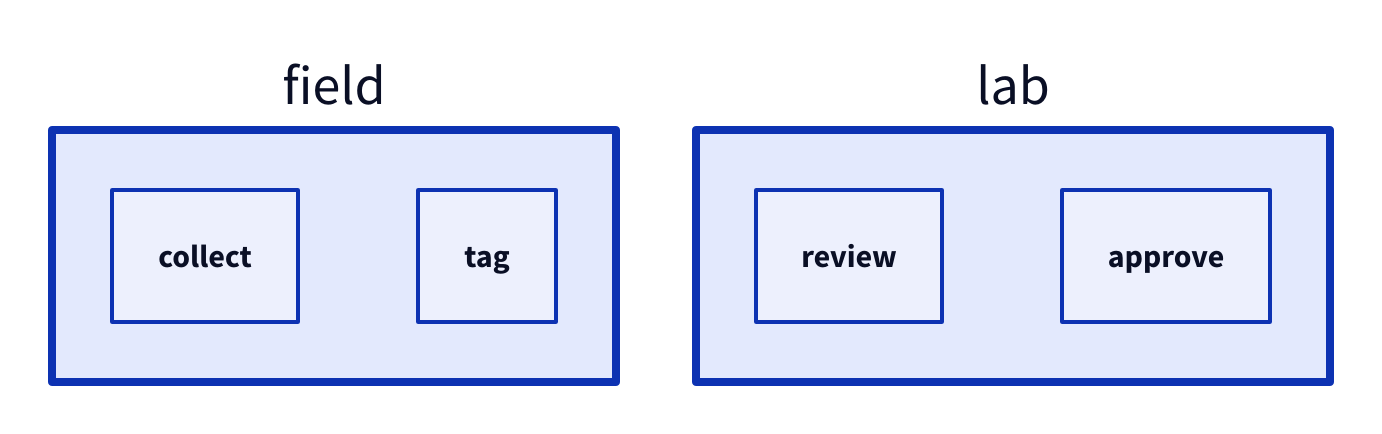
Copy link D2L-04-004 Connect two boundaries Connecting containers summarizes collaboration at a higher level. Use this view when the internal steps would distract from the team handoff.
Back to diagram overview Compare with D2L-04-003 · Address a child by path .
D2 source direction : right
field : { collect }
lab : { review }
field -> lab : deliver batch
Parameter Meaning in this example field -> labAttach the relationship to the containers themselves.
Render this diagram fmt examples/D2L-04-004.d2
tools/d2 --layout dagre --theme 0 --pad 24 --salt D2L-04-004 --target '' examples/D2L-04-004.d2 figures/D2L-04-004.svg
tools/d2 --layout dagre --theme 0 --pad 24 --salt D2L-04-004 --target '' examples/D2L-04-004.d2 figures/D2L-04-004.png
python3 tools/svg-pdf.py figures/D2L-04-004.svg figures/D2L-04-004.pdf
Try changing: Connect field.collect to lab.review instead.
Actual output D2L-04-004 · Rendered by D2 D2 · exit 0
Native compiler log Standard error Render this diagram fmt examples/D2L-04-004.d2
tools/d2 --layout dagre --theme 0 --pad 24 --salt D2L-04-004 --target '' examples/D2L-04-004.d2 figures/D2L-04-004.svg
tools/d2 --layout dagre --theme 0 --pad 24 --salt D2L-04-004 --target '' examples/D2L-04-004.d2 figures/D2L-04-004.png
python3 tools/svg-pdf.py figures/D2L-04-004.svg figures/D2L-04-004.pdf
Download: D2 source · Source + local inputs ZIP · Render configuration · SVG diagram · Vector PDF · PNG preview
Try changing: Connect field.collect to lab.review instead.
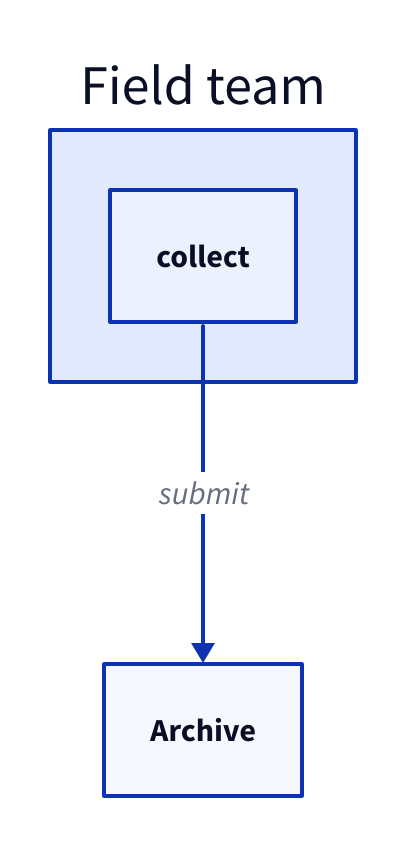
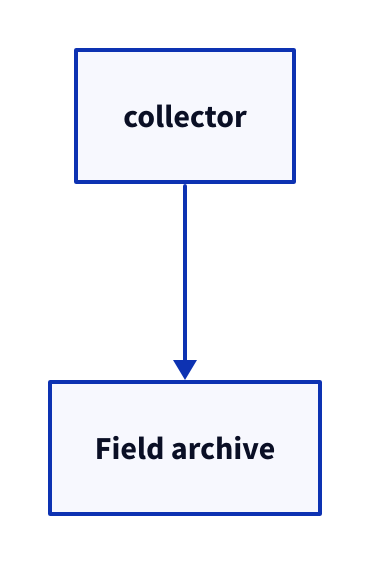
Copy link D2L-04-005 Refer to the parent scope The underscore steps out of the current container. Use it to connect a local collector to a sibling service without repeating the outer path.
Back to diagram overview Compare with D2L-04-004 · Connect two boundaries .
D2 source archive : Archive
field : Field team { collect -> _ . archive : submit }
Parameter Meaning in this example _.archiveResolve archive in the parent scope.
Render this diagram fmt examples/D2L-04-005.d2
tools/d2 --layout dagre --theme 0 --pad 24 --salt D2L-04-005 --target '' examples/D2L-04-005.d2 figures/D2L-04-005.svg
tools/d2 --layout dagre --theme 0 --pad 24 --salt D2L-04-005 --target '' examples/D2L-04-005.d2 figures/D2L-04-005.png
python3 tools/svg-pdf.py figures/D2L-04-005.svg figures/D2L-04-005.pdf
Try changing: Add field.tag and connect it to _.archive.
Actual output D2L-04-005 · Rendered by D2 D2 · exit 0
Native compiler log Standard error Render this diagram fmt examples/D2L-04-005.d2
tools/d2 --layout dagre --theme 0 --pad 24 --salt D2L-04-005 --target '' examples/D2L-04-005.d2 figures/D2L-04-005.svg
tools/d2 --layout dagre --theme 0 --pad 24 --salt D2L-04-005 --target '' examples/D2L-04-005.d2 figures/D2L-04-005.png
python3 tools/svg-pdf.py figures/D2L-04-005.svg figures/D2L-04-005.pdf
Download: D2 source · Source + local inputs ZIP · Render configuration · SVG diagram · Vector PDF · PNG preview
Try changing: Add field.tag and connect it to _.archive.
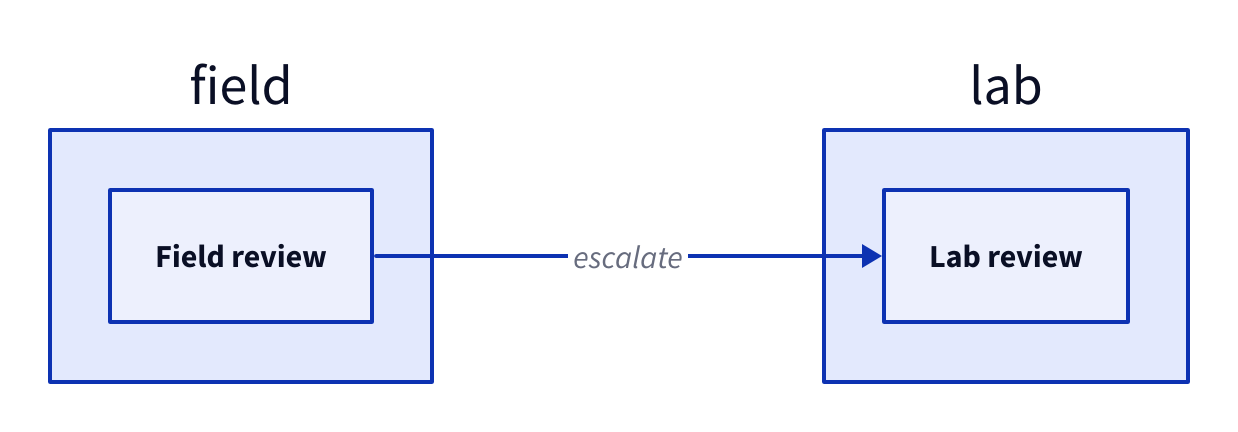
Copy link D2L-04-006 Keep repeated local names distinct The same child key can appear in different containers. Use qualified paths to show a transfer between two independent review stations.
Back to diagram overview Compare with D2L-04-005 · Refer to the parent scope .
D2 source direction : right
field : { review : Field review }
lab : { review : Lab review }
field . review -> lab . review : escalate
Parameter Meaning in this example field.review / lab.reviewKeep two review objects distinct through their scope.
Render this diagram fmt examples/D2L-04-006.d2
tools/d2 --layout dagre --theme 0 --pad 24 --salt D2L-04-006 --target '' examples/D2L-04-006.d2 figures/D2L-04-006.svg
tools/d2 --layout dagre --theme 0 --pad 24 --salt D2L-04-006 --target '' examples/D2L-04-006.d2 figures/D2L-04-006.png
python3 tools/svg-pdf.py figures/D2L-04-006.svg figures/D2L-04-006.pdf
Try changing: Rename only Lab review to Specialist review.
Actual output D2L-04-006 · Rendered by D2 D2 · exit 0
Native compiler log Standard error Render this diagram fmt examples/D2L-04-006.d2
tools/d2 --layout dagre --theme 0 --pad 24 --salt D2L-04-006 --target '' examples/D2L-04-006.d2 figures/D2L-04-006.svg
tools/d2 --layout dagre --theme 0 --pad 24 --salt D2L-04-006 --target '' examples/D2L-04-006.d2 figures/D2L-04-006.png
python3 tools/svg-pdf.py figures/D2L-04-006.svg figures/D2L-04-006.pdf
Download: D2 source · Source + local inputs ZIP · Render configuration · SVG diagram · Vector PDF · PNG preview
Try changing: Rename only Lab review to Specialist review.
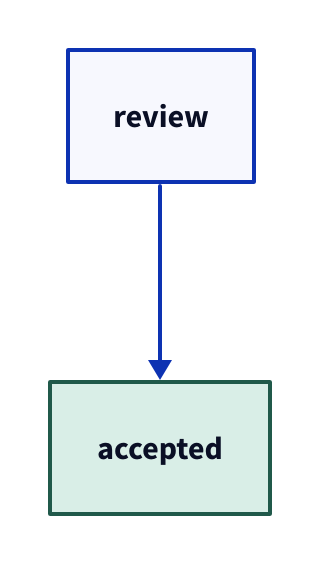
Copy link D2L-05-001 Highlight accepted work Fill and stroke can emphasize a state without changing the process. Use a readable border and a light interior when acceptance needs to stand out in print.
Back to diagram overview D2 source review -> accepted
accepted . style : { fill : "#d9eee7" ; stroke : "#20594a" }
Parameter Meaning in this example style.fill / style.strokeSet interior and outline colors explicitly.
Render this diagram fmt examples/D2L-05-001.d2
tools/d2 --layout dagre --theme 0 --pad 24 --salt D2L-05-001 --target '' examples/D2L-05-001.d2 figures/D2L-05-001.svg
tools/d2 --layout dagre --theme 0 --pad 24 --salt D2L-05-001 --target '' examples/D2L-05-001.d2 figures/D2L-05-001.png
python3 tools/svg-pdf.py figures/D2L-05-001.svg figures/D2L-05-001.pdf
Try changing: Change the accepted fill to #fff0c2.
Actual output D2L-05-001 · Rendered by D2 D2 · exit 0
Native compiler log Standard error Render this diagram fmt examples/D2L-05-001.d2
tools/d2 --layout dagre --theme 0 --pad 24 --salt D2L-05-001 --target '' examples/D2L-05-001.d2 figures/D2L-05-001.svg
tools/d2 --layout dagre --theme 0 --pad 24 --salt D2L-05-001 --target '' examples/D2L-05-001.d2 figures/D2L-05-001.png
python3 tools/svg-pdf.py figures/D2L-05-001.svg figures/D2L-05-001.pdf
Download: D2 source · Source + local inputs ZIP · Render configuration · SVG diagram · Vector PDF · PNG preview
Compare with Graphviz · emphasize a process with color .
Try changing: Change the accepted fill to #fff0c2.
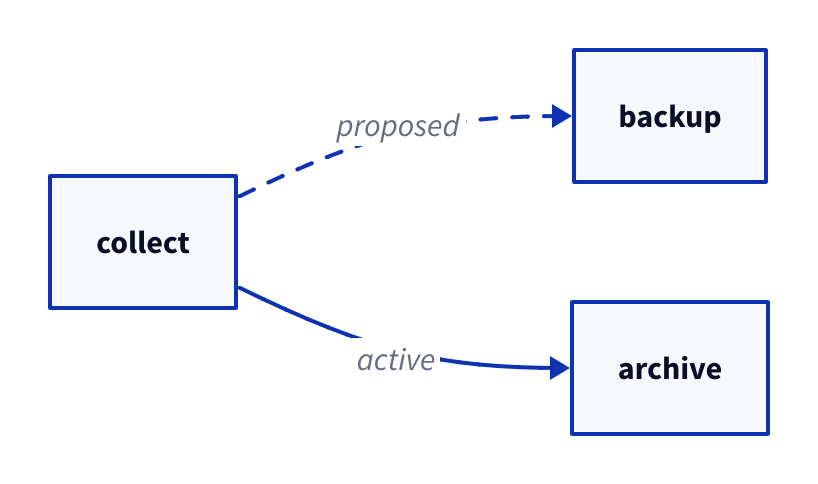
Copy link D2L-05-002 Distinguish a proposed route Dashed strokes separate a proposed connection from the active route. Use a nearby label so the meaning survives a monochrome copy.
Back to diagram overview Compare with D2L-05-001 · Highlight accepted work .
D2 source direction : right
collect -> archive : active
collect -> backup : proposed { style . stroke-dash : 4 }
Parameter Meaning in this example style.stroke-dash: 4Draw the proposed connection with a dashed stroke.
Render this diagram fmt examples/D2L-05-002.d2
tools/d2 --layout dagre --theme 0 --pad 24 --salt D2L-05-002 --target '' examples/D2L-05-002.d2 figures/D2L-05-002.svg
tools/d2 --layout dagre --theme 0 --pad 24 --salt D2L-05-002 --target '' examples/D2L-05-002.d2 figures/D2L-05-002.png
python3 tools/svg-pdf.py figures/D2L-05-002.svg figures/D2L-05-002.pdf
Try changing: Set stroke-dash to 0.
Actual output D2L-05-002 · Rendered by D2 D2 · exit 0
Native compiler log Standard error Render this diagram fmt examples/D2L-05-002.d2
tools/d2 --layout dagre --theme 0 --pad 24 --salt D2L-05-002 --target '' examples/D2L-05-002.d2 figures/D2L-05-002.svg
tools/d2 --layout dagre --theme 0 --pad 24 --salt D2L-05-002 --target '' examples/D2L-05-002.d2 figures/D2L-05-002.png
python3 tools/svg-pdf.py figures/D2L-05-002.svg figures/D2L-05-002.pdf
Download: D2 source · Source + local inputs ZIP · Render configuration · SVG diagram · Vector PDF · PNG preview
Try changing: Set stroke-dash to 0.
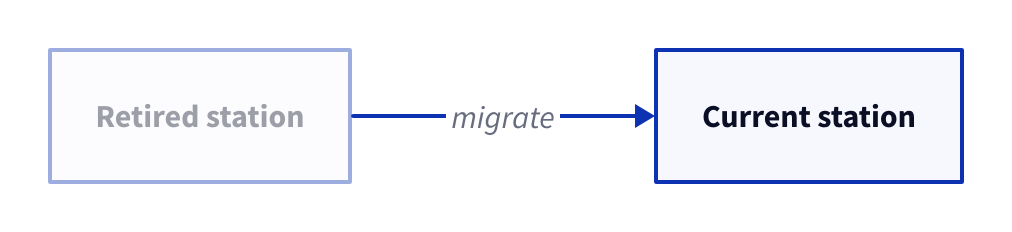
Copy link D2L-05-003 Soften a retired station Opacity reduces visual weight while preserving context. Use it for an old station that readers still need to recognize.
Back to diagram overview Compare with D2L-05-002 · Distinguish a proposed route .
D2 source direction : right
old : Retired station { style . opacity : 0.4 }
new : Current station
old -> new : migrate
Parameter Meaning in this example style.opacity: 0.4Draw the retired object at forty percent opacity.
Render this diagram fmt examples/D2L-05-003.d2
tools/d2 --layout dagre --theme 0 --pad 24 --salt D2L-05-003 --target '' examples/D2L-05-003.d2 figures/D2L-05-003.svg
tools/d2 --layout dagre --theme 0 --pad 24 --salt D2L-05-003 --target '' examples/D2L-05-003.d2 figures/D2L-05-003.png
python3 tools/svg-pdf.py figures/D2L-05-003.svg figures/D2L-05-003.pdf
Try changing: Raise opacity to 0.8.
Actual output D2L-05-003 · Rendered by D2 D2 · exit 0
Native compiler log Standard error Render this diagram fmt examples/D2L-05-003.d2
tools/d2 --layout dagre --theme 0 --pad 24 --salt D2L-05-003 --target '' examples/D2L-05-003.d2 figures/D2L-05-003.svg
tools/d2 --layout dagre --theme 0 --pad 24 --salt D2L-05-003 --target '' examples/D2L-05-003.d2 figures/D2L-05-003.png
python3 tools/svg-pdf.py figures/D2L-05-003.svg figures/D2L-05-003.pdf
Download: D2 source · Source + local inputs ZIP · Render configuration · SVG diagram · Vector PDF · PNG preview
Try changing: Raise opacity to 0.8.
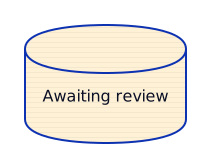
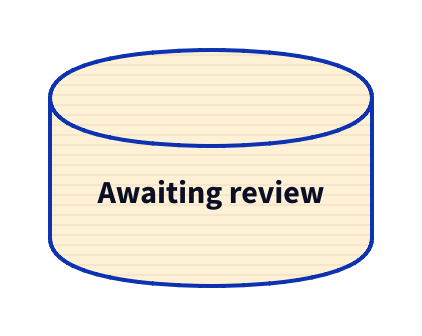
Copy link D2L-05-004 Texture an uncertain store A fill pattern adds a cue that does not depend on hue. Use it to mark a staging store whose contents are still awaiting review.
Back to diagram overview Compare with D2L-05-003 · Soften a retired station .
D2 source staging : Awaiting review { shape : cylinder ; style : { fill : "#fff1d6" ; fill-pattern : lines }}
Parameter Meaning in this example style.fill-pattern: linesOverlay a line pattern on the light fill.
Render this diagram fmt examples/D2L-05-004.d2
tools/d2 --layout dagre --theme 0 --pad 24 --salt D2L-05-004 --target '' examples/D2L-05-004.d2 figures/D2L-05-004.svg
tools/d2 --layout dagre --theme 0 --pad 24 --salt D2L-05-004 --target '' examples/D2L-05-004.d2 figures/D2L-05-004.png
python3 tools/svg-pdf.py figures/D2L-05-004.svg figures/D2L-05-004.pdf
Try changing: Try dots, then grain as the fill-pattern.
Actual output D2L-05-004 · Rendered by D2 D2 · exit 0
Native compiler log Standard error Render this diagram fmt examples/D2L-05-004.d2
tools/d2 --layout dagre --theme 0 --pad 24 --salt D2L-05-004 --target '' examples/D2L-05-004.d2 figures/D2L-05-004.svg
tools/d2 --layout dagre --theme 0 --pad 24 --salt D2L-05-004 --target '' examples/D2L-05-004.d2 figures/D2L-05-004.png
python3 tools/svg-pdf.py figures/D2L-05-004.svg figures/D2L-05-004.pdf
Download: D2 source · Source + local inputs ZIP · Render configuration · SVG diagram · Vector PDF · PNG preview
Try changing: Try dots, then grain as the fill-pattern.
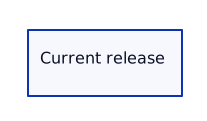
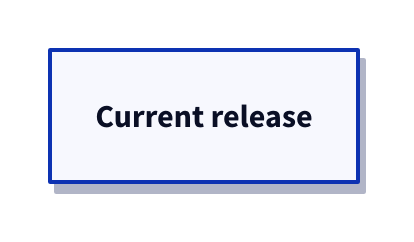
Copy link D2L-05-005 Lift the current release Shadow suggests visual emphasis without adding a new process object. Use it sparingly for the one deliverable readers should locate first.
Back to diagram overview Compare with D2L-05-004 · Texture an uncertain store .
D2 source release : Current release { style . shadow : true }
Parameter Meaning in this example style.shadow: trueDraw a shadow behind the release object.
Render this diagram fmt examples/D2L-05-005.d2
tools/d2 --layout dagre --theme 0 --pad 24 --salt D2L-05-005 --target '' examples/D2L-05-005.d2 figures/D2L-05-005.svg
tools/d2 --layout dagre --theme 0 --pad 24 --salt D2L-05-005 --target '' examples/D2L-05-005.d2 figures/D2L-05-005.png
python3 tools/svg-pdf.py figures/D2L-05-005.svg figures/D2L-05-005.pdf
Try changing: Set shadow to false.
Actual output D2L-05-005 · Rendered by D2 D2 · exit 0
Native compiler log Standard error Render this diagram fmt examples/D2L-05-005.d2
tools/d2 --layout dagre --theme 0 --pad 24 --salt D2L-05-005 --target '' examples/D2L-05-005.d2 figures/D2L-05-005.svg
tools/d2 --layout dagre --theme 0 --pad 24 --salt D2L-05-005 --target '' examples/D2L-05-005.d2 figures/D2L-05-005.png
python3 tools/svg-pdf.py figures/D2L-05-005.svg figures/D2L-05-005.pdf
Download: D2 source · Source + local inputs ZIP · Render configuration · SVG diagram · Vector PDF · PNG preview
Try changing: Set shadow to false.
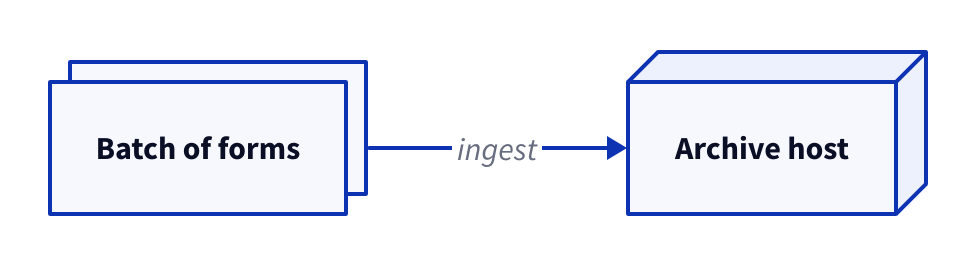
Copy link D2L-05-006 Suggest a stack and depth Multiple and three-dimensional treatments are decorative cues for repeated artifacts and infrastructure. Use labeled objects so neither effect becomes the only way to infer meaning.
Back to diagram overview Compare with D2L-05-005 · Lift the current release .
D2 source direction : right
forms : Batch of forms { style . multiple : true }
server : Archive host { style . 3d : true }
forms -> server : ingest
Parameter Meaning in this example style.multiple: trueDraw stacked outlines behind the form object. style.3d: trueGive the rectangular host an extruded outline.
Render this diagram fmt examples/D2L-05-006.d2
tools/d2 --layout dagre --theme 0 --pad 24 --salt D2L-05-006 --target '' examples/D2L-05-006.d2 figures/D2L-05-006.svg
tools/d2 --layout dagre --theme 0 --pad 24 --salt D2L-05-006 --target '' examples/D2L-05-006.d2 figures/D2L-05-006.png
python3 tools/svg-pdf.py figures/D2L-05-006.svg figures/D2L-05-006.pdf
Try changing: Turn off 3d while leaving multiple on.
Actual output D2L-05-006 · Rendered by D2 D2 · exit 0
Native compiler log Standard error Render this diagram fmt examples/D2L-05-006.d2
tools/d2 --layout dagre --theme 0 --pad 24 --salt D2L-05-006 --target '' examples/D2L-05-006.d2 figures/D2L-05-006.svg
tools/d2 --layout dagre --theme 0 --pad 24 --salt D2L-05-006 --target '' examples/D2L-05-006.d2 figures/D2L-05-006.png
python3 tools/svg-pdf.py figures/D2L-05-006.svg figures/D2L-05-006.pdf
Download: D2 source · Source + local inputs ZIP · Render configuration · SVG diagram · Vector PDF · PNG preview
Try changing: Turn off 3d while leaving multiple on.
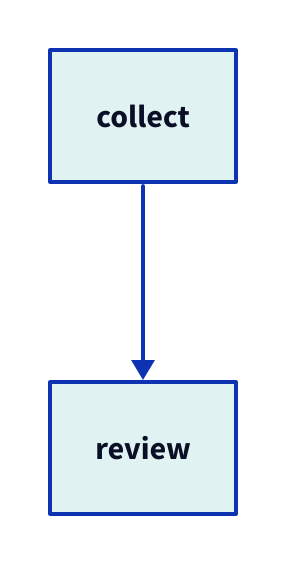
Copy link D2L-06-001 Define a reusable task style A class gives a repeated visual rule a name. Use it when several archive activities should share the same fill and outline.
Back to diagram overview Compare with D2L-05-001 · Highlight accepted work .
D2 source classes : { task : { style . fill : "#e0f2f1" ; style . stroke : "#0b6775" }}
collect : { class : task }
review : { class : task }
collect -> review
Parameter Meaning in this example classes.taskDefine the task class once. class: taskApply that class to an object.
Render this diagram fmt examples/D2L-06-001.d2
tools/d2 --layout dagre --theme 0 --pad 24 --salt D2L-06-001 --target '' examples/D2L-06-001.d2 figures/D2L-06-001.svg
tools/d2 --layout dagre --theme 0 --pad 24 --salt D2L-06-001 --target '' examples/D2L-06-001.d2 figures/D2L-06-001.png
python3 tools/svg-pdf.py figures/D2L-06-001.svg figures/D2L-06-001.pdf
Try changing: Change the task fill in one place.
Actual output D2L-06-001 · Rendered by D2 D2 · exit 0
Native compiler log Standard error Render this diagram fmt examples/D2L-06-001.d2
tools/d2 --layout dagre --theme 0 --pad 24 --salt D2L-06-001 --target '' examples/D2L-06-001.d2 figures/D2L-06-001.svg
tools/d2 --layout dagre --theme 0 --pad 24 --salt D2L-06-001 --target '' examples/D2L-06-001.d2 figures/D2L-06-001.png
python3 tools/svg-pdf.py figures/D2L-06-001.svg figures/D2L-06-001.pdf
Download: D2 source · Source + local inputs ZIP · Render configuration · SVG diagram · Vector PDF · PNG preview
Try changing: Change the task fill in one place.
Copy link D2L-06-002 Reuse a style across roles A class can style different object shapes. Use that separation when status should look consistent across a task and a store.
Back to diagram overview Compare with D2L-06-001 · Define a reusable task style .
D2 source classes : { ready : { style . fill : "#e0f2f1" }}
review : { class : ready }
archive : { shape : cylinder ; class : ready }
review -> archive
Parameter Meaning in this example class: readyReuse a status style independently of object shape.
Render this diagram fmt examples/D2L-06-002.d2
tools/d2 --layout dagre --theme 0 --pad 24 --salt D2L-06-002 --target '' examples/D2L-06-002.d2 figures/D2L-06-002.svg
tools/d2 --layout dagre --theme 0 --pad 24 --salt D2L-06-002 --target '' examples/D2L-06-002.d2 figures/D2L-06-002.png
python3 tools/svg-pdf.py figures/D2L-06-002.svg figures/D2L-06-002.pdf
Try changing: Apply ready only to archive.
Actual output D2L-06-002 · Rendered by D2 D2 · exit 0
Native compiler log Standard error Render this diagram fmt examples/D2L-06-002.d2
tools/d2 --layout dagre --theme 0 --pad 24 --salt D2L-06-002 --target '' examples/D2L-06-002.d2 figures/D2L-06-002.svg
tools/d2 --layout dagre --theme 0 --pad 24 --salt D2L-06-002 --target '' examples/D2L-06-002.d2 figures/D2L-06-002.png
python3 tools/svg-pdf.py figures/D2L-06-002.svg figures/D2L-06-002.pdf
Download: D2 source · Source + local inputs ZIP · Render configuration · SVG diagram · Vector PDF · PNG preview
Try changing: Apply ready only to archive.
Copy link D2L-06-003 Combine named classes An ordered list combines reusable class definitions. Use it to layer the current-state emphasis over a common task appearance.
Back to diagram overview Compare with D2L-06-002 · Reuse a style across roles .
D2 source classes : { task : { style . fill : "#e0f2f1" }; current : { style . stroke-width : 4 }}
review : { class : [ task ; current ]}
Parameter Meaning in this example class: [task; current]Apply the task class and then the current class.
Render this diagram fmt examples/D2L-06-003.d2
tools/d2 --layout dagre --theme 0 --pad 24 --salt D2L-06-003 --target '' examples/D2L-06-003.d2 figures/D2L-06-003.svg
tools/d2 --layout dagre --theme 0 --pad 24 --salt D2L-06-003 --target '' examples/D2L-06-003.d2 figures/D2L-06-003.png
python3 tools/svg-pdf.py figures/D2L-06-003.svg figures/D2L-06-003.pdf
Try changing: Remove current from the list.
Actual output D2L-06-003 · Rendered by D2 D2 · exit 0
Native compiler log Standard error Render this diagram fmt examples/D2L-06-003.d2
tools/d2 --layout dagre --theme 0 --pad 24 --salt D2L-06-003 --target '' examples/D2L-06-003.d2 figures/D2L-06-003.svg
tools/d2 --layout dagre --theme 0 --pad 24 --salt D2L-06-003 --target '' examples/D2L-06-003.d2 figures/D2L-06-003.png
python3 tools/svg-pdf.py figures/D2L-06-003.svg figures/D2L-06-003.pdf
Download: D2 source · Source + local inputs ZIP · Render configuration · SVG diagram · Vector PDF · PNG preview
Try changing: Remove current from the list.
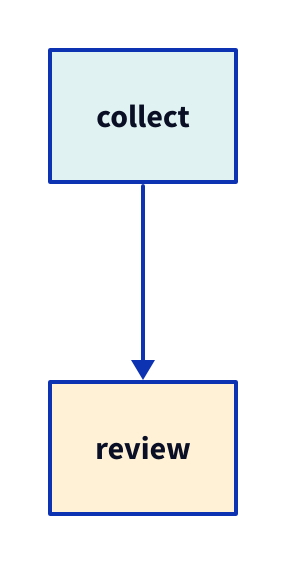
Copy link D2L-06-004 Override one instance A local style can specialize one object that uses a shared class. Use it for an exception while retaining the common task definition.
Back to diagram overview Compare with D2L-06-003 · Combine named classes .
D2 source classes : { task : { style . fill : "#e0f2f1" }}
collect : { class : task }
review : { class : task ; style . fill : "#fff1d6" }
collect -> review
Parameter Meaning in this example style.fill on reviewOverride the class fill for this instance.
Render this diagram fmt examples/D2L-06-004.d2
tools/d2 --layout dagre --theme 0 --pad 24 --salt D2L-06-004 --target '' examples/D2L-06-004.d2 figures/D2L-06-004.svg
tools/d2 --layout dagre --theme 0 --pad 24 --salt D2L-06-004 --target '' examples/D2L-06-004.d2 figures/D2L-06-004.png
python3 tools/svg-pdf.py figures/D2L-06-004.svg figures/D2L-06-004.pdf
Try changing: Remove the local review fill.
Actual output D2L-06-004 · Rendered by D2 D2 · exit 0
Native compiler log Standard error Render this diagram fmt examples/D2L-06-004.d2
tools/d2 --layout dagre --theme 0 --pad 24 --salt D2L-06-004 --target '' examples/D2L-06-004.d2 figures/D2L-06-004.svg
tools/d2 --layout dagre --theme 0 --pad 24 --salt D2L-06-004 --target '' examples/D2L-06-004.d2 figures/D2L-06-004.png
python3 tools/svg-pdf.py figures/D2L-06-004.svg figures/D2L-06-004.pdf
Download: D2 source · Source + local inputs ZIP · Render configuration · SVG diagram · Vector PDF · PNG preview
Try changing: Remove the local review fill.
Copy link D2L-06-005 Pin the palette in the source The embedded D2 configuration can declare the same theme used by the shared command. Use it when a downloaded source should state its palette explicitly.
Back to diagram overview Compare with D2L-06-004 · Override one instance .
D2 source vars : { d2-config : { theme-id : 0 }}
collect -> archive
Parameter Meaning in this example vars.d2-config.theme-id: 0Declare the shared theme without introducing a second palette.
Render this diagram fmt examples/D2L-06-005.d2
tools/d2 --layout dagre --theme 0 --pad 24 --salt D2L-06-005 --target '' examples/D2L-06-005.d2 figures/D2L-06-005.svg
tools/d2 --layout dagre --theme 0 --pad 24 --salt D2L-06-005 --target '' examples/D2L-06-005.d2 figures/D2L-06-005.png
python3 tools/svg-pdf.py figures/D2L-06-005.svg figures/D2L-06-005.pdf
Try changing: Add a local archive fill while retaining theme-id 0.
Actual output D2L-06-005 · Rendered by D2 D2 · exit 0
Native compiler log Standard error Render this diagram fmt examples/D2L-06-005.d2
tools/d2 --layout dagre --theme 0 --pad 24 --salt D2L-06-005 --target '' examples/D2L-06-005.d2 figures/D2L-06-005.svg
tools/d2 --layout dagre --theme 0 --pad 24 --salt D2L-06-005 --target '' examples/D2L-06-005.d2 figures/D2L-06-005.png
python3 tools/svg-pdf.py figures/D2L-06-005.svg figures/D2L-06-005.pdf
Download: D2 source · Source + local inputs ZIP · Render configuration · SVG diagram · Vector PDF · PNG preview
Try changing: Add a local archive fill while retaining theme-id 0.
Copy link D2L-06-006 Sketch an early proposal Sketch mode changes the treatment of lines and lettering. Use it to signal an exploratory proposal while keeping the underlying graph and theme fixed.
Back to diagram overview Compare with D2L-06-005 · Pin the palette in the source .
D2 source vars : { d2-config : { sketch : true }}
direction : right
collect -> review -> archive
Parameter Meaning in this example vars.d2-config.sketch: trueUse the built-in sketch renderer for this example.
Render this diagram fmt examples/D2L-06-006.d2
tools/d2 --layout dagre --theme 0 --pad 24 --salt D2L-06-006 --target '' examples/D2L-06-006.d2 figures/D2L-06-006.svg
tools/d2 --layout dagre --theme 0 --pad 24 --salt D2L-06-006 --target '' examples/D2L-06-006.d2 figures/D2L-06-006.png
python3 tools/svg-pdf.py figures/D2L-06-006.svg figures/D2L-06-006.pdf
Try changing: Set sketch to false.
Actual output D2L-06-006 · Rendered by D2 D2 · exit 0
Native compiler log Standard error Render this diagram fmt examples/D2L-06-006.d2
tools/d2 --layout dagre --theme 0 --pad 24 --salt D2L-06-006 --target '' examples/D2L-06-006.d2 figures/D2L-06-006.svg
tools/d2 --layout dagre --theme 0 --pad 24 --salt D2L-06-006 --target '' examples/D2L-06-006.d2 figures/D2L-06-006.png
python3 tools/svg-pdf.py figures/D2L-06-006.svg figures/D2L-06-006.pdf
Download: D2 source · Source + local inputs ZIP · Render configuration · SVG diagram · Vector PDF · PNG preview
Try changing: Set sketch to false.
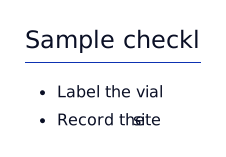
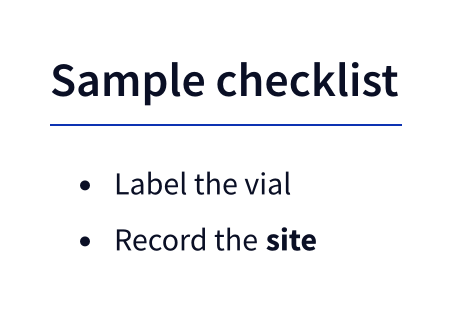
Copy link D2L-07-001 Format a field note A Markdown block supports emphasis and a short list. Use it for a note whose structure matters more than a geometric outline.
Back to diagram overview Compare with D2L-02-006 · Recognize specialized notation .
D2 source note : |md
## Sample checklist
- Label the vial
- Record the **site**
|
Parameter Meaning in this example |md ... |Render a Markdown label; the block is complete.
Render this diagram fmt examples/D2L-07-001.d2
tools/d2 --layout dagre --theme 0 --pad 24 --salt D2L-07-001 --target '' examples/D2L-07-001.d2 figures/D2L-07-001.svg
tools/d2 --layout dagre --theme 0 --pad 24 --salt D2L-07-001 --target '' examples/D2L-07-001.d2 figures/D2L-07-001.png
python3 tools/svg-pdf.py figures/D2L-07-001.svg figures/D2L-07-001.pdf
Try changing: Add one checklist item.
Actual output D2L-07-001 · Rendered by D2 D2 · exit 0
Native compiler log Standard error Render this diagram fmt examples/D2L-07-001.d2
tools/d2 --layout dagre --theme 0 --pad 24 --salt D2L-07-001 --target '' examples/D2L-07-001.d2 figures/D2L-07-001.svg
tools/d2 --layout dagre --theme 0 --pad 24 --salt D2L-07-001 --target '' examples/D2L-07-001.d2 figures/D2L-07-001.png
python3 tools/svg-pdf.py figures/D2L-07-001.svg figures/D2L-07-001.pdf
Download: D2 source · Source + local inputs ZIP · Render configuration · SVG diagram · Vector PDF · PNG preview
Try changing: Add one checklist item.
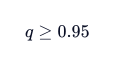
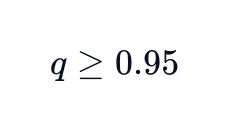
Copy link D2L-07-002 Write a mathematical condition A LaTeX block typesets a compact formula. Use it when the acceptance rule is easier to read as notation than as prose.
Back to diagram overview Compare with D2L-07-001 · Format a field note .
D2 source threshold : |latex
q \geq 0.95
|
Parameter Meaning in this example |latex ... |Typeset q, the illustrative sample quality score, with threshold 0.95.
Render this diagram fmt examples/D2L-07-002.d2
tools/d2 --layout dagre --theme 0 --pad 24 --salt D2L-07-002 --target '' examples/D2L-07-002.d2 figures/D2L-07-002.svg
tools/d2 --layout dagre --theme 0 --pad 24 --salt D2L-07-002 --target '' examples/D2L-07-002.d2 figures/D2L-07-002.png
python3 tools/svg-pdf.py figures/D2L-07-002.svg figures/D2L-07-002.pdf
Try changing: Change 0.95 to 0.90.
Actual output D2L-07-002 · Rendered by D2 D2 · exit 0
Native compiler log Standard error Render this diagram fmt examples/D2L-07-002.d2
tools/d2 --layout dagre --theme 0 --pad 24 --salt D2L-07-002 --target '' examples/D2L-07-002.d2 figures/D2L-07-002.svg
tools/d2 --layout dagre --theme 0 --pad 24 --salt D2L-07-002 --target '' examples/D2L-07-002.d2 figures/D2L-07-002.png
python3 tools/svg-pdf.py figures/D2L-07-002.svg figures/D2L-07-002.pdf
Download: D2 source · Source + local inputs ZIP · Render configuration · SVG diagram · Vector PDF · PNG preview
Try changing: Change 0.95 to 0.90.
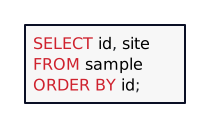
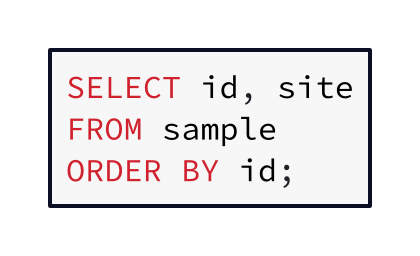
Copy link D2L-07-003 Show a query as code A language-tagged block preserves source layout and highlights its syntax. Use it to identify the query an archive component executes.
Back to diagram overview Compare with D2L-07-002 · Write a mathematical condition .
D2 source query : |sql
SELECT id, site
FROM sample
ORDER BY id;
|
Parameter Meaning in this example |sql ... |Render a complete SQL query as a code label.
Render this diagram fmt examples/D2L-07-003.d2
tools/d2 --layout dagre --theme 0 --pad 24 --salt D2L-07-003 --target '' examples/D2L-07-003.d2 figures/D2L-07-003.svg
tools/d2 --layout dagre --theme 0 --pad 24 --salt D2L-07-003 --target '' examples/D2L-07-003.d2 figures/D2L-07-003.png
python3 tools/svg-pdf.py figures/D2L-07-003.svg figures/D2L-07-003.pdf
Try changing: Select only id.
Actual output D2L-07-003 · Rendered by D2 D2 · exit 0
Native compiler log Standard error Render this diagram fmt examples/D2L-07-003.d2
tools/d2 --layout dagre --theme 0 --pad 24 --salt D2L-07-003 --target '' examples/D2L-07-003.d2 figures/D2L-07-003.svg
tools/d2 --layout dagre --theme 0 --pad 24 --salt D2L-07-003 --target '' examples/D2L-07-003.d2 figures/D2L-07-003.png
python3 tools/svg-pdf.py figures/D2L-07-003.svg figures/D2L-07-003.pdf
Download: D2 source · Source + local inputs ZIP · Render configuration · SVG diagram · Vector PDF · PNG preview
Try changing: Select only id.
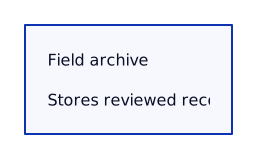
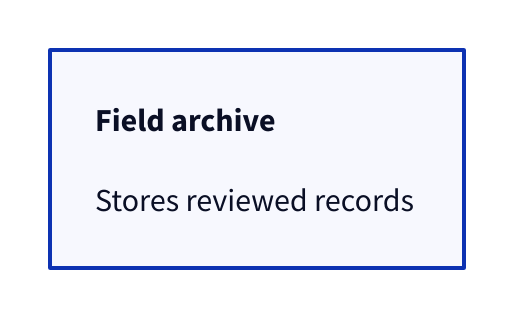
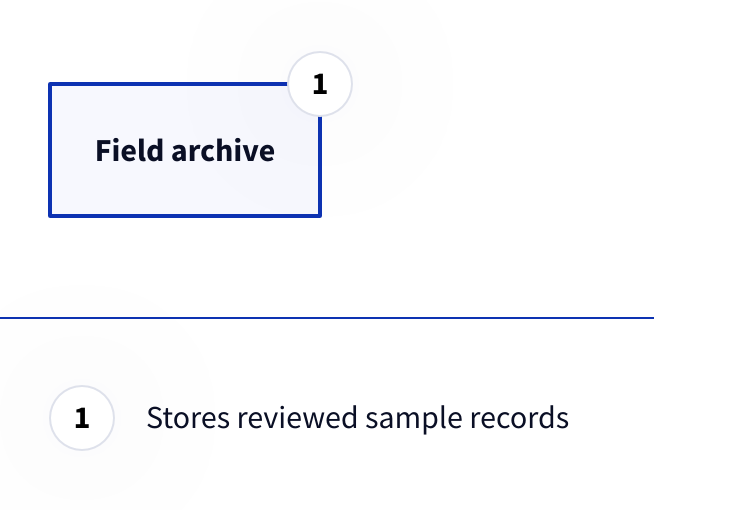
Copy link D2L-07-004 Put formatted text inside an object A rich label can remain attached to an ordinary shape. Use it when a component needs a short emphasized responsibility.
Back to diagram overview Compare with D2L-07-003 · Show a query as code .
D2 source archive : {
label : |md
**Field archive**
Stores reviewed records
|
shape : rectangle
}
Parameter Meaning in this example label: |mdKeep the rectangle and render Markdown inside its label.
Render this diagram fmt examples/D2L-07-004.d2
tools/d2 --layout dagre --theme 0 --pad 24 --salt D2L-07-004 --target '' examples/D2L-07-004.d2 figures/D2L-07-004.svg
tools/d2 --layout dagre --theme 0 --pad 24 --salt D2L-07-004 --target '' examples/D2L-07-004.d2 figures/D2L-07-004.png
python3 tools/svg-pdf.py figures/D2L-07-004.svg figures/D2L-07-004.pdf
Try changing: Change Stores to Publishes.
Actual output D2L-07-004 · Rendered by D2 D2 · exit 0
Native compiler log Standard error Render this diagram fmt examples/D2L-07-004.d2
tools/d2 --layout dagre --theme 0 --pad 24 --salt D2L-07-004 --target '' examples/D2L-07-004.d2 figures/D2L-07-004.svg
tools/d2 --layout dagre --theme 0 --pad 24 --salt D2L-07-004 --target '' examples/D2L-07-004.d2 figures/D2L-07-004.png
python3 tools/svg-pdf.py figures/D2L-07-004.svg figures/D2L-07-004.pdf
Download: D2 source · Source + local inputs ZIP · Render configuration · SVG diagram · Vector PDF · PNG preview
Try changing: Change Stores to Publishes.
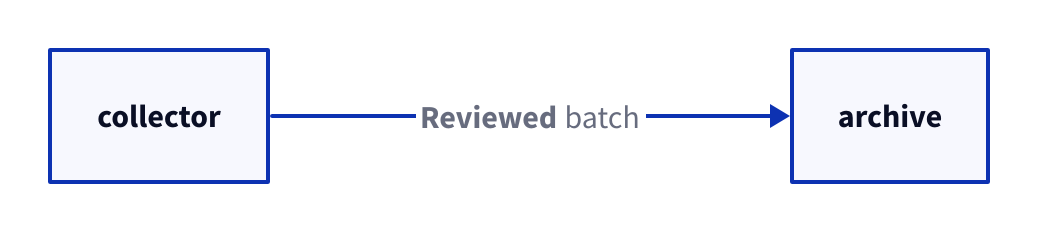
Copy link D2L-07-005 Explain a transfer with Markdown Rich text is also available on a connection label in this pinned version. Use a short emphasized transfer name when it helps distinguish a handoff.
Back to diagram overview Compare with D2L-07-004 · Put formatted text inside an object .
D2 source direction : right
collector -> archive : |md
**Reviewed** batch
|
Parameter Meaning in this example Markdown connection labelAttach formatted text to the edge, rather than to a new node.
Render this diagram fmt examples/D2L-07-005.d2
tools/d2 --layout dagre --theme 0 --pad 24 --salt D2L-07-005 --target '' examples/D2L-07-005.d2 figures/D2L-07-005.svg
tools/d2 --layout dagre --theme 0 --pad 24 --salt D2L-07-005 --target '' examples/D2L-07-005.d2 figures/D2L-07-005.png
python3 tools/svg-pdf.py figures/D2L-07-005.svg figures/D2L-07-005.pdf
Try changing: Replace Reviewed with Signed.
Actual output D2L-07-005 · Rendered by D2 D2 · exit 0
Native compiler log Standard error Render this diagram fmt examples/D2L-07-005.d2
tools/d2 --layout dagre --theme 0 --pad 24 --salt D2L-07-005 --target '' examples/D2L-07-005.d2 figures/D2L-07-005.svg
tools/d2 --layout dagre --theme 0 --pad 24 --salt D2L-07-005 --target '' examples/D2L-07-005.d2 figures/D2L-07-005.png
python3 tools/svg-pdf.py figures/D2L-07-005.svg figures/D2L-07-005.pdf
Download: D2 source · Source + local inputs ZIP · Render configuration · SVG diagram · Vector PDF · PNG preview
Try changing: Replace Reviewed with Signed.
Copy link D2L-07-006 Label connections with math and code Math and code blocks can annotate what a connection carries. Use them sparingly so an edge remains readable at the size of the final diagram.
Back to diagram overview Compare with D2L-07-005 · Explain a transfer with Markdown .
D2 source direction : right
measure -> review : |latex
q \geq 0.95
|
review -> archive : |json
{"accepted": true}
|
Parameter Meaning in this example LaTeX edge labelDisplay the threshold on the review edge. JSON edge labelDisplay a complete JSON object on the archive edge.
Render this diagram fmt examples/D2L-07-006.d2
tools/d2 --layout dagre --theme 0 --pad 24 --salt D2L-07-006 --target '' examples/D2L-07-006.d2 figures/D2L-07-006.svg
tools/d2 --layout dagre --theme 0 --pad 24 --salt D2L-07-006 --target '' examples/D2L-07-006.d2 figures/D2L-07-006.png
python3 tools/svg-pdf.py figures/D2L-07-006.svg figures/D2L-07-006.pdf
Try changing: Change the JSON value to false.
Actual output D2L-07-006 · Rendered by D2 D2 · exit 0
Native compiler log Standard error Render this diagram fmt examples/D2L-07-006.d2
tools/d2 --layout dagre --theme 0 --pad 24 --salt D2L-07-006 --target '' examples/D2L-07-006.d2 figures/D2L-07-006.svg
tools/d2 --layout dagre --theme 0 --pad 24 --salt D2L-07-006 --target '' examples/D2L-07-006.d2 figures/D2L-07-006.png
python3 tools/svg-pdf.py figures/D2L-07-006.svg figures/D2L-07-006.pdf
Download: D2 source · Source + local inputs ZIP · Render configuration · SVG diagram · Vector PDF · PNG preview
Try changing: Change the JSON value to false.
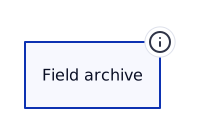
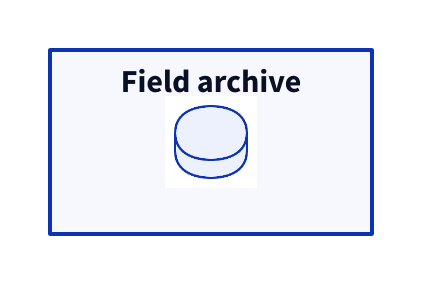
Copy link D2L-08-001 Attach a local icon An icon decorates an object without replacing its label. Use the bundled field mark when a small visual cue helps readers find the archive.
Back to diagram overview Compare with D2L-02-006 · Recognize specialized notation .
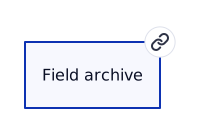
D2 source archive : Field archive { icon : .. /assets/field-mark . png }
Parameter Meaning in this example icon: ../assets/field-mark.pngResolve the local image relative to the source in examples/.
Render this diagram fmt examples/D2L-08-001.d2
tools/d2 --layout dagre --theme 0 --pad 24 --salt D2L-08-001 --target '' examples/D2L-08-001.d2 figures/D2L-08-001.svg
tools/d2 --layout dagre --theme 0 --pad 24 --salt D2L-08-001 --target '' examples/D2L-08-001.d2 figures/D2L-08-001.png
python3 tools/svg-pdf.py figures/D2L-08-001.svg figures/D2L-08-001.pdf
Try changing: Rename Field archive to Regional archive.
Actual output D2L-08-001 · Rendered by D2 D2 · exit 0
Native compiler log Standard error Render this diagram fmt examples/D2L-08-001.d2
tools/d2 --layout dagre --theme 0 --pad 24 --salt D2L-08-001 --target '' examples/D2L-08-001.d2 figures/D2L-08-001.svg
tools/d2 --layout dagre --theme 0 --pad 24 --salt D2L-08-001 --target '' examples/D2L-08-001.d2 figures/D2L-08-001.png
python3 tools/svg-pdf.py figures/D2L-08-001.svg figures/D2L-08-001.pdf
Download: D2 source · Source + local inputs ZIP · Render configuration · SVG diagram · Vector PDF · PNG preview
Try changing: Rename Field archive to Regional archive.
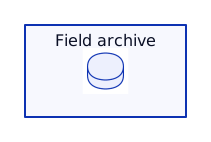
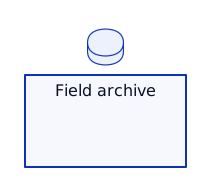
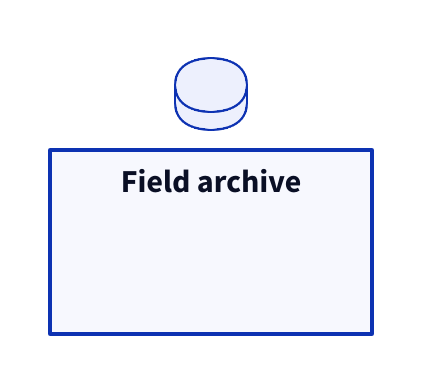
Copy link D2L-08-002 Place the icon deliberately Icon placement controls the relationship between the cue and the object label. Use an outside position when a compact object needs its interior for text.
Back to diagram overview Compare with D2L-08-001 · Attach a local icon .
D2 source archive : Field archive { icon : .. /assets/field-mark . png ; icon . near : outside-top-center }
Parameter Meaning in this example icon.near: outside-top-centerPlace the icon above the object.
Render this diagram fmt examples/D2L-08-002.d2
tools/d2 --layout dagre --theme 0 --pad 24 --salt D2L-08-002 --target '' examples/D2L-08-002.d2 figures/D2L-08-002.svg
tools/d2 --layout dagre --theme 0 --pad 24 --salt D2L-08-002 --target '' examples/D2L-08-002.d2 figures/D2L-08-002.png
python3 tools/svg-pdf.py figures/D2L-08-002.svg figures/D2L-08-002.pdf
Try changing: Try outside-left-center.
Actual output D2L-08-002 · Rendered by D2 D2 · exit 0
Native compiler log Standard error Render this diagram fmt examples/D2L-08-002.d2
tools/d2 --layout dagre --theme 0 --pad 24 --salt D2L-08-002 --target '' examples/D2L-08-002.d2 figures/D2L-08-002.svg
tools/d2 --layout dagre --theme 0 --pad 24 --salt D2L-08-002 --target '' examples/D2L-08-002.d2 figures/D2L-08-002.png
python3 tools/svg-pdf.py figures/D2L-08-002.svg figures/D2L-08-002.pdf
Download: D2 source · Source + local inputs ZIP · Render configuration · SVG diagram · Vector PDF · PNG preview
Try changing: Try outside-left-center.
Copy link D2L-08-003 Use the image as the object The image shape displays the artwork itself as the main object. Use it for a local visual asset whose surrounding box would add no meaning.
Back to diagram overview Compare with D2L-08-002 · Place the icon deliberately .
D2 source mark : Archive mark { shape : image ; icon : .. /assets/field-mark . png ; width : 96 ; height : 96 }
Parameter Meaning in this example shape: imageUse the local bitmap as the object. width / heightReserve a 96 by 96 pixel image area.
Render this diagram fmt examples/D2L-08-003.d2
tools/d2 --layout dagre --theme 0 --pad 24 --salt D2L-08-003 --target '' examples/D2L-08-003.d2 figures/D2L-08-003.svg
tools/d2 --layout dagre --theme 0 --pad 24 --salt D2L-08-003 --target '' examples/D2L-08-003.d2 figures/D2L-08-003.png
python3 tools/svg-pdf.py figures/D2L-08-003.svg figures/D2L-08-003.pdf
Try changing: Set width and height to 128.
Actual output D2L-08-003 · Rendered by D2 D2 · exit 0
Native compiler log Standard error Render this diagram fmt examples/D2L-08-003.d2
tools/d2 --layout dagre --theme 0 --pad 24 --salt D2L-08-003 --target '' examples/D2L-08-003.d2 figures/D2L-08-003.svg
tools/d2 --layout dagre --theme 0 --pad 24 --salt D2L-08-003 --target '' examples/D2L-08-003.d2 figures/D2L-08-003.png
python3 tools/svg-pdf.py figures/D2L-08-003.svg figures/D2L-08-003.pdf
Download: D2 source · Source + local inputs ZIP · Render configuration · SVG diagram · Vector PDF · PNG preview
Try changing: Set width and height to 128.
Copy link D2L-08-004 Mark a transfer with an icon A connection can carry a local icon as well as text. Use it for a recognizable artifact transferred between field collection and storage.
Back to diagram overview Compare with D2L-08-003 · Use the image as the object .
D2 source direction : right
collector -> archive : sample { icon : .. /assets/field-mark . png }
Parameter Meaning in this example icon on a connectionAttach the bundled mark to the sample transfer.
Render this diagram fmt examples/D2L-08-004.d2
tools/d2 --layout dagre --theme 0 --pad 24 --salt D2L-08-004 --target '' examples/D2L-08-004.d2 figures/D2L-08-004.svg
tools/d2 --layout dagre --theme 0 --pad 24 --salt D2L-08-004 --target '' examples/D2L-08-004.d2 figures/D2L-08-004.png
python3 tools/svg-pdf.py figures/D2L-08-004.svg figures/D2L-08-004.pdf
Try changing: Change the transfer label to reviewed sample.
Actual output D2L-08-004 · Rendered by D2 D2 · exit 0
Native compiler log Standard error Render this diagram fmt examples/D2L-08-004.d2
tools/d2 --layout dagre --theme 0 --pad 24 --salt D2L-08-004 --target '' examples/D2L-08-004.d2 figures/D2L-08-004.svg
tools/d2 --layout dagre --theme 0 --pad 24 --salt D2L-08-004 --target '' examples/D2L-08-004.d2 figures/D2L-08-004.png
python3 tools/svg-pdf.py figures/D2L-08-004.svg figures/D2L-08-004.pdf
Download: D2 source · Source + local inputs ZIP · Render configuration · SVG diagram · Vector PDF · PNG preview
Try changing: Change the transfer label to reviewed sample.
Copy link D2L-09-001 List a table structure The SQL-table shape splits column names from their types. Use it to discuss the archive schema before writing executable DDL.
Back to diagram overview Compare with D2L-02-006 · Recognize specialized notation .
D2 source sample : { shape : sql_table ; id : integer ; site : text ; quality : real }
Parameter Meaning in this example shape: sql_tableRender a structured table rather than an ordinary box. column: typeShow a column name and its declared type as diagram text.
Render this diagram fmt examples/D2L-09-001.d2
tools/d2 --layout dagre --theme 0 --pad 24 --salt D2L-09-001 --target '' examples/D2L-09-001.d2 figures/D2L-09-001.svg
tools/d2 --layout dagre --theme 0 --pad 24 --salt D2L-09-001 --target '' examples/D2L-09-001.d2 figures/D2L-09-001.png
python3 tools/svg-pdf.py figures/D2L-09-001.svg figures/D2L-09-001.pdf
Try changing: Add collected_at: text.
Actual output D2L-09-001 · Rendered by D2 D2 · exit 0
Native compiler log Standard error Render this diagram fmt examples/D2L-09-001.d2
tools/d2 --layout dagre --theme 0 --pad 24 --salt D2L-09-001 --target '' examples/D2L-09-001.d2 figures/D2L-09-001.svg
tools/d2 --layout dagre --theme 0 --pad 24 --salt D2L-09-001 --target '' examples/D2L-09-001.d2 figures/D2L-09-001.png
python3 tools/svg-pdf.py figures/D2L-09-001.svg figures/D2L-09-001.pdf
Download: D2 source · Source + local inputs ZIP · Render configuration · SVG diagram · Vector PDF · PNG preview
Try changing: Add collected_at: text.
Copy link D2L-09-002 Identify a primary key A constraint marker makes the row identity visible. Use it when explaining why two samples can share a site name without being the same record.
Back to diagram overview Compare with D2L-09-001 · List a table structure .
D2 source sample : { shape : sql_table ; id : integer { constraint : primary_key }; site : text }
Parameter Meaning in this example constraint: primary_keyAnnotate id as the table primary key; this does not execute SQL.
Render this diagram fmt examples/D2L-09-002.d2
tools/d2 --layout dagre --theme 0 --pad 24 --salt D2L-09-002 --target '' examples/D2L-09-002.d2 figures/D2L-09-002.svg
tools/d2 --layout dagre --theme 0 --pad 24 --salt D2L-09-002 --target '' examples/D2L-09-002.d2 figures/D2L-09-002.png
python3 tools/svg-pdf.py figures/D2L-09-002.svg figures/D2L-09-002.pdf
Try changing: Rename id to sample_id.
Actual output D2L-09-002 · Rendered by D2 D2 · exit 0
Native compiler log Standard error Render this diagram fmt examples/D2L-09-002.d2
tools/d2 --layout dagre --theme 0 --pad 24 --salt D2L-09-002 --target '' examples/D2L-09-002.d2 figures/D2L-09-002.svg
tools/d2 --layout dagre --theme 0 --pad 24 --salt D2L-09-002 --target '' examples/D2L-09-002.d2 figures/D2L-09-002.png
python3 tools/svg-pdf.py figures/D2L-09-002.svg figures/D2L-09-002.pdf
Download: D2 source · Source + local inputs ZIP · Render configuration · SVG diagram · Vector PDF · PNG preview
Try changing: Rename id to sample_id.
Copy link D2L-09-003 Combine column constraints A constraint list places several schema annotations beside one field. Use it to discuss a unique accession identifier that must be present.
Back to diagram overview Compare with D2L-09-002 · Identify a primary key .
D2 source sample : { shape : sql_table ; id : integer { constraint : primary_key }; accession : text { constraint : [ unique ; not_null ]}}
Parameter Meaning in this example constraint: [unique; not_null]Display both annotations on accession.
Render this diagram fmt examples/D2L-09-003.d2
tools/d2 --layout dagre --theme 0 --pad 24 --salt D2L-09-003 --target '' examples/D2L-09-003.d2 figures/D2L-09-003.svg
tools/d2 --layout dagre --theme 0 --pad 24 --salt D2L-09-003 --target '' examples/D2L-09-003.d2 figures/D2L-09-003.png
python3 tools/svg-pdf.py figures/D2L-09-003.svg figures/D2L-09-003.pdf
Try changing: Remove unique while retaining not_null.
Actual output D2L-09-003 · Rendered by D2 D2 · exit 0
Native compiler log Standard error Render this diagram fmt examples/D2L-09-003.d2
tools/d2 --layout dagre --theme 0 --pad 24 --salt D2L-09-003 --target '' examples/D2L-09-003.d2 figures/D2L-09-003.svg
tools/d2 --layout dagre --theme 0 --pad 24 --salt D2L-09-003 --target '' examples/D2L-09-003.d2 figures/D2L-09-003.png
python3 tools/svg-pdf.py figures/D2L-09-003.svg figures/D2L-09-003.pdf
Download: D2 source · Source + local inputs ZIP · Render configuration · SVG diagram · Vector PDF · PNG preview
Try changing: Remove unique while retaining not_null.
Copy link D2L-09-004 Connect foreign-key columns Column endpoints show exactly which keys participate in a relationship. Use ELK here so the route attaches to the named rows instead of the whole tables.
Back to diagram overview Compare with D2L-09-003 · Combine column constraints .
D2 source direction : right
site : { shape : sql_table ; id : integer { constraint : primary_key }; name : text }
sample : { shape : sql_table ; id : integer { constraint : primary_key }; site_id : integer { constraint : foreign_key }}
sample . site_id -> site . id
Parameter Meaning in this example sample.site_id -> site.idConnect the referencing and referenced columns. --layout elkRoute connections to SQL-table columns.
Render this diagram fmt examples/D2L-09-004.d2
tools/d2 --layout elk --theme 0 --pad 24 --salt D2L-09-004 --target '' examples/D2L-09-004.d2 figures/D2L-09-004.svg
tools/d2 --layout elk --theme 0 --pad 24 --salt D2L-09-004 --target '' examples/D2L-09-004.d2 figures/D2L-09-004.png
python3 tools/svg-pdf.py figures/D2L-09-004.svg figures/D2L-09-004.pdf
Try changing: Rename site_id consistently in its declaration and edge.
Actual output D2L-09-004 · Rendered by D2 D2 · exit 0
Native compiler log Standard error Render this diagram fmt examples/D2L-09-004.d2
tools/d2 --layout elk --theme 0 --pad 24 --salt D2L-09-004 --target '' examples/D2L-09-004.d2 figures/D2L-09-004.svg
tools/d2 --layout elk --theme 0 --pad 24 --salt D2L-09-004 --target '' examples/D2L-09-004.d2 figures/D2L-09-004.png
python3 tools/svg-pdf.py figures/D2L-09-004.svg figures/D2L-09-004.pdf
Download: D2 source · Source + local inputs ZIP · Render configuration · SVG diagram · Vector PDF · PNG preview
Try changing: Rename site_id consistently in its declaration and edge.
Copy link D2L-09-005 Resolve a many-to-many relation A join table makes membership explicit between campaigns and samples. Use this view when the same sample can belong to more than one release campaign.
Back to diagram overview Compare with D2L-09-004 · Connect foreign-key columns .
D2 source direction : right
campaign : { shape : sql_table ; id : integer { constraint : primary_key }}
sample : { shape : sql_table ; id : integer { constraint : primary_key }}
membership : { shape : sql_table ; campaign_id : integer { constraint : foreign_key }; sample_id : integer { constraint : foreign_key }}
membership . campaign_id -> campaign . id
membership . sample_id -> sample . id
Parameter Meaning in this example membershipRepresent the association with its two foreign-key columns.
Render this diagram fmt examples/D2L-09-005.d2
tools/d2 --layout elk --theme 0 --pad 24 --salt D2L-09-005 --target '' examples/D2L-09-005.d2 figures/D2L-09-005.svg
tools/d2 --layout elk --theme 0 --pad 24 --salt D2L-09-005 --target '' examples/D2L-09-005.d2 figures/D2L-09-005.png
python3 tools/svg-pdf.py figures/D2L-09-005.svg figures/D2L-09-005.pdf
Try changing: Add role: text to membership.
Actual output D2L-09-005 · Rendered by D2 D2 · exit 0
Native compiler log Standard error Render this diagram fmt examples/D2L-09-005.d2
tools/d2 --layout elk --theme 0 --pad 24 --salt D2L-09-005 --target '' examples/D2L-09-005.d2 figures/D2L-09-005.svg
tools/d2 --layout elk --theme 0 --pad 24 --salt D2L-09-005 --target '' examples/D2L-09-005.d2 figures/D2L-09-005.png
python3 tools/svg-pdf.py figures/D2L-09-005.svg figures/D2L-09-005.pdf
Download: D2 source · Source + local inputs ZIP · Render configuration · SVG diagram · Vector PDF · PNG preview
Try changing: Add role: text to membership.
Copy link D2L-09-006 Describe an archive object The class shape separates an object type from its fields. Use it when discussing the in-memory record rather than the database table.
Back to diagram overview Compare with D2L-09-005 · Resolve a many-to-many relation .
D2 source Sample : { shape : class ; id : int ; site : string ; quality : float }
Parameter Meaning in this example shape: classRender fields in a UML-like class compartment.
Render this diagram fmt examples/D2L-09-006.d2
tools/d2 --layout dagre --theme 0 --pad 24 --salt D2L-09-006 --target '' examples/D2L-09-006.d2 figures/D2L-09-006.svg
tools/d2 --layout dagre --theme 0 --pad 24 --salt D2L-09-006 --target '' examples/D2L-09-006.d2 figures/D2L-09-006.png
python3 tools/svg-pdf.py figures/D2L-09-006.svg figures/D2L-09-006.pdf
Try changing: Add accepted: bool.
Actual output D2L-09-006 · Rendered by D2 D2 · exit 0
Native compiler log Standard error Render this diagram fmt examples/D2L-09-006.d2
tools/d2 --layout dagre --theme 0 --pad 24 --salt D2L-09-006 --target '' examples/D2L-09-006.d2 figures/D2L-09-006.svg
tools/d2 --layout dagre --theme 0 --pad 24 --salt D2L-09-006 --target '' examples/D2L-09-006.d2 figures/D2L-09-006.png
python3 tools/svg-pdf.py figures/D2L-09-006.svg figures/D2L-09-006.pdf
Download: D2 source · Source + local inputs ZIP · Render configuration · SVG diagram · Vector PDF · PNG preview
Try changing: Add accepted: bool.
Copy link D2L-09-007 Separate fields and operations Parentheses identify operations and visibility prefixes distinguish the public API from internal state. Use this view to explain how a sample object validates itself.
Back to diagram overview Compare with D2L-09-006 · Describe an archive object .
D2 source Sample : { shape : class ; +id : int ; -quality : float ; +validate (): bool ; -normalize (): void }
Parameter Meaning in this example + / -Mark public and private members. validate(): boolDeclare an operation and its result type.
Render this diagram fmt examples/D2L-09-007.d2
tools/d2 --layout dagre --theme 0 --pad 24 --salt D2L-09-007 --target '' examples/D2L-09-007.d2 figures/D2L-09-007.svg
tools/d2 --layout dagre --theme 0 --pad 24 --salt D2L-09-007 --target '' examples/D2L-09-007.d2 figures/D2L-09-007.png
python3 tools/svg-pdf.py figures/D2L-09-007.svg figures/D2L-09-007.pdf
Try changing: Make normalize public.
Actual output D2L-09-007 · Rendered by D2 D2 · exit 0
Native compiler log Standard error Render this diagram fmt examples/D2L-09-007.d2
tools/d2 --layout dagre --theme 0 --pad 24 --salt D2L-09-007 --target '' examples/D2L-09-007.d2 figures/D2L-09-007.svg
tools/d2 --layout dagre --theme 0 --pad 24 --salt D2L-09-007 --target '' examples/D2L-09-007.d2 figures/D2L-09-007.png
python3 tools/svg-pdf.py figures/D2L-09-007.svg figures/D2L-09-007.pdf
Download: D2 source · Source + local inputs ZIP · Render configuration · SVG diagram · Vector PDF · PNG preview
Try changing: Make normalize public.
Copy link D2L-09-008 Show a specialization An open triangle can mark a generalization from a specialized sample to its base class. Use this convention only when the text explains that the relationship means inheritance.
Back to diagram overview Compare with D2L-09-007 · Separate fields and operations .
D2 source direction : up
Sample : { shape : class ; id : int }
WaterSample : { shape : class ; salinity : float }
WaterSample -> Sample : inherits { target-arrowhead : { shape : triangle ; style . filled : false }}
Parameter Meaning in this example target-arrowhead.style.filled: falseDraw the inheritance triangle open.
Render this diagram fmt examples/D2L-09-008.d2
tools/d2 --layout dagre --theme 0 --pad 24 --salt D2L-09-008 --target '' examples/D2L-09-008.d2 figures/D2L-09-008.svg
tools/d2 --layout dagre --theme 0 --pad 24 --salt D2L-09-008 --target '' examples/D2L-09-008.d2 figures/D2L-09-008.png
python3 tools/svg-pdf.py figures/D2L-09-008.svg figures/D2L-09-008.pdf
Try changing: Add temperature: float to WaterSample.
Actual output D2L-09-008 · Rendered by D2 D2 · exit 0
Native compiler log Standard error Render this diagram fmt examples/D2L-09-008.d2
tools/d2 --layout dagre --theme 0 --pad 24 --salt D2L-09-008 --target '' examples/D2L-09-008.d2 figures/D2L-09-008.svg
tools/d2 --layout dagre --theme 0 --pad 24 --salt D2L-09-008 --target '' examples/D2L-09-008.d2 figures/D2L-09-008.png
python3 tools/svg-pdf.py figures/D2L-09-008.svg figures/D2L-09-008.pdf
Download: D2 source · Source + local inputs ZIP · Render configuration · SVG diagram · Vector PDF · PNG preview
Try changing: Add temperature: float to WaterSample.
Copy link D2L-10-001 Send the first message The sequence-diagram shape turns connections into an ordered exchange. Use it to explain how a collector submits a sample to the archive.
Back to diagram overview Compare with D2L-02-006 · Recognize specialized notation .
D2 source shape : sequence_diagram
collector -> archive : submit sample
Parameter Meaning in this example shape: sequence_diagramLay out actors across the page and messages in source order.
Render this diagram fmt examples/D2L-10-001.d2
tools/d2 --layout dagre --theme 0 --pad 24 --salt D2L-10-001 --target '' examples/D2L-10-001.d2 figures/D2L-10-001.svg
tools/d2 --layout dagre --theme 0 --pad 24 --salt D2L-10-001 --target '' examples/D2L-10-001.d2 figures/D2L-10-001.png
python3 tools/svg-pdf.py figures/D2L-10-001.svg figures/D2L-10-001.pdf
Try changing: Rename the message to submit batch.
Actual output D2L-10-001 · Rendered by D2 D2 · exit 0
Native compiler log Standard error Render this diagram fmt examples/D2L-10-001.d2
tools/d2 --layout dagre --theme 0 --pad 24 --salt D2L-10-001 --target '' examples/D2L-10-001.d2 figures/D2L-10-001.svg
tools/d2 --layout dagre --theme 0 --pad 24 --salt D2L-10-001 --target '' examples/D2L-10-001.d2 figures/D2L-10-001.png
python3 tools/svg-pdf.py figures/D2L-10-001.svg figures/D2L-10-001.pdf
Download: D2 source · Source + local inputs ZIP · Render configuration · SVG diagram · Vector PDF · PNG preview
Try changing: Rename the message to submit batch.
Copy link D2L-10-002 Declare the actor order Explicit actor declarations establish the reading order before messages begin. Use them when a gateway belongs between the collector and the archive.
Back to diagram overview Compare with D2L-10-001 · Send the first message .
D2 source shape : sequence_diagram
collector
gateway
archive
collector -> gateway : submit
gateway -> archive : forward
Parameter Meaning in this example Actor declarationsFix the intended participant order independently of the first message.
Render this diagram fmt examples/D2L-10-002.d2
tools/d2 --layout dagre --theme 0 --pad 24 --salt D2L-10-002 --target '' examples/D2L-10-002.d2 figures/D2L-10-002.svg
tools/d2 --layout dagre --theme 0 --pad 24 --salt D2L-10-002 --target '' examples/D2L-10-002.d2 figures/D2L-10-002.png
python3 tools/svg-pdf.py figures/D2L-10-002.svg figures/D2L-10-002.pdf
Try changing: Swap gateway and archive declarations.
Actual output D2L-10-002 · Rendered by D2 D2 · exit 0
Native compiler log Standard error Render this diagram fmt examples/D2L-10-002.d2
tools/d2 --layout dagre --theme 0 --pad 24 --salt D2L-10-002 --target '' examples/D2L-10-002.d2 figures/D2L-10-002.svg
tools/d2 --layout dagre --theme 0 --pad 24 --salt D2L-10-002 --target '' examples/D2L-10-002.d2 figures/D2L-10-002.png
python3 tools/svg-pdf.py figures/D2L-10-002.svg figures/D2L-10-002.pdf
Download: D2 source · Source + local inputs ZIP · Render configuration · SVG diagram · Vector PDF · PNG preview
Try changing: Swap gateway and archive declarations.
Copy link D2L-10-003 Return an acknowledgement A later connection records the reply after the submission. Use a dashed reply to distinguish acknowledgement from the original request.
Back to diagram overview Compare with D2L-10-002 · Declare the actor order .
D2 source shape : sequence_diagram
collector -> archive : submit
archive -> collector : receipt { style . stroke-dash : 4 }
Parameter Meaning in this example Source orderPlace the receipt below the submission. Dashed replyDistinguish the acknowledgement visually.
Render this diagram fmt examples/D2L-10-003.d2
tools/d2 --layout dagre --theme 0 --pad 24 --salt D2L-10-003 --target '' examples/D2L-10-003.d2 figures/D2L-10-003.svg
tools/d2 --layout dagre --theme 0 --pad 24 --salt D2L-10-003 --target '' examples/D2L-10-003.d2 figures/D2L-10-003.png
python3 tools/svg-pdf.py figures/D2L-10-003.svg figures/D2L-10-003.pdf
Try changing: Rename receipt to accession ID.
Actual output D2L-10-003 · Rendered by D2 D2 · exit 0
Native compiler log Standard error Render this diagram fmt examples/D2L-10-003.d2
tools/d2 --layout dagre --theme 0 --pad 24 --salt D2L-10-003 --target '' examples/D2L-10-003.d2 figures/D2L-10-003.svg
tools/d2 --layout dagre --theme 0 --pad 24 --salt D2L-10-003 --target '' examples/D2L-10-003.d2 figures/D2L-10-003.png
python3 tools/svg-pdf.py figures/D2L-10-003.svg figures/D2L-10-003.pdf
Download: D2 source · Source + local inputs ZIP · Render configuration · SVG diagram · Vector PDF · PNG preview
Try changing: Rename receipt to accession ID.
Copy link D2L-10-004 Show active processing A nested actor key creates a processing span. Use it to show that the archive remains active while validating and replying.
Back to diagram overview Compare with D2L-10-003 · Return an acknowledgement .
D2 source shape : sequence_diagram
collector -> archive . check : submit
archive . check -> collector : accepted
Parameter Meaning in this example archive.checkCreate an activation span on the archive actor.
Render this diagram fmt examples/D2L-10-004.d2
tools/d2 --layout dagre --theme 0 --pad 24 --salt D2L-10-004 --target '' examples/D2L-10-004.d2 figures/D2L-10-004.svg
tools/d2 --layout dagre --theme 0 --pad 24 --salt D2L-10-004 --target '' examples/D2L-10-004.d2 figures/D2L-10-004.png
python3 tools/svg-pdf.py figures/D2L-10-004.svg figures/D2L-10-004.pdf
Try changing: Rename check to validate.
Actual output D2L-10-004 · Rendered by D2 D2 · exit 0
Native compiler log Standard error Render this diagram fmt examples/D2L-10-004.d2
tools/d2 --layout dagre --theme 0 --pad 24 --salt D2L-10-004 --target '' examples/D2L-10-004.d2 figures/D2L-10-004.svg
tools/d2 --layout dagre --theme 0 --pad 24 --salt D2L-10-004 --target '' examples/D2L-10-004.d2 figures/D2L-10-004.png
python3 tools/svg-pdf.py figures/D2L-10-004.svg figures/D2L-10-004.pdf
Download: D2 source · Source + local inputs ZIP · Render configuration · SVG diagram · Vector PDF · PNG preview
Try changing: Rename check to validate.
Copy link D2L-10-005 Group a review exchange A named group frames related messages without creating another actor. Use it when several handoffs belong to the same review phase.
Back to diagram overview Compare with D2L-10-004 · Show active processing .
D2 source shape : sequence_diagram
collector
archive
review : Review phase { collector -> archive : submit ; archive -> collector : accepted }
Parameter Meaning in this example review: { messages }Frame the messages as one named phase.
Render this diagram fmt examples/D2L-10-005.d2
tools/d2 --layout dagre --theme 0 --pad 24 --salt D2L-10-005 --target '' examples/D2L-10-005.d2 figures/D2L-10-005.svg
tools/d2 --layout dagre --theme 0 --pad 24 --salt D2L-10-005 --target '' examples/D2L-10-005.d2 figures/D2L-10-005.png
python3 tools/svg-pdf.py figures/D2L-10-005.svg figures/D2L-10-005.pdf
Try changing: Change the group label to Intake phase.
Actual output D2L-10-005 · Rendered by D2 D2 · exit 0
Native compiler log Standard error Render this diagram fmt examples/D2L-10-005.d2
tools/d2 --layout dagre --theme 0 --pad 24 --salt D2L-10-005 --target '' examples/D2L-10-005.d2 figures/D2L-10-005.svg
tools/d2 --layout dagre --theme 0 --pad 24 --salt D2L-10-005 --target '' examples/D2L-10-005.d2 figures/D2L-10-005.png
python3 tools/svg-pdf.py figures/D2L-10-005.svg figures/D2L-10-005.pdf
Download: D2 source · Source + local inputs ZIP · Render configuration · SVG diagram · Vector PDF · PNG preview
Try changing: Change the group label to Intake phase.
Copy link D2L-10-006 Attach an actor note A child object without message endpoints becomes a note on the actor. Use it for an assumption the reader should see at that point in the exchange.
Back to diagram overview Compare with D2L-10-005 · Group a review exchange .
D2 source shape : sequence_diagram
collector -> archive : submit
archive . note : Keep the original record
archive -> collector : receipt
Parameter Meaning in this example archive.noteAttach the explanatory note to the archive lifeline.
Render this diagram fmt examples/D2L-10-006.d2
tools/d2 --layout dagre --theme 0 --pad 24 --salt D2L-10-006 --target '' examples/D2L-10-006.d2 figures/D2L-10-006.svg
tools/d2 --layout dagre --theme 0 --pad 24 --salt D2L-10-006 --target '' examples/D2L-10-006.d2 figures/D2L-10-006.png
python3 tools/svg-pdf.py figures/D2L-10-006.svg figures/D2L-10-006.pdf
Try changing: Change the note to Verify the site code.
Actual output D2L-10-006 · Rendered by D2 D2 · exit 0
Native compiler log Standard error Render this diagram fmt examples/D2L-10-006.d2
tools/d2 --layout dagre --theme 0 --pad 24 --salt D2L-10-006 --target '' examples/D2L-10-006.d2 figures/D2L-10-006.svg
tools/d2 --layout dagre --theme 0 --pad 24 --salt D2L-10-006 --target '' examples/D2L-10-006.d2 figures/D2L-10-006.png
python3 tools/svg-pdf.py figures/D2L-10-006.svg figures/D2L-10-006.pdf
Download: D2 source · Source + local inputs ZIP · Render configuration · SVG diagram · Vector PDF · PNG preview
Try changing: Change the note to Verify the site code.
Copy link D2L-10-007 Call the same actor A self-message records internal work on a participant. Use it when the archive performs normalization without calling another service.
Back to diagram overview Compare with D2L-10-006 · Attach an actor note .
D2 source shape : sequence_diagram
collector -> archive : submit
archive -> archive : normalize
archive -> collector : receipt
Parameter Meaning in this example archive -> archiveDraw a self-message after submission.
Render this diagram fmt examples/D2L-10-007.d2
tools/d2 --layout dagre --theme 0 --pad 24 --salt D2L-10-007 --target '' examples/D2L-10-007.d2 figures/D2L-10-007.svg
tools/d2 --layout dagre --theme 0 --pad 24 --salt D2L-10-007 --target '' examples/D2L-10-007.d2 figures/D2L-10-007.png
python3 tools/svg-pdf.py figures/D2L-10-007.svg figures/D2L-10-007.pdf
Try changing: Add a second self-message called validate.
Actual output D2L-10-007 · Rendered by D2 D2 · exit 0
Native compiler log Standard error Render this diagram fmt examples/D2L-10-007.d2
tools/d2 --layout dagre --theme 0 --pad 24 --salt D2L-10-007 --target '' examples/D2L-10-007.d2 figures/D2L-10-007.svg
tools/d2 --layout dagre --theme 0 --pad 24 --salt D2L-10-007 --target '' examples/D2L-10-007.d2 figures/D2L-10-007.png
python3 tools/svg-pdf.py figures/D2L-10-007.svg figures/D2L-10-007.pdf
Download: D2 source · Source + local inputs ZIP · Render configuration · SVG diagram · Vector PDF · PNG preview
Try changing: Add a second self-message called validate.
Copy link D2L-10-008 Nest a processing span Nested span keys show work performed during an existing activation. Use them to distinguish a short lookup from the wider intake operation.
Back to diagram overview Compare with D2L-10-007 · Call the same actor .
D2 source shape : sequence_diagram
collector -> archive . intake : submit
archive . intake -> archive . intake . lookup : find site
archive . intake . lookup -> archive . intake : site found
archive . intake -> collector : receipt
Parameter Meaning in this example archive.intake.lookupNest the lookup span inside intake.
Render this diagram fmt examples/D2L-10-008.d2
tools/d2 --layout dagre --theme 0 --pad 24 --salt D2L-10-008 --target '' examples/D2L-10-008.d2 figures/D2L-10-008.svg
tools/d2 --layout dagre --theme 0 --pad 24 --salt D2L-10-008 --target '' examples/D2L-10-008.d2 figures/D2L-10-008.png
python3 tools/svg-pdf.py figures/D2L-10-008.svg figures/D2L-10-008.pdf
Try changing: Rename lookup to check_site.
Actual output D2L-10-008 · Rendered by D2 D2 · exit 0
Native compiler log Standard error Render this diagram fmt examples/D2L-10-008.d2
tools/d2 --layout dagre --theme 0 --pad 24 --salt D2L-10-008 --target '' examples/D2L-10-008.d2 figures/D2L-10-008.svg
tools/d2 --layout dagre --theme 0 --pad 24 --salt D2L-10-008 --target '' examples/D2L-10-008.d2 figures/D2L-10-008.png
python3 tools/svg-pdf.py figures/D2L-10-008.svg figures/D2L-10-008.pdf
Download: D2 source · Source + local inputs ZIP · Render configuration · SVG diagram · Vector PDF · PNG preview
Try changing: Rename lookup to check_site.
Copy link D2L-11-001 Arrange cards in rows A row count fills a grid with a fixed number of rows. Use it to compare four collection stations without implying a process order.
Back to diagram overview Compare with D2L-02-006 · Recognize specialized notation .
D2 source grid-rows : 2
north : North station
south : South station
east : East station
west : West station
Parameter Meaning in this example grid-rows: 2Arrange the four cells in two rows.
Render this diagram fmt examples/D2L-11-001.d2
tools/d2 --layout dagre --theme 0 --pad 24 --salt D2L-11-001 --target '' examples/D2L-11-001.d2 figures/D2L-11-001.svg
tools/d2 --layout dagre --theme 0 --pad 24 --salt D2L-11-001 --target '' examples/D2L-11-001.d2 figures/D2L-11-001.png
python3 tools/svg-pdf.py figures/D2L-11-001.svg figures/D2L-11-001.pdf
Try changing: Set grid-rows to 1.
Actual output D2L-11-001 · Rendered by D2 D2 · exit 0
Native compiler log Standard error Render this diagram fmt examples/D2L-11-001.d2
tools/d2 --layout dagre --theme 0 --pad 24 --salt D2L-11-001 --target '' examples/D2L-11-001.d2 figures/D2L-11-001.svg
tools/d2 --layout dagre --theme 0 --pad 24 --salt D2L-11-001 --target '' examples/D2L-11-001.d2 figures/D2L-11-001.png
python3 tools/svg-pdf.py figures/D2L-11-001.svg figures/D2L-11-001.pdf
Download: D2 source · Source + local inputs ZIP · Render configuration · SVG diagram · Vector PDF · PNG preview
Try changing: Set grid-rows to 1.
Copy link D2L-11-002 Arrange cards in columns A column count makes the width of a catalog deliberate. Use it when two record categories should sit beside each other.
Back to diagram overview Compare with D2L-11-001 · Arrange cards in rows .
D2 source grid-columns : 2
water : Water samples
soil : Soil samples
rock : Rock samples
air : Air samples
Parameter Meaning in this example grid-columns: 2Place cells in two columns in declaration order.
Render this diagram fmt examples/D2L-11-002.d2
tools/d2 --layout dagre --theme 0 --pad 24 --salt D2L-11-002 --target '' examples/D2L-11-002.d2 figures/D2L-11-002.svg
tools/d2 --layout dagre --theme 0 --pad 24 --salt D2L-11-002 --target '' examples/D2L-11-002.d2 figures/D2L-11-002.png
python3 tools/svg-pdf.py figures/D2L-11-002.svg figures/D2L-11-002.pdf
Try changing: Set grid-columns to 4.
Actual output D2L-11-002 · Rendered by D2 D2 · exit 0
Native compiler log Standard error Render this diagram fmt examples/D2L-11-002.d2
tools/d2 --layout dagre --theme 0 --pad 24 --salt D2L-11-002 --target '' examples/D2L-11-002.d2 figures/D2L-11-002.svg
tools/d2 --layout dagre --theme 0 --pad 24 --salt D2L-11-002 --target '' examples/D2L-11-002.d2 figures/D2L-11-002.png
python3 tools/svg-pdf.py figures/D2L-11-002.svg figures/D2L-11-002.pdf
Download: D2 source · Source + local inputs ZIP · Render configuration · SVG diagram · Vector PDF · PNG preview
Try changing: Set grid-columns to 4.
Copy link D2L-11-003 Give cells breathing room The grid gap separates cells without adding invisible objects. Use it when labels or icons need more visual space.
Back to diagram overview Compare with D2L-11-002 · Arrange cards in columns .
D2 source grid-columns : 2
grid-gap : 48
water : Water samples
soil : Soil samples
rock : Rock samples
air : Air samples
Parameter Meaning in this example grid-gap: 48Set the gap between adjacent cells in pixels.
Render this diagram fmt examples/D2L-11-003.d2
tools/d2 --layout dagre --theme 0 --pad 24 --salt D2L-11-003 --target '' examples/D2L-11-003.d2 figures/D2L-11-003.svg
tools/d2 --layout dagre --theme 0 --pad 24 --salt D2L-11-003 --target '' examples/D2L-11-003.d2 figures/D2L-11-003.png
python3 tools/svg-pdf.py figures/D2L-11-003.svg figures/D2L-11-003.pdf
Try changing: Reduce grid-gap to 16.
Actual output D2L-11-003 · Rendered by D2 D2 · exit 0
Native compiler log Standard error Render this diagram fmt examples/D2L-11-003.d2
tools/d2 --layout dagre --theme 0 --pad 24 --salt D2L-11-003 --target '' examples/D2L-11-003.d2 figures/D2L-11-003.svg
tools/d2 --layout dagre --theme 0 --pad 24 --salt D2L-11-003 --target '' examples/D2L-11-003.d2 figures/D2L-11-003.png
python3 tools/svg-pdf.py figures/D2L-11-003.svg figures/D2L-11-003.pdf
Download: D2 source · Source + local inputs ZIP · Render configuration · SVG diagram · Vector PDF · PNG preview
Try changing: Reduce grid-gap to 16.
Copy link D2L-11-004 Tune gaps by axis Separate horizontal and vertical gaps let a grid fit its surrounding page. Use a wider horizontal gap when categories need a stronger separation than successive rows.
Back to diagram overview Compare with D2L-11-003 · Give cells breathing room .
D2 source grid-columns : 2
horizontal-gap : 64
vertical-gap : 16
water
soil
rock
air
Parameter Meaning in this example horizontal-gap / vertical-gapReserve different spacing along the two grid axes.
Render this diagram fmt examples/D2L-11-004.d2
tools/d2 --layout dagre --theme 0 --pad 24 --salt D2L-11-004 --target '' examples/D2L-11-004.d2 figures/D2L-11-004.svg
tools/d2 --layout dagre --theme 0 --pad 24 --salt D2L-11-004 --target '' examples/D2L-11-004.d2 figures/D2L-11-004.png
python3 tools/svg-pdf.py figures/D2L-11-004.svg figures/D2L-11-004.pdf
Try changing: Swap the two gap values.
Actual output D2L-11-004 · Rendered by D2 D2 · exit 0
Native compiler log Standard error Render this diagram fmt examples/D2L-11-004.d2
tools/d2 --layout dagre --theme 0 --pad 24 --salt D2L-11-004 --target '' examples/D2L-11-004.d2 figures/D2L-11-004.svg
tools/d2 --layout dagre --theme 0 --pad 24 --salt D2L-11-004 --target '' examples/D2L-11-004.d2 figures/D2L-11-004.png
python3 tools/svg-pdf.py figures/D2L-11-004.svg figures/D2L-11-004.pdf
Download: D2 source · Source + local inputs ZIP · Render configuration · SVG diagram · Vector PDF · PNG preview
Try changing: Swap the two gap values.
Copy link D2L-11-005 Nest a small catalog Each grid cell can itself hold a container or another grid. Use this structure to compare field and laboratory responsibilities at the same level.
Back to diagram overview Compare with D2L-11-004 · Tune gaps by axis .
D2 source grid-columns : 2
field : Field { grid-columns : 1 ; collect ; tag }
lab : Laboratory { grid-columns : 1 ; inspect ; approve }
Parameter Meaning in this example Nested grid-columnsArrange each team’s activities inside its own grid cell.
Render this diagram fmt examples/D2L-11-005.d2
tools/d2 --layout dagre --theme 0 --pad 24 --salt D2L-11-005 --target '' examples/D2L-11-005.d2 figures/D2L-11-005.svg
tools/d2 --layout dagre --theme 0 --pad 24 --salt D2L-11-005 --target '' examples/D2L-11-005.d2 figures/D2L-11-005.png
python3 tools/svg-pdf.py figures/D2L-11-005.svg figures/D2L-11-005.pdf
Try changing: Set the inner grids to two columns.
Actual output D2L-11-005 · Rendered by D2 D2 · exit 0
Native compiler log Standard error Render this diagram fmt examples/D2L-11-005.d2
tools/d2 --layout dagre --theme 0 --pad 24 --salt D2L-11-005 --target '' examples/D2L-11-005.d2 figures/D2L-11-005.svg
tools/d2 --layout dagre --theme 0 --pad 24 --salt D2L-11-005 --target '' examples/D2L-11-005.d2 figures/D2L-11-005.png
python3 tools/svg-pdf.py figures/D2L-11-005.svg figures/D2L-11-005.pdf
Download: D2 source · Source + local inputs ZIP · Render configuration · SVG diagram · Vector PDF · PNG preview
Try changing: Set the inner grids to two columns.
Copy link D2L-11-006 Connect grid cells Edges make a relationship explicit even when grid placement fixes the cell order. Use this to show the handoff between two independent workstations.
Back to diagram overview Compare with D2L-11-005 · Nest a small catalog .
D2 source grid-columns : 2
grid-gap : 180
field : Field station
lab : Laboratory
field -> lab : deliver batch
Parameter Meaning in this example field -> labConnect cells without relying on adjacency to imply a handoff.
Render this diagram fmt examples/D2L-11-006.d2
tools/d2 --layout dagre --theme 0 --pad 24 --salt D2L-11-006 --target '' examples/D2L-11-006.d2 figures/D2L-11-006.svg
tools/d2 --layout dagre --theme 0 --pad 24 --salt D2L-11-006 --target '' examples/D2L-11-006.d2 figures/D2L-11-006.png
python3 tools/svg-pdf.py figures/D2L-11-006.svg figures/D2L-11-006.pdf
Try changing: Reverse the edge and label it request batch.
Actual output D2L-11-006 · Rendered by D2 D2 · exit 0
Native compiler log Standard error Render this diagram fmt examples/D2L-11-006.d2
tools/d2 --layout dagre --theme 0 --pad 24 --salt D2L-11-006 --target '' examples/D2L-11-006.d2 figures/D2L-11-006.svg
tools/d2 --layout dagre --theme 0 --pad 24 --salt D2L-11-006 --target '' examples/D2L-11-006.d2 figures/D2L-11-006.png
python3 tools/svg-pdf.py figures/D2L-11-006.svg figures/D2L-11-006.pdf
Download: D2 source · Source + local inputs ZIP · Render configuration · SVG diagram · Vector PDF · PNG preview
Try changing: Reverse the edge and label it request batch.
Copy link D2L-12-001 Reserve a corner for a note A constant near position places an independent annotation around the main diagram. Use it for an assumption that should stay outside the process route.
Back to diagram overview Compare with D2L-11-003 · Give cells breathing room .
D2 source direction : right
collect -> archive
note : Reviewed records only { near : top-center ; shape : text }
Parameter Meaning in this example near: top-centerPlace the independent note above the laid-out graph.
Render this diagram fmt examples/D2L-12-001.d2
tools/d2 --layout dagre --theme 0 --pad 24 --salt D2L-12-001 --target '' examples/D2L-12-001.d2 figures/D2L-12-001.svg
tools/d2 --layout dagre --theme 0 --pad 24 --salt D2L-12-001 --target '' examples/D2L-12-001.d2 figures/D2L-12-001.png
python3 tools/svg-pdf.py figures/D2L-12-001.svg figures/D2L-12-001.pdf
Try changing: Change near to bottom-center.
Actual output D2L-12-001 · Rendered by D2 D2 · exit 0
Native compiler log Standard error Render this diagram fmt examples/D2L-12-001.d2
tools/d2 --layout dagre --theme 0 --pad 24 --salt D2L-12-001 --target '' examples/D2L-12-001.d2 figures/D2L-12-001.svg
tools/d2 --layout dagre --theme 0 --pad 24 --salt D2L-12-001 --target '' examples/D2L-12-001.d2 figures/D2L-12-001.png
python3 tools/svg-pdf.py figures/D2L-12-001.svg figures/D2L-12-001.pdf
Download: D2 source · Source + local inputs ZIP · Render configuration · SVG diagram · Vector PDF · PNG preview
Try changing: Change near to bottom-center.
Copy link D2L-12-002 Set an object width Width provides a minimum visual extent for a shape. Use it to reserve room for a component’s responsibility without inserting padding spaces in the label.
Back to diagram overview Compare with D2L-12-001 · Reserve a corner for a note .
D2 source direction : right
review : Review { width : 240 }
review -> archive
Parameter Meaning in this example width: 240Reserve a 240-pixel-wide review object.
Render this diagram fmt examples/D2L-12-002.d2
tools/d2 --layout dagre --theme 0 --pad 24 --salt D2L-12-002 --target '' examples/D2L-12-002.d2 figures/D2L-12-002.svg
tools/d2 --layout dagre --theme 0 --pad 24 --salt D2L-12-002 --target '' examples/D2L-12-002.d2 figures/D2L-12-002.png
python3 tools/svg-pdf.py figures/D2L-12-002.svg figures/D2L-12-002.pdf
Try changing: Change width to 160.
Actual output D2L-12-002 · Rendered by D2 D2 · exit 0
Native compiler log Standard error Render this diagram fmt examples/D2L-12-002.d2
tools/d2 --layout dagre --theme 0 --pad 24 --salt D2L-12-002 --target '' examples/D2L-12-002.d2 figures/D2L-12-002.svg
tools/d2 --layout dagre --theme 0 --pad 24 --salt D2L-12-002 --target '' examples/D2L-12-002.d2 figures/D2L-12-002.png
python3 tools/svg-pdf.py figures/D2L-12-002.svg figures/D2L-12-002.pdf
Download: D2 source · Source + local inputs ZIP · Render configuration · SVG diagram · Vector PDF · PNG preview
Try changing: Change width to 160.
Copy link D2L-12-003 Set an object height Height can emphasize the visual extent of a store or component. Use it when a compact label should occupy a taller shape in a presentation.
Back to diagram overview Compare with D2L-12-002 · Set an object width .
D2 source archive : Archive { shape : cylinder ; height : 180 ; width : 140 }
Parameter Meaning in this example height: 180Reserve a 180-pixel-high archive shape.
Render this diagram fmt examples/D2L-12-003.d2
tools/d2 --layout dagre --theme 0 --pad 24 --salt D2L-12-003 --target '' examples/D2L-12-003.d2 figures/D2L-12-003.svg
tools/d2 --layout dagre --theme 0 --pad 24 --salt D2L-12-003 --target '' examples/D2L-12-003.d2 figures/D2L-12-003.png
python3 tools/svg-pdf.py figures/D2L-12-003.svg figures/D2L-12-003.pdf
Try changing: Reduce height to 100.
Actual output D2L-12-003 · Rendered by D2 D2 · exit 0
Native compiler log Standard error Render this diagram fmt examples/D2L-12-003.d2
tools/d2 --layout dagre --theme 0 --pad 24 --salt D2L-12-003 --target '' examples/D2L-12-003.d2 figures/D2L-12-003.svg
tools/d2 --layout dagre --theme 0 --pad 24 --salt D2L-12-003 --target '' examples/D2L-12-003.d2 figures/D2L-12-003.png
python3 tools/svg-pdf.py figures/D2L-12-003.svg figures/D2L-12-003.pdf
Download: D2 source · Source + local inputs ZIP · Render configuration · SVG diagram · Vector PDF · PNG preview
Try changing: Reduce height to 100.
Copy link D2L-12-004 Move a label outside Label placement controls where the caption sits relative to the shape. Use an outside caption when the empty interior is the important visual cue.
Back to diagram overview Compare with D2L-12-003 · Set an object height .
D2 source archive : Field archive { shape : cylinder ; label . near : outside-bottom-center }
Parameter Meaning in this example label.near: outside-bottom-centerMove the caption below the cylinder.
Render this diagram fmt examples/D2L-12-004.d2
tools/d2 --layout dagre --theme 0 --pad 24 --salt D2L-12-004 --target '' examples/D2L-12-004.d2 figures/D2L-12-004.svg
tools/d2 --layout dagre --theme 0 --pad 24 --salt D2L-12-004 --target '' examples/D2L-12-004.d2 figures/D2L-12-004.png
python3 tools/svg-pdf.py figures/D2L-12-004.svg figures/D2L-12-004.pdf
Try changing: Try outside-top-center.
Actual output D2L-12-004 · Rendered by D2 D2 · exit 0
Native compiler log Standard error Render this diagram fmt examples/D2L-12-004.d2
tools/d2 --layout dagre --theme 0 --pad 24 --salt D2L-12-004 --target '' examples/D2L-12-004.d2 figures/D2L-12-004.svg
tools/d2 --layout dagre --theme 0 --pad 24 --salt D2L-12-004 --target '' examples/D2L-12-004.d2 figures/D2L-12-004.png
python3 tools/svg-pdf.py figures/D2L-12-004.svg figures/D2L-12-004.pdf
Download: D2 source · Source + local inputs ZIP · Render configuration · SVG diagram · Vector PDF · PNG preview
Try changing: Try outside-top-center.
Copy link D2L-12-005 Lay out the intake with Dagre Dagre computes a layered route through the same branch structure used next. Use this baseline to separate the source graph from the engine’s placement choices.
Back to diagram overview Compare with D2L-12-001 · Reserve a corner for a note .
D2 source direction : right
field -> gateway : submit
gateway -> archive : accepted
gateway -> review : uncertain
review -> archive : approved
Parameter Meaning in this example --layout dagreChoose the shared default layered layout engine.
Render this diagram fmt examples/D2L-12-005.d2
tools/d2 --layout dagre --theme 0 --pad 24 --salt D2L-12-005 --target '' examples/D2L-12-005.d2 figures/D2L-12-005.svg
tools/d2 --layout dagre --theme 0 --pad 24 --salt D2L-12-005 --target '' examples/D2L-12-005.d2 figures/D2L-12-005.png
python3 tools/svg-pdf.py figures/D2L-12-005.svg figures/D2L-12-005.pdf
Try changing: Add review -> gateway: revise.
Actual output D2L-12-005 · Rendered by D2 D2 · exit 0
Native compiler log Standard error Render this diagram fmt examples/D2L-12-005.d2
tools/d2 --layout dagre --theme 0 --pad 24 --salt D2L-12-005 --target '' examples/D2L-12-005.d2 figures/D2L-12-005.svg
tools/d2 --layout dagre --theme 0 --pad 24 --salt D2L-12-005 --target '' examples/D2L-12-005.d2 figures/D2L-12-005.png
python3 tools/svg-pdf.py figures/D2L-12-005.svg figures/D2L-12-005.pdf
Download: D2 source · Source + local inputs ZIP · Render configuration · SVG diagram · Vector PDF · PNG preview
Try changing: Add review -> gateway: revise.
Copy link D2L-12-006 Lay out the same intake with ELK ELK lays out exactly the same source graph as the preceding example. Use the pair to compare routing and spacing while preserving all node and edge declarations.
Back to diagram overview Compare with D2L-12-005 · Lay out the intake with Dagre .
D2 source direction : right
field -> gateway : submit
gateway -> archive : accepted
gateway -> review : uncertain
review -> archive : approved
Parameter Meaning in this example --layout elkRender the unchanged graph with ELK instead of Dagre.
Render this diagram fmt examples/D2L-12-006.d2
tools/d2 --layout elk --theme 0 --pad 24 --salt D2L-12-006 --target '' examples/D2L-12-006.d2 figures/D2L-12-006.svg
tools/d2 --layout elk --theme 0 --pad 24 --salt D2L-12-006 --target '' examples/D2L-12-006.d2 figures/D2L-12-006.png
python3 tools/svg-pdf.py figures/D2L-12-006.svg figures/D2L-12-006.pdf
Try changing: Render this source once with --layout dagre.
Actual output D2L-12-006 · Rendered by D2 D2 · exit 0
Native compiler log Standard error Render this diagram fmt examples/D2L-12-006.d2
tools/d2 --layout elk --theme 0 --pad 24 --salt D2L-12-006 --target '' examples/D2L-12-006.d2 figures/D2L-12-006.svg
tools/d2 --layout elk --theme 0 --pad 24 --salt D2L-12-006 --target '' examples/D2L-12-006.d2 figures/D2L-12-006.png
python3 tools/svg-pdf.py figures/D2L-12-006.svg figures/D2L-12-006.pdf
Download: D2 source · Source + local inputs ZIP · Render configuration · SVG diagram · Vector PDF · PNG preview
Try changing: Render this source once with --layout dagre.
Copy link D2L-13-001 Name a repeated label A variable gives a repeated text value one source of truth. Use it when the archive name appears in several views or captions.
Back to diagram overview Compare with D2L-01-004 · Separate keys from labels .
D2 source vars : { archive_name : Field archive }
archive : ${archive_name}
collector -> archive
Parameter Meaning in this example vars.archive_nameDefine a scalar value. ${archive_name}Substitute that value as the object label.
Render this diagram fmt examples/D2L-13-001.d2
tools/d2 --layout dagre --theme 0 --pad 24 --salt D2L-13-001 --target '' examples/D2L-13-001.d2 figures/D2L-13-001.svg
tools/d2 --layout dagre --theme 0 --pad 24 --salt D2L-13-001 --target '' examples/D2L-13-001.d2 figures/D2L-13-001.png
python3 tools/svg-pdf.py figures/D2L-13-001.svg figures/D2L-13-001.pdf
Try changing: Change Field archive in vars.
Actual output D2L-13-001 · Rendered by D2 D2 · exit 0
Native compiler log Standard error Render this diagram fmt examples/D2L-13-001.d2
tools/d2 --layout dagre --theme 0 --pad 24 --salt D2L-13-001 --target '' examples/D2L-13-001.d2 figures/D2L-13-001.svg
tools/d2 --layout dagre --theme 0 --pad 24 --salt D2L-13-001 --target '' examples/D2L-13-001.d2 figures/D2L-13-001.png
python3 tools/svg-pdf.py figures/D2L-13-001.svg figures/D2L-13-001.pdf
Download: D2 source · Source + local inputs ZIP · Render configuration · SVG diagram · Vector PDF · PNG preview
Try changing: Change Field archive in vars.
Copy link D2L-13-002 Reuse a style value Variables can supply individual style properties as well as labels. Use one accent when several objects should share an approved-state color.
Back to diagram overview Compare with D2L-13-001 · Name a repeated label .
D2 source vars : { accent : "#d9eee7" }
collect : { style . fill : ${accent} }
review : { style . fill : ${accent} }
collect -> review
Parameter Meaning in this example style.fill: ${accent}Substitute the shared color into each style.
Render this diagram fmt examples/D2L-13-002.d2
tools/d2 --layout dagre --theme 0 --pad 24 --salt D2L-13-002 --target '' examples/D2L-13-002.d2 figures/D2L-13-002.svg
tools/d2 --layout dagre --theme 0 --pad 24 --salt D2L-13-002 --target '' examples/D2L-13-002.d2 figures/D2L-13-002.png
python3 tools/svg-pdf.py figures/D2L-13-002.svg figures/D2L-13-002.pdf
Try changing: Change accent to #fff1d6.
Actual output D2L-13-002 · Rendered by D2 D2 · exit 0
Native compiler log Standard error Render this diagram fmt examples/D2L-13-002.d2
tools/d2 --layout dagre --theme 0 --pad 24 --salt D2L-13-002 --target '' examples/D2L-13-002.d2 figures/D2L-13-002.svg
tools/d2 --layout dagre --theme 0 --pad 24 --salt D2L-13-002 --target '' examples/D2L-13-002.d2 figures/D2L-13-002.png
python3 tools/svg-pdf.py figures/D2L-13-002.svg figures/D2L-13-002.pdf
Download: D2 source · Source + local inputs ZIP · Render configuration · SVG diagram · Vector PDF · PNG preview
Try changing: Change accent to #fff1d6.
Copy link D2L-13-003 Style direct children with a glob A single-star glob matches objects in its own scope. Use it to style one team’s immediate tasks without listing every task key.
Back to diagram overview Compare with D2L-13-002 · Reuse a style value .
D2 source field : { collect ; tag ; * . style . fill : "#e0f2f1" }
archive
Parameter Meaning in this example *.style.fillApply the fill to matching objects in the current scope.
Render this diagram fmt examples/D2L-13-003.d2
tools/d2 --layout dagre --theme 0 --pad 24 --salt D2L-13-003 --target '' examples/D2L-13-003.d2 figures/D2L-13-003.svg
tools/d2 --layout dagre --theme 0 --pad 24 --salt D2L-13-003 --target '' examples/D2L-13-003.d2 figures/D2L-13-003.png
python3 tools/svg-pdf.py figures/D2L-13-003.svg figures/D2L-13-003.pdf
Try changing: Add ship inside field.
Actual output D2L-13-003 · Rendered by D2 D2 · exit 0
Native compiler log Standard error Render this diagram fmt examples/D2L-13-003.d2
tools/d2 --layout dagre --theme 0 --pad 24 --salt D2L-13-003 --target '' examples/D2L-13-003.d2 figures/D2L-13-003.svg
tools/d2 --layout dagre --theme 0 --pad 24 --salt D2L-13-003 --target '' examples/D2L-13-003.d2 figures/D2L-13-003.png
python3 tools/svg-pdf.py figures/D2L-13-003.svg figures/D2L-13-003.pdf
Download: D2 source · Source + local inputs ZIP · Render configuration · SVG diagram · Vector PDF · PNG preview
Try changing: Add ship inside field.
Copy link D2L-13-004 Reach nested objects with a glob A double-star glob includes deeper objects in a hierarchy. Use it for a visual rule that should reach nested stations as well as their boundary.
Back to diagram overview Compare with D2L-13-003 · Style direct children with a glob .
D2 source field : { collect ; station : { tag ; inspect }}
** . style . stroke : "#0b6775"
Parameter Meaning in this example **.style.strokeApply the stroke rule recursively through the hierarchy.
Render this diagram fmt examples/D2L-13-004.d2
tools/d2 --layout dagre --theme 0 --pad 24 --salt D2L-13-004 --target '' examples/D2L-13-004.d2 figures/D2L-13-004.svg
tools/d2 --layout dagre --theme 0 --pad 24 --salt D2L-13-004 --target '' examples/D2L-13-004.d2 figures/D2L-13-004.png
python3 tools/svg-pdf.py figures/D2L-13-004.svg figures/D2L-13-004.pdf
Try changing: Add a second nested station.
Actual output D2L-13-004 · Rendered by D2 D2 · exit 0
Native compiler log Standard error Render this diagram fmt examples/D2L-13-004.d2
tools/d2 --layout dagre --theme 0 --pad 24 --salt D2L-13-004 --target '' examples/D2L-13-004.d2 figures/D2L-13-004.svg
tools/d2 --layout dagre --theme 0 --pad 24 --salt D2L-13-004 --target '' examples/D2L-13-004.d2 figures/D2L-13-004.png
python3 tools/svg-pdf.py figures/D2L-13-004.svg figures/D2L-13-004.pdf
Download: D2 source · Source + local inputs ZIP · Render configuration · SVG diagram · Vector PDF · PNG preview
Try changing: Add a second nested station.
Copy link D2L-13-005 Style a set of connections Connection globs address every matching edge instead of each object. Use them when all handoffs in a process share a visual convention.
Back to diagram overview Compare with D2L-13-004 · Reach nested objects with a glob .
D2 source collect -> review -> archive
( * -> * )[ * ]. style . stroke-width : 3
Parameter Meaning in this example (* -> *)[*]Select all matching root-scope connections.
Render this diagram fmt examples/D2L-13-005.d2
tools/d2 --layout dagre --theme 0 --pad 24 --salt D2L-13-005 --target '' examples/D2L-13-005.d2 figures/D2L-13-005.svg
tools/d2 --layout dagre --theme 0 --pad 24 --salt D2L-13-005 --target '' examples/D2L-13-005.d2 figures/D2L-13-005.png
python3 tools/svg-pdf.py figures/D2L-13-005.svg figures/D2L-13-005.pdf
Try changing: Set the width to 1.
Actual output D2L-13-005 · Rendered by D2 D2 · exit 0
Native compiler log Standard error Render this diagram fmt examples/D2L-13-005.d2
tools/d2 --layout dagre --theme 0 --pad 24 --salt D2L-13-005 --target '' examples/D2L-13-005.d2 figures/D2L-13-005.svg
tools/d2 --layout dagre --theme 0 --pad 24 --salt D2L-13-005 --target '' examples/D2L-13-005.d2 figures/D2L-13-005.png
python3 tools/svg-pdf.py figures/D2L-13-005.svg figures/D2L-13-005.pdf
Download: D2 source · Source + local inputs ZIP · Render configuration · SVG diagram · Vector PDF · PNG preview
Try changing: Set the width to 1.
Copy link D2L-13-006 Filter objects by shape An ampersand filter restricts a glob to objects with a matching property. Use it when all storage cylinders need the same fill while tasks remain unchanged.
Back to diagram overview Compare with D2L-13-005 · Style a set of connections .
D2 source collect
archive : { shape : cylinder }
backup : { shape : cylinder }
* : { & shape : cylinder ; style . fill : "#e0f2f1" }
Parameter Meaning in this example &shape: cylinderLimit the wildcard rule to cylinder objects.
Render this diagram fmt examples/D2L-13-006.d2
tools/d2 --layout dagre --theme 0 --pad 24 --salt D2L-13-006 --target '' examples/D2L-13-006.d2 figures/D2L-13-006.svg
tools/d2 --layout dagre --theme 0 --pad 24 --salt D2L-13-006 --target '' examples/D2L-13-006.d2 figures/D2L-13-006.png
python3 tools/svg-pdf.py figures/D2L-13-006.svg figures/D2L-13-006.pdf
Try changing: Change backup to a rectangle.
Actual output D2L-13-006 · Rendered by D2 D2 · exit 0
Native compiler log Standard error Render this diagram fmt examples/D2L-13-006.d2
tools/d2 --layout dagre --theme 0 --pad 24 --salt D2L-13-006 --target '' examples/D2L-13-006.d2 figures/D2L-13-006.svg
tools/d2 --layout dagre --theme 0 --pad 24 --salt D2L-13-006 --target '' examples/D2L-13-006.d2 figures/D2L-13-006.png
python3 tools/svg-pdf.py figures/D2L-13-006.svg figures/D2L-13-006.pdf
Download: D2 source · Source + local inputs ZIP · Render configuration · SVG diagram · Vector PDF · PNG preview
Try changing: Change backup to a rectangle.
Copy link D2L-13-007 Filter edges by their source Endpoint filters select relationships using a property of the source object. Use them to highlight transfers leaving a storage component.
Back to diagram overview Compare with D2L-13-006 · Filter objects by shape .
D2 source archive : { shape : cylinder }
archive -> export : records
collect -> review : draft
( * -> * )[ * ]: { & src . shape : cylinder ; style . stroke : "#c07000" }
Parameter Meaning in this example &src.shape: cylinderMatch only connections whose source is a cylinder.
Render this diagram fmt examples/D2L-13-007.d2
tools/d2 --layout dagre --theme 0 --pad 24 --salt D2L-13-007 --target '' examples/D2L-13-007.d2 figures/D2L-13-007.svg
tools/d2 --layout dagre --theme 0 --pad 24 --salt D2L-13-007 --target '' examples/D2L-13-007.d2 figures/D2L-13-007.png
python3 tools/svg-pdf.py figures/D2L-13-007.svg figures/D2L-13-007.pdf
Try changing: Change the filter to &dst.shape: cylinder and add review -> archive.
Actual output D2L-13-007 · Rendered by D2 D2 · exit 0
Native compiler log Standard error Render this diagram fmt examples/D2L-13-007.d2
tools/d2 --layout dagre --theme 0 --pad 24 --salt D2L-13-007 --target '' examples/D2L-13-007.d2 figures/D2L-13-007.svg
tools/d2 --layout dagre --theme 0 --pad 24 --salt D2L-13-007 --target '' examples/D2L-13-007.d2 figures/D2L-13-007.png
python3 tools/svg-pdf.py figures/D2L-13-007.svg figures/D2L-13-007.pdf
Download: D2 source · Source + local inputs ZIP · Render configuration · SVG diagram · Vector PDF · PNG preview
Try changing: Change the filter to &dst.shape: cylinder and add review -> archive.
Copy link D2L-13-008 Filter a hierarchy by level The level filter selects a particular depth in the object tree. Use it to emphasize team boundaries while leaving their internal task styling alone.
Back to diagram overview Compare with D2L-13-007 · Filter edges by their source .
D2 source field : { collect ; tag }
lab : { review ; approve }
** : { & level : 0 ; style . stroke-width : 4 }
Parameter Meaning in this example &level: 0Match top-level objects at zero-based depth 0.
Render this diagram fmt examples/D2L-13-008.d2
tools/d2 --layout dagre --theme 0 --pad 24 --salt D2L-13-008 --target '' examples/D2L-13-008.d2 figures/D2L-13-008.svg
tools/d2 --layout dagre --theme 0 --pad 24 --salt D2L-13-008 --target '' examples/D2L-13-008.d2 figures/D2L-13-008.png
python3 tools/svg-pdf.py figures/D2L-13-008.svg figures/D2L-13-008.pdf
Try changing: Change level to 1.
Actual output D2L-13-008 · Rendered by D2 D2 · exit 0
Native compiler log Standard error Render this diagram fmt examples/D2L-13-008.d2
tools/d2 --layout dagre --theme 0 --pad 24 --salt D2L-13-008 --target '' examples/D2L-13-008.d2 figures/D2L-13-008.svg
tools/d2 --layout dagre --theme 0 --pad 24 --salt D2L-13-008 --target '' examples/D2L-13-008.d2 figures/D2L-13-008.png
python3 tools/svg-pdf.py figures/D2L-13-008.svg figures/D2L-13-008.pdf
Download: D2 source · Source + local inputs ZIP · Render configuration · SVG diagram · Vector PDF · PNG preview
Try changing: Change level to 1.
Copy link D2L-14-001 Import a local intake A map import places a local file under a named container. Use it when the same intake workflow belongs inside several larger views.
Back to diagram overview Compare with D2L-04-001 · Group the intake work .
D2 source
Parameter Meaning in this example @support/intakeLoad examples/support/intake.d2 beneath intake.
Render this diagram fmt examples/D2L-14-001.d2
tools/d2 --layout dagre --theme 0 --pad 24 --salt D2L-14-001 --target '' examples/D2L-14-001.d2 figures/D2L-14-001.svg
tools/d2 --layout dagre --theme 0 --pad 24 --salt D2L-14-001 --target '' examples/D2L-14-001.d2 figures/D2L-14-001.png
python3 tools/svg-pdf.py figures/D2L-14-001.svg figures/D2L-14-001.pdf
Try changing: Rename intake to field_team.
Actual output D2L-14-001 · Rendered by D2 D2 · exit 0
Native compiler log Standard error Render this diagram fmt examples/D2L-14-001.d2
tools/d2 --layout dagre --theme 0 --pad 24 --salt D2L-14-001 --target '' examples/D2L-14-001.d2 figures/D2L-14-001.svg
tools/d2 --layout dagre --theme 0 --pad 24 --salt D2L-14-001 --target '' examples/D2L-14-001.d2 figures/D2L-14-001.png
python3 tools/svg-pdf.py figures/D2L-14-001.svg figures/D2L-14-001.pdf
Download: D2 source · Source + local inputs ZIP · Render configuration · SVG diagram · Vector PDF · PNG preview
Try changing: Rename intake to field_team.
Copy link D2L-14-002 Spread the intake into this scope A spread import inserts the file contents directly into the current scope. Use it when the imported tasks should become the current view’s top-level objects.
Back to diagram overview Compare with D2L-14-001 · Import a local intake .
D2 source ... @support/intake
review -> archive
Parameter Meaning in this example ...@support/intakeMerge the local program into the current scope.
Render this diagram fmt examples/D2L-14-002.d2
tools/d2 --layout dagre --theme 0 --pad 24 --salt D2L-14-002 --target '' examples/D2L-14-002.d2 figures/D2L-14-002.svg
tools/d2 --layout dagre --theme 0 --pad 24 --salt D2L-14-002 --target '' examples/D2L-14-002.d2 figures/D2L-14-002.png
python3 tools/svg-pdf.py figures/D2L-14-002.svg figures/D2L-14-002.pdf
Try changing: Add archive: Reviewed archive.
Actual output D2L-14-002 · Rendered by D2 D2 · exit 0
Native compiler log Standard error Render this diagram fmt examples/D2L-14-002.d2
tools/d2 --layout dagre --theme 0 --pad 24 --salt D2L-14-002 --target '' examples/D2L-14-002.d2 figures/D2L-14-002.svg
tools/d2 --layout dagre --theme 0 --pad 24 --salt D2L-14-002 --target '' examples/D2L-14-002.d2 figures/D2L-14-002.png
python3 tools/svg-pdf.py figures/D2L-14-002.svg figures/D2L-14-002.pdf
Download: D2 source · Source + local inputs ZIP · Render configuration · SVG diagram · Vector PDF · PNG preview
Try changing: Add archive: Reviewed archive.
Copy link D2L-14-003 Import one named piece A selective import retrieves a named value from a local file. Use it to reuse the archive object without importing unrelated objects from a larger model.
Back to diagram overview Compare with D2L-14-002 · Spread the intake into this scope .
D2 source archive : @support/pieces . store
review -> archive
Parameter Meaning in this example @support/pieces.storeSelect the store object from pieces.d2.
Render this diagram fmt examples/D2L-14-003.d2
tools/d2 --layout dagre --theme 0 --pad 24 --salt D2L-14-003 --target '' examples/D2L-14-003.d2 figures/D2L-14-003.svg
tools/d2 --layout dagre --theme 0 --pad 24 --salt D2L-14-003 --target '' examples/D2L-14-003.d2 figures/D2L-14-003.png
python3 tools/svg-pdf.py figures/D2L-14-003.svg figures/D2L-14-003.pdf
Try changing: Rename the local archive key to repository.
Actual output D2L-14-003 · Rendered by D2 D2 · exit 0
Native compiler log Standard error Render this diagram fmt examples/D2L-14-003.d2
tools/d2 --layout dagre --theme 0 --pad 24 --salt D2L-14-003 --target '' examples/D2L-14-003.d2 figures/D2L-14-003.svg
tools/d2 --layout dagre --theme 0 --pad 24 --salt D2L-14-003 --target '' examples/D2L-14-003.d2 figures/D2L-14-003.png
python3 tools/svg-pdf.py figures/D2L-14-003.svg figures/D2L-14-003.pdf
Download: D2 source · Source + local inputs ZIP · Render configuration · SVG diagram · Vector PDF · PNG preview
Try changing: Rename the local archive key to repository.
Copy link D2L-14-004 Spread a reusable map value A map variable can provide reusable object properties without an external file. Use it when several tasks need the same small structural definition.
Back to diagram overview Compare with D2L-14-003 · Import one named piece .
D2 source vars : { task : { shape : rectangle ; style . fill : "#e0f2f1" }}
collect : { ... ${task} }
review : { ... ${task} }
collect -> review
Parameter Meaning in this example ...${task}Spread the map variable into the object’s property map.
Render this diagram fmt examples/D2L-14-004.d2
tools/d2 --layout dagre --theme 0 --pad 24 --salt D2L-14-004 --target '' examples/D2L-14-004.d2 figures/D2L-14-004.svg
tools/d2 --layout dagre --theme 0 --pad 24 --salt D2L-14-004 --target '' examples/D2L-14-004.d2 figures/D2L-14-004.png
python3 tools/svg-pdf.py figures/D2L-14-004.svg figures/D2L-14-004.pdf
Try changing: Add style.stroke-width: 3 to task.
Actual output D2L-14-004 · Rendered by D2 D2 · exit 0
Native compiler log Standard error Render this diagram fmt examples/D2L-14-004.d2
tools/d2 --layout dagre --theme 0 --pad 24 --salt D2L-14-004 --target '' examples/D2L-14-004.d2 figures/D2L-14-004.svg
tools/d2 --layout dagre --theme 0 --pad 24 --salt D2L-14-004 --target '' examples/D2L-14-004.d2 figures/D2L-14-004.png
python3 tools/svg-pdf.py figures/D2L-14-004.svg figures/D2L-14-004.pdf
Download: D2 source · Source + local inputs ZIP · Render configuration · SVG diagram · Vector PDF · PNG preview
Try changing: Add style.stroke-width: 3 to task.
Copy link D2L-14-005 Suspend an optional station Suspend removes an object from this rendered view while retaining its model declaration. Use it to omit a future station without deleting the underlying source.
Back to diagram overview Compare with D2L-14-004 · Spread a reusable map value .
D2 source direction : right
collect -> review -> archive
review : suspend
Parameter Meaning in this example review: suspendHide review and its incident connections in this view.
Render this diagram fmt examples/D2L-14-005.d2
tools/d2 --layout dagre --theme 0 --pad 24 --salt D2L-14-005 --target '' examples/D2L-14-005.d2 figures/D2L-14-005.svg
tools/d2 --layout dagre --theme 0 --pad 24 --salt D2L-14-005 --target '' examples/D2L-14-005.d2 figures/D2L-14-005.png
python3 tools/svg-pdf.py figures/D2L-14-005.svg figures/D2L-14-005.pdf
Try changing: Remove the suspend statement.
Actual output D2L-14-005 · Rendered by D2 D2 · exit 0
Native compiler log Standard error Render this diagram fmt examples/D2L-14-005.d2
tools/d2 --layout dagre --theme 0 --pad 24 --salt D2L-14-005 --target '' examples/D2L-14-005.d2 figures/D2L-14-005.svg
tools/d2 --layout dagre --theme 0 --pad 24 --salt D2L-14-005 --target '' examples/D2L-14-005.d2 figures/D2L-14-005.png
python3 tools/svg-pdf.py figures/D2L-14-005.svg figures/D2L-14-005.pdf
Download: D2 source · Source + local inputs ZIP · Render configuration · SVG diagram · Vector PDF · PNG preview
Try changing: Remove the suspend statement.
Copy link D2L-14-006 Reveal a model relationship Unsuspend makes a selected part of a suspended model visible again. Use it to derive a focused intake view from a complete hidden model.
Back to diagram overview Compare with D2L-14-005 · Suspend an optional station .
D2 source ... @support/model
( collect -> review )[ 0 ]: unsuspend
Parameter Meaning in this example (collect -> review)[0]: unsuspendReveal the first matching connection and its endpoint objects.
Render this diagram fmt examples/D2L-14-006.d2
tools/d2 --layout dagre --theme 0 --pad 24 --salt D2L-14-006 --target '' examples/D2L-14-006.d2 figures/D2L-14-006.svg
tools/d2 --layout dagre --theme 0 --pad 24 --salt D2L-14-006 --target '' examples/D2L-14-006.d2 figures/D2L-14-006.png
python3 tools/svg-pdf.py figures/D2L-14-006.svg figures/D2L-14-006.pdf
Try changing: Also unsuspend (review -> archive)[0].
Actual output D2L-14-006 · Rendered by D2 D2 · exit 0
Native compiler log Standard error Render this diagram fmt examples/D2L-14-006.d2
tools/d2 --layout dagre --theme 0 --pad 24 --salt D2L-14-006 --target '' examples/D2L-14-006.d2 figures/D2L-14-006.svg
tools/d2 --layout dagre --theme 0 --pad 24 --salt D2L-14-006 --target '' examples/D2L-14-006.d2 figures/D2L-14-006.png
python3 tools/svg-pdf.py figures/D2L-14-006.svg figures/D2L-14-006.pdf
Download: D2 source · Source + local inputs ZIP · Render configuration · SVG diagram · Vector PDF · PNG preview
Try changing: Also unsuspend (review -> archive)[0].
Copy link D2L-15-001 Add an independent layer A layer is a separate board that does not inherit the root graph. Use it for the archive’s detailed internal structure beside a simpler overview.
Back to diagram overview Compare with D2L-14-001 · Import a local intake .
D2 source collector -> archive
layers : { detail : { api -> store }}
Parameter Meaning in this example layers.detailDefine an independent board with its own objects.
Render this diagram fmt examples/D2L-15-001.d2
tools/d2 --layout dagre --theme 0 --pad 24 --salt D2L-15-001 --target '' examples/D2L-15-001.d2 figures/D2L-15-001.svg
tools/d2 --layout dagre --theme 0 --pad 24 --salt D2L-15-001 --target '' examples/D2L-15-001.d2 figures/D2L-15-001.png
python3 tools/svg-pdf.py figures/D2L-15-001.svg figures/D2L-15-001.pdf
tools/d2 --layout dagre --theme 0 --pad 24 --salt D2L-15-001 --target '*' examples/D2L-15-001.d2 figures/D2L-15-001-boards.svg
Try changing: Add cache inside the detail layer.
Actual output D2L-15-001 · Rendered by D2 D2 · exit 0
Native compiler log Standard error Render this diagram fmt examples/D2L-15-001.d2
tools/d2 --layout dagre --theme 0 --pad 24 --salt D2L-15-001 --target '' examples/D2L-15-001.d2 figures/D2L-15-001.svg
tools/d2 --layout dagre --theme 0 --pad 24 --salt D2L-15-001 --target '' examples/D2L-15-001.d2 figures/D2L-15-001.png
python3 tools/svg-pdf.py figures/D2L-15-001.svg figures/D2L-15-001.pdf
tools/d2 --layout dagre --theme 0 --pad 24 --salt D2L-15-001 --target '*' examples/D2L-15-001.d2 figures/D2L-15-001-boards.svg
Download: D2 source · Source + local inputs ZIP · Render configuration · SVG diagram · Vector PDF · PNG preview · All SVG boards ZIP
Try changing: Add cache inside the detail layer.
Copy link D2L-15-002 Select one layer The target flag exports a named board without its siblings. Use it when a document needs only the detailed archive view from the same source file.
Back to diagram overview Compare with D2L-15-001 · Add an independent layer .
D2 source collector -> archive
layers : { detail : { api -> store }}
Parameter Meaning in this example --target layers.detailRender just the detail board, whose API/store objects are independent of the root.
Render this diagram fmt examples/D2L-15-002.d2
tools/d2 --layout dagre --theme 0 --pad 24 --salt D2L-15-002 --target layers.detail examples/D2L-15-002.d2 figures/D2L-15-002.svg
tools/d2 --layout dagre --theme 0 --pad 24 --salt D2L-15-002 --target layers.detail examples/D2L-15-002.d2 figures/D2L-15-002.png
python3 tools/svg-pdf.py figures/D2L-15-002.svg figures/D2L-15-002.pdf
Try changing: Change the target to an empty string to render the root.
Actual output D2L-15-002 · Rendered by D2 D2 · exit 0
Native compiler log Standard error Render this diagram fmt examples/D2L-15-002.d2
tools/d2 --layout dagre --theme 0 --pad 24 --salt D2L-15-002 --target layers.detail examples/D2L-15-002.d2 figures/D2L-15-002.svg
tools/d2 --layout dagre --theme 0 --pad 24 --salt D2L-15-002 --target layers.detail examples/D2L-15-002.d2 figures/D2L-15-002.png
python3 tools/svg-pdf.py figures/D2L-15-002.svg figures/D2L-15-002.pdf
Download: D2 source · Source + local inputs ZIP · Render configuration · SVG diagram · Vector PDF · PNG preview
Try changing: Change the target to an empty string to render the root.
Copy link D2L-15-003 Describe an alternative scenario A scenario inherits the root before applying its changes. Use it to explore a review outage while keeping the normal intake as the baseline.
Back to diagram overview Compare with D2L-15-002 · Select one layer .
D2 source collector -> archive : submit
scenarios : { outage : { archive . style . opacity : 0.3 ; collector -> queue : hold }}
Parameter Meaning in this example scenarios.outageCreate a variant of the root graph.
Render this diagram fmt examples/D2L-15-003.d2
tools/d2 --layout dagre --theme 0 --pad 24 --salt D2L-15-003 --target scenarios.outage examples/D2L-15-003.d2 figures/D2L-15-003.svg
tools/d2 --layout dagre --theme 0 --pad 24 --salt D2L-15-003 --target scenarios.outage examples/D2L-15-003.d2 figures/D2L-15-003.png
python3 tools/svg-pdf.py figures/D2L-15-003.svg figures/D2L-15-003.pdf
tools/d2 --layout dagre --theme 0 --pad 24 --salt D2L-15-003 --target '*' examples/D2L-15-003.d2 figures/D2L-15-003-boards.svg
Try changing: Rename hold to retry later.
Actual output D2L-15-003 · Rendered by D2 D2 · exit 0
Native compiler log Standard error Render this diagram fmt examples/D2L-15-003.d2
tools/d2 --layout dagre --theme 0 --pad 24 --salt D2L-15-003 --target scenarios.outage examples/D2L-15-003.d2 figures/D2L-15-003.svg
tools/d2 --layout dagre --theme 0 --pad 24 --salt D2L-15-003 --target scenarios.outage examples/D2L-15-003.d2 figures/D2L-15-003.png
python3 tools/svg-pdf.py figures/D2L-15-003.svg figures/D2L-15-003.pdf
tools/d2 --layout dagre --theme 0 --pad 24 --salt D2L-15-003 --target '*' examples/D2L-15-003.d2 figures/D2L-15-003-boards.svg
Download: D2 source · Source + local inputs ZIP · Render configuration · SVG diagram · Vector PDF · PNG preview · All SVG boards ZIP
Try changing: Rename hold to retry later.
Copy link D2L-15-004 Keep scenarios independent Sibling scenarios each begin from the root rather than from one another. Use them to compare outage handling with a separate maintenance plan.
Back to diagram overview Compare with D2L-15-003 · Describe an alternative scenario .
D2 source collector -> archive : submit
scenarios : { outage : { collector -> queue : hold }; maintenance : { archive . style . stroke-dash : 4 }}
Parameter Meaning in this example Sibling scenariosApply each alternative to the same unchanged baseline.
Render this diagram fmt examples/D2L-15-004.d2
tools/d2 --layout dagre --theme 0 --pad 24 --salt D2L-15-004 --target scenarios.maintenance examples/D2L-15-004.d2 figures/D2L-15-004.svg
tools/d2 --layout dagre --theme 0 --pad 24 --salt D2L-15-004 --target scenarios.maintenance examples/D2L-15-004.d2 figures/D2L-15-004.png
python3 tools/svg-pdf.py figures/D2L-15-004.svg figures/D2L-15-004.pdf
tools/d2 --layout dagre --theme 0 --pad 24 --salt D2L-15-004 --target '*' examples/D2L-15-004.d2 figures/D2L-15-004-boards.svg
Try changing: Add a maintenance label to archive.
Actual output D2L-15-004 · Rendered by D2 D2 · exit 0
Native compiler log Standard error Render this diagram fmt examples/D2L-15-004.d2
tools/d2 --layout dagre --theme 0 --pad 24 --salt D2L-15-004 --target scenarios.maintenance examples/D2L-15-004.d2 figures/D2L-15-004.svg
tools/d2 --layout dagre --theme 0 --pad 24 --salt D2L-15-004 --target scenarios.maintenance examples/D2L-15-004.d2 figures/D2L-15-004.png
python3 tools/svg-pdf.py figures/D2L-15-004.svg figures/D2L-15-004.pdf
tools/d2 --layout dagre --theme 0 --pad 24 --salt D2L-15-004 --target '*' examples/D2L-15-004.d2 figures/D2L-15-004-boards.svg
Download: D2 source · Source + local inputs ZIP · Render configuration · SVG diagram · Vector PDF · PNG preview · All SVG boards ZIP
Try changing: Add a maintenance label to archive.
Copy link D2L-15-005 Accumulate a sequence of steps Steps inherit the preceding state and add the next change. Use them to explain how an intake view grows from collection to storage.
Back to diagram overview Compare with D2L-15-004 · Keep scenarios independent .
D2 source collect
steps : { tagged : { collect -> tag }; reviewed : { tag -> review }; stored : { review -> archive }}
Parameter Meaning in this example stepsApply boards cumulatively in declaration order.
Render this diagram fmt examples/D2L-15-005.d2
tools/d2 --layout dagre --theme 0 --pad 24 --salt D2L-15-005 --target steps.stored examples/D2L-15-005.d2 figures/D2L-15-005.svg
tools/d2 --layout dagre --theme 0 --pad 24 --salt D2L-15-005 --target steps.stored examples/D2L-15-005.d2 figures/D2L-15-005.png
python3 tools/svg-pdf.py figures/D2L-15-005.svg figures/D2L-15-005.pdf
tools/d2 --layout dagre --theme 0 --pad 24 --salt D2L-15-005 --target '*' examples/D2L-15-005.d2 figures/D2L-15-005-boards.svg
Try changing: Add a final published step.
Actual output D2L-15-005 · Rendered by D2 D2 · exit 0
Native compiler log Standard error Render this diagram fmt examples/D2L-15-005.d2
tools/d2 --layout dagre --theme 0 --pad 24 --salt D2L-15-005 --target steps.stored examples/D2L-15-005.d2 figures/D2L-15-005.svg
tools/d2 --layout dagre --theme 0 --pad 24 --salt D2L-15-005 --target steps.stored examples/D2L-15-005.d2 figures/D2L-15-005.png
python3 tools/svg-pdf.py figures/D2L-15-005.svg figures/D2L-15-005.pdf
tools/d2 --layout dagre --theme 0 --pad 24 --salt D2L-15-005 --target '*' examples/D2L-15-005.d2 figures/D2L-15-005-boards.svg
Download: D2 source · Source + local inputs ZIP · Render configuration · SVG diagram · Vector PDF · PNG preview · All SVG boards ZIP
Try changing: Add a final published step.
Copy link D2L-15-006 Export a middle step A single-board target captures one intermediate state from a cumulative story. Use it when a review document should stop before the archive handoff.
Back to diagram overview Compare with D2L-15-005 · Accumulate a sequence of steps .
D2 source collect
steps : { tagged : { collect -> tag }; reviewed : { tag -> review }; stored : { review -> archive }}
Parameter Meaning in this example --target steps.reviewedSelect the state after review is introduced and before archive is added.
Render this diagram fmt examples/D2L-15-006.d2
tools/d2 --layout dagre --theme 0 --pad 24 --salt D2L-15-006 --target steps.reviewed examples/D2L-15-006.d2 figures/D2L-15-006.svg
tools/d2 --layout dagre --theme 0 --pad 24 --salt D2L-15-006 --target steps.reviewed examples/D2L-15-006.d2 figures/D2L-15-006.png
python3 tools/svg-pdf.py figures/D2L-15-006.svg figures/D2L-15-006.pdf
Try changing: Target steps.tagged instead.
Actual output D2L-15-006 · Rendered by D2 D2 · exit 0
Native compiler log Standard error Render this diagram fmt examples/D2L-15-006.d2
tools/d2 --layout dagre --theme 0 --pad 24 --salt D2L-15-006 --target steps.reviewed examples/D2L-15-006.d2 figures/D2L-15-006.svg
tools/d2 --layout dagre --theme 0 --pad 24 --salt D2L-15-006 --target steps.reviewed examples/D2L-15-006.d2 figures/D2L-15-006.png
python3 tools/svg-pdf.py figures/D2L-15-006.svg figures/D2L-15-006.pdf
Download: D2 source · Source + local inputs ZIP · Render configuration · SVG diagram · Vector PDF · PNG preview
Try changing: Target steps.tagged instead.
Copy link D2L-16-001 Animate a growing intake An animated SVG cycles through the root and its cumulative steps. Use it for a short introduction in which readers can follow one new handoff at a time.
Back to diagram overview Compare with D2L-15-005 · Accumulate a sequence of steps .
D2 source collect
steps : { tagged : { collect -> tag }; reviewed : { tag -> review }; stored : { review -> archive }}
Parameter Meaning in this example --animate-interval 1200Advance among four boards every 1200 ms; the cycle lasts 4.8 seconds.
Render this diagram fmt examples/D2L-16-001.d2
tools/d2 --layout dagre --theme 0 --pad 24 --salt D2L-16-001 --target '*' --animate-interval 1200 examples/D2L-16-001.d2 figures/D2L-16-001.svg
tools/d2 --layout dagre --theme 0 --pad 24 --salt D2L-16-001 --target '' examples/D2L-16-001.d2 figures/D2L-16-001.png
tools/d2 --layout dagre --theme 0 --pad 24 --salt D2L-16-001 --target '' examples/D2L-16-001.d2 figures/D2L-16-001.print.svg
python3 tools/svg-pdf.py figures/D2L-16-001.print.svg figures/D2L-16-001.pdf
Try changing: Use 1800 milliseconds between boards.
Actual output D2L-16-001 · Rendered by D2 D2 · exit 0
Native compiler log Standard error Render this diagram fmt examples/D2L-16-001.d2
tools/d2 --layout dagre --theme 0 --pad 24 --salt D2L-16-001 --target '*' --animate-interval 1200 examples/D2L-16-001.d2 figures/D2L-16-001.svg
tools/d2 --layout dagre --theme 0 --pad 24 --salt D2L-16-001 --target '' examples/D2L-16-001.d2 figures/D2L-16-001.png
tools/d2 --layout dagre --theme 0 --pad 24 --salt D2L-16-001 --target '' examples/D2L-16-001.d2 figures/D2L-16-001.print.svg
python3 tools/svg-pdf.py figures/D2L-16-001.print.svg figures/D2L-16-001.pdf
Download: D2 source · Source + local inputs ZIP · Render configuration · SVG diagram · Vector PDF · PNG preview
Try changing: Use 1800 milliseconds between boards.
The HTML SVG cycles through the boards. The PDF and PNG show the root board.
Copy link D2L-16-002 Animate two operating conditions An animated scenario view alternates a baseline with an inherited alternative. Use it to explain why an outage queue exists without presenting both states on one static canvas.
Back to diagram overview Compare with D2L-16-001 · Animate a growing intake .
D2 source collector -> archive : submit
scenarios : { outage : { collector -> queue : hold ; archive . style . opacity : 0.3 }}
Parameter Meaning in this example Animated scenariosCycle through the root and outage boards at 1200 ms per board.
Render this diagram fmt examples/D2L-16-002.d2
tools/d2 --layout dagre --theme 0 --pad 24 --salt D2L-16-002 --target '*' --animate-interval 1200 examples/D2L-16-002.d2 figures/D2L-16-002.svg
tools/d2 --layout dagre --theme 0 --pad 24 --salt D2L-16-002 --target '' examples/D2L-16-002.d2 figures/D2L-16-002.png
tools/d2 --layout dagre --theme 0 --pad 24 --salt D2L-16-002 --target '' examples/D2L-16-002.d2 figures/D2L-16-002.print.svg
python3 tools/svg-pdf.py figures/D2L-16-002.print.svg figures/D2L-16-002.pdf
Try changing: Change hold to retry after recovery.
Actual output D2L-16-002 · Rendered by D2 D2 · exit 0
Native compiler log Standard error Render this diagram fmt examples/D2L-16-002.d2
tools/d2 --layout dagre --theme 0 --pad 24 --salt D2L-16-002 --target '*' --animate-interval 1200 examples/D2L-16-002.d2 figures/D2L-16-002.svg
tools/d2 --layout dagre --theme 0 --pad 24 --salt D2L-16-002 --target '' examples/D2L-16-002.d2 figures/D2L-16-002.png
tools/d2 --layout dagre --theme 0 --pad 24 --salt D2L-16-002 --target '' examples/D2L-16-002.d2 figures/D2L-16-002.print.svg
python3 tools/svg-pdf.py figures/D2L-16-002.print.svg figures/D2L-16-002.pdf
Download: D2 source · Source + local inputs ZIP · Render configuration · SVG diagram · Vector PDF · PNG preview
Try changing: Change hold to retry after recovery.
The HTML SVG cycles through the boards. The PDF and PNG show the root board.
Copy link D2L-16-003 Animate a transfer edge Animated edge styling adds motion along a connection. Use it for a live transfer cue while retaining the verb that explains the relationship.
Back to diagram overview Compare with D2L-16-002 · Animate two operating conditions .
D2 source direction : right
collector -> archive : stream { style . animated : true }
Parameter Meaning in this example style.animated: trueAnimate the connection in SVG-capable viewers.
Render this diagram fmt examples/D2L-16-003.d2
tools/d2 --layout dagre --theme 0 --pad 24 --salt D2L-16-003 --target '' examples/D2L-16-003.d2 figures/D2L-16-003.svg
tools/d2 --layout dagre --theme 0 --pad 24 --salt D2L-16-003 --target '' examples/D2L-16-003.d2 figures/D2L-16-003.png
python3 tools/svg-pdf.py figures/D2L-16-003.svg figures/D2L-16-003.pdf
Try changing: Set animated to false.
Actual output D2L-16-003 · Rendered by D2 D2 · exit 0
Native compiler log Standard error Render this diagram fmt examples/D2L-16-003.d2
tools/d2 --layout dagre --theme 0 --pad 24 --salt D2L-16-003 --target '' examples/D2L-16-003.d2 figures/D2L-16-003.svg
tools/d2 --layout dagre --theme 0 --pad 24 --salt D2L-16-003 --target '' examples/D2L-16-003.d2 figures/D2L-16-003.png
python3 tools/svg-pdf.py figures/D2L-16-003.svg figures/D2L-16-003.pdf
Download: D2 source · Source + local inputs ZIP · Render configuration · SVG diagram · Vector PDF · PNG preview
Try changing: Set animated to false.
Copy link D2L-16-004 Explain an object on hover A tooltip carries a short supplementary explanation. Use it when the main label should remain compact and the same information can be repeated in accessible prose.
Back to diagram overview Compare with D2L-16-003 · Animate a transfer edge .
D2 source archive : Field archive { tooltip : Stores reviewed sample records }
Parameter Meaning in this example tooltipShow the supplementary storage responsibility on hover; it is also stated here in prose.
Render this diagram fmt examples/D2L-16-004.d2
tools/d2 --layout dagre --theme 0 --pad 24 --salt D2L-16-004 --target '' examples/D2L-16-004.d2 figures/D2L-16-004.svg
tools/d2 --layout dagre --theme 0 --pad 24 --salt D2L-16-004 --target '' examples/D2L-16-004.d2 figures/D2L-16-004.png
python3 tools/svg-pdf.py figures/D2L-16-004.svg figures/D2L-16-004.pdf
Try changing: Change the tooltip to Stores accepted batches.
Actual output D2L-16-004 · Rendered by D2 D2 · exit 0
Native compiler log Standard error Render this diagram fmt examples/D2L-16-004.d2
tools/d2 --layout dagre --theme 0 --pad 24 --salt D2L-16-004 --target '' examples/D2L-16-004.d2 figures/D2L-16-004.svg
tools/d2 --layout dagre --theme 0 --pad 24 --salt D2L-16-004 --target '' examples/D2L-16-004.d2 figures/D2L-16-004.png
python3 tools/svg-pdf.py figures/D2L-16-004.svg figures/D2L-16-004.pdf
Download: D2 source · Source + local inputs ZIP · Render configuration · SVG diagram · Vector PDF · PNG preview
Try changing: Change the tooltip to Stores accepted batches.
Copy link D2L-16-005 Link to another example A local fragment link connects a diagram object to an explanation in the same guide. Use it to let readers jump from the archive to its table model without a network request.
Back to diagram overview Compare with D2L-16-004 · Explain an object on hover .
D2 source archive : Field archive { link : "#D2L-09-001" }
Parameter Meaning in this example link: "#D2L-09-001"Link to the table example in this HTML guide; standalone SVG fragments need a matching host anchor.
Render this diagram fmt examples/D2L-16-005.d2
tools/d2 --layout dagre --theme 0 --pad 24 --salt D2L-16-005 --target '' examples/D2L-16-005.d2 figures/D2L-16-005.svg
tools/d2 --layout dagre --theme 0 --pad 24 --salt D2L-16-005 --target '' examples/D2L-16-005.d2 figures/D2L-16-005.png
python3 tools/svg-pdf.py figures/D2L-16-005.svg figures/D2L-16-005.pdf
Try changing: Link to #D2L-10-001 instead.
Actual output D2L-16-005 · Rendered by D2 D2 · exit 0
Native compiler log Standard error Render this diagram fmt examples/D2L-16-005.d2
tools/d2 --layout dagre --theme 0 --pad 24 --salt D2L-16-005 --target '' examples/D2L-16-005.d2 figures/D2L-16-005.svg
tools/d2 --layout dagre --theme 0 --pad 24 --salt D2L-16-005 --target '' examples/D2L-16-005.d2 figures/D2L-16-005.png
python3 tools/svg-pdf.py figures/D2L-16-005.svg figures/D2L-16-005.pdf
Download: D2 source · Source + local inputs ZIP · Render configuration · SVG diagram · Vector PDF · PNG preview
Try changing: Link to #D2L-10-001 instead.
Copy link D2L-16-006 Keep a condition visible A positioned tooltip keeps an important condition visible beside the object. Use it when readers need the condition in a static export as well as in the browser.
Back to diagram overview Compare with D2L-16-004 · Explain an object on hover .
D2 source archive : Field archive { tooltip : Only reviewed records are stored ; tooltip . near : bottom-center }
Parameter Meaning in this example tooltip.near: bottom-centerKeep the explanation visible below the archive object.
Render this diagram fmt examples/D2L-16-006.d2
tools/d2 --layout dagre --theme 0 --pad 24 --salt D2L-16-006 --target '' examples/D2L-16-006.d2 figures/D2L-16-006.svg
tools/d2 --layout dagre --theme 0 --pad 24 --salt D2L-16-006 --target '' examples/D2L-16-006.d2 figures/D2L-16-006.png
python3 tools/svg-pdf.py figures/D2L-16-006.svg figures/D2L-16-006.pdf
Try changing: Change bottom-center to top-center.
Actual output D2L-16-006 · Rendered by D2 D2 · exit 0
Native compiler log Standard error Render this diagram fmt examples/D2L-16-006.d2
tools/d2 --layout dagre --theme 0 --pad 24 --salt D2L-16-006 --target '' examples/D2L-16-006.d2 figures/D2L-16-006.svg
tools/d2 --layout dagre --theme 0 --pad 24 --salt D2L-16-006 --target '' examples/D2L-16-006.d2 figures/D2L-16-006.png
python3 tools/svg-pdf.py figures/D2L-16-006.svg figures/D2L-16-006.pdf
Download: D2 source · Source + local inputs ZIP · Render configuration · SVG diagram · Vector PDF · PNG preview
Try changing: Change bottom-center to top-center.
Copy link D2L-17-001 Place the archive in context A context view keeps the archive as one system and names its human and external neighbors. Use it when readers need the system boundary before internal implementation details.
Back to diagram overview D2 source direction : right
collector : Collector { shape : c4-person }
archive : Field archive
partner : Partner catalog { shape : cloud }
collector -> archive : submits samples
archive -> partner : publishes metadata
Parameter Meaning in this example shape: c4-personUse the architecture-oriented person symbol. Context scopeKeep internal archive components out of this view.
Render this diagram fmt examples/D2L-17-001.d2
tools/d2 --layout dagre --theme 0 --pad 24 --salt D2L-17-001 --target '' examples/D2L-17-001.d2 figures/D2L-17-001.svg
tools/d2 --layout dagre --theme 0 --pad 24 --salt D2L-17-001 --target '' examples/D2L-17-001.d2 figures/D2L-17-001.png
python3 tools/svg-pdf.py figures/D2L-17-001.svg figures/D2L-17-001.pdf
Try changing: Add curator as another person.
Actual output D2L-17-001 · Rendered by D2 D2 · exit 0
Native compiler log Standard error Render this diagram fmt examples/D2L-17-001.d2
tools/d2 --layout dagre --theme 0 --pad 24 --salt D2L-17-001 --target '' examples/D2L-17-001.d2 figures/D2L-17-001.svg
tools/d2 --layout dagre --theme 0 --pad 24 --salt D2L-17-001 --target '' examples/D2L-17-001.d2 figures/D2L-17-001.png
python3 tools/svg-pdf.py figures/D2L-17-001.svg figures/D2L-17-001.pdf
Download: D2 source · Source + local inputs ZIP · Render configuration · SVG diagram · Vector PDF · PNG preview
Compare with Mermaid · C4 context .
Try changing: Add curator as another person.
Copy link D2L-17-002 Open the system boundary A container view separates deployable responsibilities inside the archive. Use it to show how the web client, API and store collaborate.
Back to diagram overview Compare with D2L-17-001 · Place the archive in context .
D2 source direction : right
collector : { shape : c4-person }
archive : Field archive { web : Web client ; api : API ; store : Record store { shape : cylinder }; web -> api : HTTPS ; api -> store : SQL }
collector -> archive . web : enters sample
Parameter Meaning in this example Archive boundaryGroup the deployable pieces of one system.
Render this diagram fmt examples/D2L-17-002.d2
tools/d2 --layout dagre --theme 0 --pad 24 --salt D2L-17-002 --target '' examples/D2L-17-002.d2 figures/D2L-17-002.svg
tools/d2 --layout dagre --theme 0 --pad 24 --salt D2L-17-002 --target '' examples/D2L-17-002.d2 figures/D2L-17-002.png
python3 tools/svg-pdf.py figures/D2L-17-002.svg figures/D2L-17-002.pdf
Try changing: Add a worker container after api.
Actual output D2L-17-002 · Rendered by D2 D2 · exit 0
Native compiler log Standard error Render this diagram fmt examples/D2L-17-002.d2
tools/d2 --layout dagre --theme 0 --pad 24 --salt D2L-17-002 --target '' examples/D2L-17-002.d2 figures/D2L-17-002.svg
tools/d2 --layout dagre --theme 0 --pad 24 --salt D2L-17-002 --target '' examples/D2L-17-002.d2 figures/D2L-17-002.png
python3 tools/svg-pdf.py figures/D2L-17-002.svg figures/D2L-17-002.pdf
Download: D2 source · Source + local inputs ZIP · Render configuration · SVG diagram · Vector PDF · PNG preview
Try changing: Add a worker container after api.
Copy link D2L-17-003 Focus on API components A component view opens one container while keeping its neighbors coarse. Use it when a developer needs to understand the intake API’s responsibilities.
Back to diagram overview Compare with D2L-17-002 · Open the system boundary .
D2 source direction : right
api : Intake API { handler : Request handler ; validator : Record validator ; repository : Repository ; handler -> validator -> repository }
store : Record store { shape : cylinder }
api . repository -> store : writes
Parameter Meaning in this example Component scopeOpen only the API container into internal responsibilities.
Render this diagram fmt examples/D2L-17-003.d2
tools/d2 --layout dagre --theme 0 --pad 24 --salt D2L-17-003 --target '' examples/D2L-17-003.d2 figures/D2L-17-003.svg
tools/d2 --layout dagre --theme 0 --pad 24 --salt D2L-17-003 --target '' examples/D2L-17-003.d2 figures/D2L-17-003.png
python3 tools/svg-pdf.py figures/D2L-17-003.svg figures/D2L-17-003.pdf
Try changing: Rename validator to Site validator.
Actual output D2L-17-003 · Rendered by D2 D2 · exit 0
Native compiler log Standard error Render this diagram fmt examples/D2L-17-003.d2
tools/d2 --layout dagre --theme 0 --pad 24 --salt D2L-17-003 --target '' examples/D2L-17-003.d2 figures/D2L-17-003.svg
tools/d2 --layout dagre --theme 0 --pad 24 --salt D2L-17-003 --target '' examples/D2L-17-003.d2 figures/D2L-17-003.png
python3 tools/svg-pdf.py figures/D2L-17-003.svg figures/D2L-17-003.pdf
Download: D2 source · Source + local inputs ZIP · Render configuration · SVG diagram · Vector PDF · PNG preview
Try changing: Rename validator to Site validator.
Copy link D2L-17-004 Show the runtime placement A deployment view groups running components by host boundary. Use it when operators need to know where the API and archive store are placed.
Back to diagram overview Compare with D2L-17-003 · Focus on API components .
D2 source direction : right
field_host : Field laptop { client : Collection client }
service_host : Archive host { api : Intake API }
data_host : Data host { store : Record store { shape : cylinder }}
field_host . client -> service_host . api : HTTPS
service_host . api -> data_host . store : SQL
Parameter Meaning in this example Host containersGroup runtime instances by deployment location.
Render this diagram fmt examples/D2L-17-004.d2
tools/d2 --layout dagre --theme 0 --pad 24 --salt D2L-17-004 --target '' examples/D2L-17-004.d2 figures/D2L-17-004.svg
tools/d2 --layout dagre --theme 0 --pad 24 --salt D2L-17-004 --target '' examples/D2L-17-004.d2 figures/D2L-17-004.png
python3 tools/svg-pdf.py figures/D2L-17-004.svg figures/D2L-17-004.pdf
Try changing: Place api and store in the same host container.
Actual output D2L-17-004 · Rendered by D2 D2 · exit 0
Native compiler log Standard error Render this diagram fmt examples/D2L-17-004.d2
tools/d2 --layout dagre --theme 0 --pad 24 --salt D2L-17-004 --target '' examples/D2L-17-004.d2 figures/D2L-17-004.svg
tools/d2 --layout dagre --theme 0 --pad 24 --salt D2L-17-004 --target '' examples/D2L-17-004.d2 figures/D2L-17-004.png
python3 tools/svg-pdf.py figures/D2L-17-004.svg figures/D2L-17-004.pdf
Download: D2 source · Source + local inputs ZIP · Render configuration · SVG diagram · Vector PDF · PNG preview
Try changing: Place api and store in the same host container.
Copy link D2L-17-005 Explain the diagram vocabulary A legend makes the chosen shape and color conventions explicit. Use it when an architecture drawing introduces categories that readers cannot infer reliably from appearance alone.
Back to diagram overview Compare with D2L-17-004 · Show the runtime placement .
D2 source direction : right
collector : Collector { shape : c4-person }
archive : Field archive { style . fill : "#e0f2f1" }
collector -> archive : submits
vars : { d2-legend : Reading key { person : Human role { shape : c4-person }; system : Owned system { style . fill : "#e0f2f1" }}}
Parameter Meaning in this example vars.d2-legendPlace a local reading key beside the main architecture. Matching legend stylesReuse the exact cues shown in the diagram.
Render this diagram fmt examples/D2L-17-005.d2
tools/d2 --layout dagre --theme 0 --pad 24 --salt D2L-17-005 --target '' examples/D2L-17-005.d2 figures/D2L-17-005.svg
tools/d2 --layout dagre --theme 0 --pad 24 --salt D2L-17-005 --target '' examples/D2L-17-005.d2 figures/D2L-17-005.png
python3 tools/svg-pdf.py figures/D2L-17-005.svg figures/D2L-17-005.pdf
Try changing: Rename the key to Architecture key.
Actual output D2L-17-005 · Rendered by D2 D2 · exit 0
Native compiler log Standard error Render this diagram fmt examples/D2L-17-005.d2
tools/d2 --layout dagre --theme 0 --pad 24 --salt D2L-17-005 --target '' examples/D2L-17-005.d2 figures/D2L-17-005.svg
tools/d2 --layout dagre --theme 0 --pad 24 --salt D2L-17-005 --target '' examples/D2L-17-005.d2 figures/D2L-17-005.png
python3 tools/svg-pdf.py figures/D2L-17-005.svg figures/D2L-17-005.pdf
Download: D2 source · Source + local inputs ZIP · Render configuration · SVG diagram · Vector PDF · PNG preview
Try changing: Rename the key to Architecture key.
Copy link D2L-17-006 Explain relationship conventions A legend can explain line styles as well as object categories. Use it when a planned integration and a running transfer share one view.
Back to diagram overview Compare with D2L-17-005 · Explain the diagram vocabulary .
D2 source direction : right
archive -> partner : planned { style . stroke-dash : 4 }
vars : { d2-legend : Relationship key { source : Owned system ; target : External system ; source -> target : Planned transfer { style . stroke-dash : 4 }}}
Parameter Meaning in this example Dashed legend relationshipState explicitly that dashes mean planned integration here.
Render this diagram fmt examples/D2L-17-006.d2
tools/d2 --layout dagre --theme 0 --pad 24 --salt D2L-17-006 --target '' examples/D2L-17-006.d2 figures/D2L-17-006.svg
tools/d2 --layout dagre --theme 0 --pad 24 --salt D2L-17-006 --target '' examples/D2L-17-006.d2 figures/D2L-17-006.png
python3 tools/svg-pdf.py figures/D2L-17-006.svg figures/D2L-17-006.pdf
Try changing: Change both dashed relationships to solid and rename planned to active.
Actual output D2L-17-006 · Rendered by D2 D2 · exit 0
Native compiler log Standard error Render this diagram fmt examples/D2L-17-006.d2
tools/d2 --layout dagre --theme 0 --pad 24 --salt D2L-17-006 --target '' examples/D2L-17-006.d2 figures/D2L-17-006.svg
tools/d2 --layout dagre --theme 0 --pad 24 --salt D2L-17-006 --target '' examples/D2L-17-006.d2 figures/D2L-17-006.png
python3 tools/svg-pdf.py figures/D2L-17-006.svg figures/D2L-17-006.pdf
Download: D2 source · Source + local inputs ZIP · Render configuration · SVG diagram · Vector PDF · PNG preview
Try changing: Change both dashed relationships to solid and rename planned to active.
Copy link D2L-18-001 Export a portable SVG SVG is the primary format throughout this tour and embeds its font resources. Use it for a scalable diagram that can be opened in an offline browser.
Back to diagram overview Compare with D2L-01-006 · Read from left to right .
D2 source direction : right
collect -> archive : accepted
Parameter Meaning in this example .svg outputSelect SVG by the destination filename. --saltKeep SVG identifiers stable and isolated per example.
Render this diagram fmt examples/D2L-18-001.d2
tools/d2 --layout dagre --theme 0 --pad 24 --salt D2L-18-001 --target '' examples/D2L-18-001.d2 figures/D2L-18-001.svg
tools/d2 --layout dagre --theme 0 --pad 24 --salt D2L-18-001 --target '' examples/D2L-18-001.d2 figures/D2L-18-001.png
python3 tools/svg-pdf.py figures/D2L-18-001.svg figures/D2L-18-001.pdf
Try changing: Change accepted to reviewed.
Actual output D2L-18-001 · Rendered by D2 D2 · exit 0
Native compiler log Standard error Render this diagram fmt examples/D2L-18-001.d2
tools/d2 --layout dagre --theme 0 --pad 24 --salt D2L-18-001 --target '' examples/D2L-18-001.d2 figures/D2L-18-001.svg
tools/d2 --layout dagre --theme 0 --pad 24 --salt D2L-18-001 --target '' examples/D2L-18-001.d2 figures/D2L-18-001.png
python3 tools/svg-pdf.py figures/D2L-18-001.svg figures/D2L-18-001.pdf
Download: D2 source · Source + local inputs ZIP · Render configuration · SVG diagram · Vector PDF · PNG preview
Try changing: Change accepted to reviewed.
Copy link D2L-18-002 Export a paged PDF The PDF extension invokes D2’s own paged exporter. Use its separate download to compare the native page framing with the compact SVG-derived vector PDF used in the guide.
Back to diagram overview Compare with D2L-18-001 · Export a portable SVG .
D2 source direction : right
collect -> archive : accepted
Parameter Meaning in this example .native.pdf downloadContain the actual D2 paged PDF export. Compact vector PDFConvert the same SVG with rsvg-convert for page-size-independent reuse.
Render this diagram fmt examples/D2L-18-002.d2
tools/d2 --layout dagre --theme 0 --pad 24 --salt D2L-18-002 --target '' examples/D2L-18-002.d2 figures/D2L-18-002.svg
tools/d2 --layout dagre --theme 0 --pad 24 --salt D2L-18-002 --target '' examples/D2L-18-002.d2 figures/D2L-18-002.png
tools/d2 --layout dagre --theme 0 --pad 24 --salt D2L-18-002 --target '' examples/D2L-18-002.d2 figures/D2L-18-002.native.pdf
python3 tools/pdf_metadata.py figures/D2L-18-002.native.pdf
python3 tools/svg-pdf.py figures/D2L-18-002.svg figures/D2L-18-002.pdf
Try changing: Compare the whitespace in both PDF downloads.
Actual output D2L-18-002 · Rendered by D2 D2 · exit 0
Native compiler log Standard error Render this diagram fmt examples/D2L-18-002.d2
tools/d2 --layout dagre --theme 0 --pad 24 --salt D2L-18-002 --target '' examples/D2L-18-002.d2 figures/D2L-18-002.svg
tools/d2 --layout dagre --theme 0 --pad 24 --salt D2L-18-002 --target '' examples/D2L-18-002.d2 figures/D2L-18-002.png
tools/d2 --layout dagre --theme 0 --pad 24 --salt D2L-18-002 --target '' examples/D2L-18-002.d2 figures/D2L-18-002.native.pdf
python3 tools/pdf_metadata.py figures/D2L-18-002.native.pdf
python3 tools/svg-pdf.py figures/D2L-18-002.svg figures/D2L-18-002.pdf
Download: D2 source · Source + local inputs ZIP · Render configuration · SVG diagram · Vector PDF · PNG preview · D2 paged PDF export
Try changing: Compare the whitespace in both PDF downloads.
Copy link D2L-18-003 Export a presentation slide PPTX produces a presentation from the same diagram source. Use it when a collaborator needs the picture on a slide rather than embedded in a web page.
Back to diagram overview Compare with D2L-18-002 · Export a paged PDF .
D2 source direction : right
collect -> archive : accepted
Parameter Meaning in this example .pptx outputWrite a presentation with the native D2 exporter; objects are rendered artwork, not editable D2 nodes.
Render this diagram fmt examples/D2L-18-003.d2
tools/d2 --layout dagre --theme 0 --pad 24 --salt D2L-18-003 --target '' examples/D2L-18-003.d2 figures/D2L-18-003.svg
tools/d2 --layout dagre --theme 0 --pad 24 --salt D2L-18-003 --target '' examples/D2L-18-003.d2 figures/D2L-18-003.png
tools/d2 --layout dagre --theme 0 --pad 24 --salt D2L-18-003 --target '' examples/D2L-18-003.d2 figures/D2L-18-003.pptx
python3 tools/svg-pdf.py figures/D2L-18-003.svg figures/D2L-18-003.pdf
Try changing: Change the source direction to down before exporting.
Actual output D2L-18-003 · Rendered by D2 D2 · exit 0
Native compiler log Standard error Render this diagram fmt examples/D2L-18-003.d2
tools/d2 --layout dagre --theme 0 --pad 24 --salt D2L-18-003 --target '' examples/D2L-18-003.d2 figures/D2L-18-003.svg
tools/d2 --layout dagre --theme 0 --pad 24 --salt D2L-18-003 --target '' examples/D2L-18-003.d2 figures/D2L-18-003.png
tools/d2 --layout dagre --theme 0 --pad 24 --salt D2L-18-003 --target '' examples/D2L-18-003.d2 figures/D2L-18-003.pptx
python3 tools/svg-pdf.py figures/D2L-18-003.svg figures/D2L-18-003.pdf
Download: D2 source · Source + local inputs ZIP · Render configuration · SVG diagram · Vector PDF · PNG preview · PPTX export
Try changing: Change the source direction to down before exporting.
Copy link D2L-18-004 Export standard ASCII Standard ASCII avoids Unicode box-drawing characters for older text environments. Use a small box-and-arrow graph because visual styles and many shapes cannot survive this conversion.
Back to diagram overview Compare with D2L-18-003 · Export a presentation slide .
D2 source direction : right
collect -> archive : accepted
Parameter Meaning in this example .txt outputUse the text renderer with ELK. --ascii-mode standardRestrict the output to basic ASCII characters.
Render this diagram fmt examples/D2L-18-004.d2
tools/d2 --layout elk --theme 0 --pad 24 --salt D2L-18-004 --target '' examples/D2L-18-004.d2 figures/D2L-18-004.svg
tools/d2 --layout elk --theme 0 --pad 24 --salt D2L-18-004 --target '' examples/D2L-18-004.d2 figures/D2L-18-004.png
tools/d2 --layout elk --theme 0 --pad 24 --salt D2L-18-004 --target '' --ascii-mode standard examples/D2L-18-004.d2 figures/D2L-18-004.txt
python3 tools/svg-pdf.py figures/D2L-18-004.svg figures/D2L-18-004.pdf
Try changing: Rename collect to read.
Actual output D2L-18-004 · Rendered by D2 D2 · exit 0
Native compiler log Standard error Render this diagram fmt examples/D2L-18-004.d2
tools/d2 --layout elk --theme 0 --pad 24 --salt D2L-18-004 --target '' examples/D2L-18-004.d2 figures/D2L-18-004.svg
tools/d2 --layout elk --theme 0 --pad 24 --salt D2L-18-004 --target '' examples/D2L-18-004.d2 figures/D2L-18-004.png
tools/d2 --layout elk --theme 0 --pad 24 --salt D2L-18-004 --target '' --ascii-mode standard examples/D2L-18-004.d2 figures/D2L-18-004.txt
python3 tools/svg-pdf.py figures/D2L-18-004.svg figures/D2L-18-004.pdf
Download: D2 source · Source + local inputs ZIP · Render configuration · SVG diagram · Vector PDF · PNG preview · TXT export
Actual ASCII output Try changing: Rename collect to read.
Copy link D2L-18-005 Format the whole source The formatter makes whitespace and indentation consistent without drawing a new concept. Use it before reviewing a diff so layout-independent formatting changes are easy to recognize.
Back to diagram overview Compare with D2L-18-004 · Export standard ASCII .
D2 source direction : right
collect -> archive : accepted
Parameter Meaning in this example d2 fmt source.d2Rewrite the complete source in the pinned formatter’s canonical style.
Render this diagram fmt examples/D2L-18-005.d2
tools/d2 --layout dagre --theme 0 --pad 24 --salt D2L-18-005 --target '' examples/D2L-18-005.d2 figures/D2L-18-005.svg
tools/d2 --layout dagre --theme 0 --pad 24 --salt D2L-18-005 --target '' examples/D2L-18-005.d2 figures/D2L-18-005.png
python3 tools/svg-pdf.py figures/D2L-18-005.svg figures/D2L-18-005.pdf
Try changing: Add spaces around the colon, run fmt and compare the result.
Actual output D2L-18-005 · Rendered by D2 D2 · exit 0
Native compiler log Standard error Render this diagram fmt examples/D2L-18-005.d2
tools/d2 --layout dagre --theme 0 --pad 24 --salt D2L-18-005 --target '' examples/D2L-18-005.d2 figures/D2L-18-005.svg
tools/d2 --layout dagre --theme 0 --pad 24 --salt D2L-18-005 --target '' examples/D2L-18-005.d2 figures/D2L-18-005.png
python3 tools/svg-pdf.py figures/D2L-18-005.svg figures/D2L-18-005.pdf
Download: D2 source · Source + local inputs ZIP · Render configuration · SVG diagram · Vector PDF · PNG preview
Try changing: Add spaces around the colon, run fmt and compare the result.
Copy link D2L-18-006 Validate before rendering The validate subcommand checks a complete file before export. Use it in a build pipeline to reject malformed sources before generating diagrams.
Back to diagram overview Compare with D2L-18-005 · Format the whole source .
D2 source direction : right
collect -> archive : accepted
Parameter Meaning in this example d2 validate source.d2Check the program with the real compiler and require exit status zero.
Render this diagram fmt examples/D2L-18-006.d2
tools/d2 validate examples/D2L-18-006.d2
tools/d2 --layout dagre --theme 0 --pad 24 --salt D2L-18-006 --target '' examples/D2L-18-006.d2 figures/D2L-18-006.svg
tools/d2 --layout dagre --theme 0 --pad 24 --salt D2L-18-006 --target '' examples/D2L-18-006.d2 figures/D2L-18-006.png
python3 tools/svg-pdf.py figures/D2L-18-006.svg figures/D2L-18-006.pdf
Try changing: Rename archive consistently in the source, then validate again.
Actual output D2L-18-006 · Rendered by D2 D2 · exit 0
Native compiler log Standard error Render this diagram fmt examples/D2L-18-006.d2
tools/d2 validate examples/D2L-18-006.d2
tools/d2 --layout dagre --theme 0 --pad 24 --salt D2L-18-006 --target '' examples/D2L-18-006.d2 figures/D2L-18-006.svg
tools/d2 --layout dagre --theme 0 --pad 24 --salt D2L-18-006 --target '' examples/D2L-18-006.d2 figures/D2L-18-006.png
python3 tools/svg-pdf.py figures/D2L-18-006.svg figures/D2L-18-006.pdf
Download: D2 source · Source + local inputs ZIP · Render configuration · SVG diagram · Vector PDF · PNG preview
Try changing: Rename archive consistently in the source, then validate again.
Copy link D2L-19-001 Explain the system context A collector submits samples and a curator reviews records in the field archive, which publishes metadata to a partner catalog. Use this context view to agree on all four roles before opening the system.
Back to diagram overview Compare with D2L-17-001 · Place the archive in context .
D2 source direction : right
collector : Collector { shape : c4-person }
curator : Curator { shape : c4-person }
archive : Field archive
partner : Partner catalog { shape : cloud }
collector -> archive : submits samples
curator -> archive : reviews records
archive -> partner : publishes metadata
Parameter Meaning in this example Context viewKeep the field archive as a single system.
Render this diagram fmt examples/D2L-19-001.d2
tools/d2 --layout dagre --theme 0 --pad 24 --salt D2L-19-001 --target '' examples/D2L-19-001.d2 figures/D2L-19-001.svg
tools/d2 --layout dagre --theme 0 --pad 24 --salt D2L-19-001 --target '' examples/D2L-19-001.d2 figures/D2L-19-001.png
python3 tools/svg-pdf.py figures/D2L-19-001.svg figures/D2L-19-001.pdf
Try changing: Add a research user who reads published metadata from the partner catalog.
Actual output D2L-19-001 · Rendered by D2 D2 · exit 0
Native compiler log Standard error Render this diagram fmt examples/D2L-19-001.d2
tools/d2 --layout dagre --theme 0 --pad 24 --salt D2L-19-001 --target '' examples/D2L-19-001.d2 figures/D2L-19-001.svg
tools/d2 --layout dagre --theme 0 --pad 24 --salt D2L-19-001 --target '' examples/D2L-19-001.d2 figures/D2L-19-001.png
python3 tools/svg-pdf.py figures/D2L-19-001.svg figures/D2L-19-001.pdf
Download: D2 source · Source + local inputs ZIP · Render configuration · SVG diagram · Vector PDF · PNG preview
Try changing: Add a research user who reads published metadata from the partner catalog.
Copy link D2L-19-002 Explain the component handoffs The intake API validates samples before placing them in the record store. Use this view to assign implementation responsibilities inside the same field archive.
Back to diagram overview Compare with D2L-19-001 · Explain the system context .
D2 source direction : right
archive : Field archive { api : Intake API ; validator : Record validator ; store : Record store { shape : cylinder }; api -> validator : checks ; validator -> store : stores accepted records }
partner : Partner catalog { shape : cloud }
archive . store -> partner : publishes metadata
Parameter Meaning in this example Component viewOpen the archive boundary and retain the external partner.
Render this diagram fmt examples/D2L-19-002.d2
tools/d2 --layout dagre --theme 0 --pad 24 --salt D2L-19-002 --target '' examples/D2L-19-002.d2 figures/D2L-19-002.svg
tools/d2 --layout dagre --theme 0 --pad 24 --salt D2L-19-002 --target '' examples/D2L-19-002.d2 figures/D2L-19-002.png
python3 tools/svg-pdf.py figures/D2L-19-002.svg figures/D2L-19-002.pdf
Try changing: Add a publisher component between store and partner.
Actual output D2L-19-002 · Rendered by D2 D2 · exit 0
Native compiler log Standard error Render this diagram fmt examples/D2L-19-002.d2
tools/d2 --layout dagre --theme 0 --pad 24 --salt D2L-19-002 --target '' examples/D2L-19-002.d2 figures/D2L-19-002.svg
tools/d2 --layout dagre --theme 0 --pad 24 --salt D2L-19-002 --target '' examples/D2L-19-002.d2 figures/D2L-19-002.png
python3 tools/svg-pdf.py figures/D2L-19-002.svg figures/D2L-19-002.pdf
Download: D2 source · Source + local inputs ZIP · Render configuration · SVG diagram · Vector PDF · PNG preview
Try changing: Add a publisher component between store and partner.
Copy link D2L-19-003 Explain one submission exchange The collector submits a sample and receives a receipt after validation and storage. Use this view to discuss message order while keeping the same API, validator and store identities.
Back to diagram overview Compare with D2L-19-002 · Explain the component handoffs .
D2 source shape : sequence_diagram
collector : Collector
api : Intake API
validator : Record validator
store : Record store
collector -> api . intake : submit sample
api . intake -> validator : check record
validator -> api . intake : accepted
api . intake -> store : store record
store -> api . intake : stored
api . intake -> collector : receipt
Parameter Meaning in this example Sequence viewShow the submission order rather than component placement.
Render this diagram fmt examples/D2L-19-003.d2
tools/d2 --layout dagre --theme 0 --pad 24 --salt D2L-19-003 --target '' examples/D2L-19-003.d2 figures/D2L-19-003.svg
tools/d2 --layout dagre --theme 0 --pad 24 --salt D2L-19-003 --target '' examples/D2L-19-003.d2 figures/D2L-19-003.png
python3 tools/svg-pdf.py figures/D2L-19-003.svg figures/D2L-19-003.pdf
Try changing: Add a partner actor and a publish metadata message after stored.
Actual output D2L-19-003 · Rendered by D2 D2 · exit 0
Native compiler log Standard error Render this diagram fmt examples/D2L-19-003.d2
tools/d2 --layout dagre --theme 0 --pad 24 --salt D2L-19-003 --target '' examples/D2L-19-003.d2 figures/D2L-19-003.svg
tools/d2 --layout dagre --theme 0 --pad 24 --salt D2L-19-003 --target '' examples/D2L-19-003.d2 figures/D2L-19-003.png
python3 tools/svg-pdf.py figures/D2L-19-003.svg figures/D2L-19-003.pdf
Download: D2 source · Source + local inputs ZIP · Render configuration · SVG diagram · Vector PDF · PNG preview
Try changing: Add a partner actor and a publish metadata message after stored.
Copy link D2L-19-004 Explain the stored records The record store keeps samples at named collection sites. Use this view to discuss column identity and foreign keys for the same records that the API accepted.
Back to diagram overview Compare with D2L-19-003 · Explain one submission exchange .
D2 source direction : right
site : Collection site { shape : sql_table ; id : integer { constraint : primary_key }; name : text }
sample : Sample record { shape : sql_table ; id : integer { constraint : primary_key }; site_id : integer { constraint : foreign_key }; accepted : boolean }
sample . site_id -> site . id
Parameter Meaning in this example Data viewShow stored record structure rather than runtime messages. Column endpoints with ELKAttach the foreign-key relationship to its exact columns.
Render this diagram fmt examples/D2L-19-004.d2
tools/d2 --layout elk --theme 0 --pad 24 --salt D2L-19-004 --target '' examples/D2L-19-004.d2 figures/D2L-19-004.svg
tools/d2 --layout elk --theme 0 --pad 24 --salt D2L-19-004 --target '' examples/D2L-19-004.d2 figures/D2L-19-004.png
python3 tools/svg-pdf.py figures/D2L-19-004.svg figures/D2L-19-004.pdf
Try changing: Add accession: text to sample.
Actual output D2L-19-004 · Rendered by D2 D2 · exit 0
Native compiler log Standard error Render this diagram fmt examples/D2L-19-004.d2
tools/d2 --layout elk --theme 0 --pad 24 --salt D2L-19-004 --target '' examples/D2L-19-004.d2 figures/D2L-19-004.svg
tools/d2 --layout elk --theme 0 --pad 24 --salt D2L-19-004 --target '' examples/D2L-19-004.d2 figures/D2L-19-004.png
python3 tools/svg-pdf.py figures/D2L-19-004.svg figures/D2L-19-004.pdf
Download: D2 source · Source + local inputs ZIP · Render configuration · SVG diagram · Vector PDF · PNG preview
Try changing: Add accession: text to sample.
Copy link D2L-20-001 Bound a complete intake A process boundary identifies the event that starts work and the outcome that finishes it. Use a short happy path to agree on the scope of an intake before adding exceptions.
Back to diagram overview Compare with D2L-01-006 · Read from left to right .
D2 source direction : right
start : Batch arrives { shape : circle }
capture : Capture record
inspect : Inspect sample
store : Store record
finish : Intake complete { shape : oval }
start -> capture -> inspect -> store -> finish
Parameter Meaning in this example circle / ovalDistinguish the arrival event from the finished intake. start -> ... -> finishShow one complete successful route through the work.
Render this diagram fmt examples/D2L-20-001.d2
tools/d2 --layout dagre --theme 0 --pad 24 --salt D2L-20-001 --target '' examples/D2L-20-001.d2 figures/D2L-20-001.svg
tools/d2 --layout dagre --theme 0 --pad 24 --salt D2L-20-001 --target '' examples/D2L-20-001.d2 figures/D2L-20-001.png
python3 tools/svg-pdf.py figures/D2L-20-001.svg figures/D2L-20-001.pdf
Try changing: Add a Tag sample activity between capture and inspect.
Actual output D2L-20-001 · Rendered by D2 D2 · exit 0
Native compiler log Standard error Render this diagram fmt examples/D2L-20-001.d2
tools/d2 --layout dagre --theme 0 --pad 24 --salt D2L-20-001 --target '' examples/D2L-20-001.d2 figures/D2L-20-001.svg
tools/d2 --layout dagre --theme 0 --pad 24 --salt D2L-20-001 --target '' examples/D2L-20-001.d2 figures/D2L-20-001.png
python3 tools/svg-pdf.py figures/D2L-20-001.svg figures/D2L-20-001.pdf
Download: D2 source · Source + local inputs ZIP · Render configuration · SVG diagram · Vector PDF · PNG preview
Try changing: Add a Tag sample activity between capture and inspect.
Copy link D2L-20-002 Name both decision outcomes A question creates alternative routes rather than concurrent work. Use explicit yes and no labels when a record can be accepted or returned for correction.
Back to diagram overview Compare with D2L-20-001 · Bound a complete intake .
D2 source direction : right
capture : Capture record
check : Record complete? { shape : diamond }
store : Store record
return_record : Return to collector
accepted : Accepted { shape : oval }
returned : Returned for correction { shape : oval }
capture -> check
check -> store : yes
check -> return_record : no
store -> accepted
return_record -> returned
Parameter Meaning in this example shape: diamondAsk one question about record completeness. yes / noName mutually exclusive exits; only one route is taken for a record.
Render this diagram fmt examples/D2L-20-002.d2
tools/d2 --layout dagre --theme 0 --pad 24 --salt D2L-20-002 --target '' examples/D2L-20-002.d2 figures/D2L-20-002.svg
tools/d2 --layout dagre --theme 0 --pad 24 --salt D2L-20-002 --target '' examples/D2L-20-002.d2 figures/D2L-20-002.png
python3 tools/svg-pdf.py figures/D2L-20-002.svg figures/D2L-20-002.pdf
Try changing: Change the question to Site code present? and keep both exit labels.
Actual output D2L-20-002 · Rendered by D2 D2 · exit 0
Native compiler log Standard error Render this diagram fmt examples/D2L-20-002.d2
tools/d2 --layout dagre --theme 0 --pad 24 --salt D2L-20-002 --target '' examples/D2L-20-002.d2 figures/D2L-20-002.svg
tools/d2 --layout dagre --theme 0 --pad 24 --salt D2L-20-002 --target '' examples/D2L-20-002.d2 figures/D2L-20-002.png
python3 tools/svg-pdf.py figures/D2L-20-002.svg figures/D2L-20-002.pdf
Download: D2 source · Source + local inputs ZIP · Render configuration · SVG diagram · Vector PDF · PNG preview
Try changing: Change the question to Site code present? and keep both exit labels.
Copy link D2L-20-003 Merge alternative intake channels A paper form and a scanner produce the same kind of record through different routes. Use an exclusive merge when either route can continue by itself; it does not wait for both channels.
Back to diagram overview Compare with D2L-20-002 · Name both decision outcomes .
D2 source direction : right
channel : Input channel? { shape : diamond }
paper : Transcribe form
scanner : Read barcode
merge : Continue with one record
register : Register sample
finish : Registered { shape : oval }
channel -> paper : paper form
channel -> scanner : scanned label
paper -> merge
scanner -> merge
merge -> register -> finish
Parameter Meaning in this example paper / scanner exitsSelect the intake route for this particular record. mergeContinue after either route; no synchronization is implied.
Render this diagram fmt examples/D2L-20-003.d2
tools/d2 --layout dagre --theme 0 --pad 24 --salt D2L-20-003 --target '' examples/D2L-20-003.d2 figures/D2L-20-003.svg
tools/d2 --layout dagre --theme 0 --pad 24 --salt D2L-20-003 --target '' examples/D2L-20-003.d2 figures/D2L-20-003.png
python3 tools/svg-pdf.py figures/D2L-20-003.svg figures/D2L-20-003.pdf
Try changing: Add a third route named Import field file that also enters merge.
Actual output D2L-20-003 · Rendered by D2 D2 · exit 0
Native compiler log Standard error Render this diagram fmt examples/D2L-20-003.d2
tools/d2 --layout dagre --theme 0 --pad 24 --salt D2L-20-003 --target '' examples/D2L-20-003.d2 figures/D2L-20-003.svg
tools/d2 --layout dagre --theme 0 --pad 24 --salt D2L-20-003 --target '' examples/D2L-20-003.d2 figures/D2L-20-003.png
python3 tools/svg-pdf.py figures/D2L-20-003.svg figures/D2L-20-003.pdf
Download: D2 source · Source + local inputs ZIP · Render configuration · SVG diagram · Vector PDF · PNG preview
Try changing: Add a third route named Import field file that also enters merge.
Copy link D2L-20-004 Return incomplete work for correction A rework edge sends an incomplete record back through a specific correction activity. Use a loop with a named exit so the drawing explains how a record eventually leaves review.
Back to diagram overview Compare with D2L-20-003 · Merge alternative intake channels .
D2 source direction : right
submit : Submit record
review : Record complete? { shape : diamond }
correct : Correct missing fields
store : Archive record
finish : Accepted { shape : oval }
submit -> review
review -> store : yes
store -> finish
review -> correct : no
correct -> review : resubmit { style . stroke-dash : 4 }
Parameter Meaning in this example correct -> reviewReturn the corrected record to the same completeness check. yes exitLeave the rework loop only when the record is complete.
Render this diagram fmt examples/D2L-20-004.d2
tools/d2 --layout dagre --theme 0 --pad 24 --salt D2L-20-004 --target '' examples/D2L-20-004.d2 figures/D2L-20-004.svg
tools/d2 --layout dagre --theme 0 --pad 24 --salt D2L-20-004 --target '' examples/D2L-20-004.d2 figures/D2L-20-004.png
python3 tools/svg-pdf.py figures/D2L-20-004.svg figures/D2L-20-004.pdf
Try changing: Add a Cancel intake outcome from correct without routing it to store.
Actual output D2L-20-004 · Rendered by D2 D2 · exit 0
Native compiler log Standard error Render this diagram fmt examples/D2L-20-004.d2
tools/d2 --layout dagre --theme 0 --pad 24 --salt D2L-20-004 --target '' examples/D2L-20-004.d2 figures/D2L-20-004.svg
tools/d2 --layout dagre --theme 0 --pad 24 --salt D2L-20-004 --target '' examples/D2L-20-004.d2 figures/D2L-20-004.png
python3 tools/svg-pdf.py figures/D2L-20-004.svg figures/D2L-20-004.pdf
Download: D2 source · Source + local inputs ZIP · Render configuration · SVG diagram · Vector PDF · PNG preview
Try changing: Add a Cancel intake outcome from correct without routing it to store.
Copy link D2L-20-005 Separate work order from record flow An activity and the document it produces are different objects. Use solid arrows for work order and dashed arrows for record inputs and outputs when explaining what each step consumes.
Back to diagram overview Compare with D2L-20-004 · Return incomplete work for correction .
D2 source direction : right
capture : Capture record
review : Review record
store : Archive record
draft : Draft record { shape : document }
checked : Reviewed record { shape : document }
capture -> review -> store
capture -> draft : creates { style . stroke-dash : 4 }
draft -> review : input { style . stroke-dash : 4 }
review -> checked : produces { style . stroke-dash : 4 }
checked -> store : input { style . stroke-dash : 4 }
Parameter Meaning in this example Solid connectionsOrder the three activities. document / dashed connectionsShow record artifacts and how activities produce or consume them.
Render this diagram fmt examples/D2L-20-005.d2
tools/d2 --layout dagre --theme 0 --pad 24 --salt D2L-20-005 --target '' examples/D2L-20-005.d2 figures/D2L-20-005.svg
tools/d2 --layout dagre --theme 0 --pad 24 --salt D2L-20-005 --target '' examples/D2L-20-005.d2 figures/D2L-20-005.png
python3 tools/svg-pdf.py figures/D2L-20-005.svg figures/D2L-20-005.pdf
Try changing: Add a Signed review document as another output of review.
Actual output D2L-20-005 · Rendered by D2 D2 · exit 0
Native compiler log Standard error Render this diagram fmt examples/D2L-20-005.d2
tools/d2 --layout dagre --theme 0 --pad 24 --salt D2L-20-005 --target '' examples/D2L-20-005.d2 figures/D2L-20-005.svg
tools/d2 --layout dagre --theme 0 --pad 24 --salt D2L-20-005 --target '' examples/D2L-20-005.d2 figures/D2L-20-005.png
python3 tools/svg-pdf.py figures/D2L-20-005.svg figures/D2L-20-005.pdf
Download: D2 source · Source + local inputs ZIP · Render configuration · SVG diagram · Vector PDF · PNG preview
Try changing: Add a Signed review document as another output of review.
Copy link D2L-20-006 Finish with explicit outcomes An automated intake can end accepted, rejected or passed to a separate manual-review queue. Use distinct outcomes to show what the caller must handle after this process finishes.
Back to diagram overview Compare with D2L-20-005 · Separate work order from record flow .
D2 source direction : right
inspect : Inspect batch
result : Inspection result? { shape : diamond }
store : Archive records
queue : Queue curator review { shape : queue }
reject : Report rejection
accepted : Accepted { shape : oval }
manual : Manual review queued { shape : oval }
rejected : Rejected { shape : oval }
inspect -> result
result -> store : valid
result -> queue : uncertain
result -> reject : unusable
store -> accepted
queue -> manual
reject -> rejected
Parameter Meaning in this example valid / uncertain / unusableTreat the inspection result as three distinct outcomes. Named oval outcomesState how this intake run ends, including the manual-review handoff.
Render this diagram fmt examples/D2L-20-006.d2
tools/d2 --layout dagre --theme 0 --pad 24 --salt D2L-20-006 --target '' examples/D2L-20-006.d2 figures/D2L-20-006.svg
tools/d2 --layout dagre --theme 0 --pad 24 --salt D2L-20-006 --target '' examples/D2L-20-006.d2 figures/D2L-20-006.png
python3 tools/svg-pdf.py figures/D2L-20-006.svg figures/D2L-20-006.pdf
Try changing: Rename uncertain to Needs expert review and keep its route separate from rejection.
Actual output D2L-20-006 · Rendered by D2 D2 · exit 0
Native compiler log Standard error Render this diagram fmt examples/D2L-20-006.d2
tools/d2 --layout dagre --theme 0 --pad 24 --salt D2L-20-006 --target '' examples/D2L-20-006.d2 figures/D2L-20-006.svg
tools/d2 --layout dagre --theme 0 --pad 24 --salt D2L-20-006 --target '' examples/D2L-20-006.d2 figures/D2L-20-006.png
python3 tools/svg-pdf.py figures/D2L-20-006.svg figures/D2L-20-006.pdf
Download: D2 source · Source + local inputs ZIP · Render configuration · SVG diagram · Vector PDF · PNG preview
Try changing: Rename uncertain to Needs expert review and keep its route separate from rejection.
Copy link D2L-21-001 Start two independent checks One batch can need a record check and a specimen check without imposing an order between them. Use a named fork when both activities may start independently after intake.
Back to diagram overview Compare with D2L-20-002 · Name both decision outcomes .
D2 source direction : right
intake : Receive batch
fork : Start both { width : 12 ; height : 100 ; label . near : outside-top-center ; style . fill : "#0b6775" }
record : Check record
sample : Check specimen
record_done : Record check finished { shape : oval }
sample_done : Specimen check finished { shape : oval }
intake -> fork
fork -> record
fork -> sample
record -> record_done
sample -> sample_done
Parameter Meaning in this example Thin rectangleDraw a fork whose label says that both branches start. Separate finished outcomesShow that neither check depends on completion of the other.
Render this diagram fmt examples/D2L-21-001.d2
tools/d2 --layout dagre --theme 0 --pad 24 --salt D2L-21-001 --target '' examples/D2L-21-001.d2 figures/D2L-21-001.svg
tools/d2 --layout dagre --theme 0 --pad 24 --salt D2L-21-001 --target '' examples/D2L-21-001.d2 figures/D2L-21-001.png
python3 tools/svg-pdf.py figures/D2L-21-001.svg figures/D2L-21-001.pdf
Try changing: Add a third independent branch called Check image quality.
Actual output D2L-21-001 · Rendered by D2 D2 · exit 0
Native compiler log Standard error Render this diagram fmt examples/D2L-21-001.d2
tools/d2 --layout dagre --theme 0 --pad 24 --salt D2L-21-001 --target '' examples/D2L-21-001.d2 figures/D2L-21-001.svg
tools/d2 --layout dagre --theme 0 --pad 24 --salt D2L-21-001 --target '' examples/D2L-21-001.d2 figures/D2L-21-001.png
python3 tools/svg-pdf.py figures/D2L-21-001.svg figures/D2L-21-001.pdf
Download: D2 source · Source + local inputs ZIP · Render configuration · SVG diagram · Vector PDF · PNG preview
Try changing: Add a third independent branch called Check image quality.
Copy link D2L-21-002 Wait for both checks Two completed checks meet at an explicit AND join before the batch advances. Use this barrier when one finished check must never stand in for the missing other check.
Back to diagram overview Compare with D2L-21-001 · Start two independent checks .
D2 source direction : right
intake : Receive batch
fork : Start both { width : 12 ; height : 100 ; label . near : outside-top-center ; style . fill : "#0b6775" }
record : Check record
sample : Check specimen
join : AND - both finished { width : 12 ; height : 100 ; label . near : outside-top-center ; style . fill : "#0b6775" }
evaluate : Evaluate results
intake -> fork
fork -> record
fork -> sample
record -> join
sample -> join
join -> evaluate
Parameter Meaning in this example Both incoming connectionsRequire completion from the record and specimen branches. AND - both finishedState the synchronization rule rather than relying on the bar alone.
Render this diagram fmt examples/D2L-21-002.d2
tools/d2 --layout dagre --theme 0 --pad 24 --salt D2L-21-002 --target '' examples/D2L-21-002.d2 figures/D2L-21-002.svg
tools/d2 --layout dagre --theme 0 --pad 24 --salt D2L-21-002 --target '' examples/D2L-21-002.d2 figures/D2L-21-002.png
python3 tools/svg-pdf.py figures/D2L-21-002.svg figures/D2L-21-002.pdf
Try changing: Add an image check and connect its completion to join as well.
Actual output D2L-21-002 · Rendered by D2 D2 · exit 0
Native compiler log Standard error Render this diagram fmt examples/D2L-21-002.d2
tools/d2 --layout dagre --theme 0 --pad 24 --salt D2L-21-002 --target '' examples/D2L-21-002.d2 figures/D2L-21-002.svg
tools/d2 --layout dagre --theme 0 --pad 24 --salt D2L-21-002 --target '' examples/D2L-21-002.d2 figures/D2L-21-002.png
python3 tools/svg-pdf.py figures/D2L-21-002.svg figures/D2L-21-002.pdf
Download: D2 source · Source + local inputs ZIP · Render configuration · SVG diagram · Vector PDF · PNG preview
Try changing: Add an image check and connect its completion to join as well.
Copy link D2L-21-003 Wait for every sample in a batch Per-sample checks are separate instances of the same work, rather than different kinds of batch-level review. Use this fixed three-sample model to explain that the whole batch waits for every sample check.
Back to diagram overview Compare with D2L-21-002 · Wait for both checks .
D2 source direction : right
batch : Batch checks {
a : Check sample A
b : Check sample B
c : Check sample C
}
start : Start all three { width : 12 ; height : 140 ; label . near : outside-top-center ; style . fill : "#0b6775" }
join : AND - all three finished { width : 12 ; height : 140 ; label . near : outside-top-center ; style . fill : "#0b6775" }
release : Review batch results
start -> batch . a
start -> batch . b
start -> batch . c
batch . a -> join
batch . b -> join
batch . c -> join
join -> release
Parameter Meaning in this example Three named sample instancesDraw the complete illustrative batch; D2 does not generate or execute a runtime loop. AND - all three finishedWait for A, B and C before reviewing the batch results.
Render this diagram fmt examples/D2L-21-003.d2
tools/d2 --layout dagre --theme 0 --pad 24 --salt D2L-21-003 --target '' examples/D2L-21-003.d2 figures/D2L-21-003.svg
tools/d2 --layout dagre --theme 0 --pad 24 --salt D2L-21-003 --target '' examples/D2L-21-003.d2 figures/D2L-21-003.png
python3 tools/svg-pdf.py figures/D2L-21-003.svg figures/D2L-21-003.pdf
Try changing: Add sample D and connect it to both start and join.
Actual output D2L-21-003 · Rendered by D2 D2 · exit 0
Native compiler log Standard error Render this diagram fmt examples/D2L-21-003.d2
tools/d2 --layout dagre --theme 0 --pad 24 --salt D2L-21-003 --target '' examples/D2L-21-003.d2 figures/D2L-21-003.svg
tools/d2 --layout dagre --theme 0 --pad 24 --salt D2L-21-003 --target '' examples/D2L-21-003.d2 figures/D2L-21-003.png
python3 tools/svg-pdf.py figures/D2L-21-003.svg figures/D2L-21-003.pdf
Download: D2 source · Source + local inputs ZIP · Render configuration · SVG diagram · Vector PDF · PNG preview
Try changing: Add sample D and connect it to both start and join.
Copy link D2L-21-004 Separate completion from success A synchronization barrier only says that both checks finished. Use a separate decision to evaluate their results so a failed check cannot be mistaken for a missing completion.
Back to diagram overview Compare with D2L-21-003 · Wait for every sample in a batch .
D2 source direction : right
fork : Start both { width : 12 ; height : 100 ; label . near : outside-top-center ; style . fill : "#0b6775" }
record : Run record check
sample : Run specimen check
join : AND - both finished { width : 12 ; height : 100 ; label . near : outside-top-center ; style . fill : "#0b6775" }
passed : Both results pass? { shape : diamond }
publish : Release batch
hold : Hold for curator
fork -> record
fork -> sample
record -> join
sample -> join
join -> passed
passed -> publish : yes
passed -> hold : no
Parameter Meaning in this example AND joinWait for two completions, including checks that report failure. Separate result decisionChoose release or hold only after evaluating both results.
Render this diagram fmt examples/D2L-21-004.d2
tools/d2 --layout dagre --theme 0 --pad 24 --salt D2L-21-004 --target '' examples/D2L-21-004.d2 figures/D2L-21-004.svg
tools/d2 --layout dagre --theme 0 --pad 24 --salt D2L-21-004 --target '' examples/D2L-21-004.d2 figures/D2L-21-004.png
python3 tools/svg-pdf.py figures/D2L-21-004.svg figures/D2L-21-004.pdf
Try changing: Rename Both results pass? to All required checks pass? without changing the join rule.
Actual output D2L-21-004 · Rendered by D2 D2 · exit 0
Native compiler log Standard error Render this diagram fmt examples/D2L-21-004.d2
tools/d2 --layout dagre --theme 0 --pad 24 --salt D2L-21-004 --target '' examples/D2L-21-004.d2 figures/D2L-21-004.svg
tools/d2 --layout dagre --theme 0 --pad 24 --salt D2L-21-004 --target '' examples/D2L-21-004.d2 figures/D2L-21-004.png
python3 tools/svg-pdf.py figures/D2L-21-004.svg figures/D2L-21-004.pdf
Download: D2 source · Source + local inputs ZIP · Render configuration · SVG diagram · Vector PDF · PNG preview
Try changing: Rename Both results pass? to All required checks pass? without changing the join rule.
Copy link D2L-21-005 Complete an optional branch explicitly An optional branch still needs a completion route when the model waits for both branches. Use a skip path when no laboratory test is required so the intended join rule remains clear.
Back to diagram overview Compare with D2L-21-004 · Separate completion from success .
D2 source direction : right
fork : Start both { width : 12 ; height : 120 ; label . near : outside-top-center ; style . fill : "#0b6775" }
record : Check record
needed : Lab test required? { shape : diamond }
lab : Run lab test
skip : Lab test not needed
join : AND - both branches finished { width : 12 ; height : 120 ; label . near : outside-top-center ; style . fill : "#0b6775" }
review : Review all results
fork -> record
fork -> needed
needed -> lab : yes
needed -> skip : no
record -> join
lab -> join
skip -> join
join -> review
Parameter Meaning in this example yes / no lab pathsEither perform the lab test or explicitly complete that branch by skipping it. Both branches finishedWait for the record check and whichever lab route was selected.
Render this diagram fmt examples/D2L-21-005.d2
tools/d2 --layout dagre --theme 0 --pad 24 --salt D2L-21-005 --target '' examples/D2L-21-005.d2 figures/D2L-21-005.svg
tools/d2 --layout dagre --theme 0 --pad 24 --salt D2L-21-005 --target '' examples/D2L-21-005.d2 figures/D2L-21-005.png
python3 tools/svg-pdf.py figures/D2L-21-005.svg figures/D2L-21-005.pdf
Try changing: Add an Explain skip reason activity between skip and join.
Actual output D2L-21-005 · Rendered by D2 D2 · exit 0
Native compiler log Standard error Render this diagram fmt examples/D2L-21-005.d2
tools/d2 --layout dagre --theme 0 --pad 24 --salt D2L-21-005 --target '' examples/D2L-21-005.d2 figures/D2L-21-005.svg
tools/d2 --layout dagre --theme 0 --pad 24 --salt D2L-21-005 --target '' examples/D2L-21-005.d2 figures/D2L-21-005.png
python3 tools/svg-pdf.py figures/D2L-21-005.svg figures/D2L-21-005.pdf
Download: D2 source · Source + local inputs ZIP · Render configuration · SVG diagram · Vector PDF · PNG preview
Try changing: Add an Explain skip reason activity between skip and join.
Copy link D2L-21-006 Continue after the first valid reply Two catalog lookups can race when either valid reply is sufficient. Use an ANY selection and a cancellation step to distinguish this policy from waiting for both responses.
Back to diagram overview Compare with D2L-21-005 · Complete an optional branch explicitly .
D2 source direction : right
fork : Start both lookups { width : 12 ; height : 100 ; label . near : outside-top-center ; style . fill : "#0b6775" }
local : Query local catalog
partner : Query partner catalog
first : ANY - first valid reply { shape : hexagon }
cancel : Cancel remaining request
use : Use selected record
fork -> local
fork -> partner
local -> first : valid reply
partner -> first : valid reply
first -> cancel -> use
tie : "Simultaneous valid replies: prefer local" { shape : text ; near : bottom-center }
Parameter Meaning in this example ANY - first valid replyContinue after one valid response; this is not an AND join. Cancellation / tie noteState what happens to the other request and how a simultaneous result is resolved.
Render this diagram fmt examples/D2L-21-006.d2
tools/d2 --layout dagre --theme 0 --pad 24 --salt D2L-21-006 --target '' examples/D2L-21-006.d2 figures/D2L-21-006.svg
tools/d2 --layout dagre --theme 0 --pad 24 --salt D2L-21-006 --target '' examples/D2L-21-006.d2 figures/D2L-21-006.png
python3 tools/svg-pdf.py figures/D2L-21-006.svg figures/D2L-21-006.pdf
Try changing: Change the tie policy to prefer partner while keeping the ANY rule.
Actual output D2L-21-006 · Rendered by D2 D2 · exit 0
Native compiler log Standard error Render this diagram fmt examples/D2L-21-006.d2
tools/d2 --layout dagre --theme 0 --pad 24 --salt D2L-21-006 --target '' examples/D2L-21-006.d2 figures/D2L-21-006.svg
tools/d2 --layout dagre --theme 0 --pad 24 --salt D2L-21-006 --target '' examples/D2L-21-006.d2 figures/D2L-21-006.png
python3 tools/svg-pdf.py figures/D2L-21-006.svg figures/D2L-21-006.pdf
Download: D2 source · Source + local inputs ZIP · Render configuration · SVG diagram · Vector PDF · PNG preview
Try changing: Change the tie policy to prefer partner while keeping the ANY rule.
Copy link D2L-22-001 Assign each intake step to an owner A process can cross teams while keeping each activity inside its responsible boundary. Use this view to agree on the handoff between field collection and curatorial review.
Back to diagram overview Compare with D2L-04-003 · Address a child by path .
D2 source direction : right
field : Field team {
collect : Collect sample
tag : Tag sample
collect -> tag
}
curator : Curator {
inspect : Inspect record
store : Archive record
inspect -> store
}
field . tag -> curator . inspect : submit batch
Parameter Meaning in this example field / curator containersAssign the work to its owner. Connection between childrenName the actual activities that exchange the batch.
Render this diagram fmt examples/D2L-22-001.d2
tools/d2 --layout dagre --theme 0 --pad 24 --salt D2L-22-001 --target '' examples/D2L-22-001.d2 figures/D2L-22-001.svg
tools/d2 --layout dagre --theme 0 --pad 24 --salt D2L-22-001 --target '' examples/D2L-22-001.d2 figures/D2L-22-001.png
python3 tools/svg-pdf.py figures/D2L-22-001.svg figures/D2L-22-001.pdf
Try changing: Move Tag sample into the curator boundary and reconnect the handoff.
Actual output D2L-22-001 · Rendered by D2 D2 · exit 0
Native compiler log Standard error Render this diagram fmt examples/D2L-22-001.d2
tools/d2 --layout dagre --theme 0 --pad 24 --salt D2L-22-001 --target '' examples/D2L-22-001.d2 figures/D2L-22-001.svg
tools/d2 --layout dagre --theme 0 --pad 24 --salt D2L-22-001 --target '' examples/D2L-22-001.d2 figures/D2L-22-001.png
python3 tools/svg-pdf.py figures/D2L-22-001.svg figures/D2L-22-001.pdf
Download: D2 source · Source + local inputs ZIP · Render configuration · SVG diagram · Vector PDF · PNG preview
Try changing: Move Tag sample into the curator boundary and reconnect the handoff.
Copy link D2L-22-002 Distinguish receipt from acceptance A receipt confirms delivery before the laboratory decides whether to accept the batch. Use separate messages when the collector must distinguish a successful handoff from a successful review.
Back to diagram overview Compare with D2L-10-003 · Return an acknowledgement .
D2 source shape : sequence_diagram
collector : Field collector
lab : Laboratory
collector -> lab : submit batch B17
lab -> collector : received B17
lab -> lab : inspect B17
lab -> collector : accepted B17
Parameter Meaning in this example received B17Acknowledge receipt without claiming that review has passed. accepted B17Report the later business outcome for the same batch identifier.
Render this diagram fmt examples/D2L-22-002.d2
tools/d2 --layout dagre --theme 0 --pad 24 --salt D2L-22-002 --target '' examples/D2L-22-002.d2 figures/D2L-22-002.svg
tools/d2 --layout dagre --theme 0 --pad 24 --salt D2L-22-002 --target '' examples/D2L-22-002.d2 figures/D2L-22-002.png
python3 tools/svg-pdf.py figures/D2L-22-002.svg figures/D2L-22-002.pdf
Try changing: Change the final message to rejected B17 while retaining the receipt.
Actual output D2L-22-002 · Rendered by D2 D2 · exit 0
Native compiler log Standard error Render this diagram fmt examples/D2L-22-002.d2
tools/d2 --layout dagre --theme 0 --pad 24 --salt D2L-22-002 --target '' examples/D2L-22-002.d2 figures/D2L-22-002.svg
tools/d2 --layout dagre --theme 0 --pad 24 --salt D2L-22-002 --target '' examples/D2L-22-002.d2 figures/D2L-22-002.png
python3 tools/svg-pdf.py figures/D2L-22-002.svg figures/D2L-22-002.pdf
Download: D2 source · Source + local inputs ZIP · Render configuration · SVG diagram · Vector PDF · PNG preview
Try changing: Change the final message to rejected B17 while retaining the receipt.
Copy link D2L-22-003 Keep the review decision with its owner A curator makes the review decision while the collector performs corrections. Use a return edge that crosses the ownership boundary so a rejected review has an explicit next action.
Back to diagram overview Compare with D2L-20-004 · Return incomplete work for correction .
D2 source direction : right
field : Field team {
submit : Submit record
correct : Correct record
correct -> submit : resubmit { style . stroke-dash : 4 }
}
curator : Curator {
review : Record approved? { shape : diamond }
store : Archive record
review -> store : yes
}
field . submit -> curator . review : review request
curator . review -> field . correct : changes needed
Parameter Meaning in this example curator.reviewPlace approval responsibility inside the curator boundary. Return handoffSend corrections to the field team rather than leaving a failed review unresolved.
Render this diagram fmt examples/D2L-22-003.d2
tools/d2 --layout dagre --theme 0 --pad 24 --salt D2L-22-003 --target '' examples/D2L-22-003.d2 figures/D2L-22-003.svg
tools/d2 --layout dagre --theme 0 --pad 24 --salt D2L-22-003 --target '' examples/D2L-22-003.d2 figures/D2L-22-003.png
python3 tools/svg-pdf.py figures/D2L-22-003.svg figures/D2L-22-003.pdf
Try changing: Add a Withdraw record outcome inside field and connect correct to it.
Actual output D2L-22-003 · Rendered by D2 D2 · exit 0
Native compiler log Standard error Render this diagram fmt examples/D2L-22-003.d2
tools/d2 --layout dagre --theme 0 --pad 24 --salt D2L-22-003 --target '' examples/D2L-22-003.d2 figures/D2L-22-003.svg
tools/d2 --layout dagre --theme 0 --pad 24 --salt D2L-22-003 --target '' examples/D2L-22-003.d2 figures/D2L-22-003.png
python3 tools/svg-pdf.py figures/D2L-22-003.svg figures/D2L-22-003.pdf
Download: D2 source · Source + local inputs ZIP · Render configuration · SVG diagram · Vector PDF · PNG preview
Try changing: Add a Withdraw record outcome inside field and connect correct to it.
Copy link D2L-22-004 Escalate an unresolved exception An exception can move from routine review to a role with additional decision authority. Use an explicit escalation route when a curator may identify a problem but cannot approve the exception.
Back to diagram overview Compare with D2L-22-003 · Keep the review decision with its owner .
D2 source direction : right
submit : Submit exception
curator : Curator { resolve : Within normal policy? { shape : diamond }}
senior : Senior curator { decide : Exception approved? { shape : diamond }}
store : Archive record
reject : Reject request
submit -> curator . resolve
curator . resolve -> store : yes
curator . resolve -> senior . decide : no - escalate
senior . decide -> store : yes
senior . decide -> reject : no
Parameter Meaning in this example no - escalateHand the exception to the senior curator. Two decision scopesDistinguish routine policy checks from exception authority.
Render this diagram fmt examples/D2L-22-004.d2
tools/d2 --layout dagre --theme 0 --pad 24 --salt D2L-22-004 --target '' examples/D2L-22-004.d2 figures/D2L-22-004.svg
tools/d2 --layout dagre --theme 0 --pad 24 --salt D2L-22-004 --target '' examples/D2L-22-004.d2 figures/D2L-22-004.png
python3 tools/svg-pdf.py figures/D2L-22-004.svg figures/D2L-22-004.pdf
Try changing: Add a Request evidence activity before senior.decide.
Actual output D2L-22-004 · Rendered by D2 D2 · exit 0
Native compiler log Standard error Render this diagram fmt examples/D2L-22-004.d2
tools/d2 --layout dagre --theme 0 --pad 24 --salt D2L-22-004 --target '' examples/D2L-22-004.d2 figures/D2L-22-004.svg
tools/d2 --layout dagre --theme 0 --pad 24 --salt D2L-22-004 --target '' examples/D2L-22-004.d2 figures/D2L-22-004.png
python3 tools/svg-pdf.py figures/D2L-22-004.svg figures/D2L-22-004.pdf
Download: D2 source · Source + local inputs ZIP · Render configuration · SVG diagram · Vector PDF · PNG preview
Try changing: Add a Request evidence activity before senior.decide.
Copy link D2L-22-005 Record every custody transfer Each physical handoff adds an event to the custody history. Use dashed document associations to distinguish the audit trail from the solid route taken by the sample.
Back to diagram overview Compare with D2L-20-005 · Separate work order from record flow .
D2 source direction : right
field : Field team { seal : Seal sample }
courier : Courier { collect : Collect sealed sample }
lab : Laboratory { receive : Receive sealed sample }
log : Custody log { shape : document }
field . seal -> courier . collect : sealed batch
courier . collect -> lab . receive : delivery
field . seal -> log : sealed { style . stroke-dash : 4 }
courier . collect -> log : collected { style . stroke-dash : 4 }
lab . receive -> log : received { style . stroke-dash : 4 }
Parameter Meaning in this example Solid handoff connectionsTrace the sample from field team through courier to laboratory. Dashed log connectionsRecord separate custody events without treating the document as another delivery activity.
Render this diagram fmt examples/D2L-22-005.d2
tools/d2 --layout dagre --theme 0 --pad 24 --salt D2L-22-005 --target '' examples/D2L-22-005.d2 figures/D2L-22-005.svg
tools/d2 --layout dagre --theme 0 --pad 24 --salt D2L-22-005 --target '' examples/D2L-22-005.d2 figures/D2L-22-005.png
python3 tools/svg-pdf.py figures/D2L-22-005.svg figures/D2L-22-005.pdf
Try changing: Add a Check seal activity after lab.receive and a checked event to log.
Actual output D2L-22-005 · Rendered by D2 D2 · exit 0
Native compiler log Standard error Render this diagram fmt examples/D2L-22-005.d2
tools/d2 --layout dagre --theme 0 --pad 24 --salt D2L-22-005 --target '' examples/D2L-22-005.d2 figures/D2L-22-005.svg
tools/d2 --layout dagre --theme 0 --pad 24 --salt D2L-22-005 --target '' examples/D2L-22-005.d2 figures/D2L-22-005.png
python3 tools/svg-pdf.py figures/D2L-22-005.svg figures/D2L-22-005.pdf
Download: D2 source · Source + local inputs ZIP · Render configuration · SVG diagram · Vector PDF · PNG preview
Try changing: Add a Check seal activity after lab.receive and a checked event to log.
Copy link D2L-22-006 Separate submission from release authority The person submitting a record is different from the curator reviewing it and the publisher authorizing release. Use separate boundaries to document an independent approval rule and who has the final decision.
Back to diagram overview Compare with D2L-22-005 · Record every custody transfer .
D2 source direction : right
field : Field team {
submit : Submit record
correct : Correct record
correct -> submit : resubmit { style . stroke-dash : 4 }
}
curator : Curator { review : Review passed? { shape : diamond }}
publisher : Publisher {
authorize : Release authorized? { shape : diamond }
release : Publish catalog
hold : Release held { shape : oval }
authorize -> release : yes
authorize -> hold : no
}
field . submit -> curator . review
curator . review -> field . correct : no
curator . review -> publisher . authorize : yes
Parameter Meaning in this example Three responsibility boundariesKeep submission, review and release authorization distinct. Release held outcomeShow what happens when the final authority declines to publish.
Render this diagram fmt examples/D2L-22-006.d2
tools/d2 --layout dagre --theme 0 --pad 24 --salt D2L-22-006 --target '' examples/D2L-22-006.d2 figures/D2L-22-006.svg
tools/d2 --layout dagre --theme 0 --pad 24 --salt D2L-22-006 --target '' examples/D2L-22-006.d2 figures/D2L-22-006.png
python3 tools/svg-pdf.py figures/D2L-22-006.svg figures/D2L-22-006.pdf
Try changing: Add an Explain hold activity before publisher.hold.
Actual output D2L-22-006 · Rendered by D2 D2 · exit 0
Native compiler log Standard error Render this diagram fmt examples/D2L-22-006.d2
tools/d2 --layout dagre --theme 0 --pad 24 --salt D2L-22-006 --target '' examples/D2L-22-006.d2 figures/D2L-22-006.svg
tools/d2 --layout dagre --theme 0 --pad 24 --salt D2L-22-006 --target '' examples/D2L-22-006.d2 figures/D2L-22-006.png
python3 tools/svg-pdf.py figures/D2L-22-006.svg figures/D2L-22-006.pdf
Download: D2 source · Source + local inputs ZIP · Render configuration · SVG diagram · Vector PDF · PNG preview
Try changing: Add an Explain hold activity before publisher.hold.
Copy link D2L-23-001 Acknowledge a queued job separately A queued receipt confirms admission to the work queue rather than completion of processing. Use separate receipt and completion outcomes when intake work happens asynchronously.
Back to diagram overview Compare with D2L-22-002 · Distinguish receipt from acceptance .
D2 source direction : right
submit : Submit batch
queue : Accepted jobs { shape : queue }
receipt : Queued receipt { shape : document }
worker : Validate and store
complete : Completion notice { shape : document }
submit -> queue : enqueue
queue -> receipt : accepted
queue -> worker : dequeue
worker -> complete : processed
Parameter Meaning in this example queue -> receiptConfirm that the queue accepted the job. worker -> completeReport completion only after the worker finishes processing.
Render this diagram fmt examples/D2L-23-001.d2
tools/d2 --layout dagre --theme 0 --pad 24 --salt D2L-23-001 --target '' examples/D2L-23-001.d2 figures/D2L-23-001.svg
tools/d2 --layout dagre --theme 0 --pad 24 --salt D2L-23-001 --target '' examples/D2L-23-001.d2 figures/D2L-23-001.png
python3 tools/svg-pdf.py figures/D2L-23-001.svg figures/D2L-23-001.pdf
Try changing: Add a Failed notice as another labeled outcome of worker.
Actual output D2L-23-001 · Rendered by D2 D2 · exit 0
Native compiler log Standard error Render this diagram fmt examples/D2L-23-001.d2
tools/d2 --layout dagre --theme 0 --pad 24 --salt D2L-23-001 --target '' examples/D2L-23-001.d2 figures/D2L-23-001.svg
tools/d2 --layout dagre --theme 0 --pad 24 --salt D2L-23-001 --target '' examples/D2L-23-001.d2 figures/D2L-23-001.png
python3 tools/svg-pdf.py figures/D2L-23-001.svg figures/D2L-23-001.pdf
Download: D2 source · Source + local inputs ZIP · Render configuration · SVG diagram · Vector PDF · PNG preview
Try changing: Add a Failed notice as another labeled outcome of worker.
Copy link D2L-23-002 Bound retries with an attempt limit A retry loop needs a finite attempt budget and an exhausted outcome. Use this model when partner publication may fail repeatedly; n is an illustrative counter drawn as process text, not a value calculated by D2.
Back to diagram overview Compare with D2L-20-004 · Return incomplete work for correction .
D2 source direction : right
init : "n = 0"
send : "n = n + 1; send"
ack : Acknowledged? { shape : diamond }
budget : "n < 3?" { shape : diamond }
wait : Wait 30 seconds
done : Delivered { shape : oval }
manual : Hand to operator { shape : oval }
init -> send -> ack
ack -> done : yes
ack -> budget : no
budget -> wait : yes
wait -> send : retry { style . stroke-dash : 4 }
budget -> manual : no
Parameter Meaning in this example n < 3 decisionAllow at most three sends because n increments before each attempt. Fixed wait / operator outcomeSeparate retry delay from the action taken after the budget is exhausted.
Render this diagram fmt examples/D2L-23-002.d2
tools/d2 --layout dagre --theme 0 --pad 24 --salt D2L-23-002 --target '' examples/D2L-23-002.d2 figures/D2L-23-002.svg
tools/d2 --layout dagre --theme 0 --pad 24 --salt D2L-23-002 --target '' examples/D2L-23-002.d2 figures/D2L-23-002.png
python3 tools/svg-pdf.py figures/D2L-23-002.svg figures/D2L-23-002.pdf
Try changing: Change the attempt limit to 5 and the fixed delay to 60 seconds.
Actual output D2L-23-002 · Rendered by D2 D2 · exit 0
Native compiler log Standard error Render this diagram fmt examples/D2L-23-002.d2
tools/d2 --layout dagre --theme 0 --pad 24 --salt D2L-23-002 --target '' examples/D2L-23-002.d2 figures/D2L-23-002.svg
tools/d2 --layout dagre --theme 0 --pad 24 --salt D2L-23-002 --target '' examples/D2L-23-002.d2 figures/D2L-23-002.png
python3 tools/svg-pdf.py figures/D2L-23-002.svg figures/D2L-23-002.pdf
Download: D2 source · Source + local inputs ZIP · Render configuration · SVG diagram · Vector PDF · PNG preview
Try changing: Change the attempt limit to 5 and the fixed delay to 60 seconds.
Copy link D2L-23-003 Ignore replies after the deadline The timeout path closes a request identifier before a late reply arrives. Use this sequence to explain why a delayed response must not reopen work that the caller has already timed out.
Back to diagram overview Compare with D2L-10-005 · Group a review exchange .
D2 source shape : sequence_diagram
caller : Archive caller
partner : Partner catalog
caller -> partner : request R17
caller . deadline : Deadline is 30 seconds
timeout : Deadline expires {
caller -> caller : close R17 and record timeout
}
late : Reply arrives later {
partner -> caller : reply for R17
caller -> caller : ignore closed R17
}
Parameter Meaning in this example Deadline groupClose R17 when its deadline expires. Late reply groupCorrelate the reply with the closed identifier and ignore it.
Render this diagram fmt examples/D2L-23-003.d2
tools/d2 --layout dagre --theme 0 --pad 24 --salt D2L-23-003 --target '' examples/D2L-23-003.d2 figures/D2L-23-003.svg
tools/d2 --layout dagre --theme 0 --pad 24 --salt D2L-23-003 --target '' examples/D2L-23-003.d2 figures/D2L-23-003.png
python3 tools/svg-pdf.py figures/D2L-23-003.svg figures/D2L-23-003.pdf
Try changing: Change the deadline to 60 seconds without moving the late reply before closure.
Actual output D2L-23-003 · Rendered by D2 D2 · exit 0
Native compiler log Standard error Render this diagram fmt examples/D2L-23-003.d2
tools/d2 --layout dagre --theme 0 --pad 24 --salt D2L-23-003 --target '' examples/D2L-23-003.d2 figures/D2L-23-003.svg
tools/d2 --layout dagre --theme 0 --pad 24 --salt D2L-23-003 --target '' examples/D2L-23-003.d2 figures/D2L-23-003.png
python3 tools/svg-pdf.py figures/D2L-23-003.svg figures/D2L-23-003.pdf
Download: D2 source · Source + local inputs ZIP · Render configuration · SVG diagram · Vector PDF · PNG preview
Try changing: Change the deadline to 60 seconds without moving the late reply before closure.
Copy link D2L-23-004 Undo completed work in reverse order This process slice assumes accession reservation and data upload succeeded before publication fails. Use compensating actions to remove the uploaded data and then release the accession; these are logical repairs rather than a database transaction rollback.
Back to diagram overview Compare with D2L-23-003 · Ignore replies after the deadline .
D2 source grid-columns : 3
horizontal-gap : 140
forward : Completed work {
reserve : Reserve accession
upload : Upload data
publish : Publish metadata
reserve -> upload -> publish
}
result : Outcome {
ok : Publication succeeded? { shape : diamond }
done : Published { shape : oval }
ok -> done : yes
}
repair : Compensation {
remove : Remove uploaded data
release : Release accession
failed : Publication failed { shape : oval }
remove -> release -> failed
}
forward . publish -> result . ok
result . ok -> repair . remove : no
Parameter Meaning in this example Completed work boundaryState which successful actions need compensation. remove -> releaseUndo the upload before releasing the accession it used. Grid columns / gapKeep work, outcome and compensation in separate readable columns.
Render this diagram fmt examples/D2L-23-004.d2
tools/d2 --layout dagre --theme 0 --pad 24 --salt D2L-23-004 --target '' examples/D2L-23-004.d2 figures/D2L-23-004.svg
tools/d2 --layout dagre --theme 0 --pad 24 --salt D2L-23-004 --target '' examples/D2L-23-004.d2 figures/D2L-23-004.png
python3 tools/svg-pdf.py figures/D2L-23-004.svg figures/D2L-23-004.pdf
Try changing: Insert a Record repair result activity before repair.failed.
Actual output D2L-23-004 · Rendered by D2 D2 · exit 0
Native compiler log Standard error Render this diagram fmt examples/D2L-23-004.d2
tools/d2 --layout dagre --theme 0 --pad 24 --salt D2L-23-004 --target '' examples/D2L-23-004.d2 figures/D2L-23-004.svg
tools/d2 --layout dagre --theme 0 --pad 24 --salt D2L-23-004 --target '' examples/D2L-23-004.d2 figures/D2L-23-004.png
python3 tools/svg-pdf.py figures/D2L-23-004.svg figures/D2L-23-004.pdf
Download: D2 source · Source + local inputs ZIP · Render configuration · SVG diagram · Vector PDF · PNG preview
Try changing: Insert a Record repair result activity before repair.failed.
Copy link D2L-23-005 Publish only a verified candidate The current catalog keeps serving the previous release while a candidate is assembled and checked. Use a staging boundary and a single publication step so failed verification never exposes an unfinished catalog; the model assumes that switching the current pointer is atomic.
Back to diagram overview Compare with D2L-21-004 · Separate completion from success .
D2 source direction : right
build : Build candidate
staging : Staged release { shape : cylinder }
verify : Verification passed? { shape : diamond }
promote : Switch current pointer
published : New release current { shape : oval }
discard : Discard candidate
previous : Previous release current { shape : oval }
build -> staging -> verify
verify -> promote : yes
promote -> published
verify -> discard : no
discard -> previous
Parameter Meaning in this example Staged releaseKeep unfinished candidate data outside the current catalog. Switch current pointerPublish only after verification; atomic switching is a stated system assumption.
Render this diagram fmt examples/D2L-23-005.d2
tools/d2 --layout dagre --theme 0 --pad 24 --salt D2L-23-005 --target '' examples/D2L-23-005.d2 figures/D2L-23-005.svg
tools/d2 --layout dagre --theme 0 --pad 24 --salt D2L-23-005 --target '' examples/D2L-23-005.d2 figures/D2L-23-005.png
python3 tools/svg-pdf.py figures/D2L-23-005.svg figures/D2L-23-005.pdf
Try changing: Add a Check signature activity before verify.
Actual output D2L-23-005 · Rendered by D2 D2 · exit 0
Native compiler log Standard error Render this diagram fmt examples/D2L-23-005.d2
tools/d2 --layout dagre --theme 0 --pad 24 --salt D2L-23-005 --target '' examples/D2L-23-005.d2 figures/D2L-23-005.svg
tools/d2 --layout dagre --theme 0 --pad 24 --salt D2L-23-005 --target '' examples/D2L-23-005.d2 figures/D2L-23-005.png
python3 tools/svg-pdf.py figures/D2L-23-005.svg figures/D2L-23-005.pdf
Download: D2 source · Source + local inputs ZIP · Render configuration · SVG diagram · Vector PDF · PNG preview
Try changing: Add a Check signature activity before verify.
Copy link D2L-23-006 Resume intake only after recovery checks Recovery pauses writes before restoring a verified snapshot. Use an explicit validation gate so a failed recovery check leaves intake paused and hands the incident to an operator.
Back to diagram overview Compare with D2L-23-005 · Publish only a verified candidate .
D2 source direction : right
incident : Detect corruption
pause : Pause intake writes
restore : Restore snapshot
check : Recovery checks pass? { shape : diamond }
resume : Resume intake
recovered : Service restored { shape : oval }
manual : Keep paused - operator recovery { shape : oval }
snapshot : Verified snapshot { shape : cylinder }
incident -> pause -> restore -> check
snapshot -> restore : restore source { style . stroke-dash : 4 }
check -> resume : yes
resume -> recovered
check -> manual : no
Parameter Meaning in this example pause -> restore -> checkRestore while intake writes remain disabled. yes / no recovery outcomesResume only after successful validation; failure keeps the system paused.
Render this diagram fmt examples/D2L-23-006.d2
tools/d2 --layout dagre --theme 0 --pad 24 --salt D2L-23-006 --target '' examples/D2L-23-006.d2 figures/D2L-23-006.svg
tools/d2 --layout dagre --theme 0 --pad 24 --salt D2L-23-006 --target '' examples/D2L-23-006.d2 figures/D2L-23-006.png
python3 tools/svg-pdf.py figures/D2L-23-006.svg figures/D2L-23-006.pdf
Try changing: Add a Verify catalog links activity between restore and check.
Actual output D2L-23-006 · Rendered by D2 D2 · exit 0
Native compiler log Standard error Render this diagram fmt examples/D2L-23-006.d2
tools/d2 --layout dagre --theme 0 --pad 24 --salt D2L-23-006 --target '' examples/D2L-23-006.d2 figures/D2L-23-006.svg
tools/d2 --layout dagre --theme 0 --pad 24 --salt D2L-23-006 --target '' examples/D2L-23-006.d2 figures/D2L-23-006.png
python3 tools/svg-pdf.py figures/D2L-23-006.svg figures/D2L-23-006.pdf
Download: D2 source · Source + local inputs ZIP · Render configuration · SVG diagram · Vector PDF · PNG preview
Try changing: Add a Verify catalog links activity between restore and check.
Example and command index